remote fingerprint unlock on 9Apps

Free download latest remote fingerprint unlock for Android here and enjoy it with your phone. Below you can download a list of top and latest apps related to remote fingerprint unlock . 9APPS is a fast, safe app store. With 9APPS, you can save a lot of time on searching and downloading apps.

#1 Remote Fingerprint Unlock

Remote Fingerprint Unlock
Rating: star 3.8 | Version: 1.6.1 | Size: 4.0MB
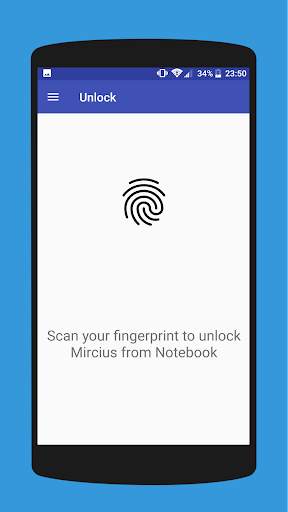
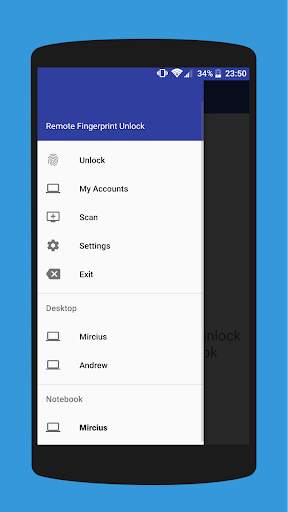
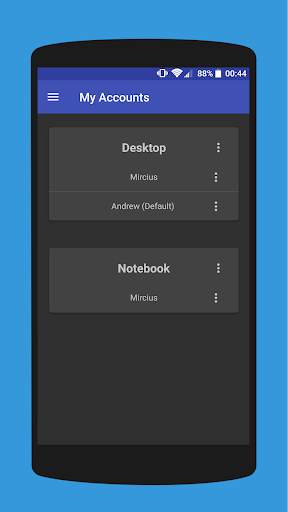
Remote Fingerprint Unlock screenshot 1 Remote Fingerprint Unlock screenshot 2 Remote Fingerprint Unlock screenshot 3

Remotely and securely unlock your Windows PC using your Android’s fingerprint sensor.
For the application to work, you need to install the Fingerprint Credential Provider module on your Windows PC (Windows Vista/7/8/10), found
here
.
If you've lost your PRO upgrade after reinstall, need help with setting up accounts or Wake on Lan, or for any other issue that you may encounter, please be sure to check out the
F.A.Q.
The module only runs when the logon screen is active, so, in order to connect your computer, add an account, etc., simply lock your computer (Windows Key L, or from the Start Menu).
How to use the app:
Firstly, be sure that you have installed the Windows module found at the link above.
Go to the Scan menu (making sure that your computer is on the logon screen) and pull to refresh (uses Wi-Fi) or press the add button and use the preferred method of unlocking.
Select your computer and press Save.
Now, go to the Accounts menu, tap the 3-dot menu button of the computer and then Add Account. Enter the Windows account that you want to unlock. Use the displayed name exactly as on the lockscreen (case sensitive, including the domain name if using domain account), together with the corresponding password. Scan your fingerprint and press Add.
For PRO users:
to select one of the added accounts as default, tap on the 3-dot menu button then select Set As Default.
To configure a computer, tap on the 3-dot menu button of that computer.
For PRO users:
to enable Wake on Lan, go to the computer's configuration menu and enable Send WoL Packet. Make sure the MAC address is correct!
You’re now all set! Go to the Unlock menu and scan your fingerprint. You should now see your computer unlocked.
Features:
• Log-into/Unlock an account
• Simple, user-friendly UI
• Secure
• Local/Microsoft/Domain* accounts support
• Light/Dark/Black (AMOLED-friendly) UI themes
• Local network/Bluetooth/Wi-Fi Tethering/USB Tethering support
* 1.2.0 version of the Windows module required. Usage: when adding an account using the Android app, simply add the full name of the account, including the domain, separated by a slash ( ‘’ ). For example:
testaccount.name
PRO features:
• Ads removal
• Unlimited computers and accounts per computer
• Wake-On-Lan
• Unlock widgets
• Launcher shortcuts
• More planned features
Being built with security in mind, the app:
• Can be safely be used on a public network –all sent data is encrypted.
• Encrypts the stored information in the user’s computer using a unique key that identifies the app installation.
• Does not store any password in the Android app.
• Prevents attackers from also gaining access to your computer – if an attacker knows your PIN and adds his own fingerprint, the app is immediately notified and automatically invalidates its own key, which makes the stored private app information lost forever.
Future updates:
• Locking a computer (up next!)
• Linux support (planned after lock feature)
Be sure to allow incoming and outgoing traffic (both TCP and UDP) in your firewall for the LogonUI.exe process found in C:WindowsSystem32. You will be asked at the installation if you want this done automatically for you if you are using Windows Firewall.
Please check the F.A.Q. for more troubleshooting tips and questions or send me an email if you have any questions regarding the app.

...

👉 For More Detail of Remote Fingerprint Unlock

#2 ICE Unlock Fingerprint Scanner

ICE Unlock Fingerprint Scanner
Rating: star 3.7 | Version: 1.7.0.3 | Size: 16.0MB
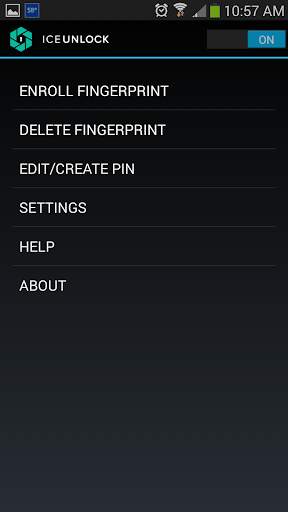
ICE Unlock Fingerprint Scanner screenshot 1 ICE Unlock Fingerprint Scanner screenshot 2 ICE Unlock Fingerprint Scanner screenshot 3

ICE Unlock sử dụng sinh trắc học dấu vân tay thực trên hầu hết mọi thiết bị di động.
Có nhiều ứng dụng giả mạo, nhưng ứng dụng này sử dụng vân tay thực của bạn.
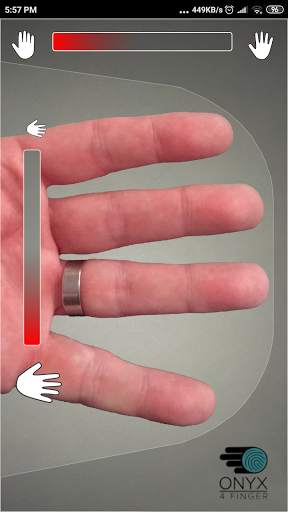
ICE Unlock được cung cấp bởi ONYX cho phép người dùng chụp ảnh dấu vân tay của họ bằng camera hiện có. Không cần thêm phần cứng hoặc máy quét.
* LƯU Ý: ICE Unlock yêu cầu máy ảnh mặt sau có đèn flash và máy ảnh phải có thể lấy nét trên ngón tay của bạn. Một số thiết bị không tập trung vào các vật thể gần không hoạt động với ICEUnlock và được đánh dấu là không tương thích.
ICE Unlock đặt quyền kiểm soát danh tính trở lại nơi nó thuộc về - vào tay người tiêu dùng. Hình ảnh ngón tay của bạn được chuyển thành mẫu bằng quy trình độc quyền của chúng tôi và sau đó bức tranh sẽ bị hủy ngay lập tức. Hơn nữa, các mẫu dấu vân tay không được truyền tới DFT hoặc bất kỳ thực thể nào khác (chính phủ hoặc cơ quan khác). Mẫu chỉ được lưu trữ trong vùng lưu trữ an toàn của thiết bị của bạn, có nghĩa là chỉ có thể truy cập mẫu bằng ICE Unlock. Dữ liệu được lưu trữ trên thiết bị của bạn không thể được sử dụng để thiết kế ngược dấu vân tay của bạn.
Trích dẫn từ Tom's Guide: "Ứng dụng Bitdefender's Clueful, đánh giá rủi ro về quyền riêng tư của các ứng dụng được cài đặt vào điện thoại của bạn, khiến ICE Unlock" thấp " ứng dụng rủi ro ", có nghĩa là nó có ít quyền truy cập vào các chức năng của điện thoại hơn so với các ứng dụng như Facebook hoặc Twitter."
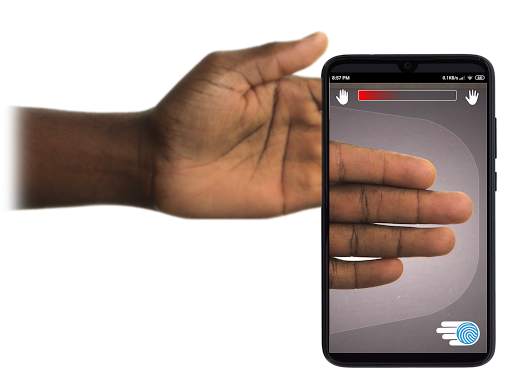
SỬ DỤNG ỨNG DỤNG - Người dùng đặt tay vào trường camera mặt sau của lượt xem. Khi hình ảnh được lấy nét, Mở khóa ICE (Identity Control Essentials) sẽ tự động chụp ảnh ngón tay và chuyển nó thành vân tay. Sau đó, nó xử lý và khớp với hình ảnh cho phép truy cập vào thiết bị.
XÁC NHẬN VÂN TAY CẢM ỨNG CHỈ HOẠT ĐỘNG TỐT HƠN!
Cảm biến dựa trên cảm ứng, giống như trên một số điện thoại, không chính xác bằng , có thể bị hao mòn và có xu hướng làm biến dạng dấu vân tay của bạn do áp lực tác dụng. Công nghệ ONYX không cảm ứng được sử dụng trong ICE Unlock có thể cung cấp mức độ chính xác cao hơn mức yêu cầu của Cục Điều tra Liên bang Hoa Kỳ.
ICE Unlock - ỨNG DỤNG DI ĐỘNG ĐẦU TIÊN TRÊN CÔNG NGHỆ XÁC THỰC ONYX HD.
ONYX Engine là công cụ xử lý, mã hóa và đối sánh tất cả các công việc hậu trường cho ICE Unlock. ONYX được thiết kế để chạy xác thực vân tay không chạm di động trên các thiết bị di động Android, iPhone / iPad và Windows nhằm mang lại sinh trắc học cho các doanh nghiệp. ONYX thể hiện tính linh hoạt của mình bằng cách cung cấp năng lượng cho các ứng dụng như ICE Unlock.
- Nếu bạn đang yêu cầu hỗ trợ, vui lòng bao gồm kiểu thiết bị di động của bạn.
* ICE Unlock hiện có một số cách giải quyết đã biết do cách khóa thiết bị Android. ICE Unlock không nhằm mục đích sử dụng như một nguồn bảo mật duy nhất. Nếu bạn yêu cầu mức độ bảo mật cực cao, chúng tôi khuyên bạn nên triển khai thêm các biện pháp bảo mật khác, chẳng hạn như khóa màn hình khóa nhận dạng khuôn mặt, hình, giọng nói hoặc mã pin dành cho hệ điều hành android.
Để tìm hiểu thêm về ICE Unlock , vui lòng truy cập http://www.diamondfortress.com/the-app.
Để biết thêm thông tin về ONYX, hãy xem http://diamondfortress.com.
Hãy thích chúng tôi trên Facebook.

...

👉 For More Detail of ICE Unlock Fingerprint Scanner

#3 Fingerprint Unlock

Fingerprint Unlock
Rating: star 3.0 | Version: 2.0 | Size: 147.7KB
Fingerprint Unlock screenshot 1 Fingerprint Unlock screenshot 2 Fingerprint Unlock screenshot 3

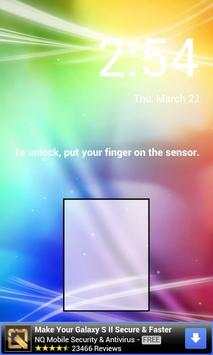
Trick your friends that your phone has a fingerprint security feature.
Features:
- Uses your current wallpaper.
- Displays Clock and Date.

...

👉 For More Detail of Fingerprint Unlock

#4 Fingerprint Unlock

Fingerprint Unlock
Rating: star 3.0 | Version: 3.0.0 | Size: 13.4MB
Fingerprint Unlock screenshot 1 Fingerprint Unlock screenshot 2 Fingerprint Unlock screenshot 3

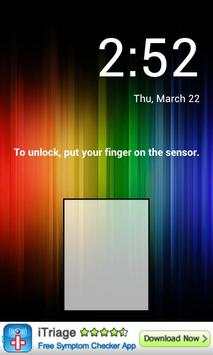
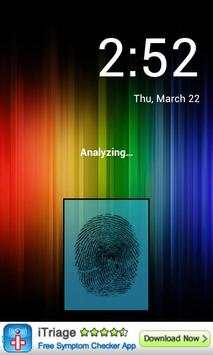
Show off to your friends your new unlock screen. Scan your finger to unlock your phone.
How to use: Click the button right corner, then scan your finger and it will unlock. Enjoy!
Meant for entertainment purposes only.

...

👉 For More Detail of Fingerprint Unlock

#5 Fingerprint Unlock Screen

Fingerprint Unlock Screen
Rating: star 3.0 | Version: 1.0 | Size: 527.6KB
Fingerprint Unlock Screen screenshot 1 Fingerprint Unlock Screen screenshot 2

****THIS IS A GAG APP. IT DOES NOT REALLY READ FINGERPRINTS. USE IT TO FOOL YOUR FRIENDS****
To Use:
1. Open up the app and hand the phone to your friend and watch as your friend cannot unlock your phone with their finger print.
2. When it's your turn, simply tap the LOGO at the TOP of the screen and then start the test.
The phone will unlock immediately afterwards.
**ONCE AGAIN - THE TRICK IS TO TAP THE LOGO AT THE TOP OF THE SCREEN BEFORE YOU START THE SCAN IN ORDER TO UNLOCK THE PHONE! **

...

👉 For More Detail of Fingerprint Unlock Screen

Search Results

1/1

You may like

DOWNLOAD IS NOT SUPPORTED IN WEB STORE!
Use the latest version of 9Apps to download APK&OBB file of games in one click!
DOWNLOAD 9APPS