remote fingerprint unlock on 9Apps

Free download latest remote fingerprint unlock for Android here and enjoy it with your phone. Below you can download a list of top and latest apps related to remote fingerprint unlock . 9APPS is a fast, safe app store. With 9APPS, you can save a lot of time on searching and downloading apps.

#1 Remote Fingerprint Unlock

Remote Fingerprint Unlock
Rating: star 3.8 | Version: 1.6.1 | Size: 4.0MB
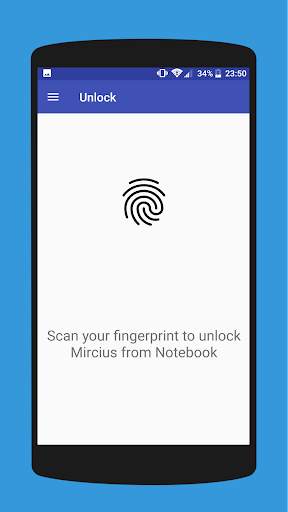
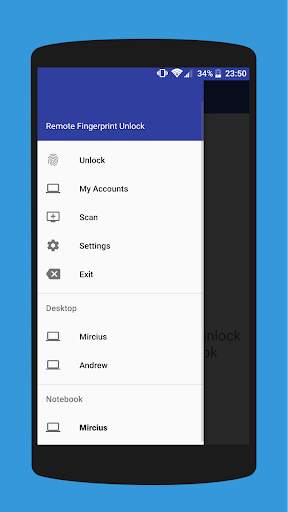
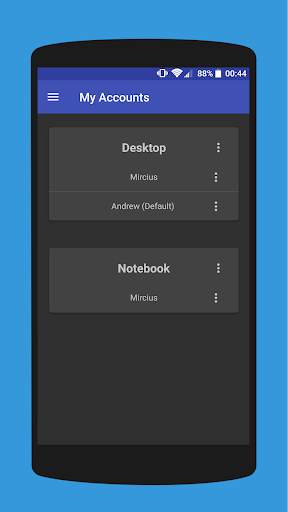
Remote Fingerprint Unlock screenshot 1 Remote Fingerprint Unlock screenshot 2 Remote Fingerprint Unlock screenshot 3

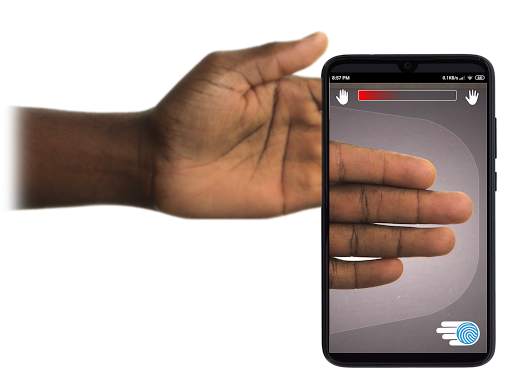
Remotely and securely unlock your Windows PC using your Android’s fingerprint sensor.
For the application to work, you need to install the Fingerprint Credential Provider module on your Windows PC (Windows Vista/7/8/10), found
here
.
If you've lost your PRO upgrade after reinstall, need help with setting up accounts or Wake on Lan, or for any other issue that you may encounter, please be sure to check out the
F.A.Q.
The module only runs when the logon screen is active, so, in order to connect your computer, add an account, etc., simply lock your computer (Windows Key L, or from the Start Menu).
How to use the app:
Firstly, be sure that you have installed the Windows module found at the link above.
Go to the Scan menu (making sure that your computer is on the logon screen) and pull to refresh (uses Wi-Fi) or press the add button and use the preferred method of unlocking.
Select your computer and press Save.
Now, go to the Accounts menu, tap the 3-dot menu button of the computer and then Add Account. Enter the Windows account that you want to unlock. Use the displayed name exactly as on the lockscreen (case sensitive, including the domain name if using domain account), together with the corresponding password. Scan your fingerprint and press Add.
For PRO users:
to select one of the added accounts as default, tap on the 3-dot menu button then select Set As Default.
To configure a computer, tap on the 3-dot menu button of that computer.
For PRO users:
to enable Wake on Lan, go to the computer's configuration menu and enable Send WoL Packet. Make sure the MAC address is correct!
You’re now all set! Go to the Unlock menu and scan your fingerprint. You should now see your computer unlocked.
Features:
• Log-into/Unlock an account
• Simple, user-friendly UI
• Secure
• Local/Microsoft/Domain* accounts support
• Light/Dark/Black (AMOLED-friendly) UI themes
• Local network/Bluetooth/Wi-Fi Tethering/USB Tethering support
* 1.2.0 version of the Windows module required. Usage: when adding an account using the Android app, simply add the full name of the account, including the domain, separated by a slash ( ‘’ ). For example:
testaccount.name
PRO features:
• Ads removal
• Unlimited computers and accounts per computer
• Wake-On-Lan
• Unlock widgets
• Launcher shortcuts
• More planned features
Being built with security in mind, the app:
• Can be safely be used on a public network –all sent data is encrypted.
• Encrypts the stored information in the user’s computer using a unique key that identifies the app installation.
• Does not store any password in the Android app.
• Prevents attackers from also gaining access to your computer – if an attacker knows your PIN and adds his own fingerprint, the app is immediately notified and automatically invalidates its own key, which makes the stored private app information lost forever.
Future updates:
• Locking a computer (up next!)
• Linux support (planned after lock feature)
Be sure to allow incoming and outgoing traffic (both TCP and UDP) in your firewall for the LogonUI.exe process found in C:WindowsSystem32. You will be asked at the installation if you want this done automatically for you if you are using Windows Firewall.
Please check the F.A.Q. for more troubleshooting tips and questions or send me an email if you have any questions regarding the app.

...

👉 For More Detail of Remote Fingerprint Unlock

#2 ICE Unlock Fingerprint Scanner

ICE Unlock Fingerprint Scanner
Rating: star 3.7 | Version: 1.7.0.3 | Size: 16.0MB
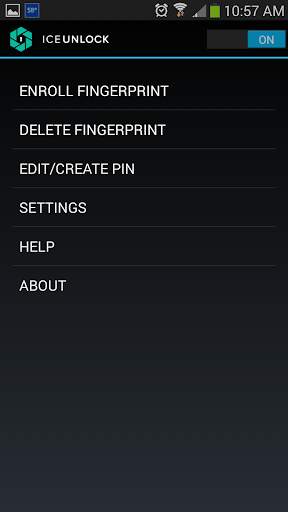
ICE Unlock Fingerprint Scanner screenshot 1 ICE Unlock Fingerprint Scanner screenshot 2 ICE Unlock Fingerprint Scanner screenshot 3

ICE Unlockは、ほとんどすべてのモバイルデバイスで実際の指紋バイオメトリクスを使用します。
利用可能な偽のアプリケーションはたくさんありますが、これは実際の指紋を使用します。
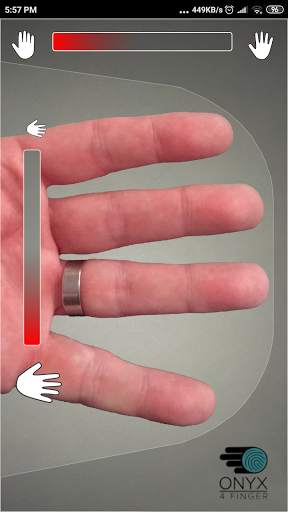
ICE UnlockはONYXを搭載しており、ユーザーは既存のカメラを使用して指紋の写真を撮ることができます。追加のハードウェアやスキャナーは必要ありません。
*注:ICE Unlockには、フラッシュ付きの背面カメラが必要であり、カメラは指に焦点を合わせることができる必要があります。近くのオブジェクトに焦点を合わせていない一部のデバイスは、ICEUnlockで動作せず、互換性がないとマークされます。
ICE Unlockは、ID制御の機能を元の場所(消費者の手に)に戻します。指の写真は、独自のプロセスを使用してテンプレートに変換され、すぐに破棄されます。さらに、指紋テンプレートはDFTまたはその他のエンティティ(政府またはその他)に送信されません。テンプレートは、デバイスの安全なストレージ領域内にのみ保存されます。つまり、ICEUnlockによってのみアクセスできます。デバイスに保存されているデータを使用して、指紋をリバースエンジニアリングすることはできません。
トムズガイドからの引用:「携帯電話にインストールされているアプリのプライバシーリスクを評価するBitdefenderのCluefulアプリは、ICEUnlockに「低リスク」アプリケーション。これは、FacebookやTwitterなどのアプリよりも携帯電話の機能へのアクセスがはるかに少ないことを意味します。」
アプリの使用-ユーザーは、の後ろ向きのカメラフィールドに手を置きます。見る。画像に焦点が合うと、ICE(Identity Control Essentials)Unlockが自動的に指の画像をキャプチャし、指紋に変換します。次に、画像を処理して照合し、デバイスへのアクセスを許可します。
指紋認証の機能が向上します!
一部の携帯電話のようなタッチベースのセンサーは、それほど正確ではありません。 、摩耗しやすく、圧力がかかるため指紋が歪む傾向があります。 ICE Unlockで使用されるタッチレスONYXテクノロジーは、米国連邦捜査局が要求するよりも高いレベルの精度を提供できます。
ICE Unlock – ONYXHD認証エンジンに組み込まれた最初のモバイルアプリ。
ONYXエンジンは、ICE Unlockの処理、エンコード、およびマッチングのすべての舞台裏で行われるものです。 ONYXは、Android、iPhone / iPad、およびWindowsモバイルデバイスでモバイルタッチレス指紋認証を実行して、企業に生体認証を提供するように設計されています。 ONYXは、ICEUnlockなどのアプリケーションにも電力を供給することでその柔軟性を示しています。
-サポートをリクエストする場合は、モバイルデバイスのモデルを含めてください。
* ICEUnlockには現在Androidデバイスのロック方法によるいくつかの既知の回避策。 ICE Unlockは、唯一のセキュリティソースとして使用することを目的としたものではありません。非常に高いレベルのセキュリティが必要な場合は、Androidオペレーティングシステムにネイティブなピン、パターン、音声、顔認識ロック画面などの他のセキュリティ対策を追加で実装することをお勧めします。
ICEロック解除の詳細については、http://www.diamondfortress.com/the-appにアクセスしてください。
ONYXの詳細については、http://diamondfortress.comを参照してください。
Facebookで「いいね!」してください。

...

👉 For More Detail of ICE Unlock Fingerprint Scanner

#3 Fingerprint Unlock

Fingerprint Unlock
Rating: star 3.0 | Version: 2.0 | Size: 147.7KB
Fingerprint Unlock screenshot 1 Fingerprint Unlock screenshot 2 Fingerprint Unlock screenshot 3

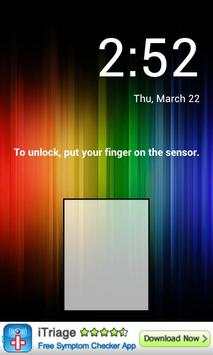
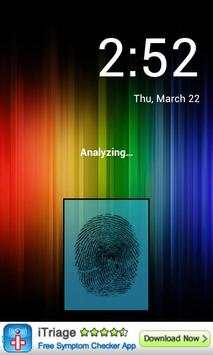
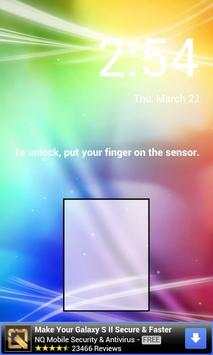
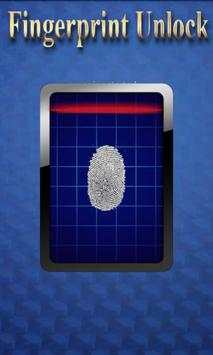
Trick your friends that your phone has a fingerprint security feature.
Features:
- Uses your current wallpaper.
- Displays Clock and Date.

...

👉 For More Detail of Fingerprint Unlock

#4 Fingerprint Unlock

Fingerprint Unlock
Rating: star 3.0 | Version: 3.0.0 | Size: 13.4MB
Fingerprint Unlock screenshot 1 Fingerprint Unlock screenshot 2 Fingerprint Unlock screenshot 3

Show off to your friends your new unlock screen. Scan your finger to unlock your phone.
How to use: Click the button right corner, then scan your finger and it will unlock. Enjoy!
Meant for entertainment purposes only.

...

👉 For More Detail of Fingerprint Unlock

#5 Fingerprint Unlock Screen

Fingerprint Unlock Screen
Rating: star 3.0 | Version: 1.0 | Size: 527.6KB
Fingerprint Unlock Screen screenshot 1 Fingerprint Unlock Screen screenshot 2

****THIS IS A GAG APP. IT DOES NOT REALLY READ FINGERPRINTS. USE IT TO FOOL YOUR FRIENDS****
To Use:
1. Open up the app and hand the phone to your friend and watch as your friend cannot unlock your phone with their finger print.
2. When it's your turn, simply tap the LOGO at the TOP of the screen and then start the test.
The phone will unlock immediately afterwards.
**ONCE AGAIN - THE TRICK IS TO TAP THE LOGO AT THE TOP OF THE SCREEN BEFORE YOU START THE SCAN IN ORDER TO UNLOCK THE PHONE! **

...

👉 For More Detail of Fingerprint Unlock Screen

Search Results

1/1

You may like

DOWNLOAD IS NOT SUPPORTED IN WEB STORE!
Use the latest version of 9Apps to download APK&OBB file of games in one click!
DOWNLOAD 9APPS