remote fingerprint unlock on 9Apps

Free download latest remote fingerprint unlock for Android here and enjoy it with your phone. Below you can download a list of top and latest apps related to remote fingerprint unlock . 9APPS is a fast, safe app store. With 9APPS, you can save a lot of time on searching and downloading apps.

#1 Remote Fingerprint Unlock

Remote Fingerprint Unlock
Rating: star 3.8 | Version: 1.6.1 | Size: 4.0MB
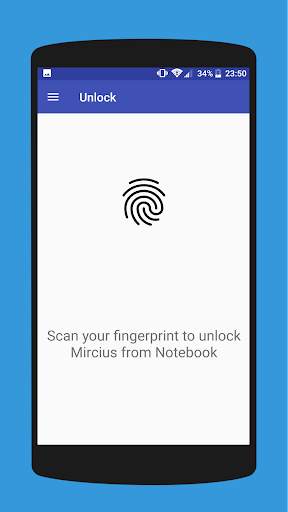
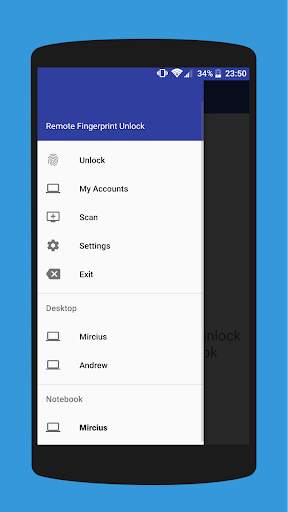
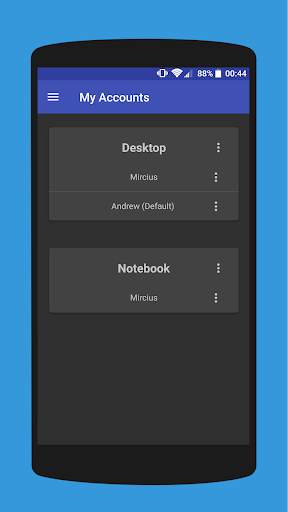
Remote Fingerprint Unlock screenshot 1 Remote Fingerprint Unlock screenshot 2 Remote Fingerprint Unlock screenshot 3

Remotely and securely unlock your Windows PC using your Android’s fingerprint sensor.
For the application to work, you need to install the Fingerprint Credential Provider module on your Windows PC (Windows Vista/7/8/10), found
here
.
If you've lost your PRO upgrade after reinstall, need help with setting up accounts or Wake on Lan, or for any other issue that you may encounter, please be sure to check out the
F.A.Q.
The module only runs when the logon screen is active, so, in order to connect your computer, add an account, etc., simply lock your computer (Windows Key L, or from the Start Menu).
How to use the app:
Firstly, be sure that you have installed the Windows module found at the link above.
Go to the Scan menu (making sure that your computer is on the logon screen) and pull to refresh (uses Wi-Fi) or press the add button and use the preferred method of unlocking.
Select your computer and press Save.
Now, go to the Accounts menu, tap the 3-dot menu button of the computer and then Add Account. Enter the Windows account that you want to unlock. Use the displayed name exactly as on the lockscreen (case sensitive, including the domain name if using domain account), together with the corresponding password. Scan your fingerprint and press Add.
For PRO users:
to select one of the added accounts as default, tap on the 3-dot menu button then select Set As Default.
To configure a computer, tap on the 3-dot menu button of that computer.
For PRO users:
to enable Wake on Lan, go to the computer's configuration menu and enable Send WoL Packet. Make sure the MAC address is correct!
You’re now all set! Go to the Unlock menu and scan your fingerprint. You should now see your computer unlocked.
Features:
• Log-into/Unlock an account
• Simple, user-friendly UI
• Secure
• Local/Microsoft/Domain* accounts support
• Light/Dark/Black (AMOLED-friendly) UI themes
• Local network/Bluetooth/Wi-Fi Tethering/USB Tethering support
* 1.2.0 version of the Windows module required. Usage: when adding an account using the Android app, simply add the full name of the account, including the domain, separated by a slash ( ‘’ ). For example:
testaccount.name
PRO features:
• Ads removal
• Unlimited computers and accounts per computer
• Wake-On-Lan
• Unlock widgets
• Launcher shortcuts
• More planned features
Being built with security in mind, the app:
• Can be safely be used on a public network –all sent data is encrypted.
• Encrypts the stored information in the user’s computer using a unique key that identifies the app installation.
• Does not store any password in the Android app.
• Prevents attackers from also gaining access to your computer – if an attacker knows your PIN and adds his own fingerprint, the app is immediately notified and automatically invalidates its own key, which makes the stored private app information lost forever.
Future updates:
• Locking a computer (up next!)
• Linux support (planned after lock feature)
Be sure to allow incoming and outgoing traffic (both TCP and UDP) in your firewall for the LogonUI.exe process found in C:WindowsSystem32. You will be asked at the installation if you want this done automatically for you if you are using Windows Firewall.
Please check the F.A.Q. for more troubleshooting tips and questions or send me an email if you have any questions regarding the app.

...

👉 For More Detail of Remote Fingerprint Unlock

#2 ICE Unlock Fingerprint Scanner

ICE Unlock Fingerprint Scanner
Rating: star 3.7 | Version: 1.7.0.3 | Size: 16.0MB
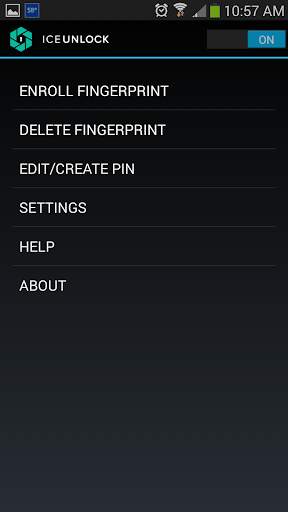
ICE Unlock Fingerprint Scanner screenshot 1 ICE Unlock Fingerprint Scanner screenshot 2 ICE Unlock Fingerprint Scanner screenshot 3

O ICE Unlock usa biometria de impressão digital real em quase todos os dispositivos móveis.
Existem muitos aplicativos falsos disponíveis, mas ele usa sua impressão digital real.
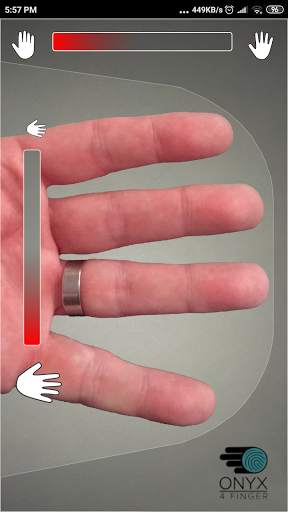
ICE Unlock é desenvolvido pela ONYX, que permite aos usuários tirar uma foto de suas impressões digitais usando a câmera existente. Nenhum hardware ou scanner adicional necessário.
* NOTA: O ICE Unlock requer uma câmera traseira com flash, e a câmera deve ser capaz de focar em seu dedo. Alguns dispositivos que não focam em objetos próximos não funcionam com ICEUnlock e são marcados como incompatíveis.
O ICE Unlock coloca o poder de controle de identidade de volta onde ele pertence - nas mãos do consumidor. As imagens do seu dedo são transformadas em um modelo usando nosso processo proprietário e, em seguida, a imagem é imediatamente destruída. Além disso, os modelos de impressão digital não são transmitidos para a DFT ou qualquer outra entidade (governamental ou outra). O modelo é armazenado apenas na área de armazenamento seguro do seu dispositivo, o que significa que só pode ser acessado pelo ICE Unlock. Os dados armazenados no seu dispositivo não podem ser usados ​​para fazer engenharia reversa na sua impressão digital.
Citação do Guia do Tom: "O aplicativo Clueful do Bitdefender, que classifica os riscos de privacidade dos aplicativos instalados no seu telefone, dá ao ICE Unlock um" baixo risco ", o que significa que tem muito menos acesso às funções do seu telefone do que aplicativos como Facebook ou Twitter."
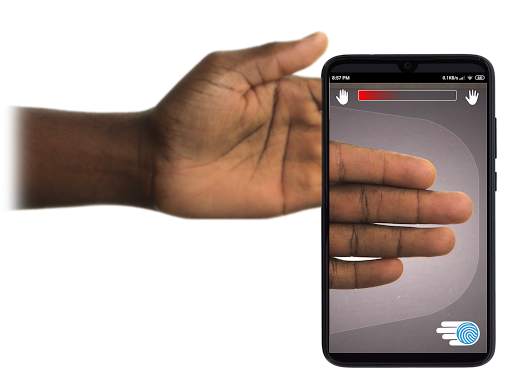
USANDO O APLICATIVO - O usuário coloca a mão no campo da câmera traseira do visualizar. Quando a imagem está em foco, o ICE (Identity Control Essentials) Unlock captura automaticamente uma imagem dos dedos e a converte em uma impressão digital. Em seguida, ele processa e corresponde à imagem que permite o acesso ao dispositivo.
A AUTENTICAÇÃO DE IMPRESSÃO DIGITAL SEM TOQUE FUNCIONA MELHOR!
Sensores baseados em toque, como os de alguns telefones, não são tão precisos , estão sujeitos a desgaste e têm tendência a distorcer a sua impressão digital devido à pressão aplicada. A tecnologia ONYX sem toque usada no ICE Unlock pode fornecer níveis mais altos de precisão do que os exigidos pelo Federal Bureau of Investigation dos EUA.
ICE Unlock - O PRIMEIRO APP MÓVEL CONSTRUÍDO NO MOTOR DE AUTENTICAÇÃO ONYX HD.
O ONYX Engine é o que faz todo o processamento, codificação e correspondência dos bastidores para o ICE Unlock. ONYX foi projetado para executar autenticação de impressão digital móvel sem toque em dispositivos móveis Android, iPhone / iPad e Windows para levar a biometria às empresas. ONYX mostra sua flexibilidade ao alimentar aplicativos como o ICE Unlock.
- Se você está solicitando suporte, inclua o modelo do seu dispositivo móvel.
* O ICE Unlock tem atualmente algumas soluções alternativas conhecidas devido à forma como os dispositivos Android são bloqueados. O ICE Unlock não se destina a ser usado como uma única fonte de segurança. Se você precisar de um nível extremamente alto de segurança, recomendamos a implementação adicional de outras medidas de segurança, como as telas de bloqueio de pin, padrão, voz ou reconhecimento facial nativas do sistema operacional Android.
Para saber mais sobre o ICE Unlock , vá para http://www.diamondfortress.com/the-app.
Para obter mais informações sobre o ONYX, consulte http://diamondfortress.com.
Curta-nos no Facebook.

...

👉 For More Detail of ICE Unlock Fingerprint Scanner

#3 Fingerprint Unlock

Fingerprint Unlock
Rating: star 3.0 | Version: 2.0 | Size: 147.7KB
Fingerprint Unlock screenshot 1 Fingerprint Unlock screenshot 2 Fingerprint Unlock screenshot 3

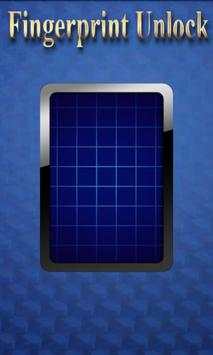
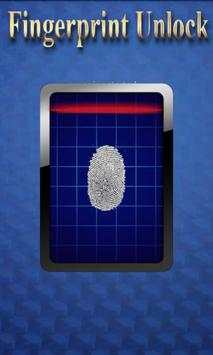
Trick your friends that your phone has a fingerprint security feature.
Features:
- Uses your current wallpaper.
- Displays Clock and Date.

...

👉 For More Detail of Fingerprint Unlock

#4 Fingerprint Unlock

Fingerprint Unlock
Rating: star 3.0 | Version: 3.0.0 | Size: 13.4MB
Fingerprint Unlock screenshot 1 Fingerprint Unlock screenshot 2 Fingerprint Unlock screenshot 3

Show off to your friends your new unlock screen. Scan your finger to unlock your phone.
How to use: Click the button right corner, then scan your finger and it will unlock. Enjoy!
Meant for entertainment purposes only.

...

👉 For More Detail of Fingerprint Unlock

#5 Fingerprint Unlock Screen

Fingerprint Unlock Screen
Rating: star 3.0 | Version: 1.0 | Size: 527.6KB
Fingerprint Unlock Screen screenshot 1 Fingerprint Unlock Screen screenshot 2

****THIS IS A GAG APP. IT DOES NOT REALLY READ FINGERPRINTS. USE IT TO FOOL YOUR FRIENDS****
To Use:
1. Open up the app and hand the phone to your friend and watch as your friend cannot unlock your phone with their finger print.
2. When it's your turn, simply tap the LOGO at the TOP of the screen and then start the test.
The phone will unlock immediately afterwards.
**ONCE AGAIN - THE TRICK IS TO TAP THE LOGO AT THE TOP OF THE SCREEN BEFORE YOU START THE SCAN IN ORDER TO UNLOCK THE PHONE! **

...

👉 For More Detail of Fingerprint Unlock Screen

Search Results

1/1

You may like

DOWNLOAD IS NOT SUPPORTED IN WEB STORE!
Use the latest version of 9Apps to download APK&OBB file of games in one click!
DOWNLOAD 9APPS