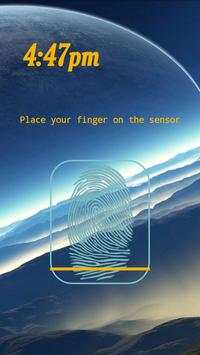
remote fingerprint unlock on 9Apps

Free download latest remote fingerprint unlock for Android here and enjoy it with your phone. Below you can download a list of top and latest apps related to remote fingerprint unlock . 9APPS is a fast, safe app store. With 9APPS, you can save a lot of time on searching and downloading apps.

#1 Remote Fingerprint Unlock

Remote Fingerprint Unlock
Rating: star 3.8 | Version: 1.6.1 | Size: 4.0MB
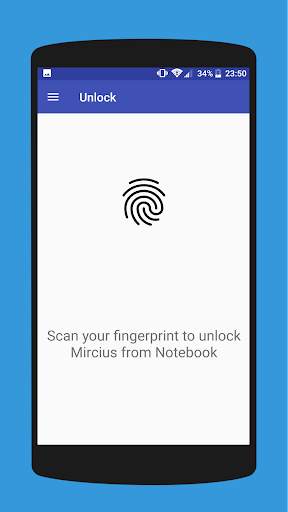
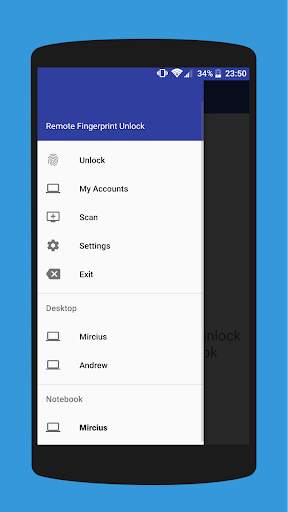
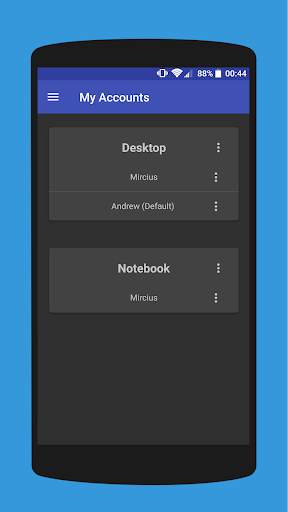
Remote Fingerprint Unlock 1 تصوير الشاشة Remote Fingerprint Unlock 2 تصوير الشاشة Remote Fingerprint Unlock 3 تصوير الشاشة

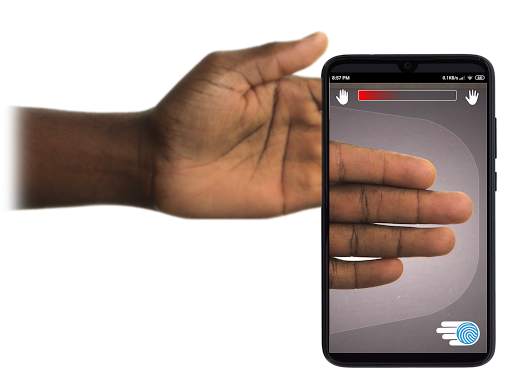
Remotely and securely unlock your Windows PC using your Android’s fingerprint sensor.
For the application to work, you need to install the Fingerprint Credential Provider module on your Windows PC (Windows Vista/7/8/10), found
here
.
If you've lost your PRO upgrade after reinstall, need help with setting up accounts or Wake on Lan, or for any other issue that you may encounter, please be sure to check out the
F.A.Q.
The module only runs when the logon screen is active, so, in order to connect your computer, add an account, etc., simply lock your computer (Windows Key L, or from the Start Menu).
How to use the app:
Firstly, be sure that you have installed the Windows module found at the link above.
Go to the Scan menu (making sure that your computer is on the logon screen) and pull to refresh (uses Wi-Fi) or press the add button and use the preferred method of unlocking.
Select your computer and press Save.
Now, go to the Accounts menu, tap the 3-dot menu button of the computer and then Add Account. Enter the Windows account that you want to unlock. Use the displayed name exactly as on the lockscreen (case sensitive, including the domain name if using domain account), together with the corresponding password. Scan your fingerprint and press Add.
For PRO users:
to select one of the added accounts as default, tap on the 3-dot menu button then select Set As Default.
To configure a computer, tap on the 3-dot menu button of that computer.
For PRO users:
to enable Wake on Lan, go to the computer's configuration menu and enable Send WoL Packet. Make sure the MAC address is correct!
You’re now all set! Go to the Unlock menu and scan your fingerprint. You should now see your computer unlocked.
Features:
• Log-into/Unlock an account
• Simple, user-friendly UI
• Secure
• Local/Microsoft/Domain* accounts support
• Light/Dark/Black (AMOLED-friendly) UI themes
• Local network/Bluetooth/Wi-Fi Tethering/USB Tethering support
* 1.2.0 version of the Windows module required. Usage: when adding an account using the Android app, simply add the full name of the account, including the domain, separated by a slash ( ‘’ ). For example:
testaccount.name
PRO features:
• Ads removal
• Unlimited computers and accounts per computer
• Wake-On-Lan
• Unlock widgets
• Launcher shortcuts
• More planned features
Being built with security in mind, the app:
• Can be safely be used on a public network –all sent data is encrypted.
• Encrypts the stored information in the user’s computer using a unique key that identifies the app installation.
• Does not store any password in the Android app.
• Prevents attackers from also gaining access to your computer – if an attacker knows your PIN and adds his own fingerprint, the app is immediately notified and automatically invalidates its own key, which makes the stored private app information lost forever.
Future updates:
• Locking a computer (up next!)
• Linux support (planned after lock feature)
Be sure to allow incoming and outgoing traffic (both TCP and UDP) in your firewall for the LogonUI.exe process found in C:WindowsSystem32. You will be asked at the installation if you want this done automatically for you if you are using Windows Firewall.
Please check the F.A.Q. for more troubleshooting tips and questions or send me an email if you have any questions regarding the app.

...

👉 For More Detail of Remote Fingerprint Unlock

#2 ICE Unlock Fingerprint Scanner

ICE Unlock Fingerprint Scanner
Rating: star 3.7 | Version: 1.7.0.3 | Size: 16.0MB
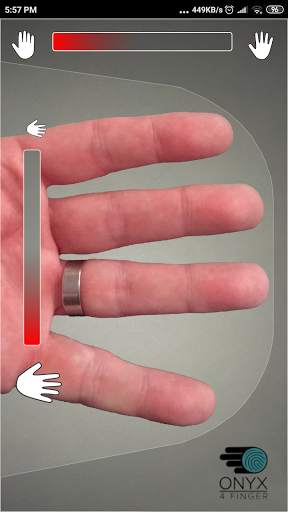
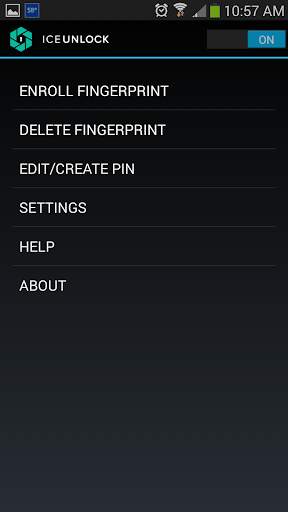
ICE Unlock Fingerprint Scanner 1 تصوير الشاشة ICE Unlock Fingerprint Scanner 2 تصوير الشاشة ICE Unlock Fingerprint Scanner 3 تصوير الشاشة

يستخدم ICE Unlock المقاييس الحيوية لبصمات الأصابع الحقيقية على أي جهاز محمول تقريبًا.
هناك العديد من التطبيقات المزيفة المتاحة ، ولكن هذا يستخدم بصمة إصبعك الفعلية.
يتم تشغيل ICE Unlock بواسطة ONYX والذي يسمح للمستخدمين بالتقاط صورة لبصمات أصابعهم باستخدام الكاميرا الموجودة. لا حاجة إلى أجهزة أو ماسح ضوئي إضافي.
* ملاحظة: يتطلب ICE Unlock كاميرا خلفية مزودة بفلاش ، ويجب أن تكون الكاميرا قادرة على التركيز على إصبعك. بعض الأجهزة التي لا تركز على كائنات قريبة لا تعمل مع ICEUnlock ويتم تمييزها بأنها غير متوافقة.
ICE Unlock تضع قوة التحكم في الهوية في مكانها - في أيدي المستهلك. يتم تحويل صور إصبعك إلى قالب باستخدام عملية الملكية الخاصة بنا ثم يتم إتلاف الصورة على الفور. علاوة على ذلك ، لا يتم نقل قوالب بصمات الأصابع إلى DFT أو أي كيان آخر (حكومي أو غير ذلك). يتم تخزين القالب فقط داخل منطقة التخزين الآمنة بجهازك ، مما يعني أنه لا يمكن الوصول إليه إلا عن طريق فتح ICE. لا يمكن استخدام البيانات المخزنة على جهازك لإجراء هندسة عكسية لبصمة إصبعك.
اقتباس من دليل Tom: "تطبيق Bitdefender's Clueful ، الذي يصنف مخاطر خصوصية التطبيقات المثبتة على هاتفك ، يمنح ICE Unlock مستوى" منخفض "خطر" ، مما يعني أن إمكانية الوصول إلى وظائف هاتفك أقل بكثير من التطبيقات مثل Facebook أو Twitter. "
استخدام التطبيق - يضع المستخدم يده في مجال الكاميرا الخلفية رأي. عندما تكون الصورة في بؤرة التركيز ، يقوم ICE (أساسيات التحكم في الهوية) Unlock بالتقاط صورة للأصابع تلقائيًا وتحويلها إلى بصمة إصبع. بعد ذلك ، يقوم بمعالجة الصورة ومطابقتها للسماح بالوصول إلى الجهاز.
توثيق بصمة الإصبع يعمل بشكل أفضل!
أجهزة الاستشعار التي تعمل باللمس ، مثل تلك الموجودة في بعض الهواتف ، ليست دقيقة ، معرضة للاهتراء ، وتميل إلى تشويه بصمة إصبعك بسبب الضغط الذي تمارسه. يمكن لتقنية ONYX التي لا تلمس والمستخدمة في ICE Unlock أن توفر مستويات دقة أعلى مما يطلبه مكتب التحقيقات الفيدرالي الأمريكي.
ICE Unlock - أول تطبيق للهاتف المحمول مبني على محرك ONYX HD AUTHENTICATION.
محرك ONYX هو ما يقوم به كل ما وراء الكواليس من معالجة وتشفير ومطابقة لإلغاء تأمين ICE. تم تصميم ONYX لتشغيل مصادقة بصمات الأصابع على الأجهزة المحمولة التي تعمل بنظام Android و iPhone / iPad و Windows لتوفير القياسات الحيوية للمؤسسات. يُظهر ONYX مرونته من خلال تشغيل تطبيقات مثل ICE Unlock.
- إذا كنت تطلب الدعم ، فيرجى تضمين طراز جهازك المحمول.
* ICE Unlock لديه حاليًا بعض الحلول المعروفة بسبب طريقة قفل أجهزة Android. لا يُقصد من ICE Unlock استخدامه كمصدر وحيد للأمن. إذا كنت تحتاج إلى مستوى عالٍ للغاية من الأمان ، فنحن نوصيك أيضًا بتنفيذ إجراءات أمان أخرى مثل شاشات قفل دبوس أو نقش أو صوت أو التعرف على الوجه الأصلية لنظام التشغيل android.
لمعرفة المزيد حول ICE Unlock ، يرجى زيارة http://www.diamondfortress.com/the-app.
لمزيد من المعلومات حول ONYX ، راجع http://diamondfortress.com. من فضلك اعجب بنا على Facebook.

...

👉 For More Detail of ICE Unlock Fingerprint Scanner

#3 Fingerprint Unlock

Fingerprint Unlock
Rating: star 3.0 | Version: 2.0 | Size: 147.7KB
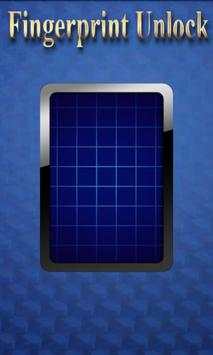
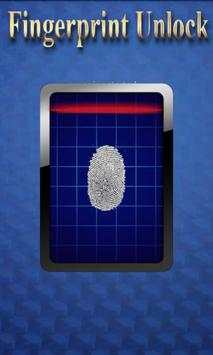
Fingerprint Unlock 1 تصوير الشاشة Fingerprint Unlock 2 تصوير الشاشة Fingerprint Unlock 3 تصوير الشاشة

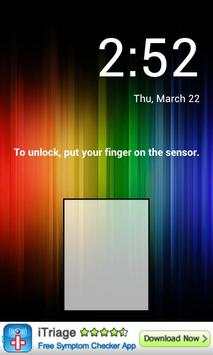
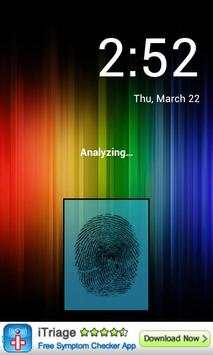
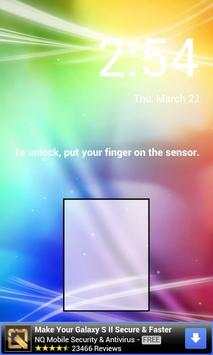
Trick your friends that your phone has a fingerprint security feature.
Features:
- Uses your current wallpaper.
- Displays Clock and Date.

...

👉 For More Detail of Fingerprint Unlock

#4 Fingerprint Unlock

Fingerprint Unlock
Rating: star 3.0 | Version: 3.0.0 | Size: 13.4MB
Fingerprint Unlock 1 تصوير الشاشة Fingerprint Unlock 2 تصوير الشاشة Fingerprint Unlock 3 تصوير الشاشة

Show off to your friends your new unlock screen. Scan your finger to unlock your phone.
How to use: Click the button right corner, then scan your finger and it will unlock. Enjoy!
Meant for entertainment purposes only.

...

👉 For More Detail of Fingerprint Unlock

#5 Fingerprint Unlock Screen

Fingerprint Unlock Screen
Rating: star 3.0 | Version: 1.0 | Size: 527.6KB
Fingerprint Unlock Screen 1 تصوير الشاشة Fingerprint Unlock Screen 2 تصوير الشاشة

****THIS IS A GAG APP. IT DOES NOT REALLY READ FINGERPRINTS. USE IT TO FOOL YOUR FRIENDS****
To Use:
1. Open up the app and hand the phone to your friend and watch as your friend cannot unlock your phone with their finger print.
2. When it's your turn, simply tap the LOGO at the TOP of the screen and then start the test.
The phone will unlock immediately afterwards.
**ONCE AGAIN - THE TRICK IS TO TAP THE LOGO AT THE TOP OF THE SCREEN BEFORE YOU START THE SCAN IN ORDER TO UNLOCK THE PHONE! **

...

👉 For More Detail of Fingerprint Unlock Screen

Search Results

1/1

You may like

DOWNLOAD IS NOT SUPPORTED IN WEB STORE!
Use the latest version of 9Apps to download APK&OBB file of games in one click!
DOWNLOAD 9APPS