remote fingerprint unlock on 9Apps

Free download latest remote fingerprint unlock for Android here and enjoy it with your phone. Below you can download a list of top and latest apps related to remote fingerprint unlock . 9APPS is a fast, safe app store. With 9APPS, you can save a lot of time on searching and downloading apps.

#1 Remote Fingerprint Unlock

Remote Fingerprint Unlock
Rating: star 3.8 | Version: 1.6.1 | Size: 4.0MB
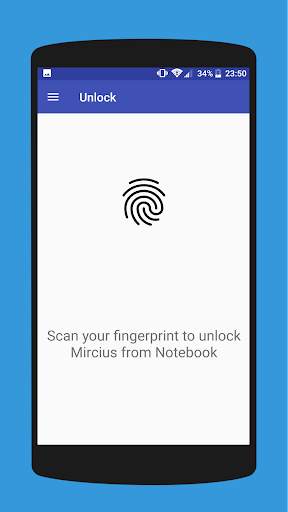
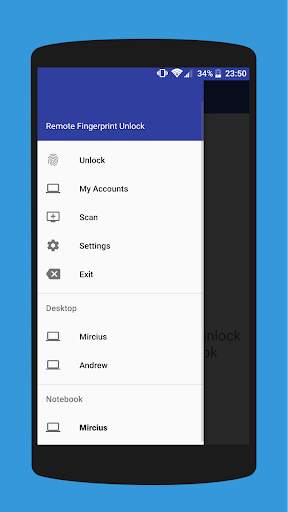
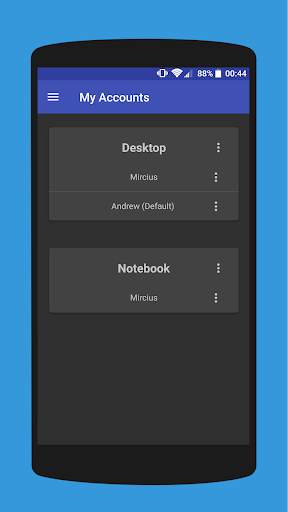
Remote Fingerprint Unlock screenshot 1 Remote Fingerprint Unlock screenshot 2 Remote Fingerprint Unlock screenshot 3

Remotely and securely unlock your Windows PC using your Android’s fingerprint sensor.
For the application to work, you need to install the Fingerprint Credential Provider module on your Windows PC (Windows Vista/7/8/10), found
here
.
If you've lost your PRO upgrade after reinstall, need help with setting up accounts or Wake on Lan, or for any other issue that you may encounter, please be sure to check out the
F.A.Q.
The module only runs when the logon screen is active, so, in order to connect your computer, add an account, etc., simply lock your computer (Windows Key L, or from the Start Menu).
How to use the app:
Firstly, be sure that you have installed the Windows module found at the link above.
Go to the Scan menu (making sure that your computer is on the logon screen) and pull to refresh (uses Wi-Fi) or press the add button and use the preferred method of unlocking.
Select your computer and press Save.
Now, go to the Accounts menu, tap the 3-dot menu button of the computer and then Add Account. Enter the Windows account that you want to unlock. Use the displayed name exactly as on the lockscreen (case sensitive, including the domain name if using domain account), together with the corresponding password. Scan your fingerprint and press Add.
For PRO users:
to select one of the added accounts as default, tap on the 3-dot menu button then select Set As Default.
To configure a computer, tap on the 3-dot menu button of that computer.
For PRO users:
to enable Wake on Lan, go to the computer's configuration menu and enable Send WoL Packet. Make sure the MAC address is correct!
You’re now all set! Go to the Unlock menu and scan your fingerprint. You should now see your computer unlocked.
Features:
• Log-into/Unlock an account
• Simple, user-friendly UI
• Secure
• Local/Microsoft/Domain* accounts support
• Light/Dark/Black (AMOLED-friendly) UI themes
• Local network/Bluetooth/Wi-Fi Tethering/USB Tethering support
* 1.2.0 version of the Windows module required. Usage: when adding an account using the Android app, simply add the full name of the account, including the domain, separated by a slash ( ‘’ ). For example:
testaccount.name
PRO features:
• Ads removal
• Unlimited computers and accounts per computer
• Wake-On-Lan
• Unlock widgets
• Launcher shortcuts
• More planned features
Being built with security in mind, the app:
• Can be safely be used on a public network –all sent data is encrypted.
• Encrypts the stored information in the user’s computer using a unique key that identifies the app installation.
• Does not store any password in the Android app.
• Prevents attackers from also gaining access to your computer – if an attacker knows your PIN and adds his own fingerprint, the app is immediately notified and automatically invalidates its own key, which makes the stored private app information lost forever.
Future updates:
• Locking a computer (up next!)
• Linux support (planned after lock feature)
Be sure to allow incoming and outgoing traffic (both TCP and UDP) in your firewall for the LogonUI.exe process found in C:WindowsSystem32. You will be asked at the installation if you want this done automatically for you if you are using Windows Firewall.
Please check the F.A.Q. for more troubleshooting tips and questions or send me an email if you have any questions regarding the app.

...

👉 For More Detail of Remote Fingerprint Unlock

#2 ICE Unlock Fingerprint Scanner

ICE Unlock Fingerprint Scanner
Rating: star 3.7 | Version: 1.7.0.3 | Size: 16.0MB
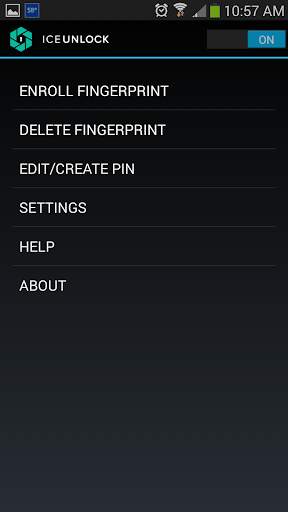
ICE Unlock Fingerprint Scanner screenshot 1 ICE Unlock Fingerprint Scanner screenshot 2 ICE Unlock Fingerprint Scanner screenshot 3

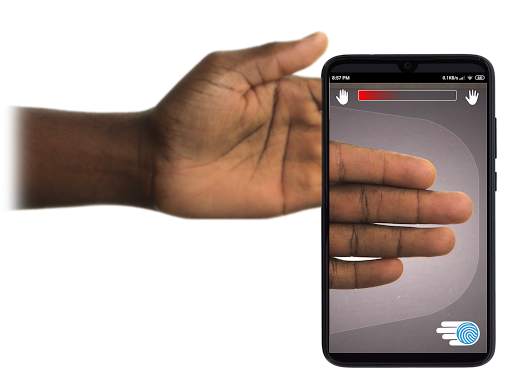
Gumagamit ang ICE Unlock ng tunay na mga biometric ng fingerprint sa halos anumang mobile device.
Maraming pekeng mga application na magagamit, ngunit ginagamit nito ang iyong tunay na fingerprint.
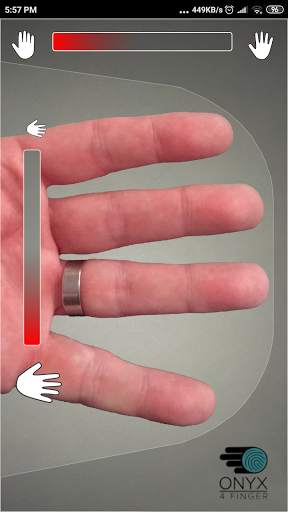
Ang ICE Unlock ay pinalakas ng ONYX na nagpapahintulot sa mga gumagamit na kumuha ng larawan ng kanilang mga fingerprint gamit ang umiiral na camera. Walang kinakailangang karagdagang hardware o scanner.
* TANDAAN: Ang ICE Unlock ay nangangailangan ng isang nakaharap na camera na may flash, at dapat ma-focus ang camera sa iyong daliri. Ang ilang mga aparato na hindi nakatuon sa mga malapit na bagay ay hindi gumagana sa ICEUnlock at minarkahang hindi tugma.
ICE Unlock inilalagay ang kapangyarihan ng pagkontrol sa pagkakakilanlan pabalik sa kung saan ito nabibilang - sa mga kamay ng mamimili. Ang mga larawan ng iyong daliri ay ginawang isang template gamit ang aming pagmamay-ari na proseso at pagkatapos ay ang larawan ay agad na nawasak. Bukod dito, ang mga template ng fingerprint ay hindi naililipat sa DFT o anumang iba pang nilalang (gobyerno o kung hindi man). Ang template ay nakaimbak lamang sa loob ng ligtas na lugar ng pag-iimbak ng iyong aparato, nangangahulugang maaari lamang itong ma-access ng ICE Unlock. Ang data na nakaimbak sa iyong aparato ay hindi maaaring gamitin upang i-reverse engineer ang iyong fingerprint.
Sipi mula sa Gabay ni Tom: "Ang Bitdefender's Clueful app, na binibigyan ng rate ang mga panganib sa privacy ng mga app na naka-install sa iyong telepono, ay nagbibigay sa ICE I-unlock ang isang" mababa peligrosong "application, na nangangahulugang may mas kaunting pag-access sa mga pagpapaandar ng iyong telepono kaysa sa mga app tulad ng Facebook o Twitter."
GAMIT ANG APP - Inilalagay ng gumagamit ang kanilang kamay sa larangan ng camera na nakaharap sa likuran ng tingnan Kapag nakatuon ang imahe, ang ICE (Mga Kinakailangan na Pagkontrol sa Pagkakakilanlan) Awtomatikong kinukuha ng I-unlock ang isang imahe ng mga daliri at ginawang ito sa isang fingerprint. Pagkatapos, pinoproseso at tumutugma ito sa imaheng nagpapahintulot sa pag-access sa aparato.
TOUCHLESS FINGERPRINT AUTHENTICATION JUST WORKS BETTER!
Ang mga touch-based sensor, tulad ng isa sa ilang mga telepono, ay hindi tumpak , napapailalim sa pagkasira, at may kaugaliang ibaluktot ang iyong fingerprint dahil sa inilapat na presyon. Ang walang ugnayan na teknolohiyang ONYX na ginamit sa ICE Unlock ay maaaring magbigay ng mas mataas na antas ng kawastuhan kaysa sa hinihiling ng US Federal Bureau of Investigation.
ICE Unlock - ANG UNANG MOBILE APP NA NABUHAY SA ONYX HD AUTHENTICATION ENGINE.
Ang ONYX Engine ay kung ano ang ginagawa ng lahat sa likod ng mga eksena sa pagpoproseso, pag-encode, at pagtutugma para sa ICE Unlock. Ang ONYX ay idinisenyo upang patakbuhin ang mobile na walang touchless fingerprint na pagpapatotoo sa Android, iPhone / iPad, at mga Windows mobile device upang magdala ng mga biometric sa mga negosyo. Ipinapakita ng ONYX ang kakayahang umangkop nito sa pamamagitan din ng pagpapagana ng mga application tulad ng ICE Unlock.
- Kung humihiling ka ng suporta mangyaring isama ang modelo ng iyong mobile device.
* Kasalukuyang mayroon ang ICE Unlock ilang mga kilalang pag-workaround dahil sa pag-lock ng mga Android device. Ang ICE Unlock ay hindi inilaan upang magamit bilang isang nag-iisang mapagkukunan ng seguridad. Kung nangangailangan ka ng isang napakataas na antas ng seguridad, inirerekumenda namin sa iyo na magpatupad ng iba pang mga hakbang sa seguridad tulad ng mga pin, pattern, boses, o mga pang-lock ng lock ng screen na katutubong sa android operating system.
Upang matuto nang higit pa tungkol sa ICE Unlock , mangyaring pumunta sa http://www.diamondfortress.com/the-app.
Para sa karagdagang impormasyon tungkol sa ONYX, tingnan ang http://diamondfortress.com.
Mangyaring gusto sa amin sa Facebook.

...

👉 For More Detail of ICE Unlock Fingerprint Scanner

#3 Fingerprint Unlock

Fingerprint Unlock
Rating: star 3.0 | Version: 2.0 | Size: 147.7KB
Fingerprint Unlock screenshot 1 Fingerprint Unlock screenshot 2 Fingerprint Unlock screenshot 3

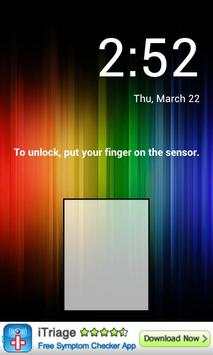
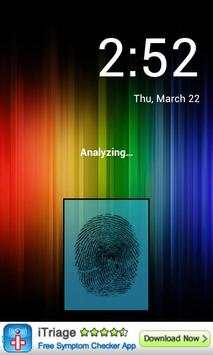
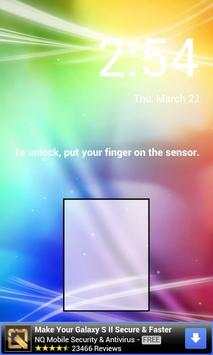
Trick your friends that your phone has a fingerprint security feature.
Features:
- Uses your current wallpaper.
- Displays Clock and Date.

...

👉 For More Detail of Fingerprint Unlock

#4 Fingerprint Unlock

Fingerprint Unlock
Rating: star 3.0 | Version: 3.0.0 | Size: 13.4MB
Fingerprint Unlock screenshot 1 Fingerprint Unlock screenshot 2 Fingerprint Unlock screenshot 3

Show off to your friends your new unlock screen. Scan your finger to unlock your phone.
How to use: Click the button right corner, then scan your finger and it will unlock. Enjoy!
Meant for entertainment purposes only.

...

👉 For More Detail of Fingerprint Unlock

#5 Fingerprint Unlock Screen

Fingerprint Unlock Screen
Rating: star 3.0 | Version: 1.0 | Size: 527.6KB
Fingerprint Unlock Screen screenshot 1 Fingerprint Unlock Screen screenshot 2

****THIS IS A GAG APP. IT DOES NOT REALLY READ FINGERPRINTS. USE IT TO FOOL YOUR FRIENDS****
To Use:
1. Open up the app and hand the phone to your friend and watch as your friend cannot unlock your phone with their finger print.
2. When it's your turn, simply tap the LOGO at the TOP of the screen and then start the test.
The phone will unlock immediately afterwards.
**ONCE AGAIN - THE TRICK IS TO TAP THE LOGO AT THE TOP OF THE SCREEN BEFORE YOU START THE SCAN IN ORDER TO UNLOCK THE PHONE! **

...

👉 For More Detail of Fingerprint Unlock Screen

Search Results

1/1

You may like

DOWNLOAD IS NOT SUPPORTED IN WEB STORE!
Use the latest version of 9Apps to download APK&OBB file of games in one click!
DOWNLOAD 9APPS