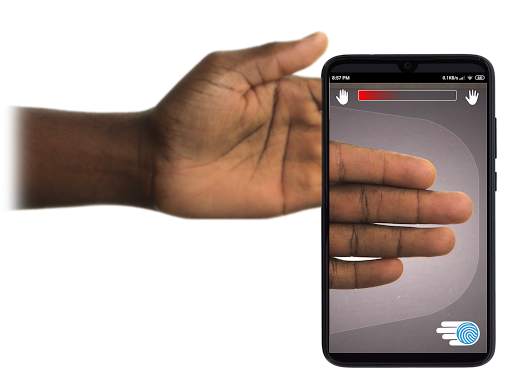
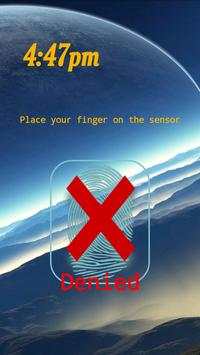
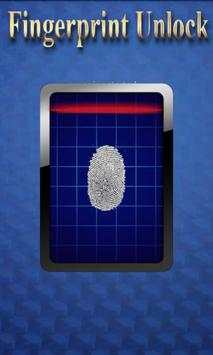
Remotely and securely unlock your Windows PC using your Android’s fingerprint sensor.
For the application to work, you need to install the Fingerprint Credential Provider module on your Windows PC (Windows Vista/7/8/10). Please choose the corresponding version: x64 for 64-bit or x86 for 32-bit Windows installations. You can download it here:
http://bit.ly/2Q4YoUP
The module only runs when the logon screen is active, so, in order to connect your computer, add an account, etc., simply lock your computer (Windows Key + L, or from the Start Menu).
Please take into account that some manufacturers do not fully implement the required Google Fingerprint API's or they do not implement them at all, so even though your smartphone may have a fingerprint sensor, the app may appear as incompatible, crash at start-up or not work at all. Unfortunately, there is nothing I can do about it, as the whole security of this app is based on Google's secure Fingerprint API.
How to use the app:
Firstly, be sure that you have installed the Windows module found at the link above.
Go to the Scan menu (making sure that your computer is on the logon screen) and pull to refresh or press the refresh button.
Select your computer and press Save.
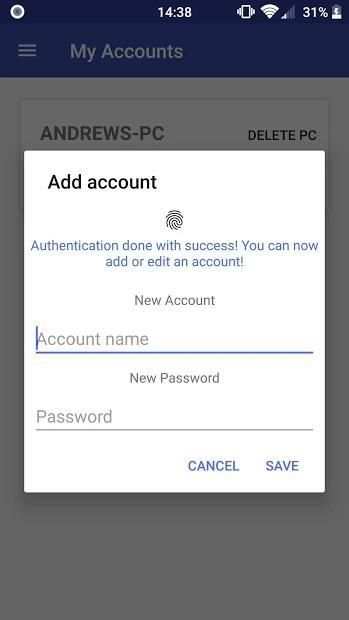
Now, go to the Accounts menu and tap Add an account.
Enter the Windows account that you want to unlock
, scan your fingerprint and press Add.
Next,
tap on the account name
that you want to be unlocked when scanning your fingerprint.
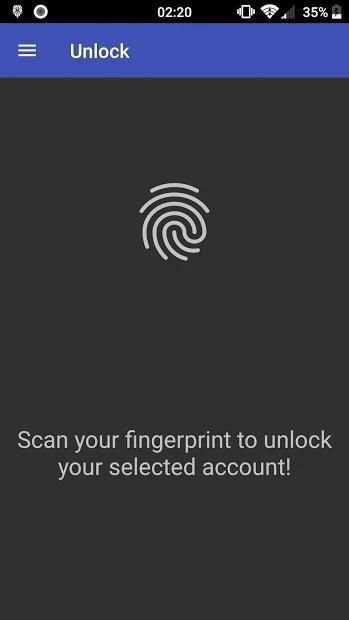
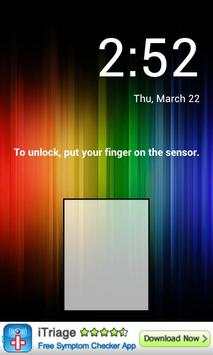
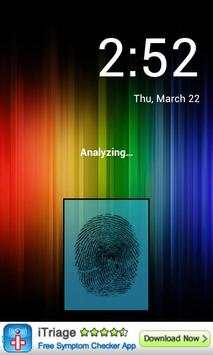
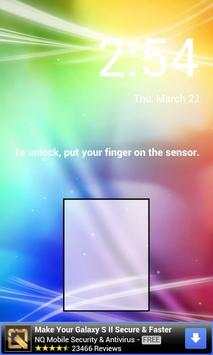
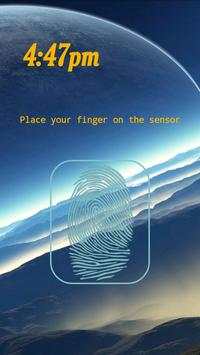
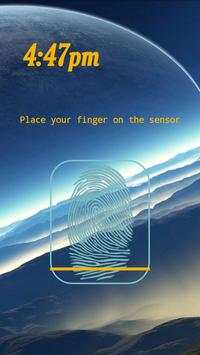
You’re now all set! Go to the Unlock menu and scan your fingerprint. You should now see your computer unlocked.
Features:
• Log-in/Unlock an account
• Simple, user-friendly UI
• Secure
• Local/Microsoft/Domain* accounts support
• Light/Dark/Black (AMOLED-friendly) UI themes
• Local network/Wi-Fi Tethering support
* At the moment, domain accounts are supported only on Windows 8+ computers on the latest (1.0.3) version of the Windows module. Please keep in mind that your account has to be present on the lockscreen for this to be able to work. It does not work for users logging in using the Other Users menu. In the app, simply use the displayed name exactly as on the lockscreen (including the domain name, case sensitive), together with the corresponding password
PRO features:
• Ads removal
• Adding multiple computers
• Adding multiple accounts per computer
• Wake-On-Lan
• Unlock widgets
• More planned features
Being a utility app, please be sure to read the
F.A.Q.
as it contains a lot of useful information that may help you troubleshoot any problem that you may encounter:
http://bit.ly/2N9bzFV
If you have the PRO upgrade, you can turn Wake On Lan on by tapping on the desired computer and ticking "Send WoL-Packet".
Being built with security in mind, the app:
• Can be safely be used on a public network –all sent data is encrypted.
• Encrypts the stored information in the user’s computer using a unique key that identifies the app installation.
• Does not store any password in the Android app.
• Prevents attackers from also gaining access to your computer – if an attacker knows your PIN and adds his own fingerprint, the app is immediately notified and automatically invalidates its own key, which makes the stored private app information lost forever.
Possible future updates:
• Linux support
• Lock a computer with the app
• Being notified when one of your computers wakes up
• Bluetooth support
• Timed unlock
Be sure to allow incoming and outgoing traffic (both TCP and UDP) in your firewall for the LogonUI.exe process found in C:\Windows\System32. You will be asked at the installation if you want this done automatically for you if you are using Windows Firewall.
Please check the F.A.Q. for more troubleshooting tips and questions or send me an email if you have any questions regarding the app.
अपने एंड्रॉइड के फिंगरप्रिंट सेंसर का उपयोग करके अपने विंडोज पीसी को दूरस्थ रूप से और सुरक्षित रूप से अनलॉक करें।
एप्लिकेशन को काम करने के लिए, आपको अपने विंडोज पीसी (विंडोज विस्टा / 7/8/10) पर फिंगरप्रिंट प्रमाण पत्र प्रदाता मॉड्यूल स्थापित करने की आवश्यकता है। कृपया 32-बिट विंडोज इंस्टॉलेशन के लिए 64-बिट या x86 के लिए इसी संस्करण का चयन करें: x64। आप इसे यहां डाउनलोड कर सकते हैं:
http://bit.ly/2Q4YoUP
मॉड्यूल केवल तब चलता है जब लॉगऑन स्क्रीन सक्रिय होती है, इसलिए, अपने कंप्यूटर को कनेक्ट करने के लिए, एक खाता जोड़ें, आदि, बस अपने कंप्यूटर को लॉक करें (विंडोज कुंजी + एल, या स्टार्ट मेनू से)।
कृपया ध्यान रखें कि कुछ निर्माता आवश्यक Google फिंगरप्रिंट एपीआई को पूरी तरह कार्यान्वित नहीं करते हैं या वे उन्हें बिल्कुल लागू नहीं करते हैं, भले ही आपके स्मार्टफ़ोन में फिंगरप्रिंट सेंसर हो, फिर भी ऐप असंगत, क्रैश- ऊपर या काम नहीं करते हैं। दुर्भाग्यवश, इसके बारे में कुछ भी नहीं है, क्योंकि इस ऐप की पूरी सुरक्षा Google के सुरक्षित फ़िंगरप्रिंट एपीआई पर आधारित है।
ऐप का उपयोग कैसे करें:
सबसे पहले, सुनिश्चित करें कि आपने ऊपर दिए गए लिंक पर मिले विंडोज मॉड्यूल को स्थापित किया है।
स्कैन मेनू पर जाएं (सुनिश्चित करें कि आपका कंप्यूटर लॉगऑन स्क्रीन पर है) और ताज़ा करने के लिए खींचें या रीफ्रेश बटन दबाएं।
अपने कंप्यूटर का चयन करें और सहेजें दबाएं।
अब, खाता मेनू पर जाएं और खाता जोड़ें टैप करें।
वह Windows खाता दर्ज करें जिसे आप अनलॉक करना चाहते हैं , अपने फिंगरप्रिंट को स्कैन करें और जोड़ें दबाएं।
अगला,
खाता नाम पर टैप करें जिसे आप अपने फिंगरप्रिंट स्कैन करते समय अनलॉक करना चाहते हैं।
अब आप सब तैयार हैं! अनलॉक मेनू पर जाएं और अपने फिंगरप्रिंट को स्कैन करें। अब आपको अपने कंप्यूटर को अनलॉक करना चाहिए।
विशेषताएं:
• लॉग-इन / एक खाता अनलॉक करें
• सरल, उपयोगकर्ता के अनुकूल यूआई
• सुरक्षित
• स्थानीय / माइक्रोसॉफ्ट / डोमेन * खाते का समर्थन
• लाइट / डार्क / ब्लैक (AMOLED- अनुकूल) यूआई थीम
• स्थानीय नेटवर्क / वाई-फाई टिथरिंग समर्थन
* फिलहाल, डोमेन खाते केवल विंडोज 8+ कंप्यूटर पर विंडोज मॉड्यूल के नवीनतम (1.0.3) संस्करण पर समर्थित हैं। कृपया ध्यान रखें कि काम करने में सक्षम होने के लिए आपके खाते को लॉकस्क्रीन पर मौजूद होना चाहिए। यह अन्य उपयोगकर्ता मेनू का उपयोग करने में लॉग इन करने वाले उपयोगकर्ताओं के लिए काम नहीं करता है। ऐप में, बस उसी नाम के साथ लॉकस्क्रीन (डोमेन नाम, केस संवेदनशील सहित) के रूप में प्रदर्शित नाम का उपयोग करें, साथ ही संबंधित पासवर्ड के साथ
प्रो विशेषताएं:
• विज्ञापन हटाने
• एकाधिक कंप्यूटर जोड़ना
• प्रति कंप्यूटर एकाधिक खातों को जोड़ना
• लैन में चालू होना
• विजेट अनलॉक करें
• अधिक योजनाबद्ध विशेषताएं
उपयोगिता ऐप होने के नाते, कृपया
FAQ को पढ़ना सुनिश्चित करें क्योंकि इसमें बहुत उपयोगी जानकारी है जो आपको किसी भी समस्या का निवारण करने में सहायता कर सकती है:
http://bit.ly/2N9bzFV
यदि आपके पास प्रो अपग्रेड है, तो आप वांछित कंप्यूटर पर टैप करके "WoL-Packet भेजें" पर जाकर वेक ऑन लैन चालू कर सकते हैं।
सुरक्षा के साथ दिमाग में बनाया जा रहा है, ऐप:
• सार्वजनिक नेटवर्क पर सुरक्षित रूप से उपयोग किया जा सकता है - भेजा गया डेटा एन्क्रिप्ट किया गया है।
• ऐप इंस्टॉलेशन की पहचान करने वाली एक अद्वितीय कुंजी का उपयोग करके उपयोगकर्ता के कंप्यूटर में संग्रहीत जानकारी को एन्क्रिप्ट करता है।
• एंड्रॉइड ऐप में कोई पासवर्ड स्टोर नहीं करता है।
• हमलावरों को आपके कंप्यूटर तक पहुंच प्राप्त करने से रोकता है - यदि कोई हमलावर आपका पिन जानता है और अपना स्वयं का फिंगरप्रिंट जोड़ता है, तो ऐप तुरंत सूचित हो जाता है और स्वचालित रूप से अपनी कुंजी को अमान्य कर देता है, जो संग्रहित निजी ऐप जानकारी हमेशा के लिए खो देता है।
संभावित भविष्य अपडेट:
• लिनक्स समर्थन
• ऐप के साथ कंप्यूटर लॉक करें
• जब आपके कंप्यूटर में से कोई जागता है तो अधिसूचित किया जा रहा है
• ब्लूटूथ समर्थन
• समय अनलॉक
C: \ Windows \ System32 में मिली LogonUI.exe प्रक्रिया के लिए अपने फ़ायरवॉल में इनकमिंग और आउटगोइंग ट्रैफ़िक (टीसीपी और यूडीपी दोनों) को अनुमति देना सुनिश्चित करें। यदि आप विंडोज फ़ायरवॉल का उपयोग कर रहे हैं तो आप इंस्टॉलेशन से पूछा जाएगा यदि आप चाहते हैं कि यह स्वचालित रूप से आपके लिए किया जाए।
कृपया एफएचक्यू की जांच करें। यदि आपके पास ऐप से संबंधित कोई प्रश्न हैं तो अधिक समस्या निवारण युक्तियों और प्रश्नों के लिए या मुझे एक ईमेल भेजें।
...
👉 For More Detail of Remote Fingerprint Unlock
 3.8
|
Version: 1.6.1
|
Size: 4.0MB
3.8
|
Version: 1.6.1
|
Size: 4.0MB