remote fingerprint unlock on 9Apps

Free download latest remote fingerprint unlock for Android here and enjoy it with your phone. Below you can download a list of top and latest apps related to remote fingerprint unlock . 9APPS is a fast, safe app store. With 9APPS, you can save a lot of time on searching and downloading apps.

#1 Remote Fingerprint Unlock

Remote Fingerprint Unlock
Rating: star 3.8 | Version: 1.6.1 | Size: 4.0MB
Remote Fingerprint Unlock screenshot 1 Remote Fingerprint Unlock screenshot 2 Remote Fingerprint Unlock screenshot 3

Remotely and securely unlock your Windows PC using your Android’s fingerprint sensor.
For the application to work, you need to install the Fingerprint Credential Provider module on your Windows PC (Windows Vista/7/8/10), found
here
.
If you've lost your PRO upgrade after reinstall, need help with setting up accounts or Wake on Lan, or for any other issue that you may encounter, please be sure to check out the
F.A.Q.
The module only runs when the logon screen is active, so, in order to connect your computer, add an account, etc., simply lock your computer (Windows Key L, or from the Start Menu).
How to use the app:
Firstly, be sure that you have installed the Windows module found at the link above.
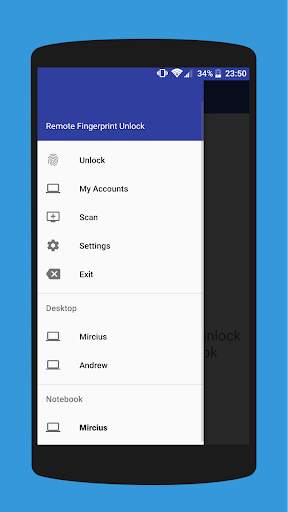
Go to the Scan menu (making sure that your computer is on the logon screen) and pull to refresh (uses Wi-Fi) or press the add button and use the preferred method of unlocking.
Select your computer and press Save.
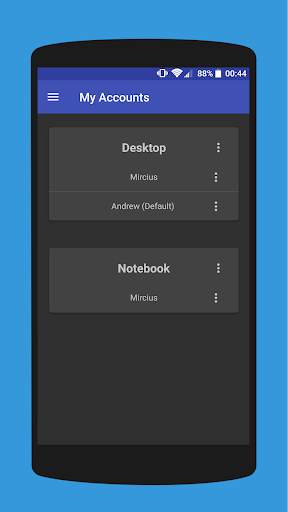
Now, go to the Accounts menu, tap the 3-dot menu button of the computer and then Add Account. Enter the Windows account that you want to unlock. Use the displayed name exactly as on the lockscreen (case sensitive, including the domain name if using domain account), together with the corresponding password. Scan your fingerprint and press Add.
For PRO users:
to select one of the added accounts as default, tap on the 3-dot menu button then select Set As Default.
To configure a computer, tap on the 3-dot menu button of that computer.
For PRO users:
to enable Wake on Lan, go to the computer's configuration menu and enable Send WoL Packet. Make sure the MAC address is correct!
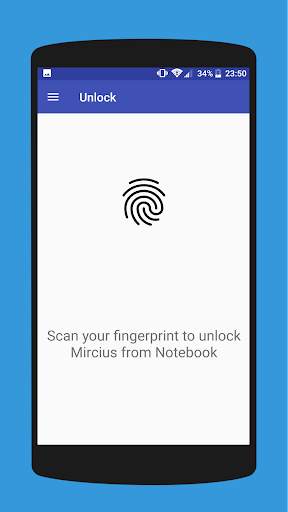
You’re now all set! Go to the Unlock menu and scan your fingerprint. You should now see your computer unlocked.
Features:
• Log-into/Unlock an account
• Simple, user-friendly UI
• Secure
• Local/Microsoft/Domain* accounts support
• Light/Dark/Black (AMOLED-friendly) UI themes
• Local network/Bluetooth/Wi-Fi Tethering/USB Tethering support
* 1.2.0 version of the Windows module required. Usage: when adding an account using the Android app, simply add the full name of the account, including the domain, separated by a slash ( ‘’ ). For example:
testaccount.name
PRO features:
• Ads removal
• Unlimited computers and accounts per computer
• Wake-On-Lan
• Unlock widgets
• Launcher shortcuts
• More planned features
Being built with security in mind, the app:
• Can be safely be used on a public network –all sent data is encrypted.
• Encrypts the stored information in the user’s computer using a unique key that identifies the app installation.
• Does not store any password in the Android app.
• Prevents attackers from also gaining access to your computer – if an attacker knows your PIN and adds his own fingerprint, the app is immediately notified and automatically invalidates its own key, which makes the stored private app information lost forever.
Future updates:
• Locking a computer (up next!)
• Linux support (planned after lock feature)
Be sure to allow incoming and outgoing traffic (both TCP and UDP) in your firewall for the LogonUI.exe process found in C:WindowsSystem32. You will be asked at the installation if you want this done automatically for you if you are using Windows Firewall.
Please check the F.A.Q. for more troubleshooting tips and questions or send me an email if you have any questions regarding the app.

...

👉 For More Detail of Remote Fingerprint Unlock

#2 ICE Unlock Fingerprint Scanner

ICE Unlock Fingerprint Scanner
Rating: star 3.7 | Version: 1.7.0.3 | Size: 16.0MB
ICE Unlock Fingerprint Scanner screenshot 1 ICE Unlock Fingerprint Scanner screenshot 2 ICE Unlock Fingerprint Scanner screenshot 3

ICE Unlock verwendet auf fast jedem mobilen Gerät echte Fingerabdruck-Biometrie.
Es gibt viele gefälschte Anwendungen, die jedoch Ihren tatsächlichen Fingerabdruck verwenden.
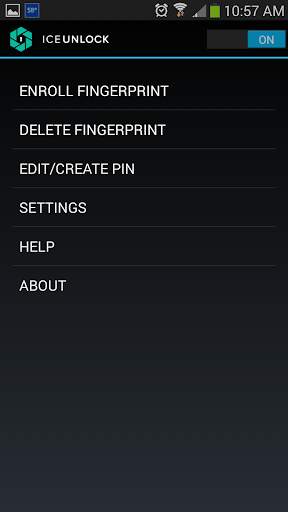
ICE Unlock wird von ONYX betrieben, mit dem Benutzer mit der vorhandenen Kamera ein Bild ihrer Fingerabdrücke aufnehmen können. Keine zusätzliche Hardware oder Scanner erforderlich.
* HINWEIS: Für die ICE-Entsperrung ist eine nach hinten gerichtete Kamera mit Blitz erforderlich, und die Kamera muss in der Lage sein, auf Ihren Finger zu fokussieren. Einige Geräte, die sich nicht auf nahe Objekte konzentrieren, funktionieren nicht mit ICEUnlock und sind als inkompatibel gekennzeichnet.
ICE Unlock gibt die Macht der Identitätskontrolle wieder an die Stelle, zu der sie gehört - in die Hände des Verbrauchers. Bilder Ihres Fingers werden mithilfe unseres proprietären Verfahrens in eine Vorlage umgewandelt, und das Bild wird sofort zerstört. Darüber hinaus werden Fingerabdruckvorlagen nicht an DFT oder eine andere Einrichtung (Regierung oder auf andere Weise) übertragen. Die Vorlage wird nur im sicheren Speicherbereich Ihres Geräts gespeichert, sodass nur mit ICE Unlock auf sie zugegriffen werden kann. Die auf Ihrem Gerät gespeicherten Daten können nicht zum Reverse Engineering Ihres Fingerabdrucks verwendet werden.
Zitat aus Toms Handbuch: "Die Clueful-App von Bitdefender, mit der die Datenschutzrisiken von auf Ihrem Telefon installierten Apps bewertet werden, gibt ICE Unlock ein" Tief " Risiko "Anwendung, was bedeutet, dass es weit weniger Zugriff auf die Funktionen Ihres Telefons hat als Apps wie Facebook oder Twitter."
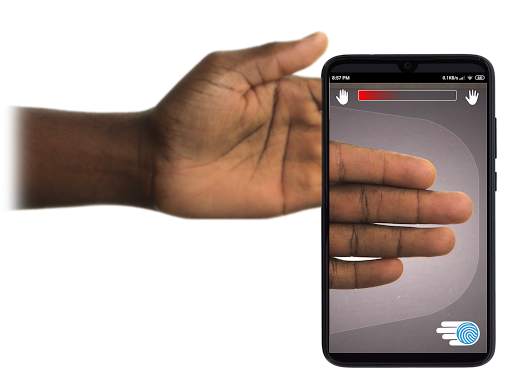
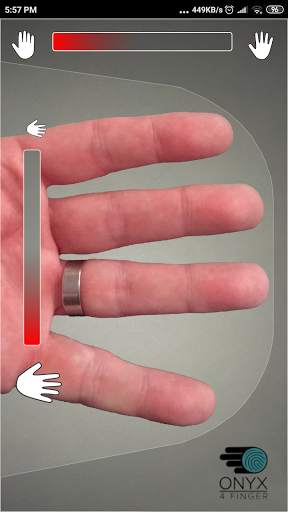
VERWENDUNG DER APP - Der Benutzer legt seine Hand in das nach hinten gerichtete Kamerafeld von Aussicht. Wenn das Bild scharfgestellt ist, erfasst ICE (Identity Control Essentials) Unlock automatisch ein Bild der Finger und wandelt es in einen Fingerabdruck um. Anschließend wird das Bild verarbeitet und abgeglichen, um den Zugriff auf das Gerät zu ermöglichen.
Die berührungslose Fingerabdruckauthentifizierung funktioniert nur besser!
Berührungsbasierte Sensoren wie die einiger Telefone sind nicht so genau , unterliegen einem Verschleiß und neigen dazu, Ihren Fingerabdruck aufgrund des ausgeübten Drucks zu verzerren. Die in ICE Unlock verwendete berührungslose ONYX-Technologie bietet eine höhere Genauigkeit als vom US Federal Bureau of Investigation gefordert.
ICE Unlock - DIE ERSTE MOBILE APP, DIE AUF DER ONYX HD AUTHENTICATION ENGINE ERSTELLT WIRD.
Die ONYX Engine übernimmt die Verarbeitung, Codierung und den Abgleich hinter den Kulissen für ICE Unlock. ONYX wurde entwickelt, um die mobile berührungslose Fingerabdruckauthentifizierung auf Android-, iPhone / iPad- und Windows-Mobilgeräten auszuführen und Unternehmen biometrische Daten zur Verfügung zu stellen. ONYX zeigt seine Flexibilität, indem es auch Anwendungen wie ICE Unlock mit Strom versorgt.
- Wenn Sie Support anfordern, geben Sie bitte das Modell Ihres Mobilgeräts an.
* ICE Unlock verfügt derzeit über Einige bekannte Problemumgehungen aufgrund der Art und Weise, wie Android-Geräte gesperrt werden. ICE Unlock ist nicht als alleinige Sicherheitsquelle gedacht. Wenn Sie ein extrem hohes Maß an Sicherheit benötigen, empfehlen wir Ihnen, zusätzlich andere Sicherheitsmaßnahmen zu implementieren, z. B. die Sperrbildschirme für PIN, Muster, Sprache oder Gesichtserkennung, die für das Android-Betriebssystem typisch sind.
Weitere Informationen zu ICE Unlock Besuchen Sie bitte http://www.diamondfortress.com/the-app.
Weitere Informationen zu ONYX finden Sie unter http://diamondfortress.com.
Bitte liken Sie uns auf Facebook.

...

👉 For More Detail of ICE Unlock Fingerprint Scanner

#3 Fingerprint Unlock

Fingerprint Unlock
Rating: star 3.0 | Version: 2.0 | Size: 147.7KB
Fingerprint Unlock screenshot 1 Fingerprint Unlock screenshot 2 Fingerprint Unlock screenshot 3

Trick your friends that your phone has a fingerprint security feature.
Features:
- Uses your current wallpaper.
- Displays Clock and Date.

...

👉 For More Detail of Fingerprint Unlock

#4 Fingerprint Unlock

Fingerprint Unlock
Rating: star 3.0 | Version: 3.0.0 | Size: 13.4MB
Fingerprint Unlock screenshot 1 Fingerprint Unlock screenshot 2 Fingerprint Unlock screenshot 3

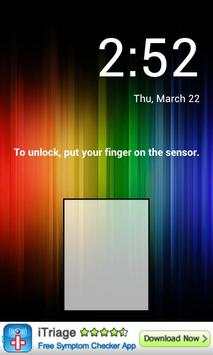
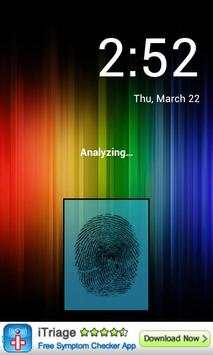
Show off to your friends your new unlock screen. Scan your finger to unlock your phone.
How to use: Click the button right corner, then scan your finger and it will unlock. Enjoy!
Meant for entertainment purposes only.

...

👉 For More Detail of Fingerprint Unlock

#5 Fingerprint Unlock Screen

Fingerprint Unlock Screen
Rating: star 3.0 | Version: 1.0 | Size: 527.6KB
Fingerprint Unlock Screen screenshot 1 Fingerprint Unlock Screen screenshot 2

****THIS IS A GAG APP. IT DOES NOT REALLY READ FINGERPRINTS. USE IT TO FOOL YOUR FRIENDS****
To Use:
1. Open up the app and hand the phone to your friend and watch as your friend cannot unlock your phone with their finger print.
2. When it's your turn, simply tap the LOGO at the TOP of the screen and then start the test.
The phone will unlock immediately afterwards.
**ONCE AGAIN - THE TRICK IS TO TAP THE LOGO AT THE TOP OF THE SCREEN BEFORE YOU START THE SCAN IN ORDER TO UNLOCK THE PHONE! **

...

👉 For More Detail of Fingerprint Unlock Screen

Search Results

1/1

You may like

DOWNLOAD IS NOT SUPPORTED IN WEB STORE!
Use the latest version of 9Apps to download APK&OBB file of games in one click!
DOWNLOAD 9APPS