remote fingerprint unlock on 9Apps

Free download latest remote fingerprint unlock for Android here and enjoy it with your phone. Below you can download a list of top and latest apps related to remote fingerprint unlock . 9APPS is a fast, safe app store. With 9APPS, you can save a lot of time on searching and downloading apps.

#1 Remote Fingerprint Unlock

Remote Fingerprint Unlock
Rating: star 3.8 | Version: 1.6.1 | Size: 4.0MB
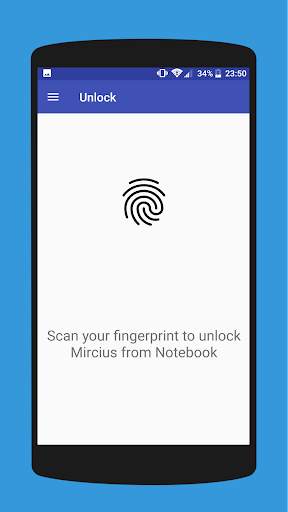
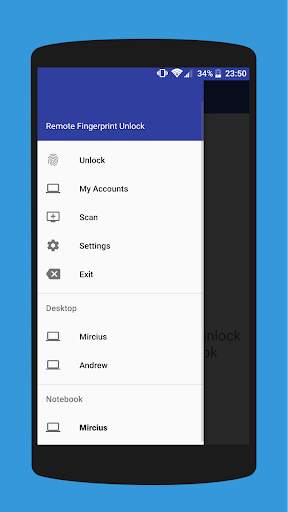
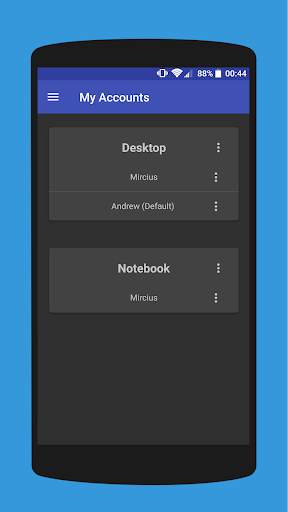
Remote Fingerprint Unlock скриншот 1 Remote Fingerprint Unlock скриншот 2 Remote Fingerprint Unlock скриншот 3

Remotely and securely unlock your Windows PC using your Android’s fingerprint sensor.
For the application to work, you need to install the Fingerprint Credential Provider module on your Windows PC (Windows Vista/7/8/10), found
here
.
If you've lost your PRO upgrade after reinstall, need help with setting up accounts or Wake on Lan, or for any other issue that you may encounter, please be sure to check out the
F.A.Q.
The module only runs when the logon screen is active, so, in order to connect your computer, add an account, etc., simply lock your computer (Windows Key L, or from the Start Menu).
How to use the app:
Firstly, be sure that you have installed the Windows module found at the link above.
Go to the Scan menu (making sure that your computer is on the logon screen) and pull to refresh (uses Wi-Fi) or press the add button and use the preferred method of unlocking.
Select your computer and press Save.
Now, go to the Accounts menu, tap the 3-dot menu button of the computer and then Add Account. Enter the Windows account that you want to unlock. Use the displayed name exactly as on the lockscreen (case sensitive, including the domain name if using domain account), together with the corresponding password. Scan your fingerprint and press Add.
For PRO users:
to select one of the added accounts as default, tap on the 3-dot menu button then select Set As Default.
To configure a computer, tap on the 3-dot menu button of that computer.
For PRO users:
to enable Wake on Lan, go to the computer's configuration menu and enable Send WoL Packet. Make sure the MAC address is correct!
You’re now all set! Go to the Unlock menu and scan your fingerprint. You should now see your computer unlocked.
Features:
• Log-into/Unlock an account
• Simple, user-friendly UI
• Secure
• Local/Microsoft/Domain* accounts support
• Light/Dark/Black (AMOLED-friendly) UI themes
• Local network/Bluetooth/Wi-Fi Tethering/USB Tethering support
* 1.2.0 version of the Windows module required. Usage: when adding an account using the Android app, simply add the full name of the account, including the domain, separated by a slash ( ‘’ ). For example:
testaccount.name
PRO features:
• Ads removal
• Unlimited computers and accounts per computer
• Wake-On-Lan
• Unlock widgets
• Launcher shortcuts
• More planned features
Being built with security in mind, the app:
• Can be safely be used on a public network –all sent data is encrypted.
• Encrypts the stored information in the user’s computer using a unique key that identifies the app installation.
• Does not store any password in the Android app.
• Prevents attackers from also gaining access to your computer – if an attacker knows your PIN and adds his own fingerprint, the app is immediately notified and automatically invalidates its own key, which makes the stored private app information lost forever.
Future updates:
• Locking a computer (up next!)
• Linux support (planned after lock feature)
Be sure to allow incoming and outgoing traffic (both TCP and UDP) in your firewall for the LogonUI.exe process found in C:WindowsSystem32. You will be asked at the installation if you want this done automatically for you if you are using Windows Firewall.
Please check the F.A.Q. for more troubleshooting tips and questions or send me an email if you have any questions regarding the app.

...

👉 For More Detail of Remote Fingerprint Unlock

#2 ICE Unlock Fingerprint Scanner

ICE Unlock Fingerprint Scanner
Rating: star 3.7 | Version: 1.7.0.3 | Size: 16.0MB
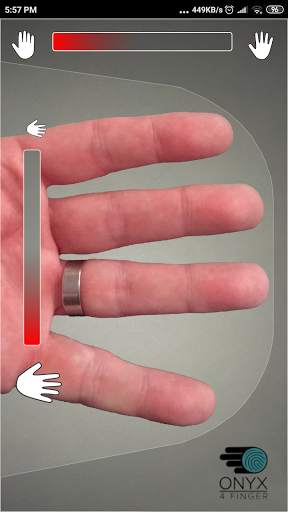
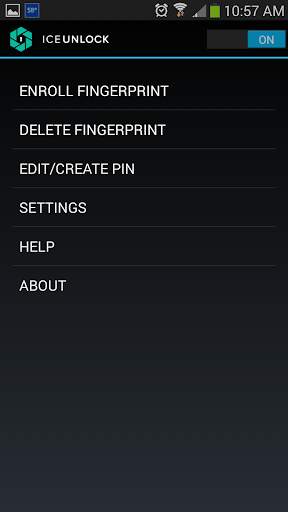
ICE Unlock Fingerprint Scanner скриншот 1 ICE Unlock Fingerprint Scanner скриншот 2 ICE Unlock Fingerprint Scanner скриншот 3

ICE Unlock использует биометрические данные реального отпечатка пальца практически на любом мобильном устройстве.
Существует множество поддельных приложений, но для этого используется ваш реальный отпечаток пальца.
ICE Unlock работает на платформе ONYX, которая позволяет пользователям делать снимки своих отпечатков пальцев с помощью существующей камеры. Никакого дополнительного оборудования или сканера не требуется.
* ПРИМЕЧАНИЕ. Для ICE Unlock требуется задняя камера со вспышкой, которая должна фокусироваться на вашем пальце. Некоторые устройства, которые не фокусируются на близких объектах, не работают с ICEUnlock и помечаются как несовместимые.
ICE Unlock возвращает управление идентификационными данными туда, где оно принадлежит, - в руки потребителя. Изображения вашего пальца превращаются в шаблон с помощью нашей собственной технологии, а затем изображение немедленно уничтожается. Более того, шаблоны отпечатков пальцев не передаются в DFT или любую другую организацию (государственную или иную). Шаблон хранится только в защищенной области хранения вашего устройства, то есть получить к нему доступ может только ICE Unlock. Данные, хранящиеся на вашем устройстве, не могут быть использованы для обратного проектирования вашего отпечатка пальца.
Цитата из Tom's Guide: «Приложение Bitdefender Clueful, которое оценивает риски конфиденциальности приложений, установленных на вашем телефоне, дает ICE Unlock« низкий » риск », что означает, что у него гораздо меньший доступ к функциям вашего телефона, чем у приложений, таких как Facebook или Twitter».
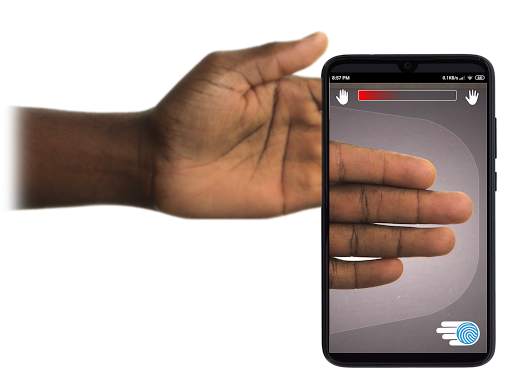
ИСПОЛЬЗОВАНИЕ ПРИЛОЖЕНИЯ - Пользователь кладет руку в область задней камеры Посмотреть. Когда изображение находится в фокусе, ICE (Identity Control Essentials) Unlock автоматически захватывает изображение пальцев и преобразует его в отпечаток пальца. Затем он обрабатывает и сопоставляет изображение, открывающее доступ к устройству.
БЕСКОНТАКТНАЯ АУТЕНТИФИКАЦИЯ ОТПЕЧАТКОВ ПАЛЬЦЕВ ПРОСТО РАБОТАЕТ ЛУЧШЕ!
Сенсорные датчики, подобные тем, что есть на некоторых телефонах, не так точны , подвержены износу и имеют тенденцию искажать ваш отпечаток пальца из-за приложенного давления. Бесконтактная технология ONYX, используемая в ICE Unlock, может обеспечить более высокий уровень точности, чем требуется Федеральным бюро расследований США.
ICE Unlock - ПЕРВОЕ МОБИЛЬНОЕ ПРИЛОЖЕНИЕ, СОЗДАННОЕ НА ДВИГАТЕЛЕ АУТЕНТИФИКАЦИИ ONYX HD.
ONYX Engine - это то, что выполняет всю скрытую обработку, кодирование и сопоставление для ICE Unlock. ONYX разработан для запуска мобильной бесконтактной аутентификации по отпечатку пальца на мобильных устройствах Android, iPhone / iPad и Windows, чтобы предоставить предприятиям биометрические данные. ONYX демонстрирует свою гибкость, также поддерживая такие приложения, как ICE Unlock.
- Если вы запрашиваете поддержку, укажите модель вашего мобильного устройства.
* ICE Unlock в настоящее время поддерживает некоторые известные обходные пути из-за способа блокировки устройств Android. ICE Unlock не предназначен для использования в качестве единственного источника безопасности. Если вам требуется чрезвычайно высокий уровень безопасности, мы рекомендуем вам дополнительно реализовать другие меры безопасности, такие как экраны блокировки с помощью PIN-кода, рисунка, голоса или лица, встроенные в операционную систему Android.
Чтобы узнать больше о ICE Unlock , перейдите по адресу http://www.diamondfortress.com/the-app.
Для получения дополнительной информации о ONYX посетите http://diamondfortress.com.
Пожалуйста, поставьте нам лайк на Facebook.

...

👉 For More Detail of ICE Unlock Fingerprint Scanner

#3 Fingerprint Unlock

Fingerprint Unlock
Rating: star 3.0 | Version: 2.0 | Size: 147.7KB
Fingerprint Unlock скриншот 1 Fingerprint Unlock скриншот 2 Fingerprint Unlock скриншот 3

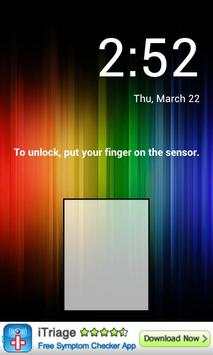
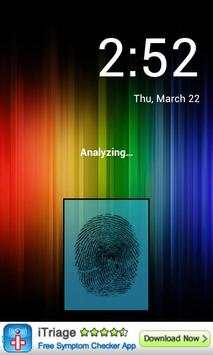
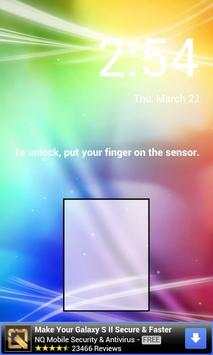
Trick your friends that your phone has a fingerprint security feature.
Features:
- Uses your current wallpaper.
- Displays Clock and Date.

...

👉 For More Detail of Fingerprint Unlock

#4 Fingerprint Unlock

Fingerprint Unlock
Rating: star 3.0 | Version: 3.0.0 | Size: 13.4MB
Fingerprint Unlock скриншот 1 Fingerprint Unlock скриншот 2 Fingerprint Unlock скриншот 3

Show off to your friends your new unlock screen. Scan your finger to unlock your phone.
How to use: Click the button right corner, then scan your finger and it will unlock. Enjoy!
Meant for entertainment purposes only.

...

👉 For More Detail of Fingerprint Unlock

#5 Fingerprint Unlock Screen

Fingerprint Unlock Screen
Rating: star 3.0 | Version: 1.0 | Size: 527.6KB
Fingerprint Unlock Screen скриншот 1 Fingerprint Unlock Screen скриншот 2

****THIS IS A GAG APP. IT DOES NOT REALLY READ FINGERPRINTS. USE IT TO FOOL YOUR FRIENDS****
To Use:
1. Open up the app and hand the phone to your friend and watch as your friend cannot unlock your phone with their finger print.
2. When it's your turn, simply tap the LOGO at the TOP of the screen and then start the test. The phone will unlock immediately afterwards.
**ONCE AGAIN - THE TRICK IS TO TAP THE LOGO AT THE TOP OF THE SCREEN BEFORE YOU START THE SCAN IN ORDER TO UNLOCK THE PHONE! **

...

👉 For More Detail of Fingerprint Unlock Screen

Search Results

1/1

Вам также может понравиться

DOWNLOAD IS NOT SUPPORTED IN WEB STORE!
Use the latest version of 9Apps to download APK&OBB file of games in one click!
DOWNLOAD 9APPS