remote fingerprint unlock on 9Apps

Free download latest remote fingerprint unlock for Android here and enjoy it with your phone. Below you can download a list of top and latest apps related to remote fingerprint unlock . 9APPS is a fast, safe app store. With 9APPS, you can save a lot of time on searching and downloading apps.

#1 Remote Fingerprint Unlock

Remote Fingerprint Unlock
Rating: star 3.8 | Version: 1.6.1 | Size: 4.0MB
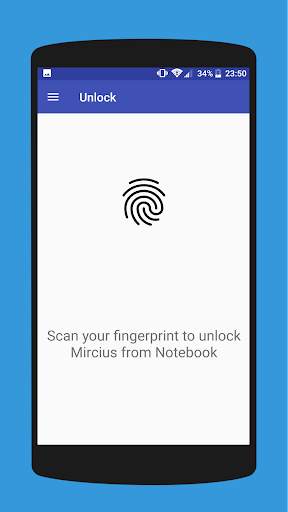
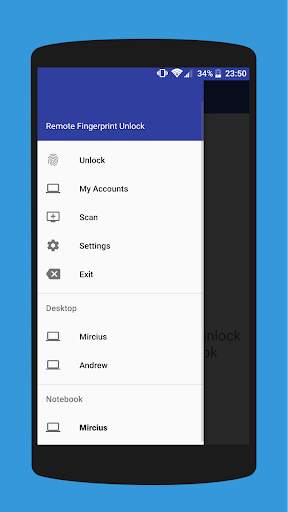
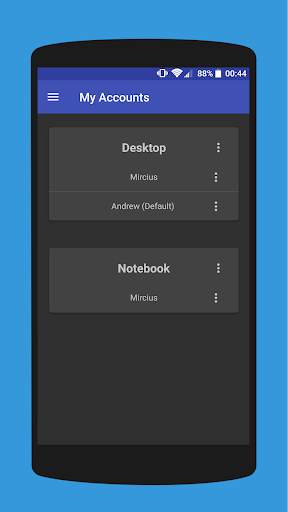
Remote Fingerprint Unlock screenshot 1 Remote Fingerprint Unlock screenshot 2 Remote Fingerprint Unlock screenshot 3

Remotely and securely unlock your Windows PC using your Android’s fingerprint sensor.
For the application to work, you need to install the Fingerprint Credential Provider module on your Windows PC (Windows Vista/7/8/10), found
here
.
If you've lost your PRO upgrade after reinstall, need help with setting up accounts or Wake on Lan, or for any other issue that you may encounter, please be sure to check out the
F.A.Q.
The module only runs when the logon screen is active, so, in order to connect your computer, add an account, etc., simply lock your computer (Windows Key L, or from the Start Menu).
How to use the app:
Firstly, be sure that you have installed the Windows module found at the link above.
Go to the Scan menu (making sure that your computer is on the logon screen) and pull to refresh (uses Wi-Fi) or press the add button and use the preferred method of unlocking.
Select your computer and press Save.
Now, go to the Accounts menu, tap the 3-dot menu button of the computer and then Add Account. Enter the Windows account that you want to unlock. Use the displayed name exactly as on the lockscreen (case sensitive, including the domain name if using domain account), together with the corresponding password. Scan your fingerprint and press Add.
For PRO users:
to select one of the added accounts as default, tap on the 3-dot menu button then select Set As Default.
To configure a computer, tap on the 3-dot menu button of that computer.
For PRO users:
to enable Wake on Lan, go to the computer's configuration menu and enable Send WoL Packet. Make sure the MAC address is correct!
You’re now all set! Go to the Unlock menu and scan your fingerprint. You should now see your computer unlocked.
Features:
• Log-into/Unlock an account
• Simple, user-friendly UI
• Secure
• Local/Microsoft/Domain* accounts support
• Light/Dark/Black (AMOLED-friendly) UI themes
• Local network/Bluetooth/Wi-Fi Tethering/USB Tethering support
* 1.2.0 version of the Windows module required. Usage: when adding an account using the Android app, simply add the full name of the account, including the domain, separated by a slash ( ‘’ ). For example:
testaccount.name
PRO features:
• Ads removal
• Unlimited computers and accounts per computer
• Wake-On-Lan
• Unlock widgets
• Launcher shortcuts
• More planned features
Being built with security in mind, the app:
• Can be safely be used on a public network –all sent data is encrypted.
• Encrypts the stored information in the user’s computer using a unique key that identifies the app installation.
• Does not store any password in the Android app.
• Prevents attackers from also gaining access to your computer – if an attacker knows your PIN and adds his own fingerprint, the app is immediately notified and automatically invalidates its own key, which makes the stored private app information lost forever.
Future updates:
• Locking a computer (up next!)
• Linux support (planned after lock feature)
Be sure to allow incoming and outgoing traffic (both TCP and UDP) in your firewall for the LogonUI.exe process found in C:WindowsSystem32. You will be asked at the installation if you want this done automatically for you if you are using Windows Firewall.
Please check the F.A.Q. for more troubleshooting tips and questions or send me an email if you have any questions regarding the app.

...

👉 For More Detail of Remote Fingerprint Unlock

#2 ICE Unlock Fingerprint Scanner

ICE Unlock Fingerprint Scanner
Rating: star 3.7 | Version: 1.7.0.3 | Size: 16.0MB
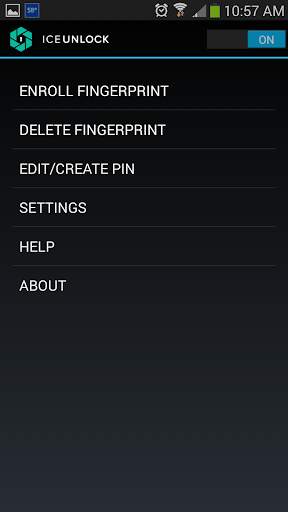
ICE Unlock Fingerprint Scanner screenshot 1 ICE Unlock Fingerprint Scanner screenshot 2 ICE Unlock Fingerprint Scanner screenshot 3

ICE Unlock gebruikt echte vingerafdrukbiometrie op bijna elk mobiel apparaat.
Er zijn veel nep-applicaties beschikbaar, maar deze gebruikt je werkelijke vingerafdruk.
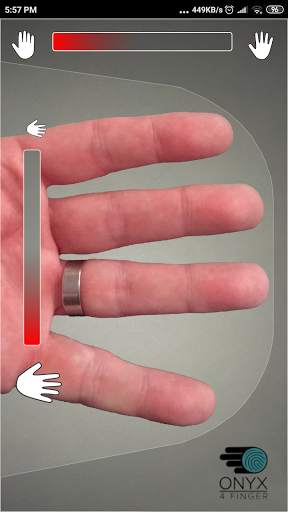
ICE Unlock wordt mogelijk gemaakt door ONYX, waarmee gebruikers een foto van hun vingerafdrukken kunnen maken met de bestaande camera. Geen extra hardware of scanner nodig.
* OPMERKING: ICE Unlock vereist een naar achteren gerichte camera met flitser en de camera moet op uw vinger kunnen scherpstellen. Sommige apparaten die niet focussen op objecten die dichtbij zijn, werken niet met ICEUnlock en zijn gemarkeerd als incompatibel.
ICE Unlock plaatst de kracht van identiteitscontrole terug waar het hoort - in de handen van de consument. Afbeeldingen van uw vinger worden omgezet in een sjabloon met behulp van ons gepatenteerde proces en vervolgens wordt de afbeelding onmiddellijk vernietigd. Bovendien worden vingerafdruksjablonen niet verzonden naar DFT of een andere entiteit (overheid of anderszins). De sjabloon wordt alleen opgeslagen in het beveiligde opslaggebied van uw apparaat, wat betekent dat deze alleen toegankelijk is voor ICE Unlock. De gegevens die op uw apparaat zijn opgeslagen, kunnen niet worden gebruikt om uw vingerafdruk te reverse-engineeren.
Citaat uit Tom's Guide: "De Clueful-app van Bitdefender, die de privacyrisico's beoordeelt van apps die op uw telefoon zijn geïnstalleerd, geeft ICE Unlock een" lage risk-applicatie, wat betekent dat het veel minder toegang heeft tot de functies van je telefoon dan apps zoals Facebook of Twitter. "
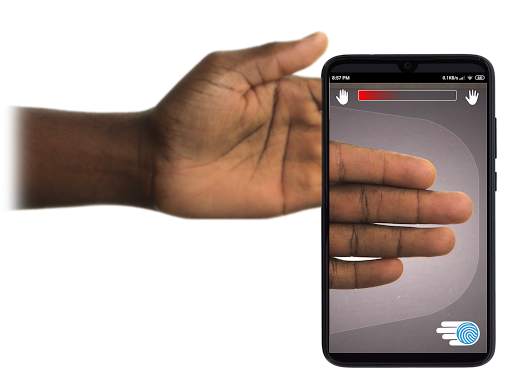
DE APP GEBRUIKEN - De gebruiker plaatst zijn hand in het naar achteren gerichte cameraveld van visie. Wanneer de afbeelding scherp is, legt ICE (Identity Control Essentials) Unlock automatisch een afbeelding van de vingers vast en zet deze om in een vingerafdruk. Vervolgens wordt de afbeelding verwerkt en aangepast die toegang geeft tot het apparaat.
TOUCHLESS VINGERAFDRUKAUTHENTICATIE WERKT ENKEL BETER!
Aanraakgevoelige sensoren, zoals die op sommige telefoons, zijn niet zo nauwkeurig , zijn onderhevig aan slijtage en hebben de neiging uw vingerafdruk te vervormen door de uitgeoefende druk. De contactloze ONYX-technologie die wordt gebruikt in ICE Unlock kan een hogere nauwkeurigheid bieden dan vereist door het Amerikaanse Federal Bureau of Investigation.
ICE Unlock - DE EERSTE MOBIELE APP GEBOUWD OP DE ONYX HD-AUTHENTICATIEMOTOR.
De ONYX Engine doet alle verwerking, codering en matching achter de schermen voor ICE Unlock. ONYX is ontworpen om mobiele vingerafdrukverificatie zonder aanraking uit te voeren op mobiele Android-, iPhone / iPad- en Windows-apparaten om biometrische gegevens naar bedrijven te brengen. ONYX toont zijn flexibiliteit door ook toepassingen zoals ICE Unlock van stroom te voorzien.
- Als u om ondersteuning vraagt, vermeld dan het model van uw mobiele apparaat.
* ICE Unlock heeft momenteel enkele bekende oplossingen vanwege de manier waarop Android-apparaten vergrendelen. ICE Unlock is niet bedoeld als enige bron van beveiliging. Als je een extreem hoog beveiligingsniveau nodig hebt, raden we je aan om daarnaast andere beveiligingsmaatregelen te implementeren, zoals vergrendelingsschermen met een pincode, patroon, spraak of gezichtsherkenning die eigen zijn aan het Android-besturingssysteem.
Voor meer informatie over ICE Unlock , ga dan naar http://www.diamondfortress.com/the-app.
Voor meer informatie over ONYX, zie http://diamondfortress.com.
Like ons op Facebook.

...

👉 For More Detail of ICE Unlock Fingerprint Scanner

#3 Fingerprint Unlock

Fingerprint Unlock
Rating: star 3.0 | Version: 2.0 | Size: 147.7KB
Fingerprint Unlock screenshot 1 Fingerprint Unlock screenshot 2 Fingerprint Unlock screenshot 3

Trick your friends that your phone has a fingerprint security feature.
Features:
- Uses your current wallpaper.
- Displays Clock and Date.

...

👉 For More Detail of Fingerprint Unlock

#4 Fingerprint Unlock

Fingerprint Unlock
Rating: star 3.0 | Version: 3.0.0 | Size: 13.4MB
Fingerprint Unlock screenshot 1 Fingerprint Unlock screenshot 2 Fingerprint Unlock screenshot 3

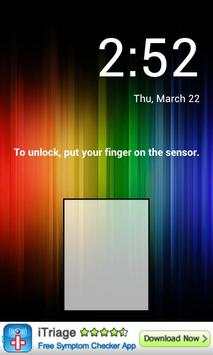
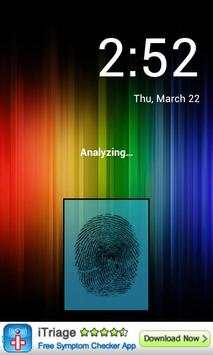
Show off to your friends your new unlock screen. Scan your finger to unlock your phone.
How to use: Click the button right corner, then scan your finger and it will unlock. Enjoy!
Meant for entertainment purposes only.

...

👉 For More Detail of Fingerprint Unlock

#5 Fingerprint Unlock Screen

Fingerprint Unlock Screen
Rating: star 3.0 | Version: 1.0 | Size: 527.6KB
Fingerprint Unlock Screen screenshot 1 Fingerprint Unlock Screen screenshot 2

****THIS IS A GAG APP. IT DOES NOT REALLY READ FINGERPRINTS. USE IT TO FOOL YOUR FRIENDS****
To Use:
1. Open up the app and hand the phone to your friend and watch as your friend cannot unlock your phone with their finger print.
2. When it's your turn, simply tap the LOGO at the TOP of the screen and then start the test.
The phone will unlock immediately afterwards.
**ONCE AGAIN - THE TRICK IS TO TAP THE LOGO AT THE TOP OF THE SCREEN BEFORE YOU START THE SCAN IN ORDER TO UNLOCK THE PHONE! **

...

👉 For More Detail of Fingerprint Unlock Screen

Search Results

1/1

You may like

DOWNLOAD IS NOT SUPPORTED IN WEB STORE!
Use the latest version of 9Apps to download APK&OBB file of games in one click!
DOWNLOAD 9APPS