remote fingerprint unlock on 9Apps

Free download latest remote fingerprint unlock for Android here and enjoy it with your phone. Below you can download a list of top and latest apps related to remote fingerprint unlock . 9APPS is a fast, safe app store. With 9APPS, you can save a lot of time on searching and downloading apps.

#1 Remote Fingerprint Unlock

Remote Fingerprint Unlock
Rating: star 3.8 | Version: 1.6.1 | Size: 4.0MB
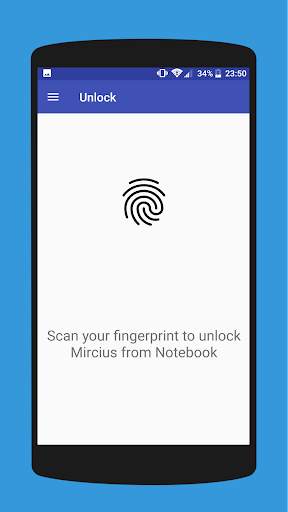
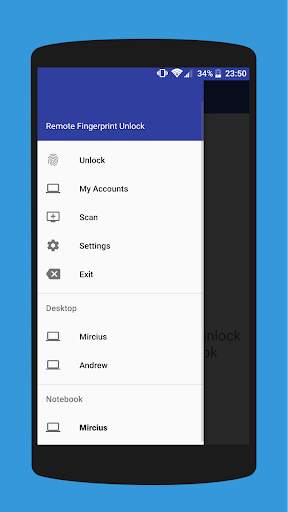
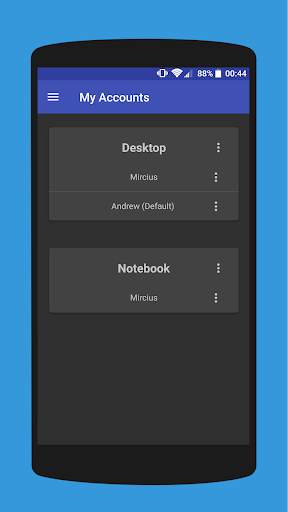
Remote Fingerprint Unlock screenshot 1 Remote Fingerprint Unlock screenshot 2 Remote Fingerprint Unlock screenshot 3

Remotely and securely unlock your Windows PC using your Android’s fingerprint sensor.
For the application to work, you need to install the Fingerprint Credential Provider module on your Windows PC (Windows Vista/7/8/10), found
here
.
If you've lost your PRO upgrade after reinstall, need help with setting up accounts or Wake on Lan, or for any other issue that you may encounter, please be sure to check out the
F.A.Q.
The module only runs when the logon screen is active, so, in order to connect your computer, add an account, etc., simply lock your computer (Windows Key L, or from the Start Menu).
How to use the app:
Firstly, be sure that you have installed the Windows module found at the link above.
Go to the Scan menu (making sure that your computer is on the logon screen) and pull to refresh (uses Wi-Fi) or press the add button and use the preferred method of unlocking.
Select your computer and press Save.
Now, go to the Accounts menu, tap the 3-dot menu button of the computer and then Add Account. Enter the Windows account that you want to unlock. Use the displayed name exactly as on the lockscreen (case sensitive, including the domain name if using domain account), together with the corresponding password. Scan your fingerprint and press Add.
For PRO users:
to select one of the added accounts as default, tap on the 3-dot menu button then select Set As Default.
To configure a computer, tap on the 3-dot menu button of that computer.
For PRO users:
to enable Wake on Lan, go to the computer's configuration menu and enable Send WoL Packet. Make sure the MAC address is correct!
You’re now all set! Go to the Unlock menu and scan your fingerprint. You should now see your computer unlocked.
Features:
• Log-into/Unlock an account
• Simple, user-friendly UI
• Secure
• Local/Microsoft/Domain* accounts support
• Light/Dark/Black (AMOLED-friendly) UI themes
• Local network/Bluetooth/Wi-Fi Tethering/USB Tethering support
* 1.2.0 version of the Windows module required. Usage: when adding an account using the Android app, simply add the full name of the account, including the domain, separated by a slash ( ‘’ ). For example:
testaccount.name
PRO features:
• Ads removal
• Unlimited computers and accounts per computer
• Wake-On-Lan
• Unlock widgets
• Launcher shortcuts
• More planned features
Being built with security in mind, the app:
• Can be safely be used on a public network –all sent data is encrypted.
• Encrypts the stored information in the user’s computer using a unique key that identifies the app installation.
• Does not store any password in the Android app.
• Prevents attackers from also gaining access to your computer – if an attacker knows your PIN and adds his own fingerprint, the app is immediately notified and automatically invalidates its own key, which makes the stored private app information lost forever.
Future updates:
• Locking a computer (up next!)
• Linux support (planned after lock feature)
Be sure to allow incoming and outgoing traffic (both TCP and UDP) in your firewall for the LogonUI.exe process found in C:WindowsSystem32. You will be asked at the installation if you want this done automatically for you if you are using Windows Firewall.
Please check the F.A.Q. for more troubleshooting tips and questions or send me an email if you have any questions regarding the app.

...

👉 For More Detail of Remote Fingerprint Unlock

#2 ICE Unlock Fingerprint Scanner

ICE Unlock Fingerprint Scanner
Rating: star 3.7 | Version: 1.7.0.3 | Size: 16.0MB
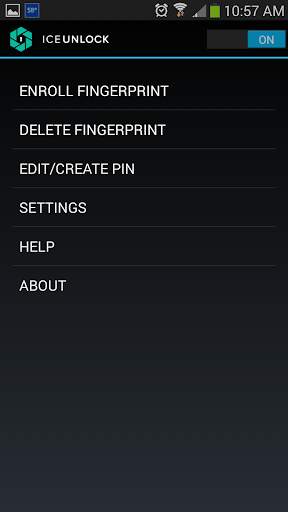
ICE Unlock Fingerprint Scanner screenshot 1 ICE Unlock Fingerprint Scanner screenshot 2 ICE Unlock Fingerprint Scanner screenshot 3

ICE Unlock menggunakan biometrik cap jari sebenar di hampir semua peranti mudah alih.
Terdapat banyak aplikasi palsu yang tersedia, tetapi ini menggunakan cap jari sebenar anda.
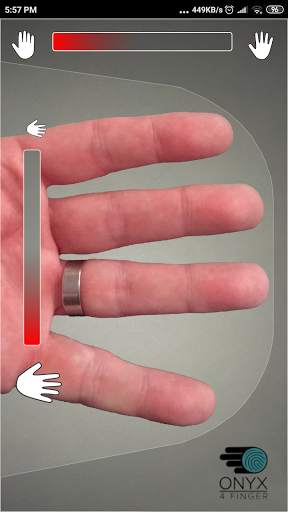
ICE Unlock dikuasakan oleh ONYX yang memungkinkan pengguna mengambil gambar cap jari mereka menggunakan kamera yang ada. Tidak memerlukan perkakasan atau pengimbas tambahan.
* CATATAN: ICE Unlock memerlukan kamera menghadap belakang dengan flash, dan kamera harus dapat fokus pada jari anda. Sebilangan peranti yang tidak memfokuskan pada objek dekat tidak berfungsi dengan ICEUnlock dan ditandai tidak sesuai.
ICE Unlock meletakkan kuasa kawalan identiti kembali ke tempat ia berada - di tangan pengguna. Gambar jari anda berubah menjadi templat menggunakan proses hak milik kami dan kemudian gambar itu segera dimusnahkan. Lebih-lebih lagi, templat cap jari tidak dihantar ke DFT atau entiti lain (kerajaan atau sebaliknya). Templat hanya disimpan di dalam kawasan penyimpanan selamat peranti anda, yang bermaksud hanya dapat diakses oleh ICE Unlock. Data yang disimpan pada peranti anda tidak dapat digunakan untuk merekayasa semula cap jari anda.
Petikan dari Panduan Tom: "Aplikasi Bitdefender's Clueful, yang menilai risiko privasi aplikasi yang dipasang pada telefon anda, memberikan ICE Unlock" rendah aplikasi "berisiko, yang bermaksud memiliki akses yang jauh lebih sedikit ke fungsi telefon anda daripada aplikasi seperti Facebook atau Twitter."
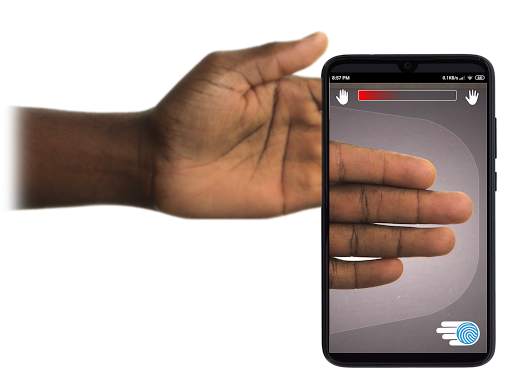
MENGGUNAKAN APLIKASI - Pengguna meletakkan tangan mereka ke bidang kamera menghadap belakang pandangan. Apabila gambar berada dalam fokus, ICE (Identity Control Essentials) Unlock secara automatik menangkap gambar jari dan menukarnya menjadi cap jari. Kemudian, ia memproses dan memadankan gambar yang membolehkan akses ke peranti.
OTENTIFASI JALAN BALIK SENTUH HANYA BEKERJA LEBIH BAIK!
Sensor berasaskan sentuhan, seperti yang terdapat di beberapa telefon, tidak begitu tepat , boleh terkoyak, dan cenderung untuk memutarbelitkan cap jari anda kerana tekanan yang dikenakan. Teknologi ONYX tanpa sentuh yang digunakan dalam ICE Unlock dapat memberikan tahap ketepatan yang lebih tinggi daripada yang dikehendaki oleh Biro Penyiasatan Persekutuan AS. > Mesin ONYX adalah apa yang memproses, mengekodkan dan memadankan semua di sebalik tabir untuk ICE Unlock. ONYX direka untuk menjalankan pengesahan cap jari tanpa sentuh mudah alih pada peranti mudah alih Android, iPhone / iPad, dan Windows untuk membawa biometrik ke perusahaan. ONYX menunjukkan kelenturannya dengan mengaktifkan aplikasi seperti ICE Unlock.
- Sekiranya anda meminta sokongan, sila sertakan model peranti mudah alih anda.
* ICE Unlock kini mempunyai beberapa penyelesaian yang diketahui kerana cara mengunci peranti Android. ICE Unlock tidak dimaksudkan untuk digunakan sebagai sumber keselamatan tunggal. Sekiranya anda memerlukan tahap keselamatan yang sangat tinggi, kami mengesyorkan agar anda juga menerapkan langkah keselamatan lain seperti pin, corak, suara, atau skrin kunci pengecaman wajah yang berasal dari sistem operasi android.
Untuk mengetahui lebih lanjut mengenai ICE Unlock , sila ke http://www.diamondfortress.com/the-app.
Untuk maklumat lebih lanjut mengenai ONYX, lihat http://diamondfortress.com.
Silakan suka kami di Facebook.

...

👉 For More Detail of ICE Unlock Fingerprint Scanner

#3 Fingerprint Unlock

Fingerprint Unlock
Rating: star 3.0 | Version: 2.0 | Size: 147.7KB
Fingerprint Unlock screenshot 1 Fingerprint Unlock screenshot 2 Fingerprint Unlock screenshot 3

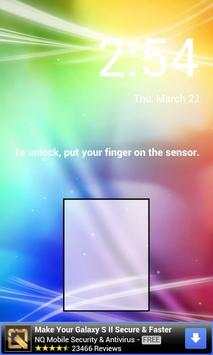
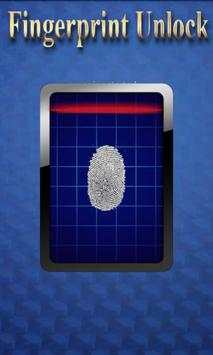
Trick your friends that your phone has a fingerprint security feature.
Features:
- Uses your current wallpaper.
- Displays Clock and Date.

...

👉 For More Detail of Fingerprint Unlock

#4 Fingerprint Unlock

Fingerprint Unlock
Rating: star 3.0 | Version: 3.0.0 | Size: 13.4MB
Fingerprint Unlock screenshot 1 Fingerprint Unlock screenshot 2 Fingerprint Unlock screenshot 3

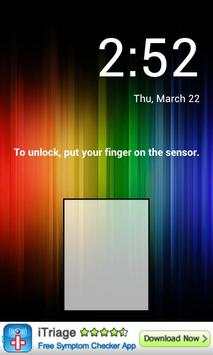
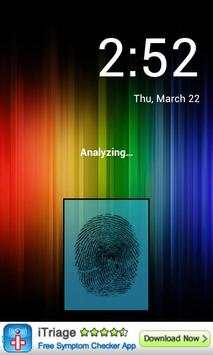
Show off to your friends your new unlock screen. Scan your finger to unlock your phone.
How to use: Click the button right corner, then scan your finger and it will unlock. Enjoy!
Meant for entertainment purposes only.

...

👉 For More Detail of Fingerprint Unlock

#5 Fingerprint Unlock Screen

Fingerprint Unlock Screen
Rating: star 3.0 | Version: 1.0 | Size: 527.6KB
Fingerprint Unlock Screen screenshot 1 Fingerprint Unlock Screen screenshot 2

****THIS IS A GAG APP. IT DOES NOT REALLY READ FINGERPRINTS. USE IT TO FOOL YOUR FRIENDS****
To Use:
1. Open up the app and hand the phone to your friend and watch as your friend cannot unlock your phone with their finger print.
2. When it's your turn, simply tap the LOGO at the TOP of the screen and then start the test.
The phone will unlock immediately afterwards.
**ONCE AGAIN - THE TRICK IS TO TAP THE LOGO AT THE TOP OF THE SCREEN BEFORE YOU START THE SCAN IN ORDER TO UNLOCK THE PHONE! **

...

👉 For More Detail of Fingerprint Unlock Screen

Search Results

1/1

You may like

DOWNLOAD IS NOT SUPPORTED IN WEB STORE!
Use the latest version of 9Apps to download APK&OBB file of games in one click!
DOWNLOAD 9APPS