whatscan on 9Apps

Free download latest whatscan for Android here and enjoy it with your phone. Below you can download a list of top and latest apps related to whatscan . 9APPS is a fast, safe app store. With 9APPS, you can save a lot of time on searching and downloading apps.
#1 Whatscan

Whatscan
Rating: star 4.3 | Version: 3.9.2 | Size: 8.8MB
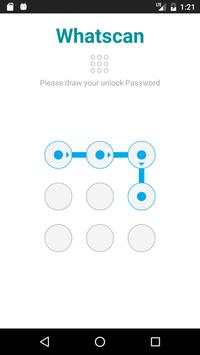
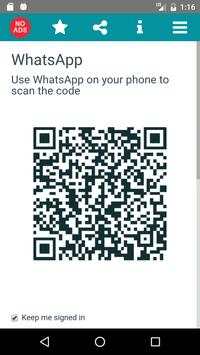
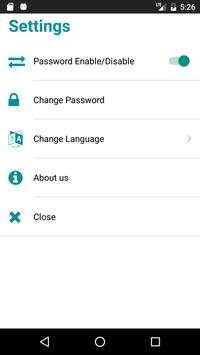
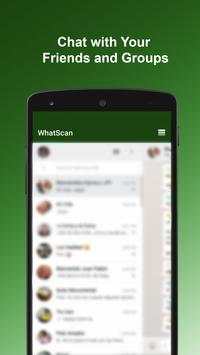
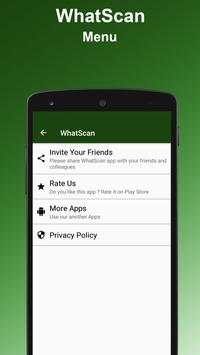
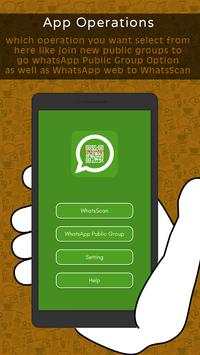
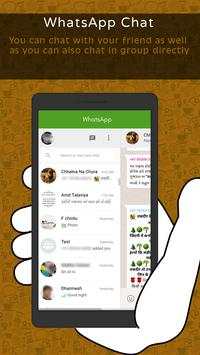
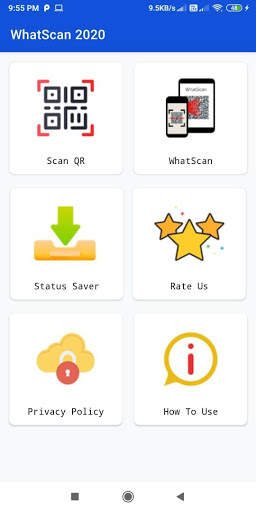
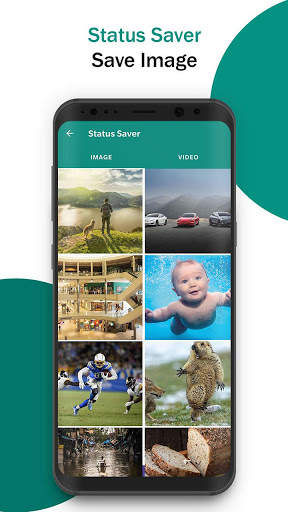
Whatscan screenshot 1 Whatscan screenshot 2 Whatscan screenshot 3

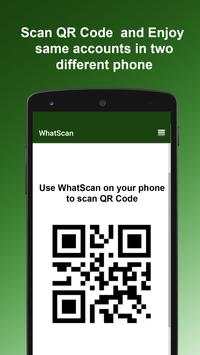
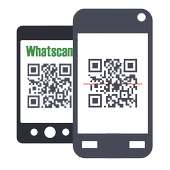
Whatscan for Whatsapp web – simply, scan the QR code and that's it!
Same WhatsApp account on mobiles and tablets
Send and receive messages, pictures, videos even documents
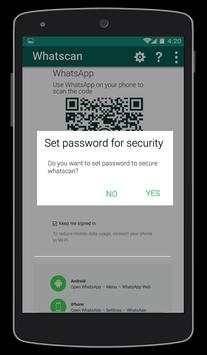
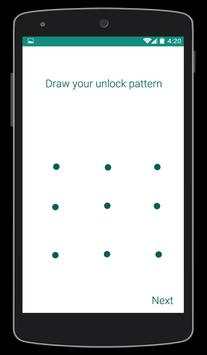
Secured with your Password.
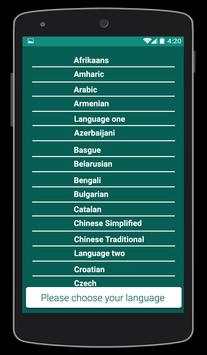
Multi Languages
Send Voices
NOTE: Whatscan Support All Android Versions and Devices.
Hint: Whatscan for whatsapp web is created by us, and it not an official WhatsApp application and not associated with WhatsApp Inc.

...

👉 For More Detail of Whatscan

#2 Whatscan

Whatscan
Rating: star 3.0 | Version: 1.4 | Size: 3.4MB
Whatscan screenshot 1 Whatscan screenshot 2 Whatscan screenshot 3

あなたは熱心なWhatsappユーザーですか?メッセージングプラットフォームが好きで、複数のアカウントを持っているか、単にWhatsweb Whatsappオプションを使いたい場合は、このアプリを試してみてください。 Facebook所有のプラットフォームに関連するニーズに関係なく、多数のオプションが提供されます。これは、Whatsapp用に作成されたコンパニオンアプリです!デュアルwhatsappまたは2つのwhatsapp、つまり2つのphoneの1つのwhatsappを持つことができます。
スマートにあなたのアカウントを管理する
すべての連絡先が保存されているwhatsappアカウントが1つあります。ただし、仕事用と個人用の2つの電話機を使用する必要があります。私たちのアプリでは、2つの電話機に同じアカウントをインストールすることができます。逆に、あなたは仕事用、個人用の2つのWhatsappアカウントを持っています。私たちのアプリでは、2つのwhatsappを1つの電話機に入れることもできます。 2番目のwhatsappは、アプリ全体にしか追加できません。
簡単に使用する
1つの電話機に2つのwhatsappを、2つの電話機に同じwhatsappを持つために必要な簡単な手順はほとんどありません。簡単なタップで、通常どおりに2つの電話機または2つのアカウントからwhatsappを使用することができます。すべての通常の機能が維持され、メッセージ、写真、ビデオなどを簡単に送信できます。
セキュリティについて心配しないでください
私たちもあなたを守ります。私たちのパスワードオプションでは、あなたのメッセージングを秘密に保ちます。これはまた、子供たちを大きくコントロールします。親はこの有用なWhatsappコンパニオンアプリを真剣に考えてください。
Whatsweb WHATSAPP
- 1つのスマートフォンに複数のアカウントを追加する可能性
- 2つのスマートフォンに同じアカウントを追加する可能性
- あなたのメッセージとアカウント全体を保護するパスワードを追加する機能
- シンプルで直感的な
- 光のサイズ
- 無料
-------------------------------------------------- ----------
このアプリは毎日のWhatsappコミュニケーションで素晴らしいオプションを保証します。
無料でアプリを入手!
重要:
Whatsappのアカウントマネージャーは私たちによって作成されたアプリです。これは公式のWhatsAppアプリケーションではなく、どのようにしてもWhatsApp Inc.
----------
使い方
----------
1. whatsappを同期/複製するデバイス(電話/タブレット)にWhatswebをインストールして開きます
2.メインの電話(クローンを作成するアカウント)上のwhatsappを開き、
- Androidの場合:チャット画面 - >メニュー - > whatsappウェブまでスクロールします。
- iPhoneの場合:「設定」 - >「whatsapp Web」をクリックします。
- Nokia S60およびWindows Phoneの場合:メニュー - > whatsapp Webに移動します。
- Nokia S40の場合:画面の下からスワイプします。 - > whatsapp Web。
- BlackBerry:Chats - > Menu - > whatsapp Webに移動します。
- BlackBerry 10の場合:画面の上からスワイプして、 - > whatsapp Web。
3.「whatscan」をクリックすると、カメラのQRスキャン画面が表示されます。
4. whatswebに表示されているQRコードをスキャンします。
5.完了!同期完了!これで、両方のデバイスで同じwhatsappアカウントにアクセスできます!
6. 1デバイスで2 whatsappをお楽しみください!
ヒント:whatsapp webのWhatscanは、私たちによって作成されたもので、公式のWhatsAppアプリケーションではなく、WhatsApp Inc.

...

👉 For More Detail of Whatscan

#3 WhatScan

WhatScan
Rating: star 3.0 | Version: 1.4 | Size: 2.2MB
WhatScan screenshot 1 WhatScan screenshot 2 WhatScan screenshot 3

Whatscan Web Scanner is the advance and a simple application to open Second account in your smart mobile phone.
How to use whatscan app :
1. Open the QR Code Scanner on their App.
2. Open the Whatscan App, and scan the QR Code appears on home screen of the app.
What you can make by Whatscan Web App:
- Messages Read/answer and Send
- Profile Picture and Status Changes
- Images/Videos Downloads and Forward
- Send Images from Gallery or through the mobile phone camera
- report Files and Contacts sending
Disclaimer:
- Whatscan for whatsapp web is created by us, and it not an official WhatsApp application and not associated with WhatsApp Inc.
- This app is not official whatsapp app but this app uses Whatsapp Public API.

...

👉 For More Detail of WhatScan

#4 Whatscan

Whatscan
Rating: star 2.0 | Version: 1.5 | Size: 3.8MB
Whatscan screenshot 1 Whatscan screenshot 2 Whatscan screenshot 3

Welcome to Whatscan for Whatsapp web – the easiest and fastest app that will let you open the same whatsapp account on 2 different smartphones or tablets for Free!
Whatsweb for whatsapp allows you to run two whatsapp accounts in a single device OR You can also run the same whatsapp account on multiple devices. It is entirely up to you!
- Double Whatsapp, double the fun!
- You can have dual whatsapp in 1 device!
- You can have your whatsapp account on dual devices!
Whatsweb for Whatsapp web - Dual whatsapp Account on 1 device
Run 2 WhatsApp accounts in 1 device!
Multi Whatsapp: Multiple whatAapp account in one phone.
Sync your WhatsApp account to your mobile or tablet
With whatsweb, you can:
1. Full access:
- Have all your contacts, chats list, chat history, messages, photos and files on multiple devices.
2. Easy-to-use, Easy-to-setup.
3. Works on ALL devices!
Whatsweb for whatsapp allows you to run two whatsapp accounts in a single device OR You can also run the same whatsapp account on multiple devices. It is entirely up to you!
- Double Whatsapp, double the fun!
- You can have dual whatsapp in 1 device!
- You can have your whatsapp account on dual devices!
----------
HOW TO USE
----------
1. Install and Open Whatsweb on device (Phone/Tablet) you want to sync/clone your whatsapp to
2. Open whatsapp on your main phone (the account you want to clone)
- On Android: Scroll to the Chats screen -> Menu -> whatsapp Web.
- On iPhone: Click Settings -> whatsapp Web.
- On Nokia S60 and Windows Phone: Go to Menu -> whatsapp Web.
- On Nokia S40: Swipe up from bottom of screen -> whatsapp Web.
- On BlackBerry: Go to Chats -> Menu -> whatsapp Web.
- On BlackBerry 10: Swipe down from top of the screen -> whatsapp Web.
3. After clicking "whatscan", you should see a camera QR scanning screen.
4. Now scan the QR code displayed on whatsweb
5. Done! Sync complete! Now you can access the same whatsapp account on both devices!
6. Enjoy 2 whatsapp in 1 device!
Hint: Whatscan for whatsapp web is created by us, and it not an official WhatsApp application and not associated with WhatsApp Inc.

...

👉 For More Detail of Whatscan

#5 Whatscan 2021

Whatscan 2021
Rating: star 4.3 | Version: 1.1 | Size: 6.6MB
Whatscan 2021 screenshot 1 Whatscan 2021 screenshot 2 Whatscan 2021 screenshot 3

WebスキャンのためのWhatScanはWorld Top Rated Web CloneAppです。 WhatScan 2021は非常にシンプルで使いやすいデュアルチャットオプションです。 WhatSweb Scannerアプリも非常に軽量です。 WhatScan 2021アプリを開き、別のアプリからQRコードをスキャンし、今度はこのWebクローンアプリでデュアルチャット機能を使用する準備が整いました。 whatsweebのためのWhatsweebアプリケーションはあなたのWhatcloneのための本当に役立ちます。 WhatScanは、最適化されたコード、効率的な作業、超高速スキャンQRコード、スーパーデューパーQRコードリーダーとスキャナーなどが主な重要な機能です。 Whatscan 2021
-
WebスキャンアプリはWebデュアルチャットとストーリーセーバーのためのトップレートされたアプリです。
QRコードスキャナー:QRコードをスキャンして情報をデコードします。あらゆる種類のQRコードをサポートしています。画像をキャプチャしてQRコードを簡単にスキャンできます。コードをすばやくキャプチャして、それが含む情報にスキャンします。 QRとBarcode Scannerアプリは、販売されている製品の小売価格を見つけることができます。
バーコードスキャナー:
それは任意のバーコードをスキャンし、バーコードを情報にデコードします。それは非常に安全なバーコードリーダーです。このアプリケーションの助けを借りて、薬品、食料品、価格と品質保証のバーコードをスキャンするために使用できます。 1台の電話機のデバイス。ストーリーセーバーとデュアルスペースでは、デュアルSIM電話のような1つのデバイス内の異なる数字からデュアルチャットアカウントを持つことができます。両方のアカウントの空き容量を管理し、同時に両方のアカウントからチャットを行うことができます。
WhatScan 2021
-
WhatScan 2021の機能:Webスキャン:
* QRコード/バーコードとデコードをスキャンするそしてそれらを翻訳します。チャットを行うために1つのデバイスで複数のアカウントを操作します。
* WhatSwebアプリケーションのWhatScanからチャットを開いて読み取ることができます。
*あなたはあなたの友人のいずれかに再生し、返答を取り戻すことができます。
* Webスキャナの助けを借りてチャットメッセージを削除します。
helpタブ:
このタブでは、ヘルプを獲得し、WhatSwebアプリのWhatScanを使用する簡単な手順を見つけます。
whatsweban
-
2021のwhatsweb
-
Whatswan 2021をダウンロードして、一箇所でデュアルチャットと複数のアカウントを楽しめます。あなたはあなたの個人的または業務の使用のためにQRコードまたはバーコードをスキャンすることができます。
常に役立つアプリを開発しようとし、あなたのおなかのレビューは常にこれをwhatswebアプリのためのこのスケートの向上に役立ちます。あなたの友人や家族のメンバーでこのアプリを共有することで私たちを助けてください。
免責事項:
Whatscan 2021は米国によって作成されていません。 WhatsApp Inc.では、 "whatsapp"という名前はWhatsApp、Inc。への著作権です。

...

👉 For More Detail of Whatscan 2021

Search Results

1/9

You may like

DOWNLOAD IS NOT SUPPORTED IN WEB STORE!
Use the latest version of 9Apps to download APK&OBB file of games in one click!
DOWNLOAD 9APPS