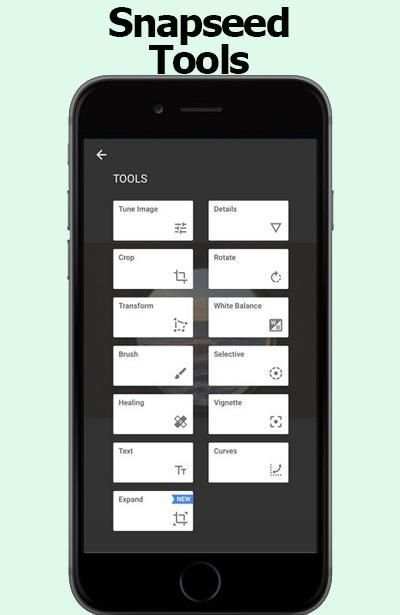
snapseed apk on 9Apps

Free download latest snapseed apk for Android here and enjoy it with your phone. Below you can download a list of top and latest apps related to snapseed apk . 9APPS is a fast, safe app store. With 9APPS, you can save a lot of time on searching and downloading apps.

#1 Snapseed
Snapseed
Rating: star 4.3 | Version: 2.20.0.526050212 | Size: 26.6MB
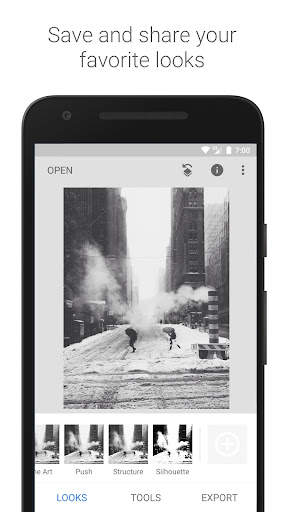
Snapseed screenshot 1 Snapseed screenshot 2 Snapseed screenshot 3

Ang Snapseed ay isang kumpleto at pampropesyonal na pang-edit ng larawan na ginawa ng Google.
== MGA PANGUNAHING FEATURE==
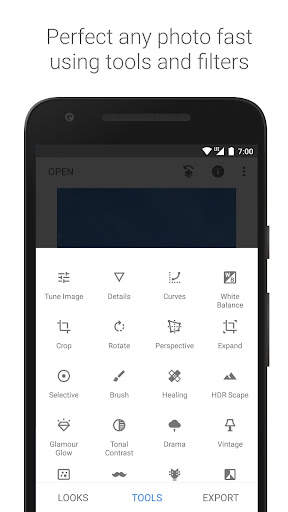
• 29 na Tool at Filter, kasama ang: Healing, Brush, Structure, HDR, at Perspective (tingnan ang listahan sa ibaba)
• Nagbubukas ng mga JPG at RAW file
• I-save ang iyong mga personal na look at ilapat ang mga ito sa mga bagong larawan sa ibang pagkakataon
• Selective filter brush
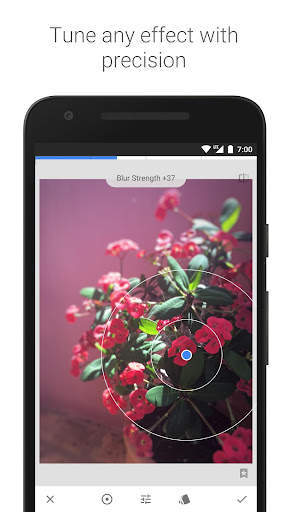
• Maaaring isaayos ang lahat ng istilo sa pamamagitan ng pino at eksaktong kontrol
== MGA TOOL, FILTER, AT MUKHA ==
• RAW Develop – magbukas at magsaayos ng mga RAW na DNG file; mag-save nang walang nasisira o mag-export bilang JPG
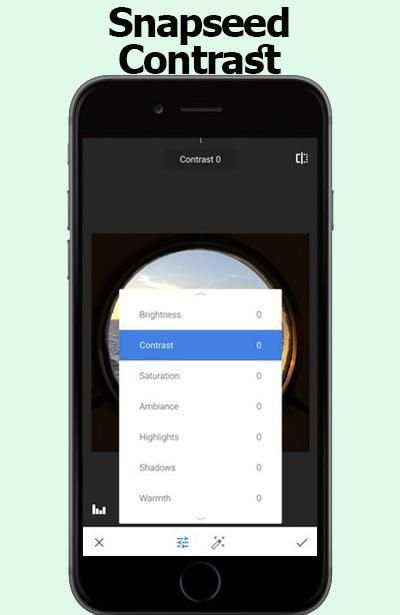
• I-tune ang larawan – awtomatiko o manual na magsaayos ng exposure at kulay sa pamamagitan ng pino at eksaktong kontrol
• Mga Detalye – kahanga-hangang inilalabas ang mga surface structure sa mga larawan
• I-crop – mag-crop sa mga karaniwang laki o nang walang limitasyon
• I-rotate – mag-rotate nang 90°, o ituwid ang isang tabinging horizon
• Perspective – ayusin ang mga tabinging linya at gawing perpekto ang geometry ng mga horizon o gusali
• White Balance – isaayos ang mga kulay upang maging mas natural ang larawan
• Brush – i-retouch ang exposure, saturation, liwanag, o warmth ng ilang piling bahagi
• Selective – ang kilalang “Control Point” na teknolohiya: Maglagay ng hanggang 8 point sa larawan at magtakda ng mga pagpapahusay, ang algorithm na ang bahala sa iba
• Healing – alisin ang isang nasingit na tao sa isang larawan ng pangkat
• Vignette – magdagdag ng kaunting dilim sa mga sulok tulad ng ginagawa ng isang magandang malawak na aperture
• Text – magdagdag ng text na mayroon o walang istilo
• Mga Curve - kontrolin ang mga antas ng liwanag sa mga larawan mo sa eksaktong paraan
• Palawakin - lakihan ang iyong canvas at lagyan ang bagong espasyo ng content ng larawan mo sa mahuhusay na paraan
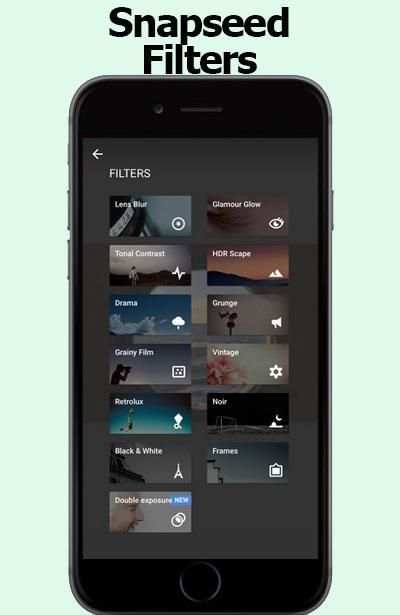
• Lens Blur – magdagdag ng magandang Bokeh sa mga larawan (pag-soften ng background), mainam sa mga photographic na portrait
• Glamour Glow – magdagdag ng fine glow sa mga larawan, mainam para sa fashion o mga portrait
• Tonal Contrast – palabasin ang ilang detalye sa mga shadow, midtone, at highlight
• HDR Scape – pagandahin ang iyong mga larawan sa pamamagitan ng paggawa ng effect ng maraming exposure
• Drama – magdagdag ng emosyon sa mga larawan mo (6 na istilo)
• Grunge – isang edgy look na may mga istilong malakas ang dating at texture overlay
• Grainy Film – gayahin ang dating ng mga modernong pelikula gamit ang makatotohanang grain
• Vintage – ang istilo ng color film na larawan mula sa 50’s, 60’s, o 70’s
• Retrolux – magpaka-retro sa pamamagitan ng mga light leak, scratch, at istilo ng pelikula
• Noir – Black and White film na dating na may makatotohanang grain at “wash” effect
• Black & White – classic na Black and White na dating mula mismo sa darkroom
• Mga Frame – magdagdag ng mga frame na naisasaayos ang laki
• Double Exposure - mag-blend ng dalawang larawan, at pumili mula sa mga blend mode na halaw sa pagkuha gamit ang film at digital na pagproseso ng larawan
• Face Enhance – mas mag-focus sa mga mata, magdagdag ng liwanag na partikular sa mukha, o pakinisin ang kutis
• Face Pose - iwasto ang pose ng mga portrait batay sa mga three dimensional na modelo

...

👉 For More Detail of Snapseed

#2 Apk Installer

Apk Installer
Rating: star 4.5 | Version: 5.3.2c | Size: 5.3MB
Apk Installer screenshot 1 Apk Installer screenshot 2 Apk Installer screenshot 3

Ang APK Installer ay isang mabilis na paraan upang mahanap at mai -install ang mga file ng APK mula sa iyong SDCard
app tampok:
APK File na naka -install na katayuan
• Ipakita ang libreng memorya ng espasyo
Tandaan: Hindi kami nagbibigay ng anumang mga file ng APK upang i -download.Mangyaring suriin ito bago bigyan kami ng negatibong pagsusuri.

...

👉 For More Detail of Apk Installer

#3 Apk Extractor

Apk Extractor
Rating: star 4.0 | Version: 4.21.08 | Size: 2.5MB

Apk Extractor screenshot 1 Apk Extractor screenshot 2 Apk Extractor screenshot 3

APK Extractor will extracts APK that are installed on your android device and copies them to your SD card.
★ Fast and easy to use.
★ Extracts almost all application,including system applications.
★ No ROOT access required.
★ By Default Apk's will be saved in /sdcard/ExtractedApks/.
★ Provided Search option to search applications.
★ Compatible with latest version of Android 7.0
★ Saved apk format AppName_AppPackage_AppVersionName_AppVersionCode.apk.
★ Can extract multiple/all APK's by holding long click on any item.
Interested in translating the application in your local language ? Strings are available in GitHub https://github.com/meher421/ExtractorStrings/tree/master/values .Please email me translated strings

...

👉 For More Detail of Apk Extractor

#4 Tips for Snapseed 2018

Tips for Snapseed 2018
Rating: star 3.0 | Version: 1.0 | Size: 2.2MB
Tips for Snapseed 2018 screenshot 1 Tips for Snapseed 2018 screenshot 2 Tips for Snapseed 2018 screenshot 3

Tips snapseed 2017 is the best guide application All in one for information you require consider how to using snapseed to detail. With this guide you will locate a couple of clues, traps to using snapseed.
This application oversee snapseed is permitted to download and use with various class elective menu. There is no limitation to access in-application content. You can use it at whatever point and wherever you have to improve your capacities.
the guide snapseed is an aggregate and master photo publication director made by Google
== snapseed TOOLS, FILTERS AND FACE ==
• Expand - increase the measure of your canvas and finish off the new space in sagacious courses with substance of your
The Snapseed interface is exceptionally instinctual. Without a doubt, even before you start wearing down your first picture, you can tap the INSIGHTS catch to take a gander at some particularly illuminating bearings on getting up to speed with the distinctive parts of the application (from taking in the interface to various how-tos on a noteworthy number of the application channels).
Counting channels is correspondingly as straightforward with Snapseed. With your photo open in modifying mode, look down until the point when the moment that you find the channel you have to apply. We should open a substitute photo and apply the Lens Blur channel. This one is fairly shaky by they way you adjust the diverse settings of the channel.
Open your photo for changing, look down, and tap the Lens Blur channel. In the accompanying window,
snapseed coordinate give a couple of clues for modify your photographs .
Channels are an exceptional technique to quickly change the look and feel of your Phone photos, and the free Snapseed application offers a unimaginable assurance of presets for modifying your photographs. Regardless, these aren't just standard presets! They're totally versatile and offer an enormous level of flexibility and creative energy, especially when joined with the Stacks Brush gadget which allows you to apply effects to just certain parts of your photo. In this instructional exercise you'll locate the most extreme limit of Snapseed's channels, and how they can fundamentally adjust the perspective of your photos.
Other Snapseed changes for the two iOS and Android fuse better face revelation for the application's Face channel,
Nik Software, the San Diego-based association behind the free Snapseed application, was bought by Google in 2012. For a few years following the acquirement, few updates were issued for the application, driving many to consider whether the item would be secured.
Snapseed was a Google acquirement went for expanding Google's photo limits, and now it's a riddle Google application with an extraordinary photo changing suite you can use on your phone. Some view this as just an answer, in any case I view this as a bit of a procedure with effort by Google to upgrade their photo modifying and sharing programming when all is said in done.
All things considered, what is Snapseed?
Snapseed is a phone application open on both Android and IOS. It used to be $4.99 download, yet due to Google's general assessing methodology of "we'll comprehend how to benefit out of it later," it's as of now free.
Snapseed is much of the time portrayed as a contender. That is insignificantly legitimate in that the two applications empower you to take pictures from your phone or tablet, apply channels, and offer them on different stages. I'd say is fundamentally easier to use in a point, channel, share sense. Snapseed is a more prominent measure of a specialist's contraption with additionally created features. It's the application you use when you have to set aside greater opportunity to make something to some degree more advanced.
Basic NOTE:
this application is juste coordinate.
Snapseed isn't the expert application is only an instructive application to help people to altogether comprehend for Snapseed.

...

👉 For More Detail of Tips for Snapseed 2018

#5 APK Extractor, APK Extraction

APK Extractor, APK Extraction
Rating: star 4.3 | Version: 1.0.6 | Size: 5.0MB
APK Extractor, APK Extraction screenshot 1 APK Extractor, APK Extraction screenshot 2 APK Extractor, APK Extraction screenshot 3

Extract apps installed in Smart Phone and Tablet as APK file.
Extracted file will be saved in SD card.
And Extracted file can be shared.
This app show apk files in the phone and make installing or removing app easy.
APK Extractor extracts the apps in Android device as APK format and the extracted apk file will be saved in SD card.
1. Key Features
1) Fast and easy to use.
2) Possible to extract almost of app including system app.
3) No need root authorization.
4) Default address for extracted apk saved is /sdcard/AppFactoryExtractor/
5) Default saved apk file is ‘app name_app package_app version name_app version code.apk’.
2. You can also see installed application information.
1) Application Name
2) Package Name
3) Version
4) Required Permissions
5) Taget SDK Version
6) Path Info
7) Installed Time
8) Last Modified Time
APK Extractor, APK Manager, APK Extraction

...

👉 For More Detail of APK Extractor, APK Extraction

Search Results

1/20

You may like

DOWNLOAD IS NOT SUPPORTED IN WEB STORE!
Use the latest version of 9Apps to download APK&OBB file of games in one click!
DOWNLOAD 9APPS