snapseed apk on 9Apps

Free download latest snapseed apk for Android here and enjoy it with your phone. Below you can download a list of top and latest apps related to snapseed apk . 9APPS is a fast, safe app store. With 9APPS, you can save a lot of time on searching and downloading apps.

#1 Snapseed
Snapseed
Rating: star 4.3 | Version: 2.20.0.526050212 | Size: 26.6MB
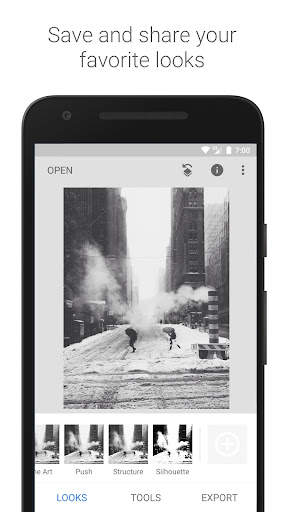
Snapseed screenshot 1 Snapseed screenshot 2 Snapseed screenshot 3

Snapseed est une solution de retouche photo complète et de qualité professionnelle, développée par Google.
== PRINCIPALES FONCTIONNALITÉS ==
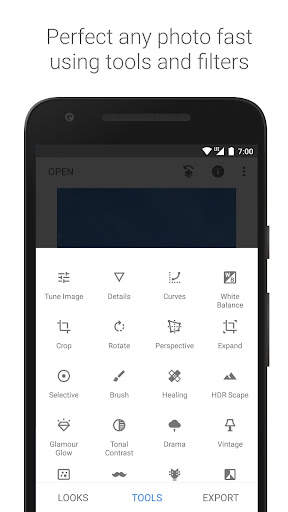
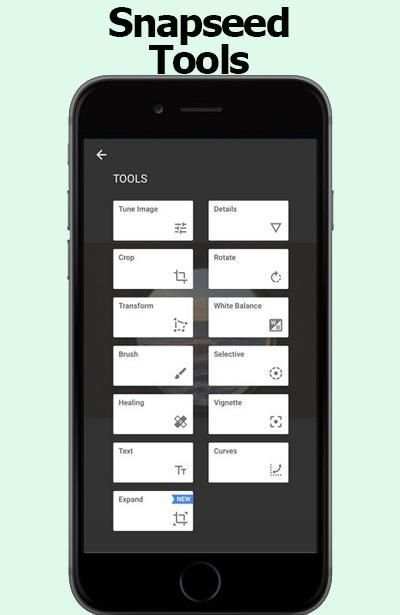
• 29 outils et filtres, dont Correction, Pinceau, Structure, HDR, Perspective (voir la liste ci-dessous)
• Ouverture des fichiers JPG et RAW
• Possibilité d'enregistrer des styles personnalisés pour les appliquer ensuite à de nouvelles photos
• Pinceau de filtrage sélectif
• Possibilité d'ajuster l'ensemble des styles à l'aide de commandes ultra-précises
== OUTILS, FILTRES ET TRAITEMENT DES VISAGES ==
• Développement RAW : ouvrez les fichiers RAW DNG et modifiez-les, enregistrez-les dans un format non destructeur ou exportez-les en JPG.
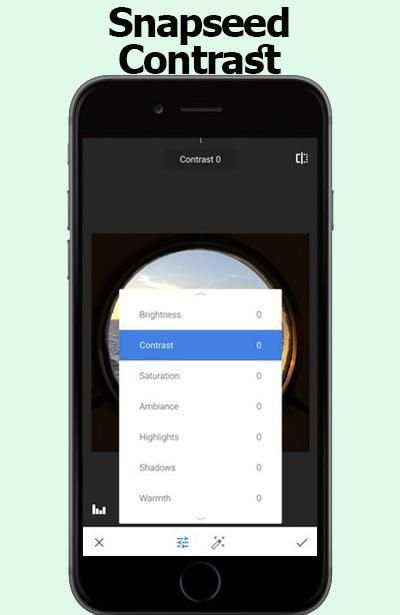
• Retouches : réglez l'exposition et la couleur automatiquement ou manuellement à l'aide de commandes ultra-précises.
• Détails : faites ressortir les structures des surfaces, comme par magie.
• Recadrage : choisissez un format standard ou recadrez librement vos photos.
• Rotation : faites pivoter l'image de 90° ou redressez-la.
• Perspective : redressez les lignes inclinées et corrigez la géométrie de l'horizon ou d'un bâtiment.
• Balance des blancs : réglez les couleurs, pour plus de naturel.
• Pinceau : modifiez l'exposition, la saturation, la luminosité ou la chaleur de façon ciblée.
• Sélectif (la fameuse technologie des points de contrôle) : placez jusqu'à huit points sur l'image et choisissez des améliorations. L'algorithme se charge du reste.
• Correction : effacez les éléments indésirables de votre photo.
• Vignetage : assombrissez légèrement les coins, à la manière des photos prises avec une grande ouverture.
• Texte : ajoutez du texte brut ou stylisé.
• Courbes : contrôlez avec précision les niveaux de luminosité.
• Développer : agrandissez la zone de travail et remplissez intelligemment les espaces vides en utilisant le contenu de l'image.
• Effet focus : adoucissez l'arrière-plan pour ajouter un magnifique effet bokeh, idéal pour les portraits.
• Éclat glamour : ajoutez un halo subtil à vos images, parfait pour les photos de mode ou les portraits.
• Contraste tonal : faites ressortir les détails des ombres, des tons moyens et des hautes lumières, de façon sélective.
• Rendu HDR : transformez radicalement vos photos en créant un superbe effet d'exposition multiple.
• Théâtral : ajoutez une dimension théâtrale à vos photos (6 styles).
• Grunge : optez pour une touche originale avec des styles affirmés et des superpositions de textures.
• Film granuleux : obtenez le rendu des pellicules modernes grâce au moteur de grain réaliste.
• Rétro : donnez à vos photos un aspect rétro rappelant les années 50, 60 ou 70.
• Retrolux : accentuez l'aspect rétro en ajoutant des fuites de lumière, des rayures, des rendus de pellicule.
• Noir : retrouvez le style des pellicules noir et blanc modernes, avec un grain naturel et le fameux effet délavé.
• Noir et blanc : donnez à vos photos une touche classique avec ce filtre inspiré des techniques de la chambre noire.
• Cadres : ajoutez à vos photos des bordures de différentes tailles.
• Double exposition : fusionnez deux photos en faisant votre choix parmi les modes de fusion, inspirés à la fois de la photo argentique et du traitement numérique.
• Améliorer : mettez les yeux en valeur, éclairez avantageusement les visages et lissez la peau.
• Position du visage : corrigez la pose des portraits à l'aide de modèles 3D.

...

👉 For More Detail of Snapseed

#2 APK Installer

APK Installer
Rating: star 4.5 | Version: 5.3.2c | Size: 5.3MB
APK Installer screenshot 1 APK Installer screenshot 2 APK Installer screenshot 3

APK Installer sont moyen facile et rapide à installer des fichiers APK
caractéristique:
• Les fichiers apk Trier par date
• Analyser les fichiers APK partir de la carte SD et stockage externe
• Lot installer des fichiers APK par simple clic
• Lot supprimer les fichiers apk de carte SD et stockage externe
• Le fichier apk Recherche par nom
• l'état du fichier apk installé
Si vous avez un problème s'il vous plaît envoyez-moi un retour (au lieu de donner une étoile)
Note: Nous ne fournissons aucun contenu à télécharger. S'il vous plaît vérifier cela avant de nous donner un avis négatif.

...

👉 For More Detail of APK Installer

#3 APK Extractor

APK Extractor
Rating: star 4.0 | Version: 4.21.08 | Size: 2.5MB

APK Extractor screenshot 1 APK Extractor screenshot 2 APK Extractor screenshot 3

Cette application extrait APK qui est installé sur l'appareil Android et copier sur la carte SD.
* Rapide et facile à utiliser.
* Extrait toutes plus toutes les applications, y compris les demandes du système.
* Pas d'accès racine requis.
* Par défaut Apk de sera enregistré dans / sdcard / ExtractedApks /.
* Fourni option Rechercher pour rechercher des applications.
* Compatible avec la dernière version d'Android 7.0
* Le format apk Saved AppName_AppPackage_AppVersionName_AppVersionCode.apk
* Barre d'action, le soutien des appareils Android de.
* Peut extraire plusieurs / tous les apk de par la tenue clic long sur un sujet.

...

👉 For More Detail of APK Extractor

#4 Tips for Snapseed 2018

Tips for Snapseed 2018
Rating: star 3.0 | Version: 1.0 | Size: 2.2MB
Tips for Snapseed 2018 screenshot 1 Tips for Snapseed 2018 screenshot 2 Tips for Snapseed 2018 screenshot 3

Tips snapseed 2017 is the best guide application All in one for information you require consider how to using snapseed to detail. With this guide you will locate a couple of clues, traps to using snapseed.
This application oversee snapseed is permitted to download and use with various class elective menu. There is no limitation to access in-application content. You can use it at whatever point and wherever you have to improve your capacities.
the guide snapseed is an aggregate and master photo publication director made by Google
== snapseed TOOLS, FILTERS AND FACE ==
• Expand - increase the measure of your canvas and finish off the new space in sagacious courses with substance of your
The Snapseed interface is exceptionally instinctual. Without a doubt, even before you start wearing down your first picture, you can tap the INSIGHTS catch to take a gander at some particularly illuminating bearings on getting up to speed with the distinctive parts of the application (from taking in the interface to various how-tos on a noteworthy number of the application channels).
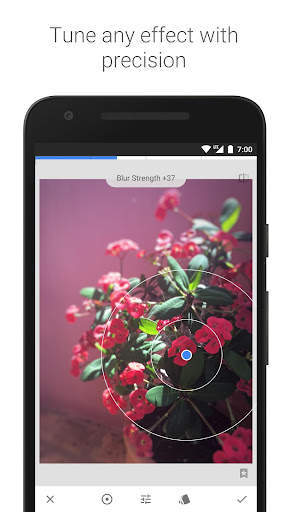
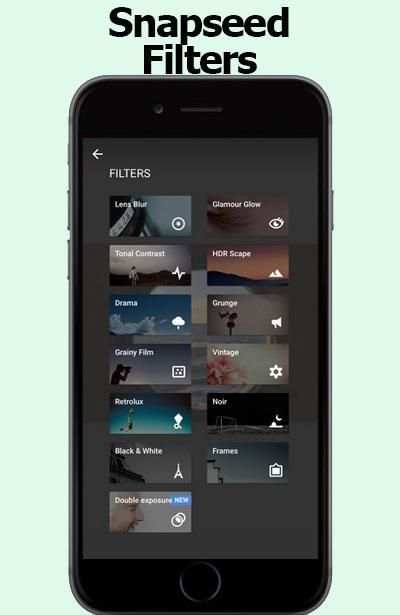
Counting channels is correspondingly as straightforward with Snapseed. With your photo open in modifying mode, look down until the point when the moment that you find the channel you have to apply. We should open a substitute photo and apply the Lens Blur channel. This one is fairly shaky by they way you adjust the diverse settings of the channel.
Open your photo for changing, look down, and tap the Lens Blur channel. In the accompanying window,
snapseed coordinate give a couple of clues for modify your photographs .
Channels are an exceptional technique to quickly change the look and feel of your Phone photos, and the free Snapseed application offers a unimaginable assurance of presets for modifying your photographs. Regardless, these aren't just standard presets! They're totally versatile and offer an enormous level of flexibility and creative energy, especially when joined with the Stacks Brush gadget which allows you to apply effects to just certain parts of your photo. In this instructional exercise you'll locate the most extreme limit of Snapseed's channels, and how they can fundamentally adjust the perspective of your photos.
Other Snapseed changes for the two iOS and Android fuse better face revelation for the application's Face channel,
Nik Software, the San Diego-based association behind the free Snapseed application, was bought by Google in 2012. For a few years following the acquirement, few updates were issued for the application, driving many to consider whether the item would be secured.
Snapseed was a Google acquirement went for expanding Google's photo limits, and now it's a riddle Google application with an extraordinary photo changing suite you can use on your phone. Some view this as just an answer, in any case I view this as a bit of a procedure with effort by Google to upgrade their photo modifying and sharing programming when all is said in done.
All things considered, what is Snapseed?
Snapseed is a phone application open on both Android and IOS. It used to be $4.99 download, yet due to Google's general assessing methodology of "we'll comprehend how to benefit out of it later," it's as of now free.
Snapseed is much of the time portrayed as a contender. That is insignificantly legitimate in that the two applications empower you to take pictures from your phone or tablet, apply channels, and offer them on different stages. I'd say is fundamentally easier to use in a point, channel, share sense. Snapseed is a more prominent measure of a specialist's contraption with additionally created features. It's the application you use when you have to set aside greater opportunity to make something to some degree more advanced.
Basic NOTE:
this application is juste coordinate.
Snapseed isn't the expert application is only an instructive application to help people to altogether comprehend for Snapseed.

...

👉 For More Detail of Tips for Snapseed 2018

#5 APK Extractor, APK Extraction

APK Extractor, APK Extraction
Rating: star 4.3 | Version: 1.0.6 | Size: 5.0MB
APK Extractor, APK Extraction screenshot 1 APK Extractor, APK Extraction screenshot 2 APK Extractor, APK Extraction screenshot 3

Extract apps installed in Smart Phone and Tablet as APK file.
Extracted file will be saved in SD card.
And Extracted file can be shared.
This app show apk files in the phone and make installing or removing app easy.
APK Extractor extracts the apps in Android device as APK format and the extracted apk file will be saved in SD card.
1. Key Features
1) Fast and easy to use.
2) Possible to extract almost of app including system app.
3) No need root authorization.
4) Default address for extracted apk saved is /sdcard/AppFactoryExtractor/
5) Default saved apk file is ‘app name_app package_app version name_app version code.apk’.
2. You can also see installed application information.
1) Application Name
2) Package Name
3) Version
4) Required Permissions
5) Taget SDK Version
6) Path Info
7) Installed Time
8) Last Modified Time
APK Extractor, APK Manager, APK Extraction

...

👉 For More Detail of APK Extractor, APK Extraction

Search Results

1/20

You may like

DOWNLOAD IS NOT SUPPORTED IN WEB STORE!
Use the latest version of 9Apps to download APK&OBB file of games in one click!
DOWNLOAD 9APPS