rom manager pro on 9Apps

Free download latest rom manager pro for Android here and enjoy it with your phone. Below you can download a list of top and latest apps related to rom manager pro . 9APPS is a fast, safe app store. With 9APPS, you can save a lot of time on searching and downloading apps.

#1 ROM Manager

ROM Manager
Rating: star 4.1 | Version: 5.5.3.7 | Size: 3.6MB
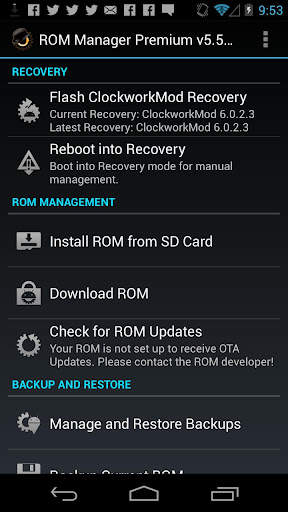
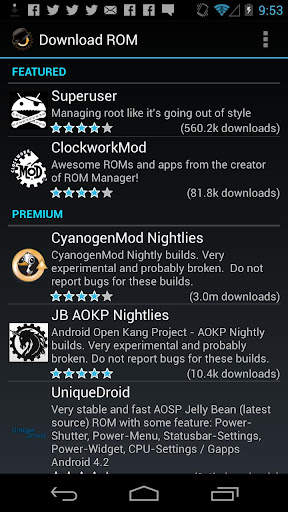
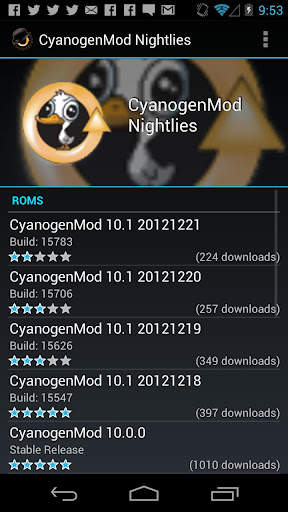
ROM Manager screenshot 1 ROM Manager screenshot 2 ROM Manager screenshot 3

ROM Manager is THE MUST HAVE APP for any Android root user. (Over 10 million downloads and counting!)
* Flash your recovery to the latest and greatest ClockworkMod recovery.
* Manage your ROMs via a handy UI.
* Organize and perform backups and restores from within Android!
* Install ROMs from your SD card.
* Install your favorite ROMs over the air!
Premium Version:
* Incremental update zips (save your data plan!)
* Premium ROMs
* Receive notifications for when your ROM is updated!
* Automatic backups
* Install Queue
* Web Connect
* Backup Download Server lets you easily transfer backups as flashable zips to your computer.
Do you prefer using only recovery manually? Check out the Touch Recovery in app purchase, for the most advanced recovery available!
Why does ROM Manager ask for account permissions?
Web Connect only needs to access your Google account to connect it to your google account. It can't access any private data or passwords.
ClockworkMod Touch Recovery:
ClockworkMod Touch recovery (and recovery) is work that needs to put in for every new device that is released by a manufacturer.
If work on ROM Manager ceased completely, all the premium features would continue working without issue. However, new recoveries do not port and build themselves. Without ClockworkMod Touch being a per device purchase, there is no way to recoup recurring server costs and labor. Keeping ROM Manager free and operational costs tens of thousands of dollars a year, and that does not include engineering costs.
Your support is appreciated.
Troubleshooting:
Droid users: Stuck at the "M" logo? Flash an alternate recovery and flash back to ClockworkMod.
HTC Users: Flash recovery not working? Try fastbooting a recovery on.
Droid X/2/Pro Users: You must run the Bootstrap application first to use ROM Manager.
Samsung users: You must flash a Clockwork compatible kernel first (see XDA forums)
IF YOU ARE HAVING LICENSE ISSUES, MAKE SURE YOU HAVE THE LATEST VERSION OF FREE (4.0 ) AND THE LATEST LICENSE (1.0.8 ) INSTALLED!

...

👉 For More Detail of ROM Manager

#2 [ROOT] Custom ROM Manager

[ROOT] Custom ROM Manager
Rating: star 4.0 | Version: 6.6.1.10-free-stable-minAPI21 | Size: 6.2MB
[ROOT] Custom ROM Manager screenshot 1 [ROOT] Custom ROM Manager screenshot 2 [ROOT] Custom ROM Manager screenshot 3

Ang pasadyang ROM Manager ay dinisenyo upang gawing mas madali ang proseso ng pag-install ng mga pasadyang ROM, GApps at iba pang mga zip file, at hayaan ang mga gumagamit na magkaroon ng higit na kontrol sa proseso. Ito ay:
🔍 Maghanap ng mga zip file na naroroon sa iyong aparato.
📝 Kilalanin ang mga zip file.
🧰 Pamahalaan at piliin ang mga zip file para sa pag-install.
⚙️ I-install ang mga napiling zip file sa TWRP.
⭐ Hayaan mong matuklasan ang mga tanyag na ROM.
📊 Ipakita sa iyo ang detalyadong mga istatistika.
😁 At hayaan kang gumawa ng higit pa.
🔍 PAGHAHANAP NG MGA ZIP FILES 🔍
Hahanapin nito ang zip mga file na naroroon sa iyong aparato. At ang paghahanap ay mabilis, sa katunayan ito ay napakabilis na tumatagal lamang ng mas mababa sa isang ikasampu ng isang segundo upang matapos sa mga modernong smartphone.
📝 Tukuyin ang mga ZIP FILES 📝
Makikilala rin nito ang zip nahanap na files. Malalaman nito kung ang isang zip file ay isang ROM, o isang pakete ng GApps, o ilang iba pang zip file. Kung ito ay isang ROM o isang pakete ng GApps, makikilala rin nito ang ilan sa mga pag-aari nito tulad ng petsa ng pagbuo nito, uri ng pagbuo, bersyon atbp. Pagkatapos ay ginagamit ang mga pag-aari upang madaling ma-access, maisaayos at ma-filter ang mga zip file. Bukod dito nakita nito kung ang mga zip file ay maaaring mai-install sa TWRP o hindi.
🧰 Pamahalaan at PUMILI NG mga ZIP FILES PARA SA INSTALLATION 🧰
Maaari mong pamahalaan at pumili ng maraming mga zip file na nais mo para sa pag-install. Hinahayaan ka nitong piliin ang mga partisyon na nais mong punasan bago mag-install ng isang zip file. Hinahayaan ka nitong magkaroon ng buong kontrol sa pagkakasunud-sunod ng pag-install ng mga zip file.
⚙️ INSTALL SELected ZIP FILES IN TWRP ⚙️
Matapos mo nang mapili ang mga zip file para sa pag-install, mag-boot ito sa TWRP at mai-install ang zip file sa pagkakasunud-sunod na iyong napili, at awtomatikong reboot bumalik sa system. TWRP lang ang sinusuportahan.
⭐ TUKLASIN ANG POPULAR ROMS ⭐
Maaari mo ring matuklasan ang mga sikat na ROM gamit ang Custom ROM Manager, at bisitahin ang mga opisyal na site ng mga ROM na iyon. Maaari rin itong suriin kung ang iyong aparato ay opisyal na suportado ng isang ROM o hindi. Ngunit hindi ito magda-download ng anumang bagay para sa iyo, magagawa mo iyan sa iyong sarili. Magbasa nang higit pa sa - https://www.facebook.com/CustomROMManager/posts/538177033274491
📊 Mga Detalyadong Istatistika You
Maaari mong makita ang detalyadong mga istatistika ng mga zip file, tulad ng kung ilang mga zip file ng bawat uri naroroon ba sa iyong aparato, kung magkano ang puwang sa pag-iimbak na tinutupok nila at kung ano ang hindi.
IBA PANG TAMPOK
At may iba pang mga kapaki-pakinabang na tampok ...
1. TWRP backup at ibalik - Nagbibigay ng isang paraan ng paggawa ng backup ng TWRP at ibalik mula mismo sa app.
2. Paghahanap sa loob ng app - Sa paghahanap ng in-app madali mong hinahanap ang anumang nais mo sa loob ng saklaw ng app.
3. Mga setting ng folder - Isang buong seksyon na nakatuon para sa pagpapasadya kung paano at saan hinahanap ang mga file sa iyong aparato.
4. Mga Kamakailang Pag-install - Sinusubaybayan ang mga zip file na na-install mo gamit ang app, na isinasaalang-alang ang privacy.
5. Zip file organiser - Nagsasaayos ng mai-install na mga file ng zip na nakakalat sa iyong imbakan ng aparato, at inilalagay ang mga ito sa isang lugar upang madali mong makita ang mga ito sa pag-recover.
6. Malinis na disenyo at mahusay na UX - Nagtatampok ang Pasadyang ROM Manager ng isang maayos na UI batay sa materyal na disenyo, at nagbibigay ng mahusay na UX. Masisiyahan ka sa paggamit ng app.
7. Madilim na tema - Dumarating sa isang madilim na pagpipilian ng tema na gumagana kasabay ng system na madilim na tema.
KINAKAILANGAN
1. Kinakailangan ang Root Access upang gumana nang maayos ang app. Kung wala ito, hindi gagana ang ilang mga pagpapaandar.
2. Kung hindi mo na-install ang mga pasadyang ROM bago gamitin ang TWRP, ang app na ito ay hindi para sa iyo.
3. Ang pag-recover lamang sa TWRP ang sinusuportahan.
PRO VERSION
Isang pro bersyon ng app na ito ang naroroon din, na walang naglalaman ng anumang mga ad, may mga sobrang tampok, at lubos na na-optimize para sa pagganap. Mahahanap mo ito sa - https://play.google.com/store/apps/details?id=com.corphish.customrommanager.adfree
IN-APP PURCHASE
Isang pagpipilian sa pagbili ng in-app magagamit din, na tuluyang nag-aalis ng mga ad mula sa app nang permanente.

...

👉 For More Detail of [ROOT] Custom ROM Manager

#3 [ROOT] Custom ROM Manager (Pro)

[ROOT] Custom ROM Manager (Pro)
Rating: star 4.2 | Version: 6.6.0.7-pro-stable-minAPI21 | Size: 3.4MB
[ROOT] Custom ROM Manager (Pro) screenshot 1 [ROOT] Custom ROM Manager (Pro) screenshot 2 [ROOT] Custom ROM Manager (Pro) screenshot 3

Custom ROM Manager was designed to make the process of installing custom ROMs, GApps and other zip files easier, and let users have more control in the process. It will:
🔍 Search zip files present on your device.
📝 Identify the zip files.
🧰 Manage and select zip files for installation.
⚙️ Install selected zip files in TWRP.
⭐ Let you discover popular ROMs.
📊 Show you detailed statistics.
😁 And let you do much more.
(Check the listing of free version to know more about the features mentioned above, at https://play.google.com/store/apps/details?id=com.corphish.customrommanager.free)
Additionally, the pro version:
🚫 Has no ads.
📂 Lets you have better control on how zip files are searched.
📝 Lets you have better control on how zip files are identified.
📑 Shows useful actions specific to a ROM/GApps.
⚙️ Provides you with more customization options.
🍭 Has adaptive UI.
🎨 Has themes and shapes.
👍 Is faster and much more optimized.
🚫 NO ADS 🚫
Pro version does not contain ads in anyway.
📂 HAVE BETTER CONTROL ON HOW ZIP FILES ARE SEARCHED 📂
Pro version lets users to override the default storage locations (detected by the app) and specify folders in which they usually keep their zip files, which makes searching zip files instantaneous. Additionally, it also lets users to modify the folder names which would be ignored while searching for zip files.
📝 HAVE BETTER CONTROL ON HOW ZIP FILES ARE IDENTIFIED 📝
Custom ROM Manager checks the size of a file to determine whether a zip file is a ROM or a GApps package or some other kind of zip file. In this way the app is able to distinguish between an actual ROM and zip files related to that ROM (like firmware, patches etc). The pro version lets users to have control on this 'size' parameter.
📑 USEFUL ACTIONS SPECIFIC TO A ROM/GAPPS 📑
Pro version shows you useful actions on downloaded files belonging to specific ROM/GApp which you can perform with just one click.
⚙️ MORE CUSTOMIZATION OPTIONS ⚙️
Pro version also lets users have more customization options:
1. Lets users have control on what partitions would be chosen to be wiped when a zip file is "quickly" selected for installation.
2. Enables the "Organise files in subfolder" option in Zip File Organiser section.
🍭 ADAPTIVE UI 🍭
The color of the UI elements changes to match the dominant color of the logo of the ROM/GApp, whose section you are visiting, to give an amazing look and feel of it.
🎨 THEMES 🎨
Pro version lets you choose one from 7 vibrant colors as the theme color. Additionally it also has the 'Random' setting which randomly chooses one from the supported colors during app start up for you. You can also choose the shape of the icons to have a look suited to your style!
👍 FASTER AND MUCH MORE OPTIMIZED 👍
The pro version is optimized and is faster than the free version in general. It is also smaller in size compared to the free version, even though it contains all the features of free version plus it has pro features of its own. Due to this, the memory usage of the app is also minimized.
(Even more details can be found at https://customrommanager.github.io/pro.html)

...

👉 For More Detail of [ROOT] Custom ROM Manager (Pro)

#4 PRO Manager

PRO Manager
Rating: star 5.0 | Version: 1.10 | Size: 6.3MB
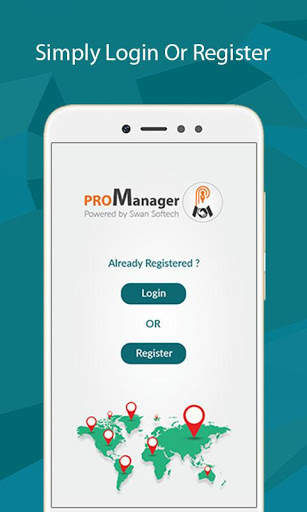
PRO Manager screenshot 1 PRO Manager screenshot 2 PRO Manager screenshot 3

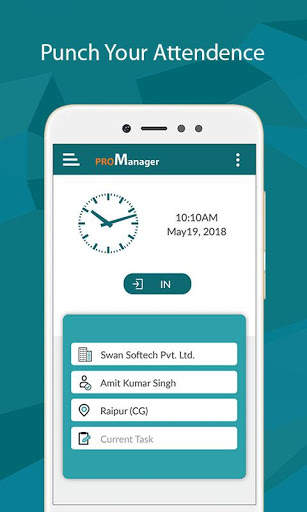
Corporate app for touring staff. Ideal for any size company, small or big to help their staff in capturing tour details easily.
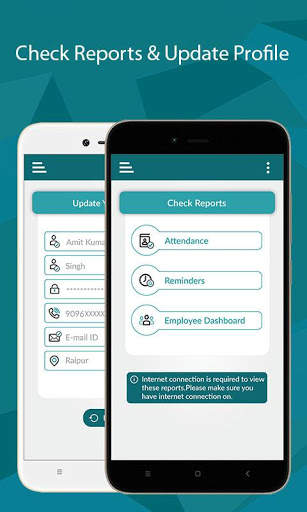
Touring employees can easily mark their attendance on go. Just one click to sign-in or sign-out. Where ever they go, they can easily record the visit details. This app allows to setup follow up reminders with clients and you can see all forth coming follow up reminders in mobile dashboard.
Tour mileage is calculated automatically. Tour reports are generated with simple click, so touring employees can concentrate more on the work, rather than preparing tour reports.
Managers get visibility to “Who is Where and When”?
Managing your Sales Reps / PRO / Medical Representatives on the move was never so easy! With our mobile app you can easily find “Who is Where and When” in Real time.
Our mobile app “ProManager” provides these information in your mobile with a click only. Well, additionally this mobile app provides automatic mileage calculation, attendance recording, reminder reports etc.

...

👉 For More Detail of PRO Manager

#5 ROM Toolbox Pro

ROM Toolbox Pro
Rating: star 3.6 | Version: 6.5.1.0 | Size:
ROM Toolbox Pro screenshot 1 ROM Toolbox Pro screenshot 2 ROM Toolbox Pro screenshot 3

Ang ROM Toolbox ay Ang dapat magkaroon ng app
para sa bawat root user.
ROM Toolbox pinagsasama ang lahat ng magagandang apps ng root sa isang app ng halimaw na may magandang at madaling gamitin na interface. Ang ROM Toolbox ay may bawat tool na kailangan mo upang mabilis at na-customize ang iyong Android device ayon sa gusto mo. I-save ang 85% sa pamamagitan ng pagkuha ng ROM Toolbox
sa halip na gumagasta ng $ 30 o higit pa sa iba pang apps.
ROM Toolbox ay itinampok sa LifeHacker, XDA-developer, Droid-Life, Android Central, Rootzwiki , Android pulis, at iba pang mga sikat na site. Alam namin na mahalin mo ito; Higit sa 14,000 5 star review ng gumagamit! ★★★★★
Ang app na ito ay nangangailangan ng pahintulot ng ugat. Para sa mabilis at madaling gamitin na suporta mangyaring mag-email sa amin sa contact@maplemedia.io. Kami ay natutuwa upang makatulong na sagutin ang iyong mga tanong o alalahanin. , Font Installer, Boot Animation Installer & Maraming higit pang apps sa isang all-in-one na app! Narito ang isang listahan ng ilan sa mga tampok na makikita mo:
★ Pamamahala ng ROM

☆ I-install ang ROM at Mga tema. Kasama ang AOK, CyanogenMod at iba pang mga sikat na roms.
☆ Lumikha, pamahalaan at ibalik ang Nandroid Backups
☆ Wipe data, cache, dalvik-cache, baterya stats
☆ I-install ang maramihang mga roms & zips mula sa iyong SD card
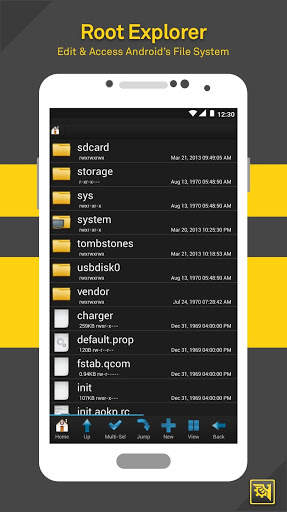
★ root explorer

☆ I-access ang buong sistema ng file ng Android (kabilang ang mailap na folder ng data!).
☆ batch copy / paste, zip, tar, tanggalin, tingnan, i-edit, ibahagi, at ilipat ang anumang mga file o folder
☆ Baguhin ang mga pahintulot ng file at pagmamay-ari
☆ file manager na may dalawang panel para sa mas madaling pamamahala
★ scripter & terminal emulator

☆ Lumikha at magpatakbo ng mga script bilang root
☆ Itakda ang iyong mga script upang tumakbo sa-boot
★ auto start manager

☆ Paganahin / huwag paganahin ang apps na tumakbo sa start-up
☆ Paganahin / huwag paganahin ang anumang receiver ng broadcast, aktibidad o serbisyo
★ rebooter

☆ Reboot Recovery, PowerDown, Bootloader, I-restart ang Status Bar , atbp.
★ installer ng font

☆ I-install ang mga pasadyang font mula sa isang malaking listahan o mula sa iyong sdcard
☆ Itakda ang mga font bilang mga paborito at ipadala sila sa mga kaibigan
★ boot animation installer

☆ I-install at i-preview ang mga pasadyang boot animation mula sa isang malaking koleksyon o mula sa iyong sdcard
☆ Gumawa ng isang boot animation mula sa isang gif file
☆ Magkaroon ng bagong random na boot animation sa bawat oras na mag-boot ka!
★ Tema manager at StatusBar icon changer

☆ Lumikha at mag-install ng buong tema (metamorph Mga katugmang)
☆ Ipasadya ang iyong status bar sa pamamagitan ng pag-install ng mga pasadyang icon para sa wifi, signal, gps, atbp. ☆ Baguhin ang iyong mga icon ng baterya sa status bar sa isang pasadyang isa mula sa isang listahan ng 200+
★ boot logo changer

☆ baguhin ang iyong boot logo para sa mga suportadong phone
★ tema tagapili tema

☆ Tingnan ang isang listahan ng Mga tema para sa T-Mobile Theme Chooser
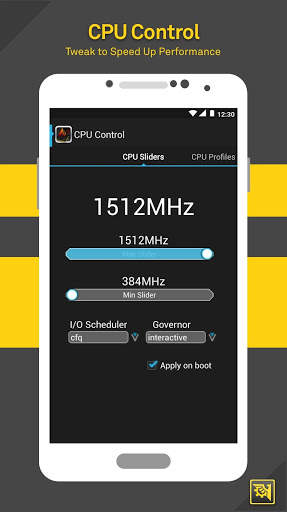
★ Itakda ang CPU

☆ setCPU & scaling gobernador
☆ Mga profile ng CPU
☆ kernel tweaks upang pabilisin ang pagganap
★ build.prop editor

☆ Madaling i-edit ang iyong build.prop
☆ baguhin ang lcd density, mapabuti ang buhay ng baterya, dagdagan ang pagganap

Auto memor Y Manager

☆ Itakda ang mga halaga ng minfree at pumili mula sa mga preset. Ilapat ang mga halaga sa boot
★ sd tagasunod

☆ Taasan ang bilis ng iyong sd card
salamat sa pag-download ng rom toolbox! Para sa mga katanungan o puna, mangyaring makipag-ugnay sa amin sa contact@maplemedia.io.
Mga Pahintulot
Mga Contact - Backup Call Log at SMS
SMS - Backup Call Log at SMS
Mga Account - I-backup at Ibalik mula sa Google Drive

...

👉 For More Detail of ROM Toolbox Pro

Search Results

1/13

You may like

DOWNLOAD IS NOT SUPPORTED IN WEB STORE!
Use the latest version of 9Apps to download APK&OBB file of games in one click!
DOWNLOAD 9APPS