rom manager pro on 9Apps

Free download latest rom manager pro for Android here and enjoy it with your phone. Below you can download a list of top and latest apps related to rom manager pro . 9APPS is a fast, safe app store. With 9APPS, you can save a lot of time on searching and downloading apps.

#1 ROM Manager

ROM Manager
Rating: star 4.1 | Version: 5.5.3.7 | Size: 3.6MB
ROM Manager screenshot 1 ROM Manager screenshot 2 ROM Manager screenshot 3

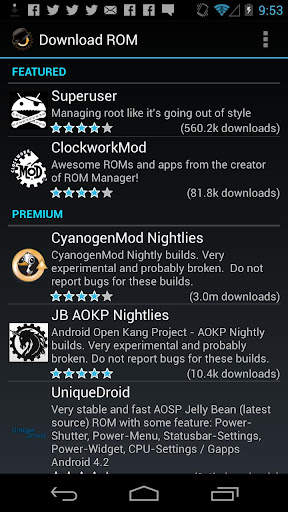
ROM Manager is THE MUST HAVE APP for any Android root user. (Over 10 million downloads and counting!)
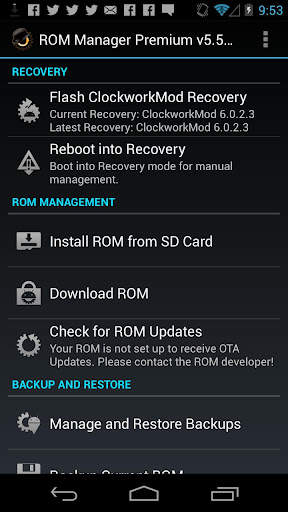
* Flash your recovery to the latest and greatest ClockworkMod recovery.
* Manage your ROMs via a handy UI.
* Organize and perform backups and restores from within Android!
* Install ROMs from your SD card.
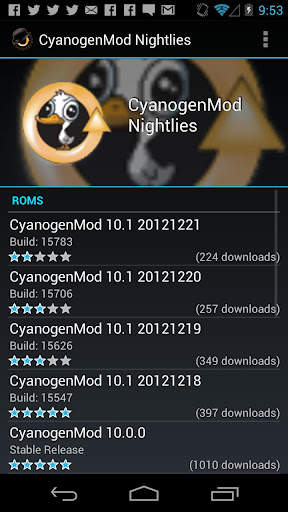
* Install your favorite ROMs over the air!
Premium Version:
* Incremental update zips (save your data plan!)
* Premium ROMs
* Receive notifications for when your ROM is updated!
* Automatic backups
* Install Queue
* Web Connect
* Backup Download Server lets you easily transfer backups as flashable zips to your computer.
Do you prefer using only recovery manually? Check out the Touch Recovery in app purchase, for the most advanced recovery available!
Why does ROM Manager ask for account permissions?
Web Connect only needs to access your Google account to connect it to your google account. It can't access any private data or passwords.
ClockworkMod Touch Recovery:
ClockworkMod Touch recovery (and recovery) is work that needs to put in for every new device that is released by a manufacturer.
If work on ROM Manager ceased completely, all the premium features would continue working without issue. However, new recoveries do not port and build themselves. Without ClockworkMod Touch being a per device purchase, there is no way to recoup recurring server costs and labor. Keeping ROM Manager free and operational costs tens of thousands of dollars a year, and that does not include engineering costs.
Your support is appreciated.
Troubleshooting:
Droid users: Stuck at the "M" logo? Flash an alternate recovery and flash back to ClockworkMod.
HTC Users: Flash recovery not working? Try fastbooting a recovery on.
Droid X/2/Pro Users: You must run the Bootstrap application first to use ROM Manager.
Samsung users: You must flash a Clockwork compatible kernel first (see XDA forums)
IF YOU ARE HAVING LICENSE ISSUES, MAKE SURE YOU HAVE THE LATEST VERSION OF FREE (4.0 ) AND THE LATEST LICENSE (1.0.8 ) INSTALLED!

...

👉 For More Detail of ROM Manager

#2 [ROOT] Custom ROM Manager

[ROOT] Custom ROM Manager
Rating: star 4.0 | Version: 6.6.1.10-free-stable-minAPI21 | Size: 6.2MB
[ROOT] Custom ROM Manager screenshot 1 [ROOT] Custom ROM Manager screenshot 2 [ROOT] Custom ROM Manager screenshot 3

Custom ROM Manager는 사용자 지정 ROM, GApp 및 기타 zip 파일을보다 쉽게 ​​설치하고 사용자가 프로세스를 더 많이 제어 할 수 있도록 설계되었습니다.
🔍 장치에있는 zip 파일을 검색합니다.
📝 zip 파일을 식별합니다.
🧰 설치할 zip 파일을 관리하고 선택합니다.
⚙️ TWRP에서 선택한 zip 파일을 설치합니다. .
⭐ 인기있는 ROM을 찾을 수 있습니다.
📊 자세한 통계를 보여줍니다.
😁 그리고 훨씬 더 많은 작업을 할 수 있습니다.
🔍 ZIP 파일 검색 🔍
장치에있는 zip 파일을 검색합니다. 그리고 검색이 빠르기 때문에 최신 스마트 폰에서 완료하는 데 10 분의 1 초도 걸리지 않을 정도로 빠릅니다.
📝 ZIP 파일 확인 📝
또한 가능합니다. 찾은 zip 파일을 식별하십시오. zip 파일이 ROM인지, GApps 패키지인지 또는 다른 zip 파일인지를 결정합니다. ROM 또는 GApps 패키지 인 경우 빌드 날짜, 빌드 유형, 버전 등과 같은 일부 속성도 식별합니다. 속성은 zip 파일에 쉽게 액세스, 정렬 및 필터링하는 데 사용됩니다. 또한 TWRP에 zip 파일을 설치할 수 있는지 여부를 감지합니다.
🧰 설치할 ZIP 파일 관리 및 선택 🧰
설치할 zip 파일을 원하는만큼 관리하고 선택할 수 있습니다. . zip 파일을 설치하기 전에 지울 파티션을 선택할 수 있습니다. zip 파일의 설치 순서를 완전히 제어 할 수 있습니다.
⚙️ TWRP에 선택한 ZIP 파일 설치 ⚙️
설치할 zip 파일 선택을 완료하면 TWRP로 부팅됩니다. 선택한 순서대로 zip 파일을 설치하면 자동으로 시스템으로 재부팅됩니다. 하지만 TWRP 만 지원됩니다.
⭐ 인기 ROM 찾기 ⭐
또한 Custom ROM Manager를 사용하여 인기있는 ROM을 검색하고 해당 ROM의 공식 사이트를 방문 할 수도 있습니다. 또한 장치가 ROM에서 공식적으로 지원되는지 여부를 확인할 수 있습니다. 그러나 그것은 당신을 위해 어떤 것을 다운로드하지 않을 것입니다, 당신은 그것을 직접해야 할 것입니다. 자세한 내용은-https://www.facebook.com/CustomROMManager/posts/538177033274491
📊 자세한 통계 📊
zip 파일 수와 같은 zip 파일의 자세한 통계를 볼 수 있습니다. 각 유형의 기기에 저장 공간이 얼마나 있는지, 그리고 얼마나 많은 저장 공간을 사용하고 있는지 등이 있습니다.
기타 기능
기타 유용한 기능도 있습니다 ...
1. TWRP 백업 및 복원-앱에서 바로 TWRP 백업 및 복원을 수행하는 방법을 제공합니다.
2. 인앱 검색-인앱 검색을 사용하면 앱 범위 내에서 원하는 것을 쉽게 검색 할 수 있습니다.
3. 폴더 설정-장치에서 파일을 검색하는 방법과 위치를 사용자 지정하는 전용 섹션입니다.
4. 최근 설치-개인 정보 보호를 염두에두고 앱을 사용하여 설치 한 zip 파일을 추적합니다.
5. Zip 파일 정리-장치 저장소에 흩어져있는 설치 가능한 zip 파일을 정리하여 복구시 쉽게 찾을 수 있도록 한 곳에 보관합니다.
6. 깔끔한 디자인과 뛰어난 UX-Custom ROM Manager는 머티리얼 디자인을 기반으로 한 깔끔한 UI를 특징으로하며 뛰어난 UX를 제공합니다. 앱을 사용 하시면서 즐거운 시간을 보내실 수 있습니다.
7. 다크 테마-시스템 다크 테마와 함께 작동하는 다크 테마 옵션이 제공됩니다.
요구 사항
1. 앱이 제대로 작동하려면 루트 액세스가 필요합니다. 그렇지 않으면 일부 기능이 작동하지 않습니다.
2. TWRP를 사용하기 전에 커스텀 ROM을 설치하지 않았다면이 앱은 적합하지 않습니다.
3. TWRP 복구 만 지원됩니다.
PRO VERSION
광고가 포함되지 않고 추가 기능이 있으며 최적화 된이 앱의 프로 버전도 있습니다. 공연. https://play.google.com/store/apps/details?id=com.corphish.customrommanager.adfree
인앱 구매
인앱 구매에서 찾을 수 있습니다. 앱 구매 옵션도 사용할 수있어 앱에서 광고를 완전히 제거합니다.

...

👉 For More Detail of [ROOT] Custom ROM Manager

#3 [ROOT] Custom ROM Manager (Pro)

[ROOT] Custom ROM Manager (Pro)
Rating: star 4.2 | Version: 6.6.0.7-pro-stable-minAPI21 | Size: 3.4MB
[ROOT] Custom ROM Manager (Pro) screenshot 1 [ROOT] Custom ROM Manager (Pro) screenshot 2 [ROOT] Custom ROM Manager (Pro) screenshot 3

Custom ROM Manager was designed to make the process of installing custom ROMs, GApps and other zip files easier, and let users have more control in the process. It will:
🔍 Search zip files present on your device.
📝 Identify the zip files.
🧰 Manage and select zip files for installation.
⚙️ Install selected zip files in TWRP.
⭐ Let you discover popular ROMs.
📊 Show you detailed statistics.
😁 And let you do much more.
(Check the listing of free version to know more about the features mentioned above, at https://play.google.com/store/apps/details?id=com.corphish.customrommanager.free)
Additionally, the pro version:
🚫 Has no ads.
📂 Lets you have better control on how zip files are searched.
📝 Lets you have better control on how zip files are identified.
📑 Shows useful actions specific to a ROM/GApps.
⚙️ Provides you with more customization options.
🍭 Has adaptive UI.
🎨 Has themes and shapes.
👍 Is faster and much more optimized.
🚫 NO ADS 🚫
Pro version does not contain ads in anyway.
📂 HAVE BETTER CONTROL ON HOW ZIP FILES ARE SEARCHED 📂
Pro version lets users to override the default storage locations (detected by the app) and specify folders in which they usually keep their zip files, which makes searching zip files instantaneous. Additionally, it also lets users to modify the folder names which would be ignored while searching for zip files.
📝 HAVE BETTER CONTROL ON HOW ZIP FILES ARE IDENTIFIED 📝
Custom ROM Manager checks the size of a file to determine whether a zip file is a ROM or a GApps package or some other kind of zip file. In this way the app is able to distinguish between an actual ROM and zip files related to that ROM (like firmware, patches etc). The pro version lets users to have control on this 'size' parameter.
📑 USEFUL ACTIONS SPECIFIC TO A ROM/GAPPS 📑
Pro version shows you useful actions on downloaded files belonging to specific ROM/GApp which you can perform with just one click.
⚙️ MORE CUSTOMIZATION OPTIONS ⚙️
Pro version also lets users have more customization options:
1. Lets users have control on what partitions would be chosen to be wiped when a zip file is "quickly" selected for installation.
2. Enables the "Organise files in subfolder" option in Zip File Organiser section.
🍭 ADAPTIVE UI 🍭
The color of the UI elements changes to match the dominant color of the logo of the ROM/GApp, whose section you are visiting, to give an amazing look and feel of it.
🎨 THEMES 🎨
Pro version lets you choose one from 7 vibrant colors as the theme color. Additionally it also has the 'Random' setting which randomly chooses one from the supported colors during app start up for you. You can also choose the shape of the icons to have a look suited to your style!
👍 FASTER AND MUCH MORE OPTIMIZED 👍
The pro version is optimized and is faster than the free version in general. It is also smaller in size compared to the free version, even though it contains all the features of free version plus it has pro features of its own. Due to this, the memory usage of the app is also minimized.
(Even more details can be found at https://customrommanager.github.io/pro.html)

...

👉 For More Detail of [ROOT] Custom ROM Manager (Pro)

#4 PRO Manager

PRO Manager
Rating: star 5.0 | Version: 1.10 | Size: 6.3MB
PRO Manager screenshot 1 PRO Manager screenshot 2 PRO Manager screenshot 3

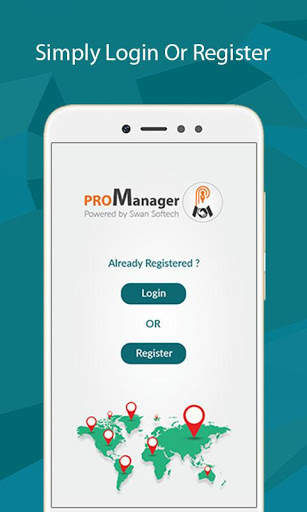
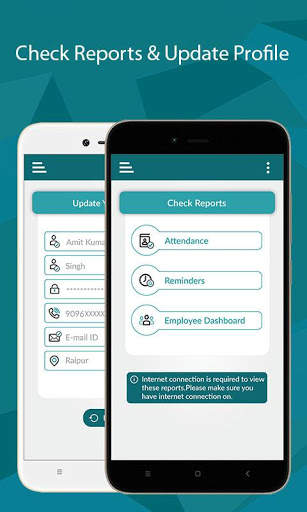
Corporate app for touring staff. Ideal for any size company, small or big to help their staff in capturing tour details easily.
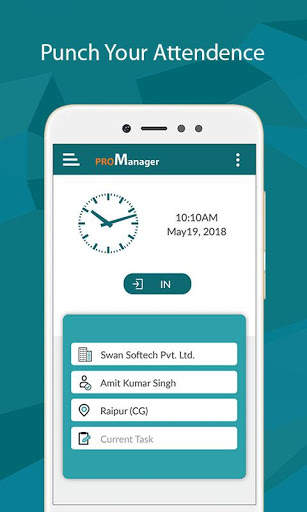
Touring employees can easily mark their attendance on go. Just one click to sign-in or sign-out. Where ever they go, they can easily record the visit details. This app allows to setup follow up reminders with clients and you can see all forth coming follow up reminders in mobile dashboard.
Tour mileage is calculated automatically. Tour reports are generated with simple click, so touring employees can concentrate more on the work, rather than preparing tour reports.
Managers get visibility to “Who is Where and When”?
Managing your Sales Reps / PRO / Medical Representatives on the move was never so easy! With our mobile app you can easily find “Who is Where and When” in Real time.
Our mobile app “ProManager” provides these information in your mobile with a click only. Well, additionally this mobile app provides automatic mileage calculation, attendance recording, reminder reports etc.

...

👉 For More Detail of PRO Manager

#5 ROM Toolbox Pro

ROM Toolbox Pro
Rating: star 3.6 | Version: 6.5.1.0 | Size:
ROM Toolbox Pro screenshot 1 ROM Toolbox Pro screenshot 2 ROM Toolbox Pro screenshot 3

ROM 도구 상자는
는 MUST HAVE APP는
를 모든 루트 사용자에 대해.
가상 ROM 도구 상자는 아름답고 쉽게하는 데 사용하는 인터페이스를 하나의 괴물 응용 프로그램에 모든 위대한 루트 응용 프로그램을 결합이다. ROM Toolbox에는 Android 기기를 빠르고 원하는대로 사용자 정의 할 필요가있는 모든 도구가 있습니다. 다른 앱에 $ 30 이상을 보내는 대신 ROM 도구 상자
, 안드로이드 경찰 및 기타 인기있는 사이트. 우리는 당신이 그것을 사랑할 것이라는 것을 압니다. 14,000 개 이상의 5 성급 사용자 리뷰! ★ ★ ★ ★ ★
이 앱에는 루트 허가가 필요합니다. 빠르고 친절한 지원을 위해 contact@maplemedia.io에서 이메일을 보내주십시오. 우리는 당신의 질문이나 문제 도움말 대답 기쁠 것입니다. 티타늄 백업, ROM 관리자, 루트 탐색기, SetCPU, MetaMorph로부터, 자동 실행 관리자, 터미널 에뮬레이터, 스크립트 관리자, SD 부스터, BuildProp 편집기와 같은
가상 ROM 도구 상자 콤바인 애플 리케이션 , 글꼴 설치 프로그램, 부팅 애니메이션 설치 프로그램 및 모든 앱을 올인원 앱으로 제공합니다! 다음은 찾을 수있는 기능 중 일부 목록입니다.
Rom 관리

Aokp, CyanogenMod 및 기타 인기있는 ROM이 포함되어 있습니다.
☆ Nandroid 백업을 만들고, 관리 및 복원 ☆ 데이터베이스, 캐시, Dalvik 캐시, 배터리 통계 ☆ SD 카드에서 여러 ROM 및 ZIP 설치 ☆ SD 카드
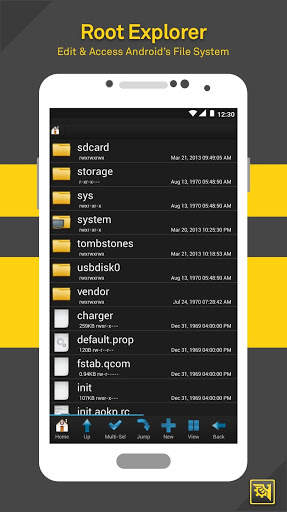
루트 익스플로러

Android의 파일 시스템 전체에 액세스하십시오.
☆ 일괄 복사 / 붙여 넣기 / 붙여 넣기, 지퍼, 타르, 삭제, 모든 파일이나 폴더보기, 편집, 공유 및 이동 ☆ 파일 사용 권한 변경 및 소유권
> ★
시동시 실행
재부팅 ☆ 회복, 파워 다운, 부트로드, 상태 표시 줄
★ ★ ★
☆ 거대한 목록에서 사용자 정의 글꼴을 설치 ☆ SDCard에서 ☆ ☆ 글꼴을 즐겨 찾기로 설정하고 보내기 친구에게
부트 애니메이션 설치 프로그램

☆ 사용자 정의 부팅 애니메이션 ☆ 거대한 컬렉션 또는 SDCard에서 사용자 정의 부팅 애니메이션 ☆ ☆ GIF에서 부팅 애니메이션 만들기 ☆ 파일

테마 관리자 & statusBar 아이콘 체인저
★ 전체 테마 생성 및 설치 ☆ ★ (Metamorph) 호환 가능)
☆ WiFi, 신호, GPS 등에 대한 사용자 정의 아이콘을 설치하여 상태 표시 줄을 사용자 정의합니다
> ★ 부트 로고 체인저

테마 선택기 테마

☆ T-Mobile Theme Chooser의 테마
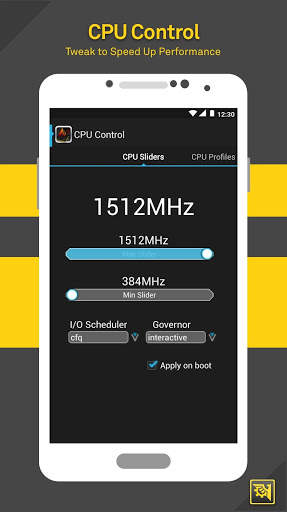
★ CPU 세트
★ ☆ SETCPU & 스케일링 ☆ CPU 프로파일 ☆ ☆ 커널 조정 ☆ br>
빌드 ★ ★
☆ 쉽게 편집 ☆ ★ LCD 밀도 변경 ☆ 배터리 수명 향상 ★
B> 자동 기념품 Y 관리자

☆ MINFREE 값을 설정하고 사전 설정 중에서 선택하십시오. 부팅시 값을 적용
가상 ★
SD 부스터
★로
☆로
는 ROM 도구 상자를 다운로드 해 주셔서 감사합니다
SD 카드의 속도를 증가! 질문이나 의견을 보려면 Contact@maplemedia.io에서 문의하십시오.
연락처 - SMS - 백업 통화 로그 및 SMS 백업
계정 - Google 드라이브에서 백업 및 복원

...

👉 For More Detail of ROM Toolbox Pro

Search Results

1/13

You may like

DOWNLOAD IS NOT SUPPORTED IN WEB STORE!
Use the latest version of 9Apps to download APK&OBB file of games in one click!
DOWNLOAD 9APPS