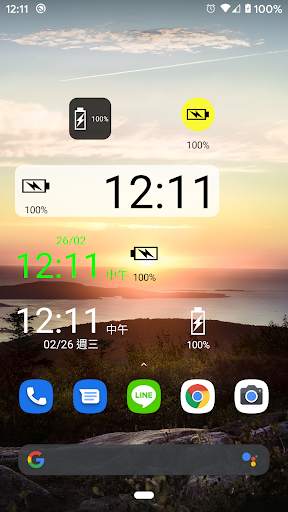
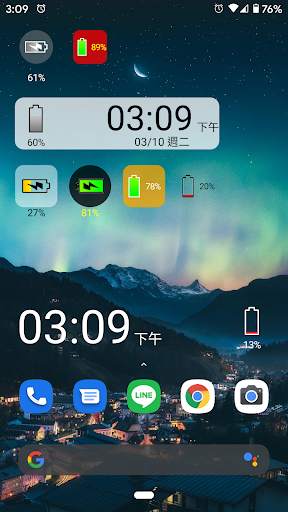
battery solo widget on 9Apps

Free download latest battery solo widget for Android here and enjoy it with your phone. Below you can download a list of top and latest apps related to battery solo widget . 9APPS is a fast, safe app store. With 9APPS, you can save a lot of time on searching and downloading apps.

#1 Battery Solo Widget
Battery Solo Widget
Rating: star 3.0 | Version: 4.1 | Size: 89.9KB
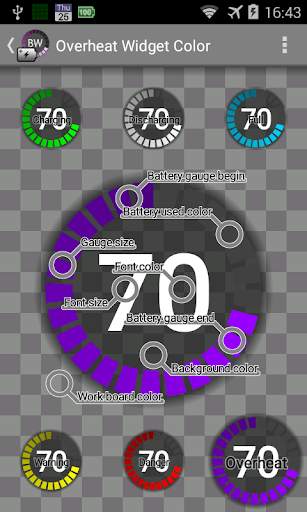
Battery Solo Widget screenshot 1 Battery Solo Widget screenshot 2 Battery Solo Widget screenshot 3

Widget, battery level indicator.
PRO VERSION AVAILABLE WITH MORE FEATURES.
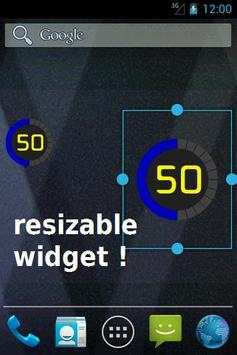
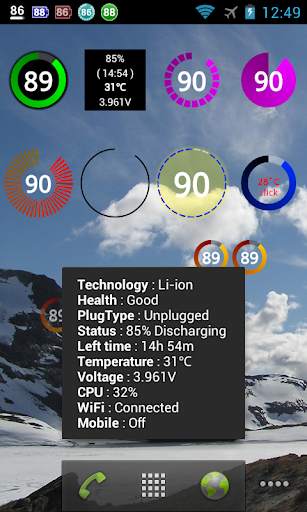
Perfectly clear, easy readable battery widget providing you quick and accurate information about power you have in your phone.
ATT: The 1x1 widget allows various sizes, check the settings of the widget! (click widget, click settings, cick blue label)
- Resizable Widget (Android 4.0 and later)
- Lightweight program (80 KB)
- Not battery drain.
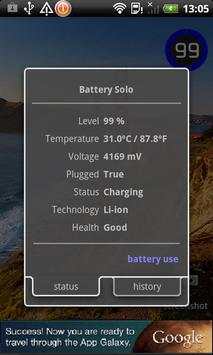
- Shows accurate data: Level, Temperature, Voltage, ...
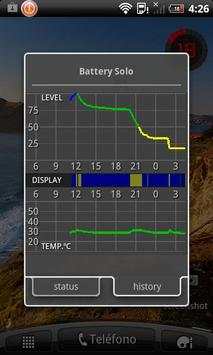
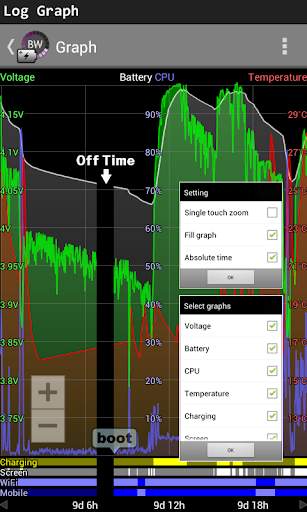
- 48 hours graph of the level and temperature of the battery.
- Prediction of battery consumption (see graph)
- Warnings: over temperature, full load, and low battery.
- Upscale 1% in some Motorola
=========================================================
ATT:
Warnings (Notifications)
There are three types of notifications: full battery, low battery, over temperature.
Each notification type can be set individually. Click on the blue label and will open the configuration window.
============================================================
Users report:
- Best battery level indicator for Android.
- Great, simple, accurate. This app is the dark horse of battery status monitors.
- Big numbers and dial give all the info needed at a quick glance.
- Simple, cool, awesome.

...

👉 For More Detail of Battery Solo Widget

#2 Battery Widget

Battery Widget
Rating: star 4.3 | Version: 2.43 | Size: 3.0MB
Battery Widget screenshot 1 Battery Widget screenshot 2 Battery Widget screenshot 3

BatteryWidget shows an exact battery level on the status bar, health, temperature, voltage, CPU usage.
Clicking once installed widget, the widget shows the temperature and voltage.
Double-click the Setup screen appears.
English, French, Italian, Polish, Russian, Dutch, Hungarian, Spanish, Chinese support.
Feature
1. Charge, Discharge, Warning, Danger, Full charging alarm.
2. Battery status indicator on the status bar notifications.
3. 1x1, 2x2 widgets in the form of pie charts.
4. It is possible to change the color, size and position of the widget.
5. Temperature, voltage, battery life, charging, screen status logging.
Plus version only
6. Supports the additional status bar icons.
7. Widget resolution.
8. Wi-Fi, Mobile, CPU usage logging.
9. Show the estimated time for charging or discharging.
10. Overheat alarm.
11. Full charge alarm level setting.
How To install the widget:
Android 2.3 or less : Long press on any empty space on your homescreen, Click on the widget menu then click on the widget you want to install.
Android 3.0 : Click on the upper right corner of the homescreen,
Click on the widget menu then drag on the widget you want to install.
Android 4.0 or late : In the app list screen, Click on the widget menu then drag on the widget you want to install.

...

👉 For More Detail of Battery Widget

#3 Battery Widget

Battery Widget
Rating: star 3.9 | Version: 1.0.0 | Size: 39.2KB
Battery Widget screenshot 1 Battery Widget screenshot 2

Important: On Android 8.0 (API level 26) or above, the app may not works due to "Background execution limits" introduced in Oreo to improve battery life.
To overcome this, follow below steps:
(1) goto the "App info" screen
(2) then select "Battery > Battery optimization"
(3) set filter "All apps"
(4) locate and select Battery Widget
(5) select "Don't optimize", then "DONE"
(6) restart app to confirm is working
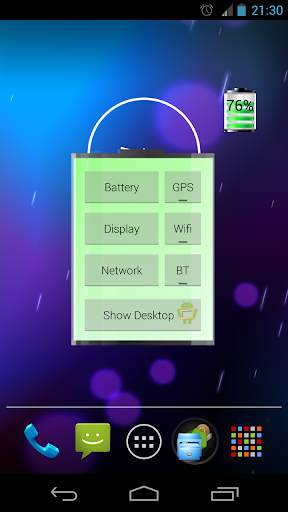
Graphical Battery Widget shows the exact battery level in 1x1 space, with shortcuts to Power-Summary/Display/Network/GPS/Wifi/BT Settings and 'Show Desktop' feature to shows your wallpaper/live-wallpaper in full screen.
Note:
This doesn't open, it is a Widget not an app.
Add on homescreen with
Menu -> Add -> Widgets -> Battery Widget or
Apps -> Widgets -> Battery Widget
Permissions:
The permissions requested by the application can be quite intimidating, they are needed for quick access to various power settings. The application does not access/transmit device location information.
The code is open source and available on github: https://github.com/HairyRobot/BatteryWidget-gyu

...

👉 For More Detail of Battery Widget

#4 Battery Widget

Battery Widget
Rating: star 4.0 | Version: 2.0.15 | Size: 102.9KB
Battery Widget screenshot 1 Battery Widget screenshot 2

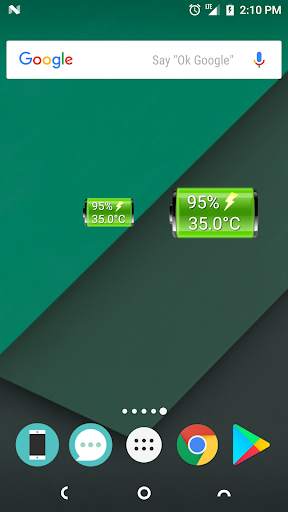
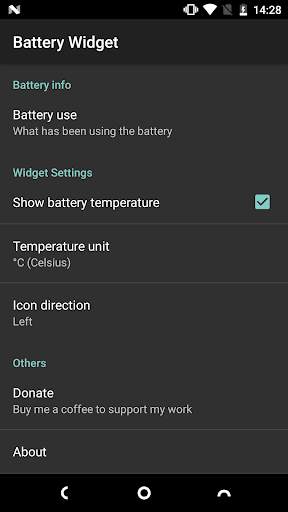
A lightweight & simple widget to show you battery level and temperature. You can tap the widget to get more battery info.
Features:
★ No Ads!
★ Simple & Compact! Only 90KB!
★ Available widget sizes: 1x1 and 2x1
★ Doesn't drain your battery!
★ Without unnecessary permissions! (The only permission is In-app purchases for donation.)
How to use:
● This is a pure widget app. It will not show up in your app drawer.
The following is a typical way to add a widget to your home screen:
1. Touch and hold any empty space of your home screen
2. Select "Widgets"
3. Drag the widget you want to your home screen.
(The above way may vary by manufacturer and which launcher you are using.)
● On some devices, you may have to allow this app to use battery in the background and NOT optimize battery usage.
You can find these settings in "Settings" -> "Apps & notifications" -> "App info" -> "Battery Widget" -> "Battery".

...

👉 For More Detail of Battery Widget

#5 Battery Widget

Battery Widget
Rating: star 4.0 | Version: 1.2.200523 | Size: 533.7KB
Battery Widget screenshot 1 Battery Widget screenshot 2 Battery Widget screenshot 3

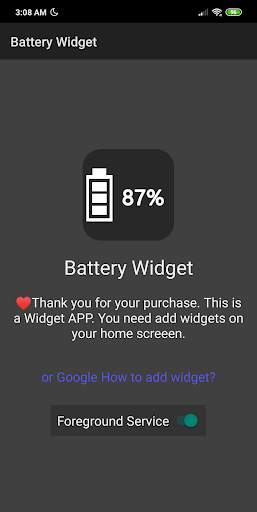
Battery Level Widget
Icon style
Simple ,practical and customizable.
Widget have 2 types, icon and clock.
Icons are available in square, round and transparent.
This is a widget program, please add the widget to your home screen to use.
It is recommended that users after Android 6 use the foreground service to keep the widgets updated instantly.
If you don't want to see the foreground service appear in the notification field, please long press the notification and set the notification not to be displayed (the vendors may be slightly different).
Postscript:
I test on redmi note 7. It's work fine with Android 9 MIUI 10.

...

👉 For More Detail of Battery Widget

Search Results

1/12

You may like

DOWNLOAD IS NOT SUPPORTED IN WEB STORE!
Use the latest version of 9Apps to download APK&OBB file of games in one click!
DOWNLOAD 9APPS