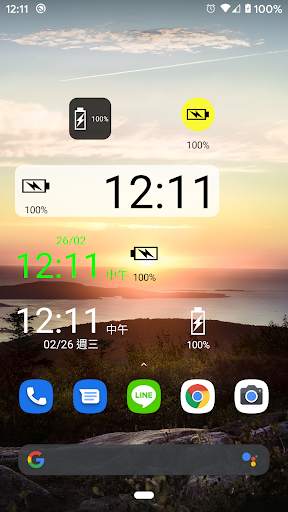
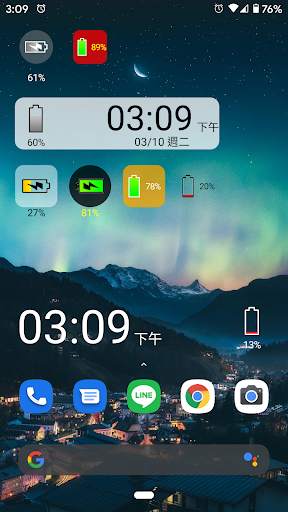
battery solo widget on 9Apps

Free download latest battery solo widget for Android here and enjoy it with your phone. Below you can download a list of top and latest apps related to battery solo widget . 9APPS is a fast, safe app store. With 9APPS, you can save a lot of time on searching and downloading apps.

#1 Battery Solo Widget
Battery Solo Widget
Rating: star 3.0 | Version: 4.1 | Size: 89.9KB
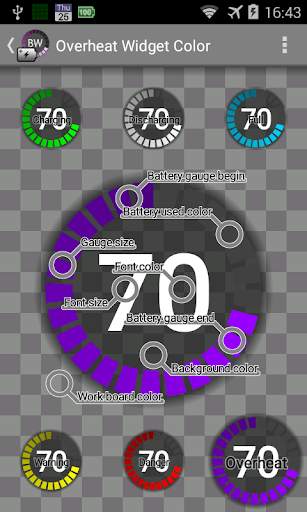
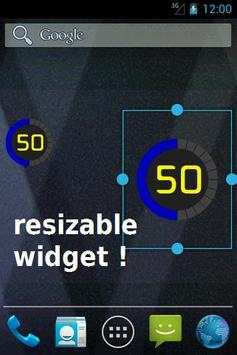
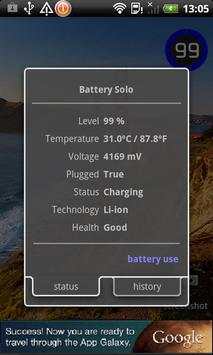
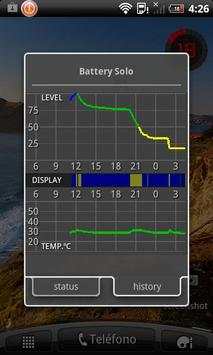
Battery Solo Widget screenshot 1 Battery Solo Widget screenshot 2 Battery Solo Widget screenshot 3

Widget, battery level indicator.
PRO VERSION AVAILABLE WITH MORE FEATURES.
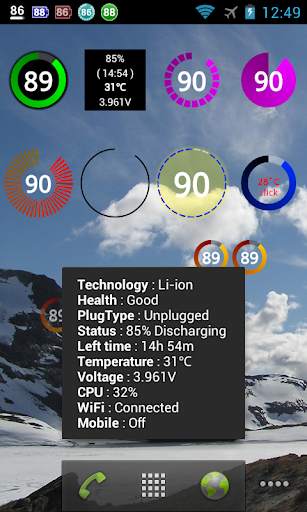
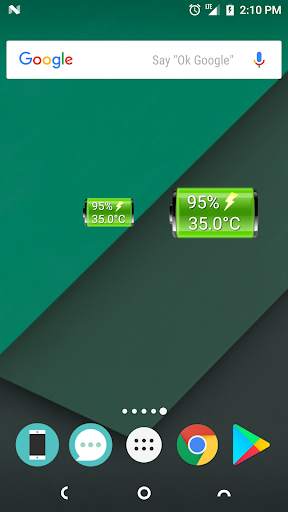
Perfectly clear, easy readable battery widget providing you quick and accurate information about power you have in your phone.
ATT: The 1x1 widget allows various sizes, check the settings of the widget! (click widget, click settings, cick blue label)
- Resizable Widget (Android 4.0 and later)
- Lightweight program (80 KB)
- Not battery drain.
- Shows accurate data: Level, Temperature, Voltage, ...
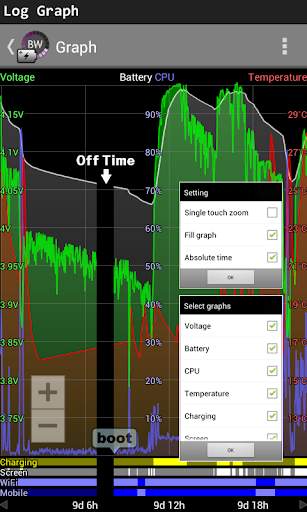
- 48 hours graph of the level and temperature of the battery.
- Prediction of battery consumption (see graph)
- Warnings: over temperature, full load, and low battery.
- Upscale 1% in some Motorola
=========================================================
ATT:
Warnings (Notifications)
There are three types of notifications: full battery, low battery, over temperature.
Each notification type can be set individually. Click on the blue label and will open the configuration window.
============================================================
Users report:
- Best battery level indicator for Android.
- Great, simple, accurate. This app is the dark horse of battery status monitors.
- Big numbers and dial give all the info needed at a quick glance.
- Simple, cool, awesome.

...

👉 For More Detail of Battery Solo Widget

#2 Battery Widget

Battery Widget
Rating: star 4.3 | Version: 2.43 | Size: 3.0MB
Battery Widget screenshot 1 Battery Widget screenshot 2 Battery Widget screenshot 3

BatteryWidget shows an exact battery level on the status bar, health, temperature, voltage, CPU usage.
Clicking once installed widget, the widget shows the temperature and voltage.
Double-click the Setup screen appears.
English, French, Italian, Polish, Russian, Dutch, Hungarian, Spanish, Chinese support.
Feature
1. Charge, Discharge, Warning, Danger, Full charging alarm.
2. Battery status indicator on the status bar notifications.
3. 1x1, 2x2 widgets in the form of pie charts.
4. It is possible to change the color, size and position of the widget.
5. Temperature, voltage, battery life, charging, screen status logging.
Plus version only
6. Supports the additional status bar icons.
7. Widget resolution.
8. Wi-Fi, Mobile, CPU usage logging.
9. Show the estimated time for charging or discharging.
10. Overheat alarm.
11. Full charge alarm level setting.
How To install the widget:
Android 2.3 or less : Long press on any empty space on your homescreen, Click on the widget menu then click on the widget you want to install.
Android 3.0 : Click on the upper right corner of the homescreen,
Click on the widget menu then drag on the widget you want to install.
Android 4.0 or late : In the app list screen, Click on the widget menu then drag on the widget you want to install.

...

👉 For More Detail of Battery Widget

#3 Battery Widget

Battery Widget
Rating: star 3.9 | Version: 1.0.0 | Size: 39.2KB
Battery Widget screenshot 1 Battery Widget screenshot 2

Important: On Android 8.0 (API level 26) or above, the app may not works due to "Background execution limits" introduced in Oreo to improve battery life.
To overcome this, follow below steps:
(1) goto the "App info" screen
(2) then select "Battery > Battery optimization"
(3) set filter "All apps"
(4) locate and select Battery Widget
(5) select "Don't optimize", then "DONE"
(6) restart app to confirm is working
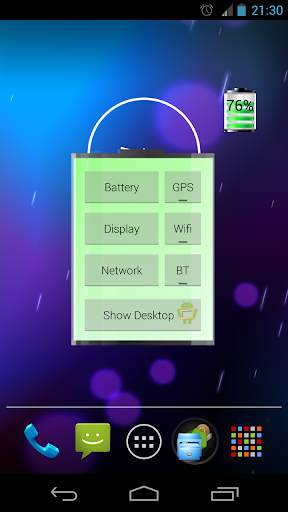
Graphical Battery Widget shows the exact battery level in 1x1 space, with shortcuts to Power-Summary/Display/Network/GPS/Wifi/BT Settings and 'Show Desktop' feature to shows your wallpaper/live-wallpaper in full screen.
Note:
This doesn't open, it is a Widget not an app.
Add on homescreen with
Menu -> Add -> Widgets -> Battery Widget or
Apps -> Widgets -> Battery Widget
Permissions:
The permissions requested by the application can be quite intimidating, they are needed for quick access to various power settings. The application does not access/transmit device location information.
The code is open source and available on github: https://github.com/HairyRobot/BatteryWidget-gyu

...

👉 For More Detail of Battery Widget

#4 Battery Widget

Battery Widget
Rating: star 4.0 | Version: 2.0.15 | Size: 102.9KB
Battery Widget screenshot 1 Battery Widget screenshot 2

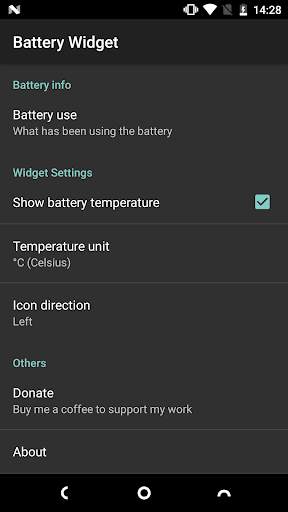
Um widget leve e simples para mostrar o nível de bateria e a temperatura.Você pode tocar no widget para obter mais informações de bateria.
★ Nenhum anúncio!
★ Simples & Compact!Apenas 90KB!
★ Tamanhos de widget disponíveis: 1x1 e 2x1
★ Não drene sua bateria!
★ Sem permissões desnecessárias!(A única permissão é compras no aplicativo para doação.)
Como usar:
● Este é um aplicativo de widget puro.Ele não aparecerá na sua gaveta de aplicativos.
O seguinte é uma maneira típica de adicionar um widget à sua tela inicial:
1.Toque e segure qualquer espaço vazio de sua tela inicial
2.Selecione "Widgets"
3.Arraste o widget que você deseja para a sua tela inicial.
(A maneira acima pode variar por fabricante e qual lançador você está usando.)
● Em alguns dispositivos, talvez seja necessário permitir que este aplicativo use a bateria no fundo.e não otimizar o uso da bateria.
Você pode encontrar essas configurações em "Configurações" -> "Aplicativos e notificações" -> "info do aplicativo" -> "Widget de bateria" -> "bateria".

...

👉 For More Detail of Battery Widget

#5 Battery Widget

Battery Widget
Rating: star 4.0 | Version: 1.2.200523 | Size: 533.7KB
Battery Widget screenshot 1 Battery Widget screenshot 2 Battery Widget screenshot 3

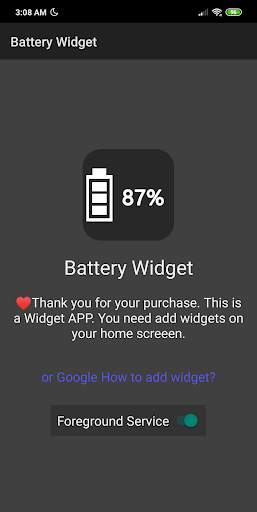
Widget de nível de bateria
Estilo de ícone
simples, prático e personalizável.
widget tem 2 tipos, ícone e relógio.
ícones estão disponíveis na praça,Rodada e transparente.
Este é um programa de widget, por favor, adicione o widget à sua tela inicial para usar.
É recomendado que os usuários após o Android 6 use o serviço de primeiro plano para manterOs widgets atualizados instantaneamente.
Se você não quiser ver o serviço de primeiro plano aparecer no campo de notificação, por favor, pressione a notificação e defina a notificação a não ser exibida (os fornecedores podem ser ligeiramente diferentes).
Postscript:
Eu testar no Redmi Nota 7. Está funciona bem com Android 9 MIUI 10.

...

👉 For More Detail of Battery Widget

Search Results

1/12

You may like

DOWNLOAD IS NOT SUPPORTED IN WEB STORE!
Use the latest version of 9Apps to download APK&OBB file of games in one click!
DOWNLOAD 9APPS