rom manager app on 9Apps

Free download latest rom manager app for Android here and enjoy it with your phone. Below you can download a list of top and latest apps related to rom manager app . 9APPS is a fast, safe app store. With 9APPS, you can save a lot of time on searching and downloading apps.

#1 ROM Manager

ROM Manager
Rating: star 4.1 | Version: 5.5.3.7 | Size: 3.6MB
ROM Manager screenshot 1 ROM Manager screenshot 2 ROM Manager screenshot 3

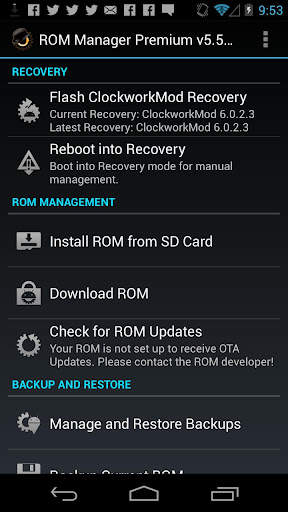
ROM Manager is THE MUST HAVE APP for any Android root user. (Over 10 million downloads and counting!)
* Flash your recovery to the latest and greatest ClockworkMod recovery.
* Manage your ROMs via a handy UI.
* Organize and perform backups and restores from within Android!
* Install ROMs from your SD card.
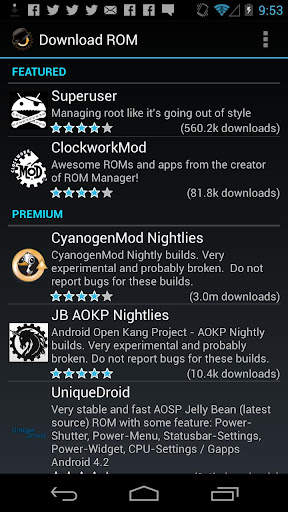
* Install your favorite ROMs over the air!
Premium Version:
* Incremental update zips (save your data plan!)
* Premium ROMs
* Receive notifications for when your ROM is updated!
* Automatic backups
* Install Queue
* Web Connect
* Backup Download Server lets you easily transfer backups as flashable zips to your computer.
Do you prefer using only recovery manually? Check out the Touch Recovery in app purchase, for the most advanced recovery available!
Why does ROM Manager ask for account permissions?
Web Connect only needs to access your Google account to connect it to your google account. It can't access any private data or passwords.
ClockworkMod Touch Recovery:
ClockworkMod Touch recovery (and recovery) is work that needs to put in for every new device that is released by a manufacturer.
If work on ROM Manager ceased completely, all the premium features would continue working without issue. However, new recoveries do not port and build themselves. Without ClockworkMod Touch being a per device purchase, there is no way to recoup recurring server costs and labor. Keeping ROM Manager free and operational costs tens of thousands of dollars a year, and that does not include engineering costs.
Your support is appreciated.
Troubleshooting:
Droid users: Stuck at the "M" logo? Flash an alternate recovery and flash back to ClockworkMod.
HTC Users: Flash recovery not working? Try fastbooting a recovery on.
Droid X/2/Pro Users: You must run the Bootstrap application first to use ROM Manager.
Samsung users: You must flash a Clockwork compatible kernel first (see XDA forums)
IF YOU ARE HAVING LICENSE ISSUES, MAKE SURE YOU HAVE THE LATEST VERSION OF FREE (4.0 ) AND THE LATEST LICENSE (1.0.8 ) INSTALLED!

...

👉 For More Detail of ROM Manager

#2 [ROOT] Custom ROM Manager

[ROOT] Custom ROM Manager
Rating: star 4.0 | Version: 6.6.1.10-free-stable-minAPI21 | Size: 6.2MB
[ROOT] Custom ROM Manager screenshot 1 [ROOT] Custom ROM Manager screenshot 2 [ROOT] Custom ROM Manager screenshot 3

Custom ROM Manager dirancang untuk mempermudah proses pemasangan ROM kustom, GApps dan zip lain, dan membiarkan pengguna memiliki lebih banyak kendali dalam proses tersebut. Ini akan:
🔍 Cari fail zip yang terdapat di peranti anda.
📝 Kenal pasti fail zip.
🧰 Urus dan pilih fail zip untuk pemasangan.
⚙️ Pasang fail zip yang dipilih dalam TWRP .
⭐ Biarkan anda menemui ROM yang popular.
📊 Tunjukkan statistik terperinci.
😁 Dan biarkan anda melakukan lebih banyak perkara.
🔍 CARI FIP ZIP 🔍
Ia akan mencari fail zip yang terdapat di peranti anda. Dan cariannya cepat, sebenarnya hanya memerlukan kurang dari sepersepuluh saat untuk menyelesaikan pada telefon pintar moden.
📝 MENGENALPASTI ZIP FILES 📝
Ini juga akan kenal pasti fail zip yang dijumpai. Ini akan menentukan sama ada fail zip adalah ROM, atau pakej GApps, atau beberapa fail zip lain. Sekiranya pakej ROM atau GApps, ia juga akan mengenal pasti beberapa sifatnya seperti tarikh binaan, jenis binaan, versi dan lain-lain. Sifat tersebut kemudian digunakan untuk mengakses, menyusun dan menyaring fail zip dengan mudah. Selain itu, ia mengesan sama ada fail zip boleh dipasang dalam TWRP atau tidak.
🧰 MENGURUS & MEMILIH FILIP ZIP UNTUK PEMASANGAN 🧰
Anda boleh mengurus dan memilih seberapa banyak fail zip yang anda mahu untuk pemasangan . Ini membolehkan anda memilih partisi yang anda mahu lap sebelum memasang fail zip. Ini membolehkan anda mempunyai kawalan penuh terhadap urutan pemasangan fail zip.
IN️ PASANGKAN FILIP ZIP TERPILIH DALAM TWRP ⚙️
Setelah selesai memilih fail zip untuk pemasangan, fail tersebut akan masuk ke dalam TWRP dan pasang fail zip mengikut urutan yang telah anda pilih, dan secara automatik akan reboot kembali ke sistem. Hanya TWRP yang disokong.
⭐ TEMUKAN ROM POPULER ⭐
Anda juga dapat menemui ROM yang popular menggunakan Custom ROM Manager, dan mengunjungi laman rasmi ROM tersebut. Ia juga dapat memeriksa sama ada peranti anda secara rasmi disokong oleh ROM atau tidak. Tetapi ia tidak akan memuat turun sesuatu untuk anda, anda perlu melakukannya sendiri. Baca lebih lanjut di - https://www.facebook.com/CustomROMManager/posts/538177033274491
📊 STATISTIK TERPERINCI 📊
Anda dapat melihat statistik terperinci fail zip, seperti berapa banyak fail zip masing-masing jenis terdapat pada peranti anda, berapa banyak ruang penyimpanan yang mereka habiskan dan apa yang tidak.
CIRI-CIRI LAIN
Dan terdapat juga ciri berguna lain ...
1. Pencadangan dan pemulihan TWRP - Menyediakan cara untuk melakukan sandaran dan pemulihan TWRP terus dari aplikasi.
2. Pencarian dalam aplikasi - Dengan carian dalam aplikasi, anda dapat dengan mudah mencari apa sahaja yang anda inginkan dalam ruang lingkup aplikasi.
3. Tetapan folder - Seluruh bahagian yang dikhaskan untuk menyesuaikan bagaimana dan di mana fail dicari di peranti anda.
4. Pemasangan Terkini - Jejaki fail zip yang telah anda pasang menggunakan aplikasi, dengan tetap menjaga privasi.
5. Penyusun fail zip - Menyusun fail zip yang boleh dipasang yang tersebar di sekitar storan peranti anda, dan meletakkannya di satu tempat sehingga anda dapat mencarinya dengan mudah dalam pemulihan.
6. Reka bentuk yang rapi dan UX yang hebat - Custom ROM Manager menampilkan UI yang kemas berdasarkan reka bentuk bahan, dan menyediakan UX yang hebat. Anda akan bersenang-senang menggunakan aplikasi ini.
7. Tema gelap - Dilengkapi dengan pilihan tema gelap yang berfungsi bersama dengan tema gelap sistem.
KEPERLUAN
1. Akses Root diperlukan agar aplikasi berfungsi dengan baik. Tanpa ini, beberapa fungsi tidak akan berfungsi.
2. Sekiranya anda belum memasang ROM tersuai sebelum menggunakan TWRP, maka aplikasi ini bukan untuk anda.
3. Hanya pemulihan TWRP yang didukung.
VERSI PRO
Versi pro aplikasi ini juga hadir, yang tidak mengandung iklan apa pun, memiliki fitur tambahan, dan sangat dioptimalkan untuk prestasi. Anda boleh menemuinya di - https://play.google.com/store/apps/details?id=com.corphish.customrommanager.adfree
PEMBELIAN DALAM APLIKASI
pilihan pembelian aplikasi juga tersedia, yang membuang iklan sepenuhnya dari aplikasi secara kekal.

...

👉 For More Detail of [ROOT] Custom ROM Manager

#3 Rom Manager Janitor

Rom Manager Janitor
Rating: star 3.0 | Version: 2.9 | Size: 92.3KB
Rom Manager Janitor screenshot 1 Rom Manager Janitor screenshot 2 Rom Manager Janitor screenshot 3

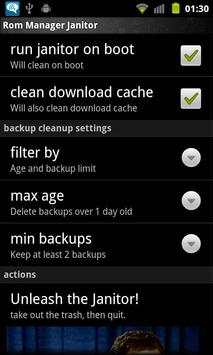
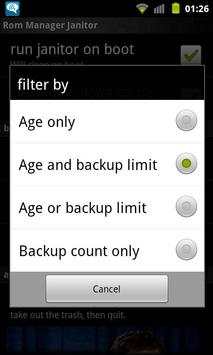
Automatically deletes old backups from rom manager so you don't have to.
You select how old of backups and/or how many you want to keep and then forgot about it.
Ignores backups with custom names. So anything not like 2011-02-25-14.29.23, 2011-02-25.14.29.23 or ScheduledBackup-2011-02-25-14.29.23 will be left alone during cleaning.
Run once and then forget about it. It'll automatically do cleans on boot from then onwards.
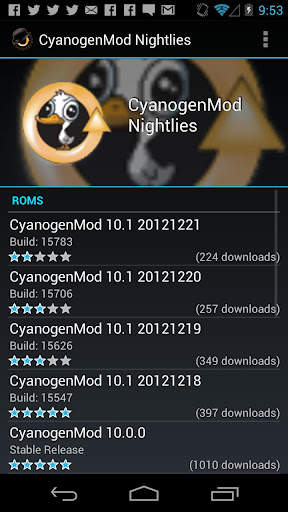
Excellent if you like to install the CyanogenMod nightlies every day or for those who like to run scheduled backups.
Want more options/features? Send me an email about what you want.
Requires:
•Root (Android 4.2 only)
•ClockWorkMod or TWRP (To make the backups. ROM Manager Janitor doesn't actually use it)
•ROM Manager (Since this is a cleanup tool for ROM Manager ;)

...

👉 For More Detail of Rom Manager Janitor

#4 Rom App

Rom App
Rating: star 3.0 | Version: 1.0.1 | Size: 31.6MB
Rom App screenshot 1 Rom App screenshot 2 Rom App screenshot 3

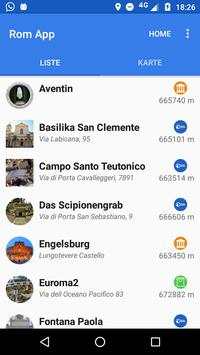
Mit dieser App ist das Erkunden von Rom ein
Klacks
:)
Spannende Geheimtipps und interessante Sehenswürdigkeiten warten auf dich.
Visualisiere deine Ziele auf zwei Arten:
◆ Die Karte bietet eine idealen Überblick über deine Ziele.
◆ In der Listenansicht kannst du optimal filtern, sortieren und durch Kategorien selektieren
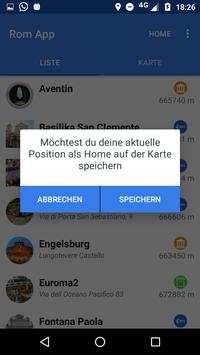
Damit du dich nicht verirrst, kannst du deine Home-Position speichern und auf der Karte anzeigen lassen.
Und das Beste, alles funktioniert offline (außer das Herunterladen der App)

...

👉 For More Detail of Rom App

#5 App Manager

App Manager
Rating: star 3.9 | Version: 2.25.0.44 | Size: 2.5MB
App Manager screenshot 1 App Manager screenshot 2 App Manager screenshot 3

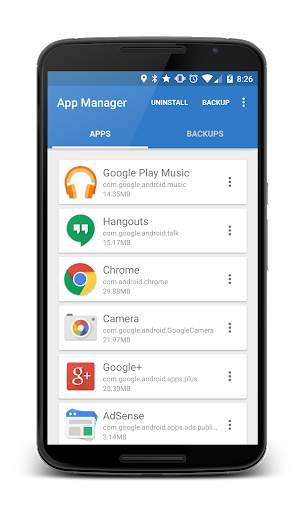
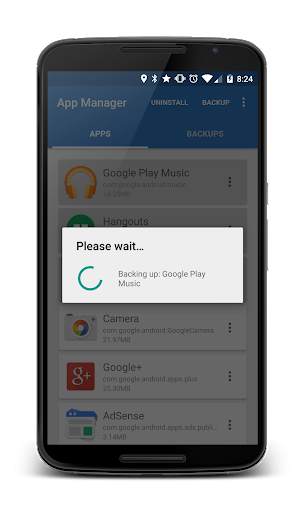
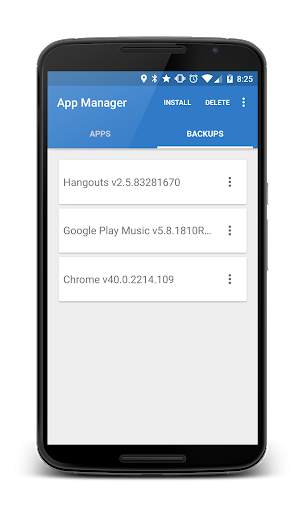
App Manager is a light-weight tool designed to simply help the user to batch uninstall and backup applications with the least amount of permissions as possible. The application quickly lists all the installed applications on the user's device, displaying information about each application allowing the users to choose whether to un-install, backup or read detailed information about each application.
- Backup APKs to SDCard
- Install APKs from SDCard
- Un-install applications
Where are my Apps being backed up to?
On your external SDCard, in "~/Android/data/burrows.apps.appmanager"
Why doesn't App Manager back up app data?
To protect user's data! This application does not "image" your phone.
Why doesn't App Manager back up certain applications?
Usually the application was installed in the "/data/app-private" folder which is protected. Usually system application are stored here.
Contact Jared Burrows:
- Visit the BurrowsApps Website:
https://www.burrowsapps.com/
- Follow me on Twitter:
https://twitter.com/jaredsburrows
- Email me here:
burrowsapps@gmail.com

...

👉 For More Detail of App Manager

Search Results

1/20

You may like

DOWNLOAD IS NOT SUPPORTED IN WEB STORE!
Use the latest version of 9Apps to download APK&OBB file of games in one click!
DOWNLOAD 9APPS