rom manager app on 9Apps

Free download latest rom manager app for Android here and enjoy it with your phone. Below you can download a list of top and latest apps related to rom manager app . 9APPS is a fast, safe app store. With 9APPS, you can save a lot of time on searching and downloading apps.

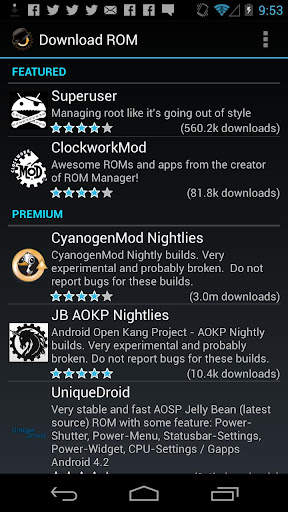
#1 ROM Manager

ROM Manager
Rating: star 4.1 | Version: 5.5.3.7 | Size: 3.6MB
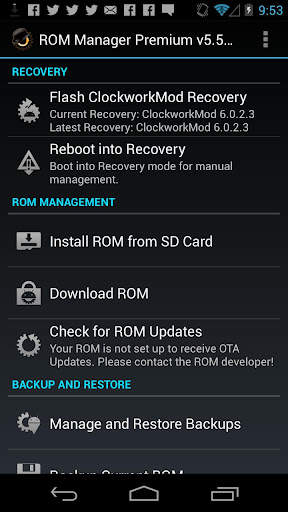
ROM Manager screenshot 1 ROM Manager screenshot 2 ROM Manager screenshot 3

ROM Manager is THE MUST HAVE APP for any Android root user. (Over 10 million downloads and counting!)
* Flash your recovery to the latest and greatest ClockworkMod recovery.
* Manage your ROMs via a handy UI.
* Organize and perform backups and restores from within Android!
* Install ROMs from your SD card.
* Install your favorite ROMs over the air!
Premium Version:
* Incremental update zips (save your data plan!)
* Premium ROMs
* Receive notifications for when your ROM is updated!
* Automatic backups
* Install Queue
* Web Connect
* Backup Download Server lets you easily transfer backups as flashable zips to your computer.
Do you prefer using only recovery manually? Check out the Touch Recovery in app purchase, for the most advanced recovery available!
Why does ROM Manager ask for account permissions?
Web Connect only needs to access your Google account to connect it to your google account. It can't access any private data or passwords.
ClockworkMod Touch Recovery:
ClockworkMod Touch recovery (and recovery) is work that needs to put in for every new device that is released by a manufacturer.
If work on ROM Manager ceased completely, all the premium features would continue working without issue. However, new recoveries do not port and build themselves. Without ClockworkMod Touch being a per device purchase, there is no way to recoup recurring server costs and labor. Keeping ROM Manager free and operational costs tens of thousands of dollars a year, and that does not include engineering costs.
Your support is appreciated.
Troubleshooting:
Droid users: Stuck at the "M" logo? Flash an alternate recovery and flash back to ClockworkMod.
HTC Users: Flash recovery not working? Try fastbooting a recovery on.
Droid X/2/Pro Users: You must run the Bootstrap application first to use ROM Manager.
Samsung users: You must flash a Clockwork compatible kernel first (see XDA forums)
IF YOU ARE HAVING LICENSE ISSUES, MAKE SURE YOU HAVE THE LATEST VERSION OF FREE (4.0 ) AND THE LATEST LICENSE (1.0.8 ) INSTALLED!

...

👉 For More Detail of ROM Manager

#2 [ROOT] Custom ROM Manager

[ROOT] Custom ROM Manager
Rating: star 4.0 | Version: 6.6.1.10-free-stable-minAPI21 | Size: 6.2MB
[ROOT] Custom ROM Manager screenshot 1 [ROOT] Custom ROM Manager screenshot 2 [ROOT] Custom ROM Manager screenshot 3

Custom ROM Manager è stato progettato per semplificare il processo di installazione di ROM personalizzate, GApp e altri file zip e consentire agli utenti un maggiore controllo nel processo. Esso:
🔍 Cerca i file zip presenti sul tuo dispositivo.
📝 Identifica i file zip.
🧰 Gestisci e seleziona i file zip per l'installazione.
⚙️ Installa i file zip selezionati in TWRP .
⭐ Ti consente di scoprire ROM popolari.
📊 Mostra statistiche dettagliate.
😁 E ti consente di fare molto di più.
🔍 CERCA FILE ZIP 🔍
Cercherà i file zip presenti sul tuo dispositivo. E la ricerca è veloce, infatti è così veloce che ci vuole solo meno di un decimo di secondo per finire sui moderni smartphone.
📝 IDENTIFICA I FILE ZIP 📝
Sarà anche identificare i file zip trovati. Determinerà se un file zip è una ROM, un pacchetto GApps o un altro file zip. Se è una ROM o un pacchetto GApps, identificherà anche alcune delle sue proprietà come la data di build, il tipo di build, la versione ecc. Le proprietà vengono quindi utilizzate per accedere, ordinare e filtrare facilmente i file zip. Inoltre rileva se i file zip possono essere installati in TWRP o meno.
🧰 GESTISCI E SELEZIONA I FILE ZIP PER L'INSTALLAZIONE 🧰
Puoi gestire e selezionare tutti i file zip che desideri per l'installazione . Ti consente di selezionare le partizioni che desideri cancellare prima di installare un file zip. Ti consente di avere il controllo completo sull'ordine di installazione dei file zip.
⚙️ INSTALLA I FILE ZIP SELEZIONATI IN TWRP ⚙️
Dopo aver finito di selezionare i file zip per l'installazione, si avvierà in TWRP e installa i file zip nell'ordine che avevi selezionato e si riavvierà automaticamente al sistema. Tuttavia, è supportata solo TWRP.
⭐ SCOPRI ROM POPOLARI ⭐
Puoi anche scoprire ROM popolari utilizzando Custom ROM Manager e visitare i siti ufficiali di tali ROM. Può anche verificare se il tuo dispositivo è ufficialmente supportato da una ROM o meno. Ma non scaricherà nulla per te, dovrai farlo tu stesso. Maggiori informazioni su - https://www.facebook.com/CustomROMManager/posts/538177033274491
📊 STATISTICHE DETTAGLIATE 📊
Puoi vedere statistiche dettagliate dei file zip, come quanti file zip di ogni tipo sono presenti sul tuo dispositivo, quanto spazio di archiviazione stanno consumando e cosa no.
ALTRE CARATTERISTICHE
E ci sono anche altre utili funzioni ...
1. Backup e ripristino TWRP: fornisce un modo per eseguire il backup e il ripristino TWRP direttamente dall'app.
2. Ricerca in-app: con la ricerca in-app puoi cercare facilmente tutto ciò che desideri nell'ambito dell'app.
3. Impostazioni cartella: un'intera sezione dedicata alla personalizzazione di come e dove vengono cercati i file nel dispositivo.
4. Installazioni recenti: tiene traccia dei file zip installati utilizzando l'app, tenendo presente la privacy.
5. Organizzatore di file zip: organizza i file zip installabili sparsi nella memoria del dispositivo e li mette in un unico posto in modo che tu possa trovarli facilmente durante il ripristino. Design pulito e ottima UX - Custom ROM Manager presenta un'interfaccia utente pulita basata sul design dei materiali e fornisce un'ottima UX. Ti divertirai moltissimo usando l'app.
7. Tema scuro - Viene fornito con un'opzione tema scuro che funziona insieme al tema scuro di sistema.
REQUISITI
1. L'accesso root è necessario affinché l'app funzioni correttamente. Senza questo, alcune funzioni non funzioneranno.
2. Se non hai installato ROM personalizzate prima di utilizzare TWRP, questa app non fa per te.
3. È supportato solo il recupero TWRP.
VERSIONE PRO
È presente anche una versione pro di questa app, che non contiene pubblicità, ha funzionalità extra ed è altamente ottimizzata per prestazione. Puoi trovarlo su: https://play.google.com/store/apps/details?id=com.corphish.customrommanager.adfree
ACQUISTO IN-APP
Un in- è disponibile anche l'opzione di acquisto dell'app, che rimuove completamente gli annunci dall'app in modo permanente.

...

👉 For More Detail of [ROOT] Custom ROM Manager

#3 Rom Manager Janitor

Rom Manager Janitor
Rating: star 3.0 | Version: 2.9 | Size: 92.3KB
Rom Manager Janitor screenshot 1 Rom Manager Janitor screenshot 2 Rom Manager Janitor screenshot 3

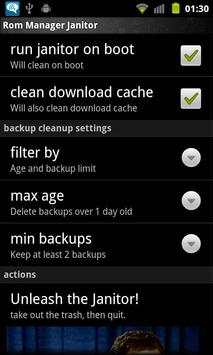
Automatically deletes old backups from rom manager so you don't have to.
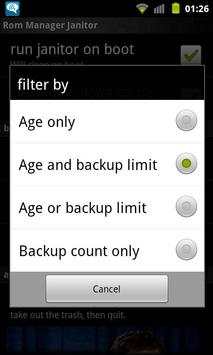
You select how old of backups and/or how many you want to keep and then forgot about it.
Ignores backups with custom names. So anything not like 2011-02-25-14.29.23, 2011-02-25.14.29.23 or ScheduledBackup-2011-02-25-14.29.23 will be left alone during cleaning.
Run once and then forget about it. It'll automatically do cleans on boot from then onwards.
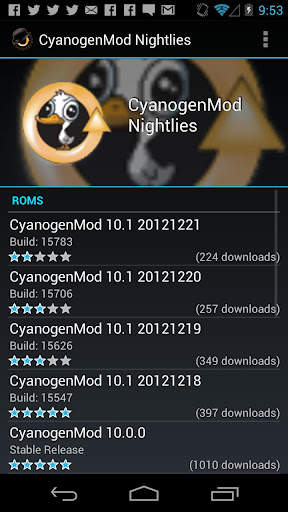
Excellent if you like to install the CyanogenMod nightlies every day or for those who like to run scheduled backups.
Want more options/features? Send me an email about what you want.
Requires:
•Root (Android 4.2 only)
•ClockWorkMod or TWRP (To make the backups. ROM Manager Janitor doesn't actually use it)
•ROM Manager (Since this is a cleanup tool for ROM Manager ;)

...

👉 For More Detail of Rom Manager Janitor

#4 Rom App

Rom App
Rating: star 3.0 | Version: 1.0.1 | Size: 31.6MB
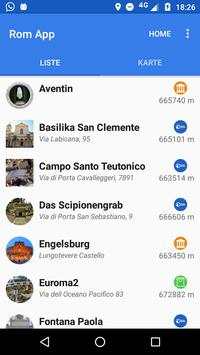
Rom App screenshot 1 Rom App screenshot 2 Rom App screenshot 3

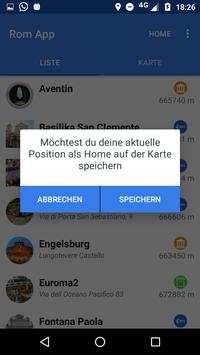
Mit dieser App ist das Erkunden von Rom ein
Klacks
:)
Spannende Geheimtipps und interessante Sehenswürdigkeiten warten auf dich.
Visualisiere deine Ziele auf zwei Arten:
◆ Die Karte bietet eine idealen Überblick über deine Ziele.
◆ In der Listenansicht kannst du optimal filtern, sortieren und durch Kategorien selektieren
Damit du dich nicht verirrst, kannst du deine Home-Position speichern und auf der Karte anzeigen lassen.
Und das Beste, alles funktioniert offline (außer das Herunterladen der App)

...

👉 For More Detail of Rom App

#5 App Manager

App Manager
Rating: star 3.9 | Version: 2.25.0.44 | Size: 2.5MB
App Manager screenshot 1 App Manager screenshot 2 App Manager screenshot 3

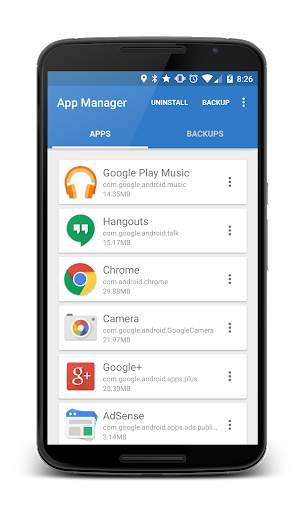
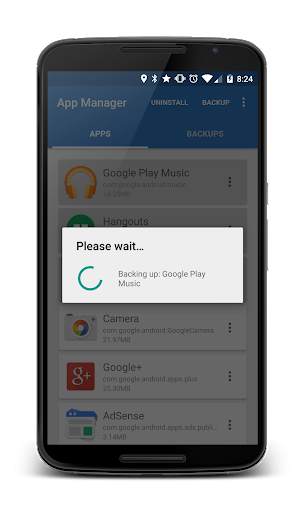
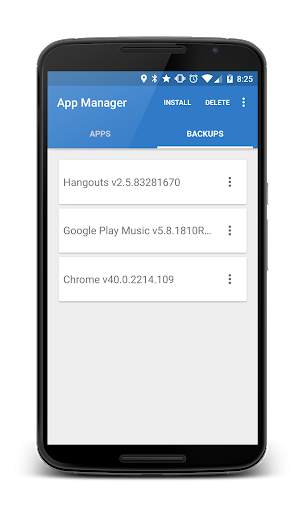
App Manager is a light-weight tool designed to simply help the user to batch uninstall and backup applications with the least amount of permissions as possible. The application quickly lists all the installed applications on the user's device, displaying information about each application allowing the users to choose whether to un-install, backup or read detailed information about each application.
- Backup APKs to SDCard
- Install APKs from SDCard
- Un-install applications
Where are my Apps being backed up to?
On your external SDCard, in "~/Android/data/burrows.apps.appmanager"
Why doesn't App Manager back up app data?
To protect user's data! This application does not "image" your phone.
Why doesn't App Manager back up certain applications?
Usually the application was installed in the "/data/app-private" folder which is protected. Usually system application are stored here.
Contact Jared Burrows:
- Visit the BurrowsApps Website:
https://www.burrowsapps.com/
- Follow me on Twitter:
https://twitter.com/jaredsburrows
- Email me here:
burrowsapps@gmail.com

...

👉 For More Detail of App Manager

Search Results

1/20

You may like

DOWNLOAD IS NOT SUPPORTED IN WEB STORE!
Use the latest version of 9Apps to download APK&OBB file of games in one click!
DOWNLOAD 9APPS