rom manager app on 9Apps

Free download latest rom manager app for Android here and enjoy it with your phone. Below you can download a list of top and latest apps related to rom manager app . 9APPS is a fast, safe app store. With 9APPS, you can save a lot of time on searching and downloading apps.

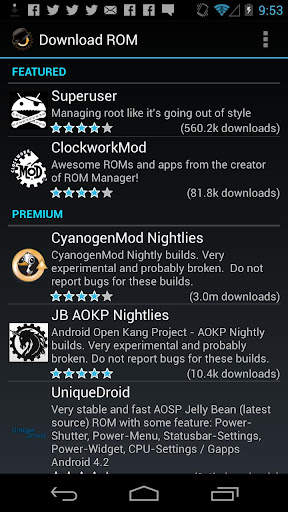
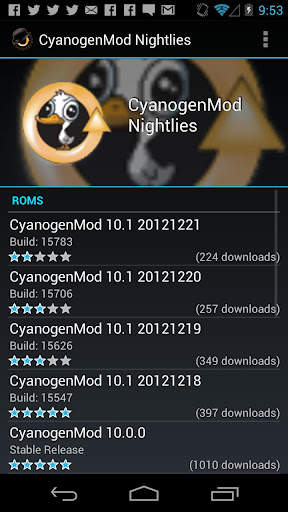
#1 ROM Manager

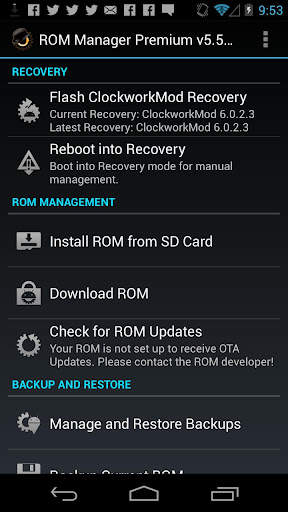
ROM Manager
Rating: star 4.1 | Version: 5.5.3.7 | Size: 3.6MB
ROM Manager screenshot 1 ROM Manager screenshot 2 ROM Manager screenshot 3

ROM Manager is THE MUST HAVE APP for any Android root user. (Over 10 million downloads and counting!)
* Flash your recovery to the latest and greatest ClockworkMod recovery.
* Manage your ROMs via a handy UI.
* Organize and perform backups and restores from within Android!
* Install ROMs from your SD card.
* Install your favorite ROMs over the air!
Premium Version:
* Incremental update zips (save your data plan!)
* Premium ROMs
* Receive notifications for when your ROM is updated!
* Automatic backups
* Install Queue
* Web Connect
* Backup Download Server lets you easily transfer backups as flashable zips to your computer.
Do you prefer using only recovery manually? Check out the Touch Recovery in app purchase, for the most advanced recovery available!
Why does ROM Manager ask for account permissions?
Web Connect only needs to access your Google account to connect it to your google account. It can't access any private data or passwords.
ClockworkMod Touch Recovery:
ClockworkMod Touch recovery (and recovery) is work that needs to put in for every new device that is released by a manufacturer.
If work on ROM Manager ceased completely, all the premium features would continue working without issue. However, new recoveries do not port and build themselves. Without ClockworkMod Touch being a per device purchase, there is no way to recoup recurring server costs and labor. Keeping ROM Manager free and operational costs tens of thousands of dollars a year, and that does not include engineering costs.
Your support is appreciated.
Troubleshooting:
Droid users: Stuck at the "M" logo? Flash an alternate recovery and flash back to ClockworkMod.
HTC Users: Flash recovery not working? Try fastbooting a recovery on.
Droid X/2/Pro Users: You must run the Bootstrap application first to use ROM Manager.
Samsung users: You must flash a Clockwork compatible kernel first (see XDA forums)
IF YOU ARE HAVING LICENSE ISSUES, MAKE SURE YOU HAVE THE LATEST VERSION OF FREE (4.0 ) AND THE LATEST LICENSE (1.0.8 ) INSTALLED!

...

👉 For More Detail of ROM Manager

#2 [ROOT] Custom ROM Manager

[ROOT] Custom ROM Manager
Rating: star 4.0 | Version: 6.6.1.10-free-stable-minAPI21 | Size: 6.2MB
[ROOT] Custom ROM Manager screenshot 1 [ROOT] Custom ROM Manager screenshot 2 [ROOT] Custom ROM Manager screenshot 3

カスタムROMマネージャーは、カスタムROM、GApp、その他のzipファイルをインストールするプロセスを簡単にし、ユーザーがプロセスをより細かく制御できるように設計されています。
🔍デバイスに存在するzipファイルを検索します。
📝zipファイルを特定します。
🧰インストールするzipファイルを管理および選択します。
⚙️選択したzipファイルをTWRPにインストールします。 。
⭐人気のROMを見つけましょう。
📊詳細な統計情報を表示します。
😁さらに多くのことを実行できます。
🔍ZIPファイルを検索🔍
デバイスに存在するzipファイルを検索します。また、検索は高速です。実際、最新のスマートフォンで完了するのに10分の1秒もかからないほど高速です。
📝ZIPファイルを特定する📝
見つかったzipファイルを特定します。 zipファイルがROM、GAppsパッケージ、またはその他のzipファイルであるかどうかを判別します。 ROMまたはGAppsパッケージの場合、ビルド日付、ビルドタイプ、バージョンなどのプロパティの一部も識別されます。プロパティは、zipファイルに簡単にアクセス、並べ替え、フィルタリングするために使用されます。さらに、zipファイルをTWRPにインストールできるかどうかを検出します。
🧰インストールするZIPファイルの管理と選択🧰
インストールに必要な数のzipファイルを管理および選択できます。 zipファイルをインストールする前にワイプするパーティションを選択できます。 zipファイルのインストール順序を完全に制御できます。
⚙️選択したZIPファイルをTWRPにインストールする⚙️
インストールするzipファイルの選択が完了すると、TWRPが起動します。選択した順序でzipファイルをインストールすると、自動的に再起動してシステムに戻ります。ただし、TWRPのみがサポートされています。
⭐人気のROMを発見する⭐
カスタムROMマネージャーを使用して人気のあるROMを発見し、それらのROMの公式サイトにアクセスすることもできます。また、デバイスがROMによって公式にサポートされているかどうかを確認することもできます。しかし、それはあなたのために何もダウンロードしません、あなたはそれをあなた自身でしなければならないでしょう。詳細については、https://www.facebook.com/CustomROMManager/posts/538177033274491
📊詳細な統計📊
zipファイルの数などの詳細な統計を確認できます。各タイプのデバイスには、消費しているストレージ容量とそうでないものがあります。
その他の機能
その他の便利な機能もあります...
1。 TWRPのバックアップと復元-アプリから直接TWRPのバックアップと復元を行う方法を提供します。
2。アプリ内検索-アプリ内検索を使用すると、アプリの範囲内で必要なものを簡単に検索できます。
3。フォルダ設定-デバイス内でファイルを検索する方法と場所をカスタマイズするためのセクション全体。
4。最近のインストール-プライバシーを念頭に置いて、アプリを使用してインストールしたzipファイルを追跡します。
5。 Zipファイルオーガナイザー-デバイスストレージに散在するインストール可能なzipファイルを整理し、それらを1つの場所に配置して、リカバリで簡単に見つけられるようにします。
6。きちんとしたデザインと優れたUX-カスタムROMマネージャーは、マテリアルデザインに基づいたすっきりとしたUIを備えており、優れたUXを提供します。アプリを使って楽しい時間を過ごすことができます。
7。ダークテーマ-システムのダークテーマと連動するダークテーマオプションが付属しています。
要件
1。アプリが正しく機能するには、ルートアクセスが必要です。これがないと、一部の機能が動作しません。
2。 TWRPを使用する前にカスタムROMをインストールしていない場合、このアプリは適していません。
3。 TWRPリカバリのみがサポートされています。
プロバージョン
このアプリのプロバージョンも存在します。これには広告が含まれておらず、追加機能があり、高度に最適化されています。パフォーマンス。あなたはそれを見つけることができます-https://play.google.com/store/apps/details?id = com.corphish.customrommanager.adfree
IN-APP PURCHASE
In-アプリから広告を完全に削除するアプリ購入オプションも利用できます。

...

👉 For More Detail of [ROOT] Custom ROM Manager

#3 Rom Manager Janitor

Rom Manager Janitor
Rating: star 3.0 | Version: 2.9 | Size: 92.3KB
Rom Manager Janitor screenshot 1 Rom Manager Janitor screenshot 2 Rom Manager Janitor screenshot 3

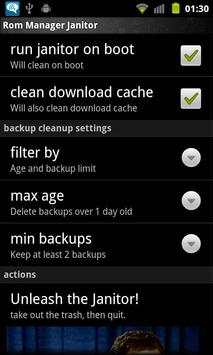
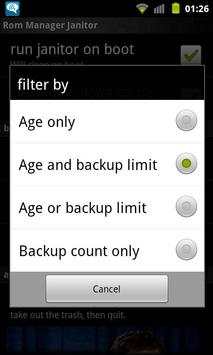
Automatically deletes old backups from rom manager so you don't have to.
You select how old of backups and/or how many you want to keep and then forgot about it.
Ignores backups with custom names. So anything not like 2011-02-25-14.29.23, 2011-02-25.14.29.23 or ScheduledBackup-2011-02-25-14.29.23 will be left alone during cleaning.
Run once and then forget about it. It'll automatically do cleans on boot from then onwards.
Excellent if you like to install the CyanogenMod nightlies every day or for those who like to run scheduled backups.
Want more options/features? Send me an email about what you want.
Requires:
•Root (Android 4.2 only)
•ClockWorkMod or TWRP (To make the backups. ROM Manager Janitor doesn't actually use it)
•ROM Manager (Since this is a cleanup tool for ROM Manager ;)

...

👉 For More Detail of Rom Manager Janitor

#4 Rom App

Rom App
Rating: star 3.0 | Version: 1.0.1 | Size: 31.6MB
Rom App screenshot 1 Rom App screenshot 2 Rom App screenshot 3

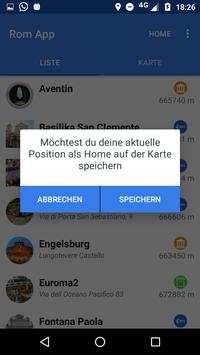
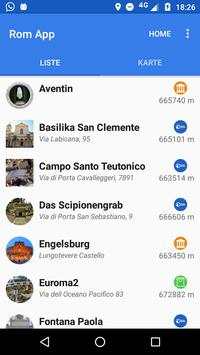
Mit dieser App ist das Erkunden von Rom ein
Klacks
:)
Spannende Geheimtipps und interessante Sehenswürdigkeiten warten auf dich.
Visualisiere deine Ziele auf zwei Arten:
◆ Die Karte bietet eine idealen Überblick über deine Ziele.
◆ In der Listenansicht kannst du optimal filtern, sortieren und durch Kategorien selektieren
Damit du dich nicht verirrst, kannst du deine Home-Position speichern und auf der Karte anzeigen lassen.
Und das Beste, alles funktioniert offline (außer das Herunterladen der App)

...

👉 For More Detail of Rom App

#5 App Manager

App Manager
Rating: star 3.9 | Version: 2.25.0.44 | Size: 2.5MB
App Manager screenshot 1 App Manager screenshot 2 App Manager screenshot 3

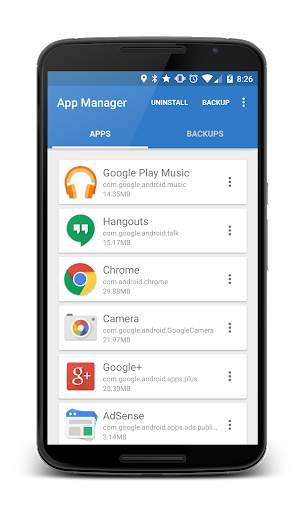
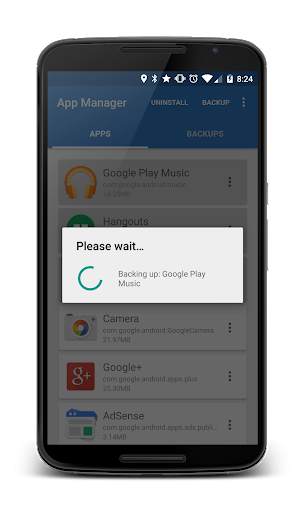
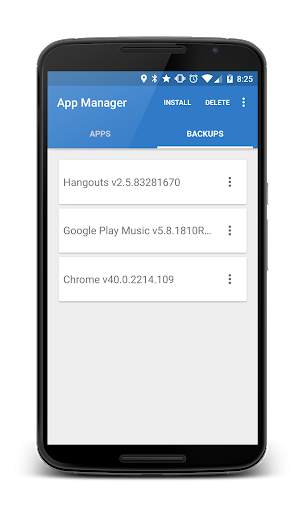
App Manager is a light-weight tool designed to simply help the user to batch uninstall and backup applications with the least amount of permissions as possible. The application quickly lists all the installed applications on the user's device, displaying information about each application allowing the users to choose whether to un-install, backup or read detailed information about each application.
- Backup APKs to SDCard
- Install APKs from SDCard
- Un-install applications
Where are my Apps being backed up to?
On your external SDCard, in "~/Android/data/burrows.apps.appmanager"
Why doesn't App Manager back up app data?
To protect user's data! This application does not "image" your phone.
Why doesn't App Manager back up certain applications?
Usually the application was installed in the "/data/app-private" folder which is protected. Usually system application are stored here.
Contact Jared Burrows:
- Visit the BurrowsApps Website:
https://www.burrowsapps.com/
- Follow me on Twitter:
https://twitter.com/jaredsburrows
- Email me here:
burrowsapps@gmail.com

...

👉 For More Detail of App Manager

Search Results

1/20

You may like

DOWNLOAD IS NOT SUPPORTED IN WEB STORE!
Use the latest version of 9Apps to download APK&OBB file of games in one click!
DOWNLOAD 9APPS