quick shortcut maker on 9Apps

Free download latest quick shortcut maker for Android here and enjoy it with your phone. Below you can download a list of top and latest apps related to quick shortcut maker . 9APPS is a fast, safe app store. With 9APPS, you can save a lot of time on searching and downloading apps.

#1 Quick Shortcut Maker

Quick Shortcut Maker
Rating: star 3.5 | Version: 2.1.005 | Size: 5.6MB
Quick Shortcut Maker screenshot 1 Quick Shortcut Maker screenshot 2 Quick Shortcut Maker screenshot 3

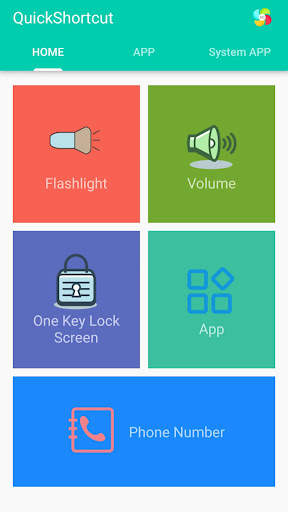
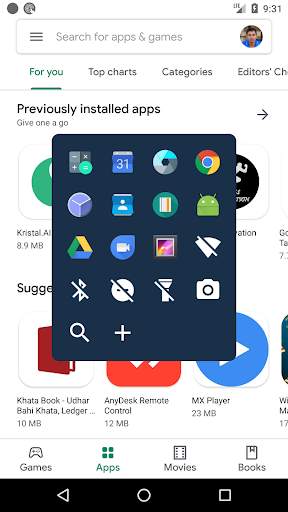
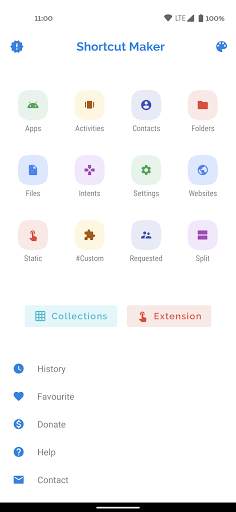
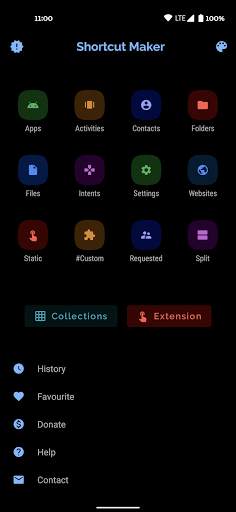
This app can create a shortcut on android homescreen for anything you want from your android.
🟡 This quick shortcut maker could help us quick launch some common features by create short cut keys, Like:
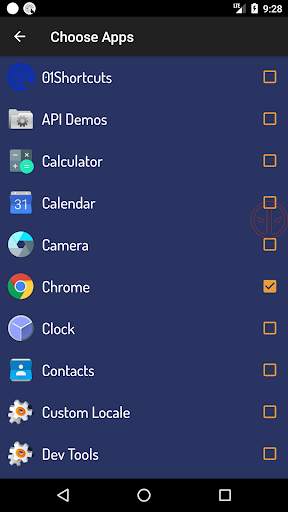
1. Search and launch the app which you want.
2. Adjusts the volume;
3. Locks screen;
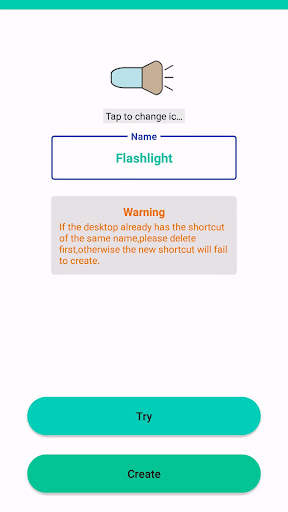
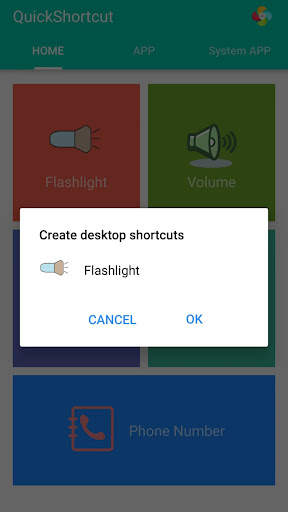
4. Turns on/off the flashlight; The flash light shortcut uses the flash located on the back of your Android device to bring you the first light wherever you go.
5. Checks the app info in your smartphone;
6. One-touch dialing;
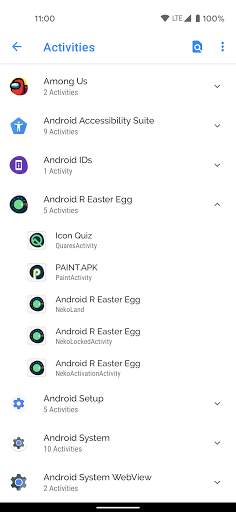
7. Activities: Create shortcut of installed apps and activities.
Put the contact information of common contacts directly on the desktop. You can even set up a wall of common contacts with dialing function. Try it now;
🟢 You can also use the QuickShortcutMaker for searching the app which you want to launch.
If you want to use the app which you don't use frequently, maybe you have no shortcuts for it. So, you may have to search the app from a list of many apps. Even if you know the name of the app, it's hard to find it.
In this situation, the QuickShortcutMaker will help you finding the app. Please try!
🔦 Special and useful functions——Flashlight:
Flashlight free turns your phone into a little torchlight to carry around in the dark. By default, the flash LED light turns on automatically when you quickly launch the app, and the brightest flash helps you see everything clearly in the dark. Even if you leave the app, light will still light your device's flash.
Flashlight has a simple design and is easy to use for the first time. The app automatically turns on the LED light on first launch, and you can turn it on and off as quickly as a real flash .
🔵 APP EXPLORER:
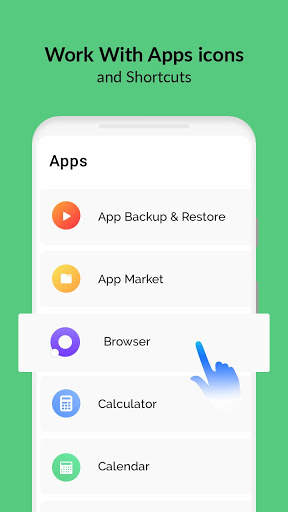
Here you will get a list of installed apps in your device. You can filter the list by All apps, System apps or User (downloaded) apps.
By tapping on the App, a context menu appears that will let you launch the target, add a shortcut for this target to the home screen for easy access.
🟤 Benefits:
This app can reduce the loss of the physical buttons(the volume buttons、the power button) and extend the service life of the button.
Once the physical buttons are not working well, this app will be a perfect substitute.
🌏 By this APP, you can :
1. Create a shortcut key to adjusts the volume .
2. Create a shortcut key to locks screen .
3. Create a shortcut key to turns on/off the flashlight . Camera LED Flash - Use your phone camera flash to emit bright light.
4. Create a shortcut key to quick launch an App.
5. Create a shortcut key to checks the app info in your smartphone .
6. You can also use this app to launch an activity from installed app.
[ You can quick launch any app info installed in your smartphone. This feature is a great tool and useful to developers, because they had to check the app info step by step, from the home page, and then setting and next... maybe 10 seconds later then they get the app info. So it's boring. Now , they just need tap the short cut key in the homepage , then get the app info immediately]
🟠 Tile Customization
1. Use the real app icon for the icon in the notification panel
2. Choose your own icons
3. Name the Tile whatever you want
🟣 Notes:
This app requires Device Admin privileges to implement the "Screen off and lock" feature.
More and more shortcuts for common features are coming soon...

...

👉 For More Detail of Quick Shortcut Maker

#2 01Shortcuts - Quick Shortcut Maker - App Search

01Shortcuts - Quick Shortcut Maker - App Search
Rating: star 3.8 | Version: 2.3 | Size: 5.7MB
01Shortcuts - Quick Shortcut Maker - App Search screenshot 1 01Shortcuts - Quick Shortcut Maker - App Search screenshot 2 01Shortcuts - Quick Shortcut Maker - App Search screenshot 3

01Shortcuts - Schnellkombinationshersteller, hilft Ihnen, alle Anwendungen oder Einstellungen oder Kontakte von überall zu öffnen, während Sie jede App mit Tastenkombinationen verwenden.
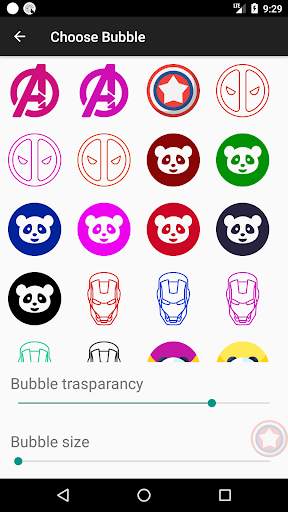
⭐ Wählen Sie Ihr eigenes Floating-Symbol. Wählen Sie hier von Ihrem Lieblings-Super.
Schnellkombination, hält eine Blase direkt unter Ihrem Daumen, die praktisch ist, um alle Anwendungen oder Einstellungen problemlos zu öffnen, in einem Klick.
Klicken Sie auf einmal, um alle zu öffnen App mit Verknüpfungen der Liste hinzugefügt.
Funktionen
⭐ Suchen Sie nach einem Kontakt von doppeltem Klopfen auf das Symbol
⭐ Swipe Direkt auf Kontakt zum Öffnen WhatsApp-Chat
⭐ Swipe links auf Kontakt zum Öffnen im Telefon-Zifferblatt
⭐ Verknüpfung, um WiFi ein- / auszudrehen
⭐ Verknüpfung, um die Taschenlampe ein- / auszuschalten
⭐ Verknüpfung, um es zu drehen Suchoption.
⭐ Sie können Ihre bevorzugten Apps-Verknüpfungen hinzufügen. Damit Sie eine App von irgendeiner Stelle telefonieren können.
⭐ vollständig anpassbar.
Suchen Sie schnell jede App von überall mit der Suchoption.
Sie können jede App schnell öffnen, indem Sie nach ihm suchen können Anywhere.
⭐ Schnellsuche: - Öffnet eine App unter 100 Millisekunden.
Verknüpfung Bei der Suche nach einer App wird die App automatisch geöffnet, wenn nur ein Spiel vorhanden ist.
Floating Shortcuts-Button wird auf dem Bildschirm bereitgestellt.

...

👉 For More Detail of 01Shortcuts - Quick Shortcut Maker - App Search

#3 Quick Shortcut Maker - Shortcut Creator Master

Quick Shortcut Maker - Shortcut Creator Master
Rating: star 3.0 | Version: 1.0 | Size: 4.5MB
Quick Shortcut Maker - Shortcut Creator Master screenshot 1 Quick Shortcut Maker - Shortcut Creator Master screenshot 2 Quick Shortcut Maker - Shortcut Creator Master screenshot 3

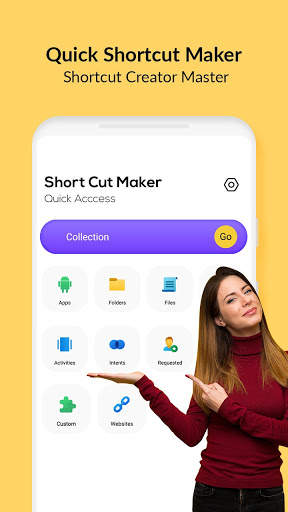
Die Anwendungsanwendung von Schnellkombinationen unterstützt Sie bei der Erstellung von Verknüpfungen auf lokalen Dateien, Ordnern, Anwendungen, Kontakten, Einstellungen, Nachrichten und Anpassen von Verknüpfungen aus anderen Apps.
Sie können Ihren eigenen Shortcut-Titel erstellen, und verwenden Sie viele verschiedene Funktionen zum Anpassen des Shortcut-Symbols: Verwenden Sie das Symbol der zugehörigen Anwendung, das Crop-Image, das aus der externen Galerie exportiert wurde, importieren Sie Symbole aus der Datei, verwenden Sie Symbol aus der Datei. externes Thema.
Schnelle Shortcut Maker App unterstützt auch native Widgets - Sie können ein Widget anstelle einer Verknüpfung erstellen. Sie können das spätere Widget-Symbol, den Titel und das Aussehen ändern. Sie können auch Verknüpfungen in der Sammlungsdatenbank mit verschiedenen Methoden wie Hierarchie, Tags organisieren. Sie können später Kollektionen dialogs verwenden, um einen schnellen Zugriff auf die organisierten Verknüpfungen zu erhalten.
Diese App kann eine Verknüpfung auf dem Android-Startbildschirm für alles, was Sie von Ihrem Android wünschen, eine Verknüpfung erstellen.
Ordner und Dateien:> / b> Erstellen Sie Verknüpfungen von Dateien und Ordner aus interner Speicher.
Apps & Aktivitäten:
Erstellen Sie a Verknüpfung installierten Apps & Aktivitäten.
Benutzerdefinierte:
In der Shortcut-Master-APK ist dies eine frische und neue Funktion, um Verknüpfungen von installierten Apps zu erhalten und vor der Erstellung zu bearbeiten.
Schnelleinstellungen:
Shortcut-Hersteller erstellen Online-Ändern Sie Ihre Systemeinstellungen schnell ändern.
Intents:
Shortcuts Creator Master of Android System Intents zusammen mit der Standard-App .
Verknüpfung Vorschau:
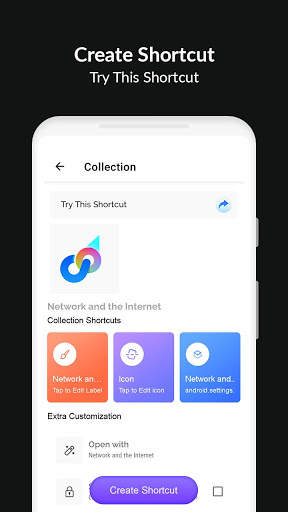
Nach der Auswahl der Aktivitäts-App zeigt Ihnen eine Vorschau der Verknüpfung vor dem Erstellen. Sie können den Namen der Verknüpfung auch umbenennen und eine Verknüpfung an Favorit hinzufügen.
website:
Verknüpfung für Ihre bevorzugte Website.
Favorit:
Im Schnellkombinationshersteller können Sie die Liste Ihrer bevorzugten Verknüpfungen überprüfen.
Historie:
Shortcut-Creator-Master ermöglicht es Ihnen, die Liste der von Ihnen erstellten Verknüpfungen zu überprüfen.
Wie erstellen Sie eine Verknüpfung in Android-App?
So starten Sie, um eine Verknüpfung zu erstellen, unter diesen einfachen Schritten:
1) Finden Sie den Schnellkombinationshersteller - Tastenkombination Creator Master-App im Google Play Store und laden Sie ihn herunter.
2) Finden Sie das Ziel mithilfe eines der folgenden Tools:
Secret Code Explorer, App Explorer, Suchen oder Capture-Tastenkombinationen
3) Sie können testen oder anzeigen.
4) Erstellen Sie die Verknüpfung auf der Startseite Bildschirm und in der Liste.
5) Andernfalls können Sie die Tastenkombination in Ihre App importieren.
Warum Schnellkombination Hersteller apk Ihre Android-Erfahrung besser?
• Schnelles und kostenloses Multitasking:
Wechseln Sie zu den letzten Apps oder der letzten App mit nur einem Swipe. Es gibt keinen schnelleren Weg, um es zu tun.
• Einhand-Benutzerfreundlichkeit:
Sie benötigen nicht, um den Finger auszudehnen, um sie zurückzuziehen, die schnellen Einstellungen, die neueste Taste, umschalten, umzusetzen, oder Pulldown-Benachrichtigung.
• Fokus auf Benutzererfahrung:
ADS Free, die App ist schnell, einfach zu bedienen, schön und außergewöhnlich anpassbar.
• Kein Cluster-Startbildschirm:
Sofort können Sie von überall auf Ihre Lieblings-Apps und Verknüpfungen zugreifen.

...

👉 For More Detail of Quick Shortcut Maker - Shortcut Creator Master

#4 Shortcut Maker

Shortcut Maker
Rating: star 4.0 | Version: 4.2.4 | Size: 3.9MB
Shortcut Maker screenshot 1 Shortcut Maker screenshot 2 Shortcut Maker screenshot 3

Diese App kann eine Abkürzung auf Android Homescreen für alles erstellen, was Sie von Ihrem Android gewünscht haben.Das ist es!
ganz einfach richtig?Dateien: Erstellen Sie die Abkürzung von Ordner und Dateien aus dem internen Speicher.
Website: Verknüpfung für Ihre bevorzugte Website.
Benutzer angefordert: Funktionen, die von Benutzern angefordert werden.Installierte Apps und Bearbeiten in dieser App, bevor Sie erstellen..Hier können Sie auch den Verknüpfungsnamen umbenennen.Sie können auch eine Abkürzung zum Favoriten hinzufügen.
Historie: Hier können Sie die Liste der von Ihnen erstellten Abkürzungen überprüfen.
Wenn Sie in dieser App Funktionen hinzufügen möchten, senden Sie mir bitte Ihre Antworten und Feedbacks auf rkamewar1111@gmail.com (don ' nicht vergessen, den App -Namen in Betreff hinzuzufügen)MaterialsearchView (danke miguelcatalan! :)) für eine kostenlose SearchView mit einer sauberen Benutzeroberfläche mit einfacher Implementierung.Hier ist der Link die Bibliothek, die ich dafür verwendet habe:
https://github.com/miguelcatalan/materialsearchView

...

👉 For More Detail of Shortcut Maker

#5 Shortcut Maker

Shortcut Maker
Rating: star 3.8 | Version: 5.2.1 | Size: 1010.6KB
Shortcut Maker screenshot 1 Shortcut Maker screenshot 2 Shortcut Maker screenshot 3

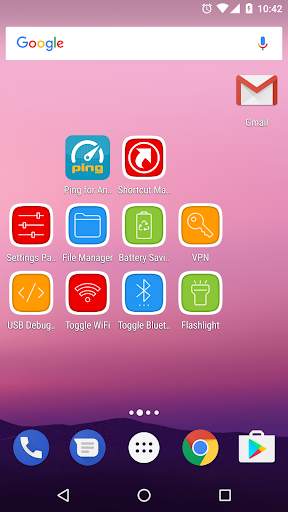
Erstellen Sie erweiterte versteckte Einstellungen-Verknüpfung auf Ihrem Startbildschirm.
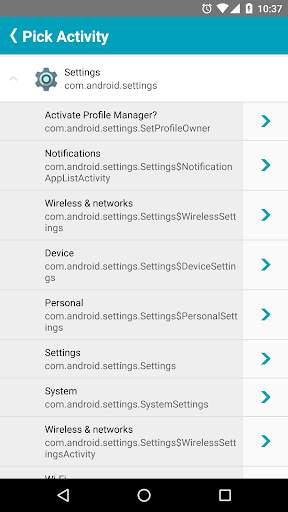
Anwendungsaktivitäten
Installierte Aktivitäten (z. B. verborgene Einstellungen)
Lesezeichen
Verknüpfung, um bestimmte Website zu öffnenoder URL.
Taschenlampe
Eingebaute Taschenlampe (Fackel).
Dateimanager
Android Integrierter Dateimanager (erfordern Android 5.0 )
USB-Debugging
Entwickleroptionen.
Schnelleinstellungen Toggle
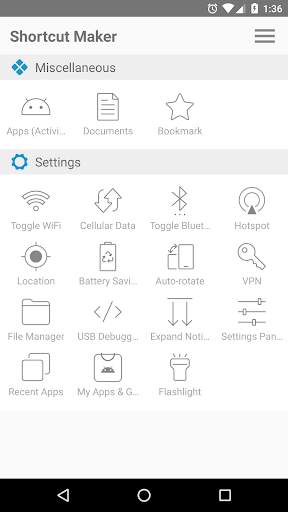
WIFI-Toggle, Bluetooth-Toggle, Standort, Batteriesparnis, Erweitern Benachrichtigung, Einstellungen, Aktuelle Apps, Auto-Rotat, Hotspot,Mobilfunkdaten.

...

👉 For More Detail of Shortcut Maker

Search Results

1/2

You may like

DOWNLOAD IS NOT SUPPORTED IN WEB STORE!
Use the latest version of 9Apps to download APK&OBB file of games in one click!
DOWNLOAD 9APPS