quick shortcut maker on 9Apps

Free download latest quick shortcut maker for Android here and enjoy it with your phone. Below you can download a list of top and latest apps related to quick shortcut maker . 9APPS is a fast, safe app store. With 9APPS, you can save a lot of time on searching and downloading apps.

#1 Quick Shortcut Maker

Quick Shortcut Maker
Rating: star 3.5 | Version: 2.1.005 | Size: 5.6MB
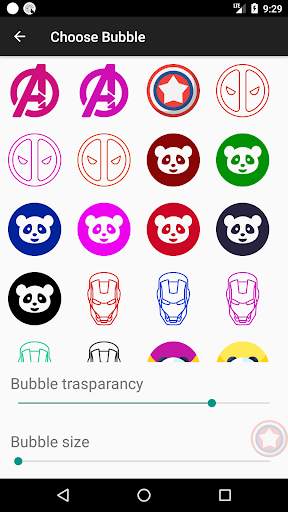
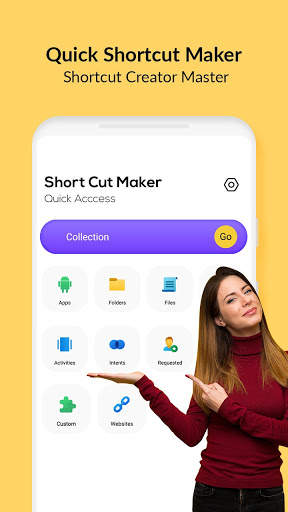
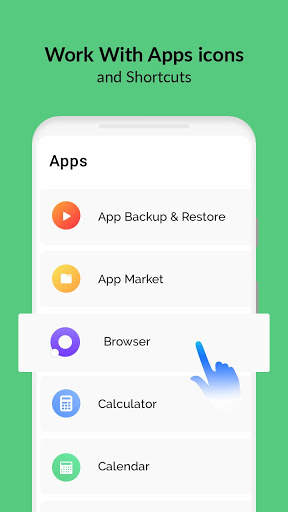
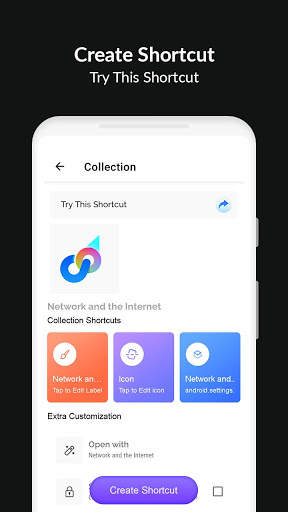
Quick Shortcut Maker screenshot 1 Quick Shortcut Maker screenshot 2 Quick Shortcut Maker screenshot 3

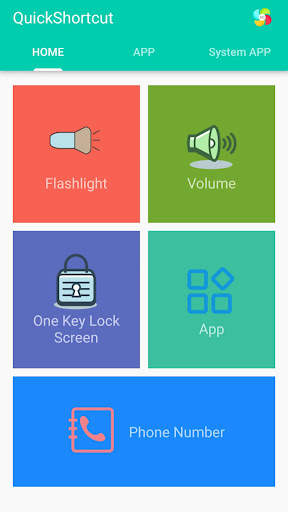
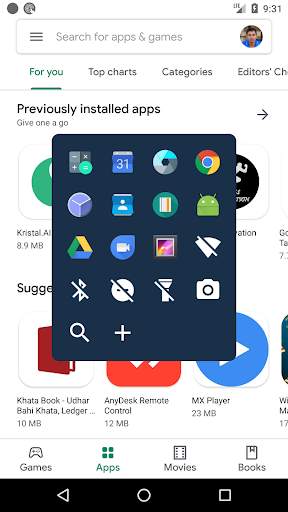
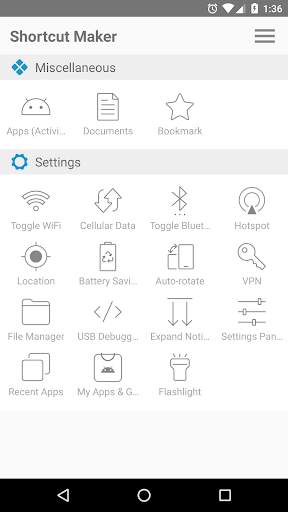
This app can create a shortcut on android homescreen for anything you want from your android.
🟡 This quick shortcut maker could help us quick launch some common features by create short cut keys, Like:
1. Search and launch the app which you want.
2. Adjusts the volume;
3. Locks screen;
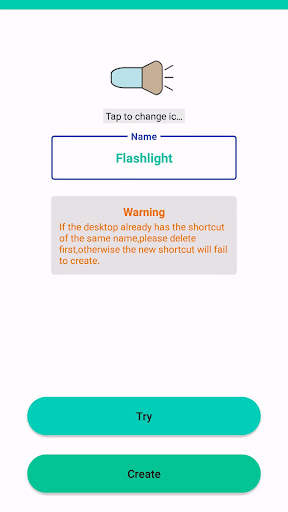
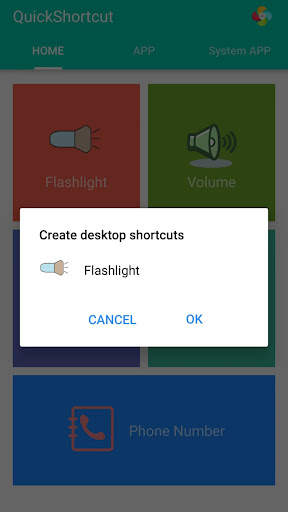
4. Turns on/off the flashlight; The flash light shortcut uses the flash located on the back of your Android device to bring you the first light wherever you go.
5. Checks the app info in your smartphone;
6. One-touch dialing;
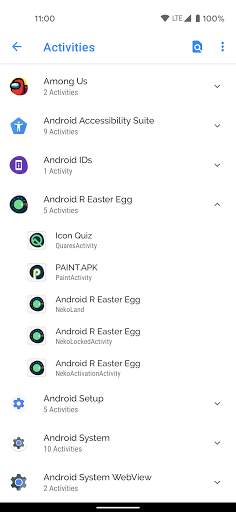
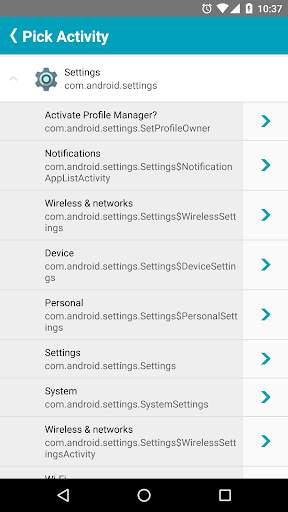
7. Activities: Create shortcut of installed apps and activities.
Put the contact information of common contacts directly on the desktop. You can even set up a wall of common contacts with dialing function. Try it now;
🟢 You can also use the QuickShortcutMaker for searching the app which you want to launch.
If you want to use the app which you don't use frequently, maybe you have no shortcuts for it. So, you may have to search the app from a list of many apps. Even if you know the name of the app, it's hard to find it.
In this situation, the QuickShortcutMaker will help you finding the app. Please try!
🔦 Special and useful functions——Flashlight:
Flashlight free turns your phone into a little torchlight to carry around in the dark. By default, the flash LED light turns on automatically when you quickly launch the app, and the brightest flash helps you see everything clearly in the dark. Even if you leave the app, light will still light your device's flash.
Flashlight has a simple design and is easy to use for the first time. The app automatically turns on the LED light on first launch, and you can turn it on and off as quickly as a real flash .
🔵 APP EXPLORER:
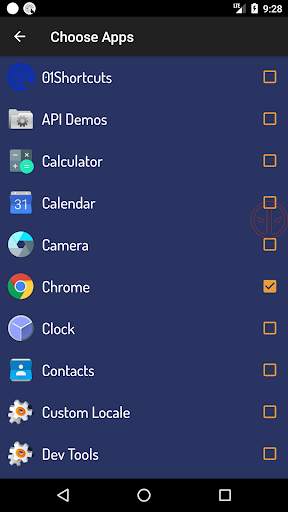
Here you will get a list of installed apps in your device. You can filter the list by All apps, System apps or User (downloaded) apps.
By tapping on the App, a context menu appears that will let you launch the target, add a shortcut for this target to the home screen for easy access.
🟤 Benefits:
This app can reduce the loss of the physical buttons(the volume buttons、the power button) and extend the service life of the button.
Once the physical buttons are not working well, this app will be a perfect substitute.
🌏 By this APP, you can :
1. Create a shortcut key to adjusts the volume .
2. Create a shortcut key to locks screen .
3. Create a shortcut key to turns on/off the flashlight . Camera LED Flash - Use your phone camera flash to emit bright light.
4. Create a shortcut key to quick launch an App.
5. Create a shortcut key to checks the app info in your smartphone .
6. You can also use this app to launch an activity from installed app.
[ You can quick launch any app info installed in your smartphone. This feature is a great tool and useful to developers, because they had to check the app info step by step, from the home page, and then setting and next... maybe 10 seconds later then they get the app info. So it's boring. Now , they just need tap the short cut key in the homepage , then get the app info immediately]
🟠 Tile Customization
1. Use the real app icon for the icon in the notification panel
2. Choose your own icons
3. Name the Tile whatever you want
🟣 Notes:
This app requires Device Admin privileges to implement the "Screen off and lock" feature.
More and more shortcuts for common features are coming soon...

...

👉 For More Detail of Quick Shortcut Maker

#2 01Shortcuts - Quick Shortcut Maker - App Search

01Shortcuts - Quick Shortcut Maker - App Search
Rating: star 3.8 | Version: 2.3 | Size: 5.7MB
01Shortcuts - Quick Shortcut Maker - App Search screenshot 1 01Shortcuts - Quick Shortcut Maker - App Search screenshot 2 01Shortcuts - Quick Shortcut Maker - App Search screenshot 3

01 ShortCuts - クイックショートカットメーカーでは、ショートカット付きのアプリケーションを使用している間は、どこからでもアプリケーションや設定または連絡先を開くのに役立ちます。
⭐あなた自身のフローティングアイコンを選択してください。あなたのお気に入りのスーパーから選択してください。
クイックショートカットメーカーは、一度にアプリケーションや設定を簡単に開くのに便利な親指のすぐ下に保持します。
1回クリックして開くリストにショートカットを追加したアプリ。
機能
│検索■アイコンをダブルタップしてご検索
↓Whatsapp Chatを開くために連絡先をスワイプしてください
↓電話ダイヤルで開くのに連絡先に移動してスワイプ
↓ WiFiのオン/オフをオン/オフするためのショートカット
↓ショートカットのオン/オフ
↓ショートカットのオン/オフ
ショートカットのオン/オフ
ショートカットのオン/オフ/オフ
オープンへのショートカット検索オプション。
↓お気に入りのアプリショートカットを追加できます。電話のどこからでもアプリを開くことができます。
↓完全にカスタマイズ可能。
検索オプションを使用してどこからでもアプリをすばやく検索します。
から検索することで任意のアプリを開くことができます。どこでも。
↓クイック検索: - 100ミリ秒未満のアプリを開きます。
アプリケーションを検索中のショートカットは、一致していない場合は自動的にアプリを開きます。
フローティングショートカットボタンが画面に表示されます。

...

👉 For More Detail of 01Shortcuts - Quick Shortcut Maker - App Search

#3 Quick Shortcut Maker - Shortcut Creator Master

Quick Shortcut Maker - Shortcut Creator Master
Rating: star 3.0 | Version: 1.0 | Size: 4.5MB
Quick Shortcut Maker - Shortcut Creator Master screenshot 1 Quick Shortcut Maker - Shortcut Creator Master screenshot 2 Quick Shortcut Maker - Shortcut Creator Master screenshot 3

クイックショートカットメーカーアプリケーションは、ローカルファイル、フォルダ、アプリケーション、連絡先、設定、メッセージ、および他のアプリからのショートカットのカスタマイジングのショートカットのショートカットを作成します。
あなた自身のショートカットのタイトルを作成し、ショートカットのカスタマイズにさまざまな機能を使用することができます:関連アプリケーションのアイコン、外部ギャラリーからエクスポートされたクロップイメージ、ファイルからアイコンをインポートする、アイコンを使用します。外部テーマ
クイックショートカットMaker Appもネイティブウィジェットをサポートしています - ショートカットの代わりにウィジェットを作成できます。後でウィジェットのアイコン、タイトル、および外観を変更できます。また、階層、タグなどのさまざまなメソッドを使用して、コレクションデータベースのショートカットを整理できます。後で[コレクション]ダイアログを使用して、組織化されたショートカットにすばやくアクセスできます。
このアプリは、Androidからあなたが望むもののためにAndroidホーム画面にショートカットを作成することができます。
フォルダとファイル:> / b>内部ストレージからファイルとフォルダのショートカットを作成します。
アプリとアクティビティ:
を作成するインストールされているアプリとアクティビティのショートカット。
カスタム:
ショートカットマスターAPKでは、これは、インストールされているアプリからショートカットを取得し、作成する前にそれらを編集するための新規および新機能です。
クイック設定:
ショートカットメーカーのオンラインでシステム設定をすばやく変更します。
Intems:
Shortcuts AndroidシステムインテントのデフォルトのアプリのShortOr Master 。
ショートカットプレビュー:
アクティビティアプリを選択した後、作成する前にショートカットのプレビューを表示します。ショートカット名の名前を変更してお気に入りにショートカットを追加することもできます。
クイックショートカットメーカーでは、お気に入りのショートカットのリストを確認できます。
history:
ショートカットCreator Masterでは、作成したショートカットのリストを確認できます。
Androidアプリでショートカットを作成する方法?
ショートカットの作成を開始するには、これらの簡単なステップの下にあります。
1)クイックショートカットメーカー -
Google Play StoreのショートカットCreatorマスターアプリを見つけてダウンロードします。
2)以下のツールのいずれかを使用してターゲットを見つけます。ホーム画面とリスト内。
5)その他の方法では、ショートカットリストをアプリにインポートできます。
なぜクイックショートカットメーカーAPKあなたのAndroidエクスペリエンスが良くなっていますか?
•高速で無料のマルチタスク:
最近のアプリまたは最後のアプリにスワイプを1つずつ切り替えます。
•片手の使いやすさ:片手の使いやすさ:指を引き継ぐためにあなたの指を引き出す必要がない、クイック設定を切り替え、最近のボタン、またはプルダウン通知。
•ユーザーエクスペリエンスに焦点を当てる:
広告無料、アプリは速く、使いやすく、美しく、非常にカスタマイズ可能です。
•クラスタのホーム画面なし:
即座に、どこからでもあなたのお気に入りのアプリやショートカットにアクセスできます。

...

👉 For More Detail of Quick Shortcut Maker - Shortcut Creator Master

#4 Shortcut Maker

Shortcut Maker
Rating: star 4.0 | Version: 4.2.4 | Size: 3.9MB
Shortcut Maker screenshot 1 Shortcut Maker screenshot 2 Shortcut Maker screenshot 3

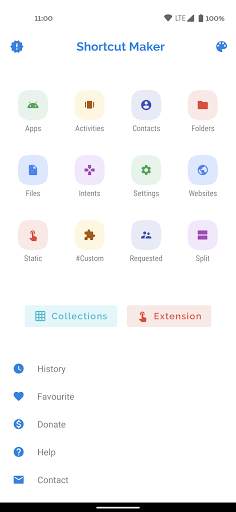
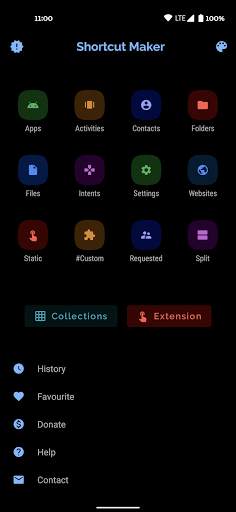
このアプリは、Androidから必要なものに対してAndroid HomeScreenにショートカットを作成できます。
機能を選択して、作成をクリックしてショートカットにクリックします。それはそれです!
非常に簡単ですか?
このアプリを使用してインストールされたアプリからActVityを起動することもできます。
アプリとアクティビティ:インストールされたアプリとアクティビティのショートカットを作成します。
フォルダーとファイル:内部ストレージからフォルダーとファイルのショートカットを作成します。
意図:デフォルトのアプリとともにAndroidシステムの意図のショートカットを作成します。
クイック設定:ショートカットを作成して、システム設定をすばやく変更します。
ウェブサイト:お気に入りのウェブサイトのショートカット。
ユーザー要求:ユーザーが要求する機能。作成する前にこのアプリと編集このアプリとこのアプリで編集します。
連絡先:ショートカットにあなたの提案を郵送してください:)
ショートカットプレビュー:アクティビティアプリを選択した後、作成する前にショートカットのプレビューが表示されます。ここでは、ショートカット名の名前を変更することもできます。お気に入りにショートカットを追加することもできます。
履歴:ここで、あなたが作成したショートカットのリストを確認できます。
お気に入り:お気に入りのショートカットのリストを確認できます。
このアプリに機能を追加したい場合は、rkamewar11111111@gmail.comで応答とフィードバックを送ってください(件名にアプリ名を追加するのを忘れないでください)
特別なありがとうCathartesearchView(Miguelcatalan!:))は、簡単な実装を備えたクリーンなUIを使用して無料のSearchViewを提供してくれたことです。ここに私がこれに使用したライブラリがリンク:
https://github.com/miguelcatalan/materialsearchview

...

👉 For More Detail of Shortcut Maker

#5 Shortcut Maker

Shortcut Maker
Rating: star 3.8 | Version: 5.2.1 | Size: 1010.6KB
Shortcut Maker screenshot 1 Shortcut Maker screenshot 2 Shortcut Maker screenshot 3

アプリケーションアクティビティ(隠し設定など)をインストールしたアクティビティ(隠し設定など)を登録します。またはURL。
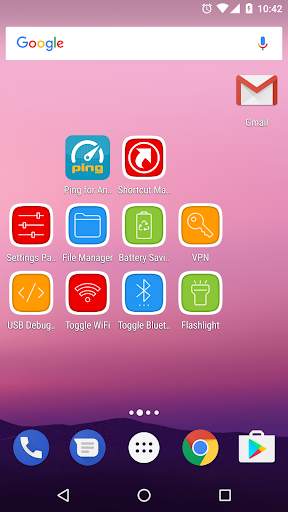
懐中電灯(TORCH)
Android組み込みファイルマネージャ(Android 5.0以降)を組み込んだ)
B> USBデバッグ
開発者オプション。
クイック設定トグル
WiFiトグル、Bluetoothトグル、場所、バッテリ保存、展開通知、設定パネル、最近のアプリ、オートロータ、ホットスポット、ホットスポット、ホットスポット、セルラデータ

...

👉 For More Detail of Shortcut Maker

Search Results

1/2

You may like

DOWNLOAD IS NOT SUPPORTED IN WEB STORE!
Use the latest version of 9Apps to download APK&OBB file of games in one click!
DOWNLOAD 9APPS