quick shortcut maker on 9Apps

Free download latest quick shortcut maker for Android here and enjoy it with your phone. Below you can download a list of top and latest apps related to quick shortcut maker . 9APPS is a fast, safe app store. With 9APPS, you can save a lot of time on searching and downloading apps.

#1 Quick Shortcut Maker

Quick Shortcut Maker
Rating: star 3.5 | Version: 2.1.005 | Size: 5.6MB
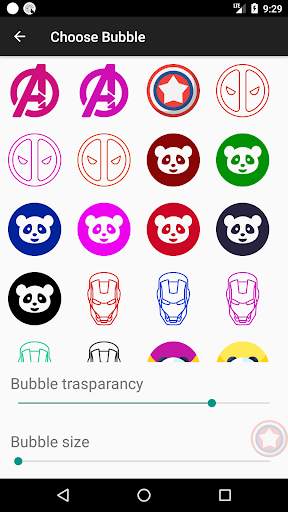
Quick Shortcut Maker screenshot 1 Quick Shortcut Maker screenshot 2 Quick Shortcut Maker screenshot 3

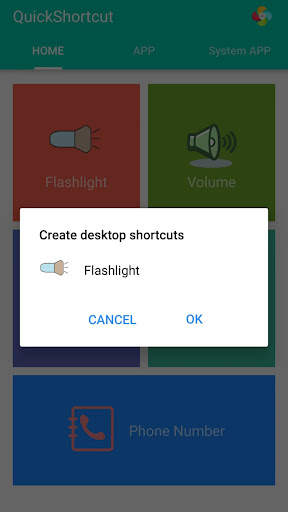
This app can create a shortcut on android homescreen for anything you want from your android.
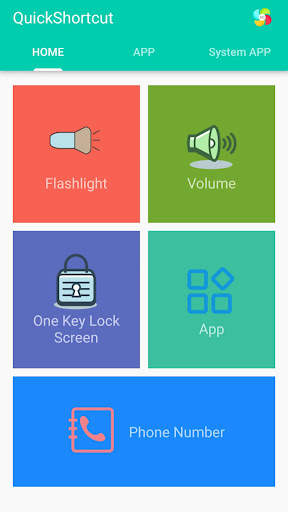
🟡 This quick shortcut maker could help us quick launch some common features by create short cut keys, Like:
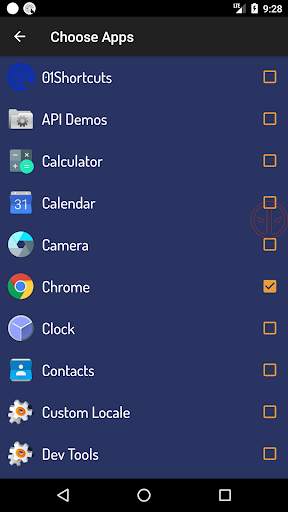
1. Search and launch the app which you want.
2. Adjusts the volume;
3. Locks screen;
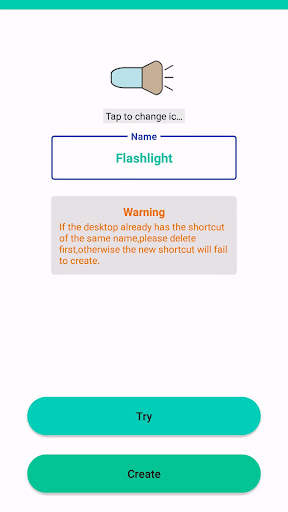
4. Turns on/off the flashlight; The flash light shortcut uses the flash located on the back of your Android device to bring you the first light wherever you go.
5. Checks the app info in your smartphone;
6. One-touch dialing;
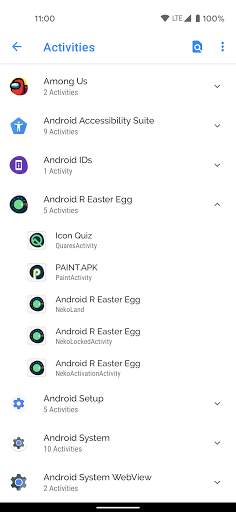
7. Activities: Create shortcut of installed apps and activities.
Put the contact information of common contacts directly on the desktop. You can even set up a wall of common contacts with dialing function. Try it now;
🟢 You can also use the QuickShortcutMaker for searching the app which you want to launch.
If you want to use the app which you don't use frequently, maybe you have no shortcuts for it. So, you may have to search the app from a list of many apps. Even if you know the name of the app, it's hard to find it.
In this situation, the QuickShortcutMaker will help you finding the app. Please try!
🔦 Special and useful functions——Flashlight:
Flashlight free turns your phone into a little torchlight to carry around in the dark. By default, the flash LED light turns on automatically when you quickly launch the app, and the brightest flash helps you see everything clearly in the dark. Even if you leave the app, light will still light your device's flash.
Flashlight has a simple design and is easy to use for the first time. The app automatically turns on the LED light on first launch, and you can turn it on and off as quickly as a real flash .
🔵 APP EXPLORER:
Here you will get a list of installed apps in your device. You can filter the list by All apps, System apps or User (downloaded) apps.
By tapping on the App, a context menu appears that will let you launch the target, add a shortcut for this target to the home screen for easy access.
🟤 Benefits:
This app can reduce the loss of the physical buttons(the volume buttons、the power button) and extend the service life of the button.
Once the physical buttons are not working well, this app will be a perfect substitute.
🌏 By this APP, you can :
1. Create a shortcut key to adjusts the volume .
2. Create a shortcut key to locks screen .
3. Create a shortcut key to turns on/off the flashlight . Camera LED Flash - Use your phone camera flash to emit bright light.
4. Create a shortcut key to quick launch an App.
5. Create a shortcut key to checks the app info in your smartphone .
6. You can also use this app to launch an activity from installed app.
[ You can quick launch any app info installed in your smartphone. This feature is a great tool and useful to developers, because they had to check the app info step by step, from the home page, and then setting and next... maybe 10 seconds later then they get the app info. So it's boring. Now , they just need tap the short cut key in the homepage , then get the app info immediately]
🟠 Tile Customization
1. Use the real app icon for the icon in the notification panel
2. Choose your own icons
3. Name the Tile whatever you want
🟣 Notes:
This app requires Device Admin privileges to implement the "Screen off and lock" feature.
More and more shortcuts for common features are coming soon...

...

👉 For More Detail of Quick Shortcut Maker

#2 01Shortcuts - Quick Shortcut Maker - App Search

01Shortcuts - Quick Shortcut Maker - App Search
Rating: star 3.8 | Version: 2.3 | Size: 5.7MB
01Shortcuts - Quick Shortcut Maker - App Search screenshot 1 01Shortcuts - Quick Shortcut Maker - App Search screenshot 2 01Shortcuts - Quick Shortcut Maker - App Search screenshot 3

01Shortcuts - Quick Shortcut-maker, helpt u u elke aanvraag of instellingen of contactpersonen overal te openen tijdens het gebruik van een app met snelkoppelingen.
⭐ Kies uw eigen drijvende pictogram. Kies uit je favoriete super hier.
Quick Shortcut Maker, houdt een bubbel net onder je duim die handig wordt geleverd om een ​​applicatie of instellingen eenvoudig te openen, in één klik.
Eenmaal om een ​​keer te openen app met snelkoppelingen toegevoegd aan de lijst. Stockfoto Snelkoppeling om WiFi aan / uit te draaien
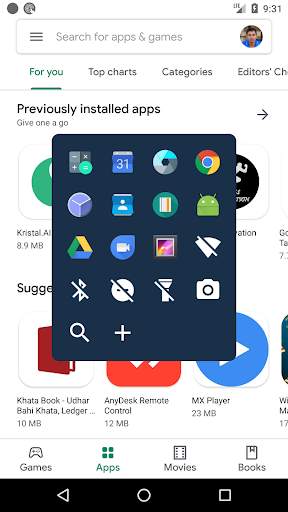
⭐ Snelkoppeling om toortslicht aan / uit te draaien
⭐ Snelkoppeling om te draaien Niet distrub in / uit
⭐ Snelkoppeling om Bluetooth aan / uit te draaien
⭐ Snel om te openen Zoekoptie.
⭐ U kunt uw favoriete apps-snelkoppelingen toevoegen. Zodat u elke app overal aan de telefoon kunt openen.
⭐ Volledig aanpasbaar.
Snel doorzoek elke app overal met zoekoptie.
U kunt elke app snel openen door er vanaf te gaan overal.
⭐ Snel zoeken: - Opent een app onder 100 milliseconden.
Snelkoppeling tijdens het zoeken van een app wordt automatisch de app geopend als er maar één wedstrijd is.
Drijvende snelkoppelingenknop is op het scherm.

...

👉 For More Detail of 01Shortcuts - Quick Shortcut Maker - App Search

#3 Quick Shortcut Maker - Shortcut Creator Master

Quick Shortcut Maker - Shortcut Creator Master
Rating: star 3.0 | Version: 1.0 | Size: 4.5MB
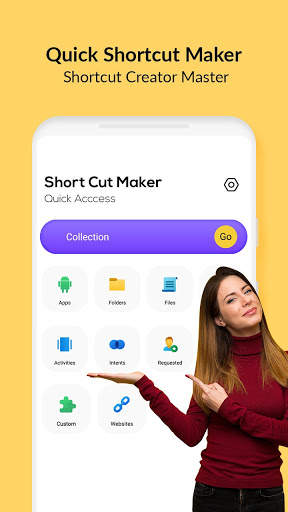
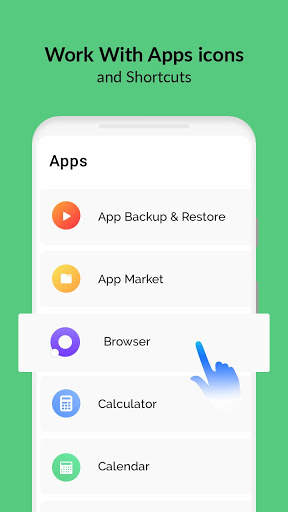
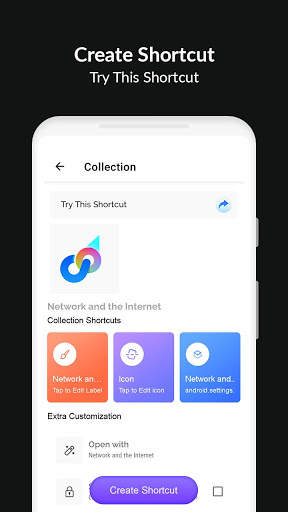
Quick Shortcut Maker - Shortcut Creator Master screenshot 1 Quick Shortcut Maker - Shortcut Creator Master screenshot 2 Quick Shortcut Maker - Shortcut Creator Master screenshot 3

Quick Shortcut Maker-applicatie ondersteunt u bij het maken van snelkoppelingen op lokale bestanden, mappen, toepassingen, contacten, instellingen, berichten en het aanpassen van snelkoppelingen van andere apps.
U kunt uw eigen snelkoppelingstitel maken en veel verschillende functies gebruiken voor het aanpassen van het snelkoppelingspictogram: gebruik het pictogram van de bijbehorende toepassing, gewasafbeelding geëxporteerd vanuit de externe galerij, gebruik iconen uit het bestand, gebruik pictogrammen uit het bestand. extern thema.
Quick Shortcut Maker-app ondersteunt ook native widgets - u kunt een widget maken in plaats van een snelkoppeling. U kunt het latere pictogram, de titel en het uiterlijk van de widget wijzigen. Ook kunt u snelkoppelingen in de database van de collecties organiseren met behulp van verschillende methoden zoals hiërarchie, tags. U kunt later collecties-dialoogvensters gebruiken om snel toegang te krijgen tot de georganiseerde snelkoppelingen.
Deze app kan een snelkoppeling maken op het startscherm van Android voor alles wat u wilt van uw Android.
Map en bestanden:> / b> Snelkoppelingen van bestanden en map maken van interne opslag.
Apps & Activiteiten:
Maak een Snelkoppeling van geïnstalleerde apps & activiteiten.
Aangepast:
In de snelkoppelingsmaster APK is dit een frisse en nieuwe functie om snelkoppelingen van geïnstalleerde apps te krijgen en deze te bewerken voordat ze worden gecreëerd.
Snelle instellingen:
Snelkoppeling Maker maken Online Wijzig uw systeeminstellingen snel.
Intents:
Snelkoppelingen Creator Master of Android System Intenties samen met de standaard app .
Snelkoppeling preview:
Na het kiezen van de activiteiten-app toont u een voorbeeld van de snelkoppeling voordat u het maakt. U kunt ook de snelkoppelingsnaam wijzigen en een snelkoppeling toevoegen aan Favoriet.
Website:
Snelkoppeling voor uw favoriete website.
Favoriet:
In Quick Shortcut Maker kunt u de lijst met uw favoriete snelkoppelingen bekijken.
Geschiedenis:
Hoe maak je snelkoppeling in Android-app?
om te beginnen met het maken van een snelkoppeling, onder deze eenvoudige stappen:
1) Vind de snelle snelkoppelaar - Snelkoppeling Creator Master-app op de Google Play Store en download het.
2) Zoek het doelwit door een van de onderstaande tools te gebruiken:
Secret Code Explorer, App Explorer, Zoeken of Capture Snelkoppeling
3) U kunt het testen of voorvertonen.
4) Maak de snelkoppeling op de Startscherm en in de lijst.
5) Anders kunt u de snelkoppelingslijst in uw app importeren.
WAAROM SNELLE SORTCUT MAKER APK Uw Android-ervaring is beter?
• Snelle en gratis multitasking:
Schakel over naar recente apps of laatste app met slechts één swipe. Er is geen snellere manier om het te doen.
• Bruikbaarheid met één hand:
U hoeft niet uw vinger uit te strekken om ze terug te brengen, snelle instellingen te schakelen, de recente knop, of pull-down melding.
• Focus op gebruikerservaring:
ads gratis, de app is snel, gemakkelijk te gebruiken, mooi en uitzonderlijk aanpasbaar.
• Geen cluster startscherm:
U kunt direct toegang krijgen tot uw favoriete apps en snelkoppelingen van overal.

...

👉 For More Detail of Quick Shortcut Maker - Shortcut Creator Master

#4 Shortcut Maker

Shortcut Maker
Rating: star 4.0 | Version: 4.2.4 | Size: 3.9MB
Shortcut Maker screenshot 1 Shortcut Maker screenshot 2 Shortcut Maker screenshot 3

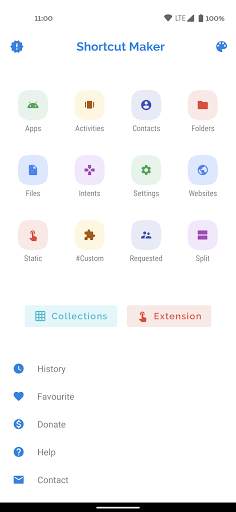
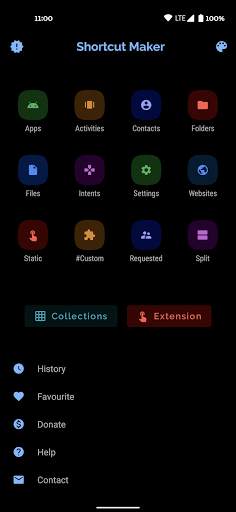
Deze app kan een snelkoppeling maken op Android -homescreen voor alles wat je wilt van je Android.
Selecteer eenvoudig de functie en klik op Create to Sortcut.Dat is het!
vrij eenvoudig toch?
U kunt deze app ook gebruiken om een ActVity te starten vanuit de geïnstalleerde app.
Apps en activiteiten: maak een snelkoppeling van geïnstalleerde apps en activiteiten.
map enBestanden: maak een snelkoppeling van map en bestanden uit interne opslag.
Intenten: maak een snelkoppeling van Android -systeemintenties samen met de standaard app.
Snelle instellingen: maak snelkoppeling om snel uw systeeminstellingen te wijzigen.
Website: snelkoppeling voor uw favoriete website.
Gebruiker gevraagd: functies die door gebruikers worden aangevraagd.
#Custom#: Gewoon een bonus- en nieuwe functie om snelkoppelingen te krijgen vangeïnstalleerde apps en bewerken in deze app voordat u maakt.
Neem contact met mij op: sneltoet om mij uw suggesties te mailen :)
Snelkoppeling Voorbeeld: Na het selecteren van de Activity -app toont u een preview van snelkoppeling voordat u wordt gemaakt voordat u maakt.Hier kunt u ook de snelkoppelingsnaam hernoemen.Je kunt ook een snelkoppeling toevoegen aan favoriet.
Geschiedenis: hier kun je de lijst met snelkoppelingen bekijken die door jou zijn gemaakt.
Favoriet: hier kun je de lijst van je favoriete snelkoppelingen bekijken.
Als u functies in deze app wilt toevoegen, stuur mij dan uw antwoorden en feedbacks op rkamewar1111@gmail.com (niet vergeet om app -naam in onderwerp toe te voegen)
Speciaal dankzij dank aanMaterialsearchView (bedankt Miguelcatalan! :)) voor het verstrekken van een gratis zoekview met een schone gebruikersinterface met eenvoudige implementatie.Hier ' is de link De bibliotheek die ik hiervoor heb gebruikt:
https://github.com/miguelcatalan/materialsearchview

...

👉 For More Detail of Shortcut Maker

#5 Shortcut Maker

Shortcut Maker
Rating: star 3.8 | Version: 5.2.1 | Size: 1010.6KB
Shortcut Maker screenshot 1 Shortcut Maker screenshot 2 Shortcut Maker screenshot 3

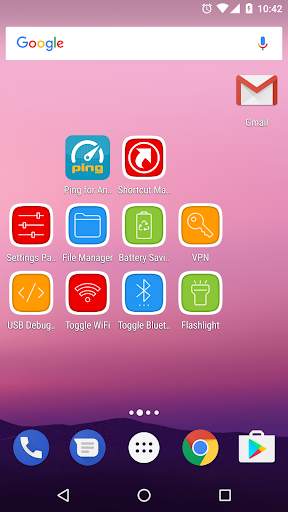
Maak geavanceerde verborgen instellingen snelkoppeling naar uw startscherm.
Application Activiteiten
Geïnstalleerde activiteiten (zoals verborgen instellingen.)
Bookmark
Snelkoppeling om specifieke website te openenof URL.
zaklantaarn
ingebouwde zaklamp (fakkel).
Bestandsbeheer
Android Ingebouwde bestandsbeheer (Android 5,0 )
USB Debugging
Developer-opties.
Snelle instellingen schakelen
WiFi-toggle, Bluetooth-tuimel, Locatie, Batterijbesparing, Vouw kennisgeving uit, Instellingen, Recente apps, Auto-rotatie, Hotspot,Mobiele data.

...

👉 For More Detail of Shortcut Maker

Search Results

1/2

You may like

DOWNLOAD IS NOT SUPPORTED IN WEB STORE!
Use the latest version of 9Apps to download APK&OBB file of games in one click!
DOWNLOAD 9APPS