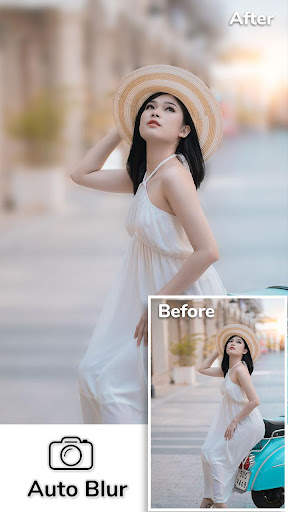
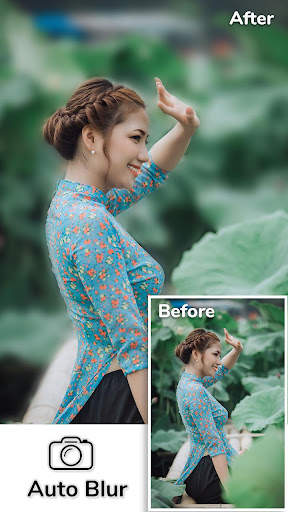
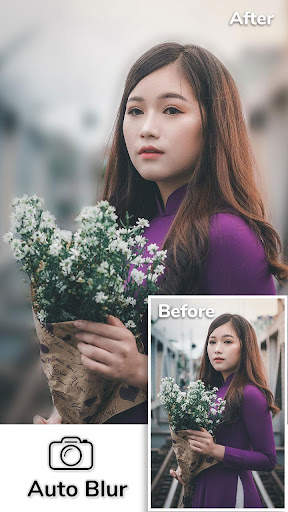
auto blur on 9Apps

Free download latest auto blur for Android here and enjoy it with your phone. Below you can download a list of top and latest apps related to auto blur . 9APPS is a fast, safe app store. With 9APPS, you can save a lot of time on searching and downloading apps.
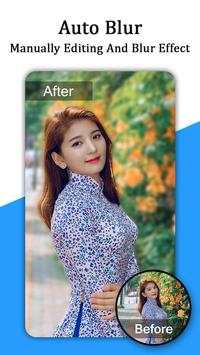
#1 Auto Blur

Auto Blur
Rating: star 3.5 | Version: 1.1 | Size: 10.9MB
Auto Blur screenshot 1 Auto Blur screenshot 2 Auto Blur screenshot 3

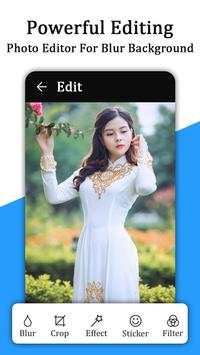
✏Auto Blur background Camera - DSLR Camera is Speedy - Easy to use & Create Incredible Blur Background Effect Pictures..........
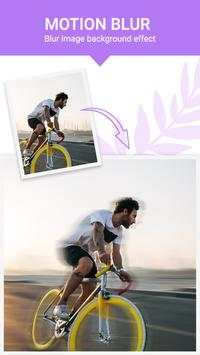
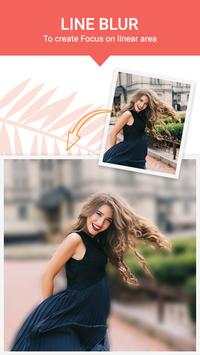
↝ Apply Best & smart Auto Blur effect on the Image and Create wonderful blur background effect photos with helping hand to blur & remove the unwanted part of your pictures. Make amazing auto blur background effect photo in collage photos with frame style. Blur photo, Blur image background allows your pictures to reflect DSLR Camera effects like never before.
↝ Auto Blur background Camera - DSLR Camera is also made collage photos maker with photo editor and frame style and create blur image background contains high-level Photo editor and adjustments options like Temperature, Highlights, Shadows, Brightness, Contrast, Saturation, Sharpness, Exposure. Image Background - Blur Background - Blur Photo which can be used to give your picture background & blur image effect photo editor.

Auto Blur background Camera - DSLR Camera app automatically creates collage photo from your multi selected photos. So, it is a very easy and quick way of creating a nice photo collage in blur effects.
EXCLUSIVE AUTO
BLUR KEY FEATURES
❧ Blur unwanted part of a pic and give it a blur effect, using the blur image filters, of this blur picture editor or blur photo editor.

Collage photo editor special blur effect:-
◎ create one of the best collage photos in blur effect. And the select photos in a multi choice from your gallery.
◎ A huge collection of creative photo layout is available in this modern auto blur collage photo maker.
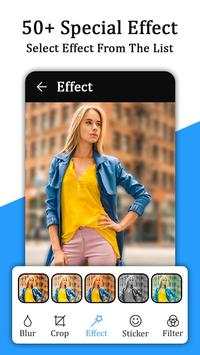
◎ In auto blur effect app has 30 Special effect that makes your photo even Beautiful.

Frame Style: -
Auto blur app has various frame style like Love frame style, Birthday frame style, Nature Frame style, Good morning frame style, Beautiful teddy frame style, etc...

Save Photo in My creation: -
Auto blur Save your created best auto blur photos in my creation folder in this app & also have in your device gallery.
❧ In auto blur collage photo editor, you can easily
replace one photo to another place in collage photo grid layer
❧ You can change a Grid photo layer space size- Inner space & outer space
❧ Apply BG-color effects in Grid photo layer & make in best frame style photo
❧ Auto blur collage photo has
110 stickers like Birthday stickers, love stickers, Emoji stickers, Morning stickers, Teddy stickers, etc. available in auto blur app.

Text effect: -
You can text in your favorite font with text color and customize your text font style

Text Opacity
is the best feature in the auto blur app, you can change the text in blur effects.
❧ You can easy to share directly your auto blur created images to social media from "My creation" of this app
↝Blur photo, Blur image background is a high-class collage photo editor with apply frame style on your image. Collage photography is very easy using the Portrait auto blur app. collage photo editor in one touch. Portrait photography is a photograph of a person.
↝The automatic Blur image background is very easy app to create amazing blur background pictures. Blur image background is an effective blur photo editor, which can be used, to give your picture background, a blurry effect.
Auto blur app download & share your friends & family in social media networks.
Thank you for choose this app.

...

👉 For More Detail of Auto Blur

#2 Auto Blur, Auto Cut Paste, Auto Background Changer
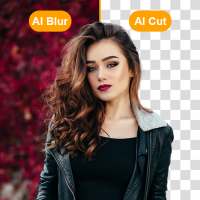
Auto Blur, Auto Cut Paste, Auto Background Changer
Rating: star 4.4 | Version: 1.4 | Size: 37.0MB
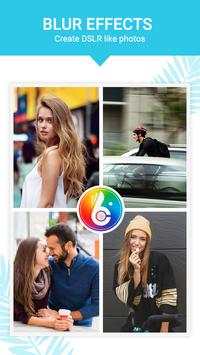
Auto Blur, Auto Cut Paste, Auto Background Changer screenshot 1 Auto Blur, Auto Cut Paste, Auto Background Changer screenshot 2 Auto Blur, Auto Cut Paste, Auto Background Changer screenshot 3

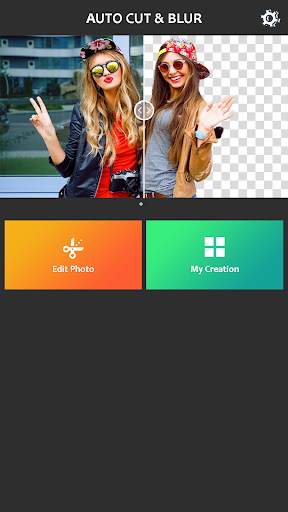
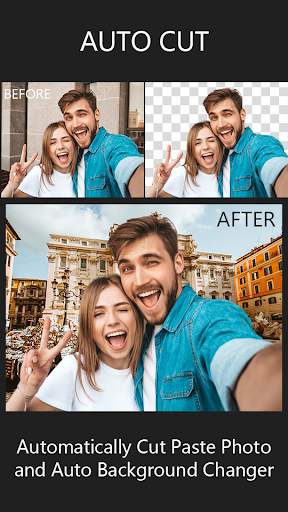
"Tự động làm mờ, tự động cắt, tự động thay đổi nền" là phần mềm xử lý hình ảnh hoàn toàn tự động và mạnh mẽ.
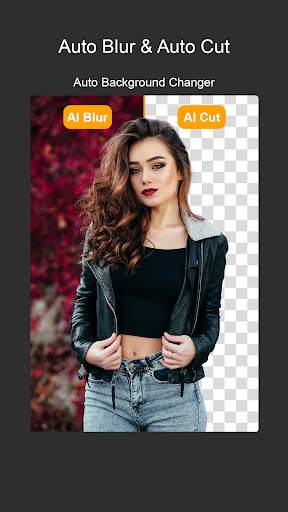
Nền mờ tự động
- Nền tự động Blur cung cấp tác phẩm nghệ thuật mà ảnh đơn giản của bạn được chụp trong máy ảnh DSLR . Auto Blur rất dễ sử dụng và trơn tru để sử dụng và tạo hiệu ứng nền mờ tuyệt vời trên hình ảnh.
- Nền mờ tự động tự động và lấy nét thông minh trên ảnh của bạn. Auto Blur có thể được sử dụng tự động hoặc thủ công.
Tự động cắt và dán Trình chỉnh sửa ảnh
- Trình chỉnh sửa ảnh tự động cắt và dán ảnh có nghĩa là tự động thay đổi nền & tẩy nền. Tự động cắt cutout & tự động thay đổi nền thông minh, cắt ảnh của bạn.
- Tự động cắt Cutout rất dễ sử dụng và loại bỏ nền tốt nhất.
- Nó có thể được sử dụng tự động hoặc thủ công.
Các tính năng:
- Đối tượng lấy nét thông minh và nền mờ tự động
- Điều chỉnh cường độ mờ hình ảnh & hiệu ứng lấy nét DSLR.
- Hướng dẫn chà ngón tay (Cách truyền thống) Làm mờ nền & Bối cảnh.
- Tự động cắt dán ảnh và thay đổi nền tự động.
- Magic AI với hiệu ứng và lớp phủ Bokeh.
- Lưu và chia sẻ hình ảnh đến phương tiện truyền thông xã hội như Instagram, Facebook, v.v.
Sử dụng ứng dụng này và Tạo ảnh của bạn như trình chỉnh sửa ảnh và trình chỉnh sửa ảnh DSLR chuyên nghiệp.
Nếu bạn có bất kỳ câu hỏi hoặc đề xuất nào về "Tự động làm mờ, dán tự động, thay đổi nền tự động" Hãy cho chúng tôi biết.
Email: Contactus .techplus @ gmail.com.
Cảm ơn bạn đã tải xuống "Tự động làm mờ, dán tự động, thay đổi nền tự động"

...

👉 For More Detail of Auto Blur, Auto Cut Paste, Auto Background Changer

#3 Auto Blur

Auto Blur
Rating: star 3.0 | Version: 1.0 | Size: 9.3MB
Auto Blur screenshot 1 Auto Blur screenshot 2 Auto Blur screenshot 3

Auto blur background is fast and easy to use app to create amazing blur background effect pictures. Easy Create amazing blur background effect photos like a Professional DSLR Camera by simply selecting focus area.
With Auto Blur Background – Blur Camera & DSLR Camera, very easy to blur image background or auto background blur, select your image by drawing around it and it will auto blur background. Use this advance image blur option to simplify pic blur editing. This pic blur editor helps you to blur unwanted part of your Photos. You can blur photo and can blur background automatically or manually using this fast blur photo editor.
Portrait camera - Auto Blur image background is an effective blur photo editor, which can be used, to give your picture background, a blurry effect. Blur unwanted portions of a pic effectively, and give it a blur effect, using the blur photo filters, of this blur picture editor or blur pic editor. blurry pictures, photo background editor, camera focus, focus camera, dslr camera effect, dslr photography.
Auto Blur Background – Portrait camera, Blur Camera & DSLR Camera is app to capture image with blur focus perticular objects. Bring DSLR-like Photography to your smartphone. dslr camera - Blur Background app allow you to take best picture and edit photo and make your photo background Blur and make your picture more beautiful.
Features of Auto Blur Background - Blur Camera & DSLR Camera
+ Blur background
+ Portrait camera
+ Background defocus
+ Manually editing and blur effects by finger movement.
+ Easy to import photos and easy to editing. 
+ Share you edited photos on social media or with friends easily. 
+ Save your edited photos in gallery easily. 
+ Blur Camera
+ Auto Blur Background
+ Restore your blur area easily and make your editing perfect. 
+ Zoom in and zoom out photos easily to make editing easily.
+ Touch to Focus
+ Portrait blur
+ To create Focus on finger touch area(Adjustable Brush Size and with Undo, Redo)
+ Touch to Blur
Key features of Auto Blur Background – Blur Camera & DSLR Camera:
Easy Blur Photo Editor / Auto Blur Background image:
• with Portrait camera, Select image or import image from gallery or capture using camera to make blurry background.
• Draw around the image to focus and click on done button . Portrait camera will blur background and unfocus it .
• Blur Camera Adjust blur intensity using burriness option.
• effect blur camera unblur image or blur image again, use manual blur effect image blur option .
Manual Blur photo editor:
• after auto blur effect if you want to unblur again then use this blur photo editor
• just select blur or unblur and touch image to blur or unblur
• adjust blurriness and brush size to apply blur effect
DSLR Camera Blur Effects:
• DSLR Camera Blur Effects is fast and easy to use app to create amazing blur background effect pictures on the go
Shape Blur:
• Blur photo Select shape blur option and then choose image to be blurred
• try different shapes and adjust blurriness to get a proper blur image with shape.
• photo blur editor and effect is best shape blur photo editor.
Auto Blur Background – Blur Camera & DSLR Camera Blur Effects is perfect combination of beauty and functionality. And it is Ideal for creating AfterFocus Photo, Focus Photo, Blur Background Pictures, Blur Pictures, Point Blur Picture and many more. Try Now!!!

...

👉 For More Detail of Auto Blur

#4 DSLR Blur Camera - Auto Blur
DSLR Blur Camera - Auto Blur
Rating: star 4.2 | Version: 1.4 | Size: 10.4MB
DSLR Blur Camera - Auto Blur screenshot 1 DSLR Blur Camera - Auto Blur screenshot 2 DSLR Blur Camera - Auto Blur screenshot 3

DSLR Blur
Cho phép bạn tạo nền Blur tuyệt vời
, cho việc này, bạn không cần bất kỳ máy ảnh DSLR nào
. Chỉ cần nhấp vào nút hoặc nút thư viện và lấy Ảnh tuyệt vời và áp dụng hiệu ứng Blur.
Ở đây hai loại hiệu ứng DSLR Blur có sẵn:
- Làm mờ hướng dẫn sử dụng
- Hình dạng mờ
Hướng dẫn sử dụng Blur:
Nó sẽ cho phép bạn chụp ảnh từ thư viện hoặc máy ảnh và cho phép bạn áp dụng nền mờ theo cách thủ công bằng cách chạm ngón tay của bạn. Bạn có thể áp dụng hiệu ứng làm mờ và bạn có thể loại bỏ hiệu ứng mờ khỏi hình ảnh.
Shape Blur:
Sử dụng hình dạng mờ Bạn có thể áp dụng mờ hình dạng mờ trong khu vực mờ bên ngoài hình dạng hoặc hình dạng bên trong. Rất nhiều hình dạng Có sẵn để áp dụng trên hình ảnh sẽ làm cho ảnh của bạn tuyệt vời.
Tính năng:
- Chụp ảnh từ thư viện hoặc máy ảnh.
- Cắt Phần không cần thiết của hình ảnh nếu cần.
- Áp dụng Blur và thêm hình dạng tuyệt vời.
- Điều chỉnh mức độ mờ bằng cách sử dụng seekbar
- Kiểm tra, bỏ chọn để áp dụng hoặc Hủy bỏ đường viền của hình dạng.
- Bây giờ nhấp vào nút Lưu.
- Lưu, chia sẻ và tận hưởng ảnh chuyên nghiệp tuyệt vời của người bạn, gia đình và đồng nghiệp.
Thưởng thức ứng dụng ..

...

👉 For More Detail of DSLR Blur Camera - Auto Blur

#5 Auto Blur Camera - Blur Photo,

Auto Blur Camera - Blur Photo,
Rating: star 4.0 | Version: 3.1 | Size: 38.6MB
Auto Blur Camera - Blur Photo, screenshot 1 Auto Blur Camera - Blur Photo, screenshot 2 Auto Blur Camera - Blur Photo, screenshot 3

Máy ảnh mờ tự động - Ảnh mờ, Bối cảnh mờ
Máy ảnh mờ tự động - Photo Blur là nền mờ hoạt động, được sử dụng để cung cấp nền ảnh làm mờ Hiệu ứng nó tạo ra giống như các phần không mong muốn của PIC một cách hiệu quả và cho nó hiệu ứng mờ, của Trình chỉnh sửa ảnh mờ này hoặc Trình chỉnh sửa ảnh mờ.
B>
# Được sử dụng để làm mờ phần không mong muốn trong ảnh của bạn.
# Hiệu ứng mờ nền như máy ảnh DSLR chuyên nghiệp. Làm mờ một phần hoặc tất cả ảnh của bạn.
# Ảnh tập trung vào nền của ảnh. Một phần trong ảnh của bạn.
# vui vẻ bằng cách sử dụng điểm mờ. , hiệu ứng bokeh, backgr ound biên tập. Sử dụng chúng, bạn có thể dễ dàng làm trình chỉnh sửa nền của riêng bạn. Trình chỉnh sửa nền thủ công bằng ngón tay của bạn & amp; Chạm vào các phần không được sử dụng của các bức ảnh mà bạn muốn làm mờ và giữ cho phần tuyệt vời của bạn tập trung. Chọn hình ảnh từ bộ sưu tập của bạn
# Cắt hình ảnh của bạn
# BLUR IMAGE BẮT Văn bản, nhãn dán trên hình ảnh.
# Đặt độ sáng và hiệu ứng trên hình ảnh. Các phương tiện truyền thông xã hội khác.
Tải xuống máy ảnh DSLR & amp; Camera mờ với các chức năng ảnh mờ của nền mờ ngay bây giờ!

...

👉 For More Detail of Auto Blur Camera - Blur Photo,

Search Results

1/20

You may like

DOWNLOAD IS NOT SUPPORTED IN WEB STORE!
Use the latest version of 9Apps to download APK&OBB file of games in one click!
DOWNLOAD 9APPS