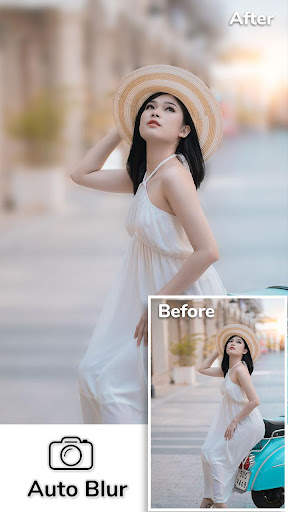
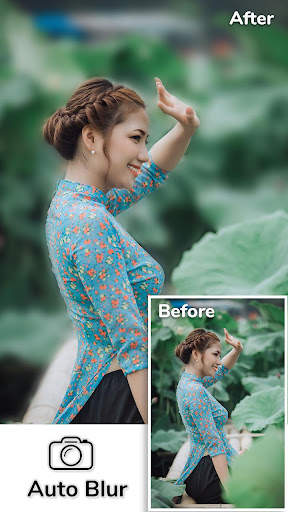
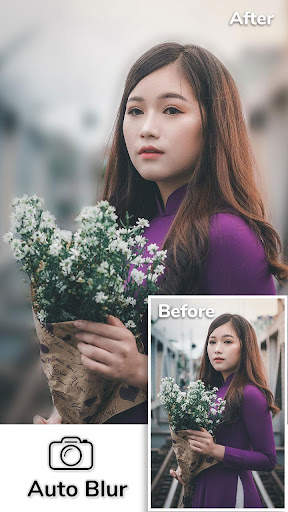
auto blur on 9Apps

Free download latest auto blur for Android here and enjoy it with your phone. Below you can download a list of top and latest apps related to auto blur . 9APPS is a fast, safe app store. With 9APPS, you can save a lot of time on searching and downloading apps.
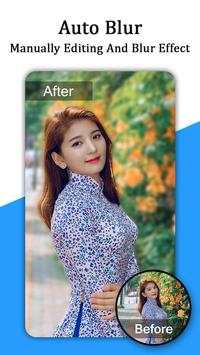
#1 Auto Blur

Auto Blur
Rating: star 3.5 | Version: 1.1 | Size: 10.9MB
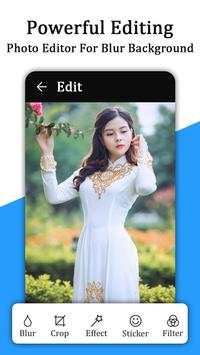
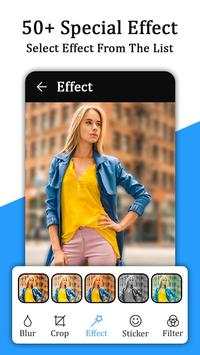
Auto Blur screenshot 1 Auto Blur screenshot 2 Auto Blur screenshot 3

✏Auto Blur background Camera - DSLR Camera is Speedy - Easy to use & Create Incredible Blur Background Effect Pictures..........
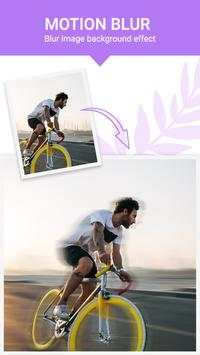
↝ Apply Best & smart Auto Blur effect on the Image and Create wonderful blur background effect photos with helping hand to blur & remove the unwanted part of your pictures. Make amazing auto blur background effect photo in collage photos with frame style. Blur photo, Blur image background allows your pictures to reflect DSLR Camera effects like never before.
↝ Auto Blur background Camera - DSLR Camera is also made collage photos maker with photo editor and frame style and create blur image background contains high-level Photo editor and adjustments options like Temperature, Highlights, Shadows, Brightness, Contrast, Saturation, Sharpness, Exposure. Image Background - Blur Background - Blur Photo which can be used to give your picture background & blur image effect photo editor.

Auto Blur background Camera - DSLR Camera app automatically creates collage photo from your multi selected photos. So, it is a very easy and quick way of creating a nice photo collage in blur effects.
EXCLUSIVE AUTO
BLUR KEY FEATURES
❧ Blur unwanted part of a pic and give it a blur effect, using the blur image filters, of this blur picture editor or blur photo editor.

Collage photo editor special blur effect:-
◎ create one of the best collage photos in blur effect. And the select photos in a multi choice from your gallery.
◎ A huge collection of creative photo layout is available in this modern auto blur collage photo maker.
◎ In auto blur effect app has 30 Special effect that makes your photo even Beautiful.

Frame Style: -
Auto blur app has various frame style like Love frame style, Birthday frame style, Nature Frame style, Good morning frame style, Beautiful teddy frame style, etc...

Save Photo in My creation: -
Auto blur Save your created best auto blur photos in my creation folder in this app & also have in your device gallery.
❧ In auto blur collage photo editor, you can easily
replace one photo to another place in collage photo grid layer
❧ You can change a Grid photo layer space size- Inner space & outer space
❧ Apply BG-color effects in Grid photo layer & make in best frame style photo
❧ Auto blur collage photo has
110 stickers like Birthday stickers, love stickers, Emoji stickers, Morning stickers, Teddy stickers, etc. available in auto blur app.

Text effect: -
You can text in your favorite font with text color and customize your text font style

Text Opacity
is the best feature in the auto blur app, you can change the text in blur effects.
❧ You can easy to share directly your auto blur created images to social media from "My creation" of this app
↝Blur photo, Blur image background is a high-class collage photo editor with apply frame style on your image. Collage photography is very easy using the Portrait auto blur app. collage photo editor in one touch. Portrait photography is a photograph of a person.
↝The automatic Blur image background is very easy app to create amazing blur background pictures. Blur image background is an effective blur photo editor, which can be used, to give your picture background, a blurry effect.
Auto blur app download & share your friends & family in social media networks.
Thank you for choose this app.

...

👉 For More Detail of Auto Blur

#2 Auto Blur, Auto Cut Paste, Auto Background Changer
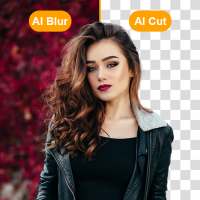
Auto Blur, Auto Cut Paste, Auto Background Changer
Rating: star 4.4 | Version: 1.4 | Size: 37.0MB
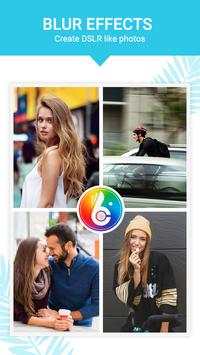
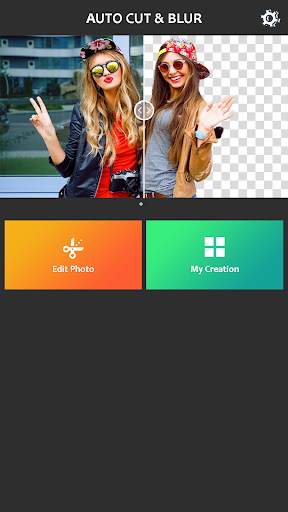
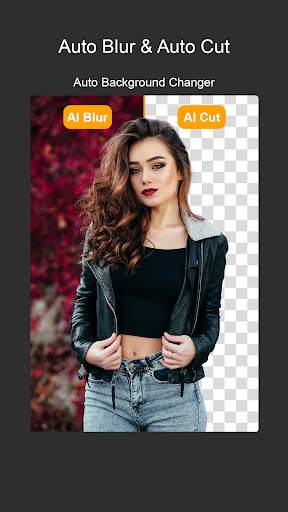
Auto Blur, Auto Cut Paste, Auto Background Changer screenshot 1 Auto Blur, Auto Cut Paste, Auto Background Changer screenshot 2 Auto Blur, Auto Cut Paste, Auto Background Changer screenshot 3

"Auto Flou, Coupe automatique, Changeur d'arrière-plan automatique" est un logiciel de traitement d'image entièrement automatique et puissant.
Fond de flou Auto - Fond de flou Auto Donne à l'œuvre que votre photo simple est capturée dans la caméra DSLR . Le flou Auto est facile et lisse à utiliser et à créer un effet d'arrière-plan flou incroyable sur des images.
- Le fond de flou Auto est automatiquement et intelligent sur votre image. Le flou Auto est peut être utilisé automatiquement ou manuellement.
Éditeur de photos de Coller et Coller
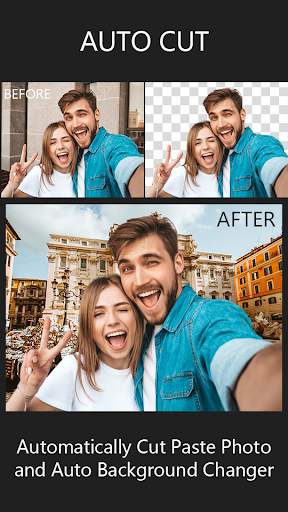
- L'éditeur de photo de découpe et de pâte automatique signifie le variateur d'arrière-plan automatique. Couper de coupe automatique et changeur d'arrière-plan automatique est coupé intelligemment, découpez votre photo.
- La découpe automatique coupe est très facile à utiliser et le meilleur détail de fond.
- Il peut être utilisé automatiquement ou manuellement.
CARACTÉRISTIQUES:
- Objet Smart Focus et Fond Auto Flur Fond
- Image Flou Réglage de l'intensité et effet de mise au point DSLR.
- Manuel pour le frottement des doigts (chemin traditionnel) Fond Flou et arrière-plan.
- Coupez automatiquement le changeur de photo et de fond automatique de pâte.
- AI Magic avec effet de bokeh et superposition.
- Sauvegarder et partager l'image sur les médias sociaux tels que Instagram, Facebook, etc.
Utilisez cette application et Faites votre photo comme Editeur de DSLR professionnel Epic and Photo Editor.
Si vous avez une question ou une suggestion sur "BLUR AUTO BLUR, AUTO CUT COLLET, AUTO BACK Changer" N'hésitez pas à nous faire savoir.
Email: Contactus .TechPlus @ gmail.com.
Merci de télécharger "Auto Flou, Coller auto-coupée, changeur d'arrière-plan automatique"

...

👉 For More Detail of Auto Blur, Auto Cut Paste, Auto Background Changer

#3 Auto Blur

Auto Blur
Rating: star 3.0 | Version: 1.0 | Size: 9.3MB
Auto Blur screenshot 1 Auto Blur screenshot 2 Auto Blur screenshot 3

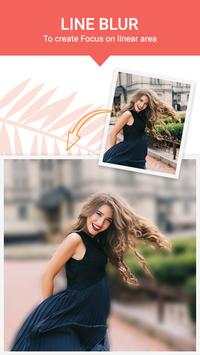
Auto blur background is fast and easy to use app to create amazing blur background effect pictures. Easy Create amazing blur background effect photos like a Professional DSLR Camera by simply selecting focus area.
With Auto Blur Background – Blur Camera & DSLR Camera, very easy to blur image background or auto background blur, select your image by drawing around it and it will auto blur background. Use this advance image blur option to simplify pic blur editing. This pic blur editor helps you to blur unwanted part of your Photos. You can blur photo and can blur background automatically or manually using this fast blur photo editor.
Portrait camera - Auto Blur image background is an effective blur photo editor, which can be used, to give your picture background, a blurry effect. Blur unwanted portions of a pic effectively, and give it a blur effect, using the blur photo filters, of this blur picture editor or blur pic editor. blurry pictures, photo background editor, camera focus, focus camera, dslr camera effect, dslr photography.
Auto Blur Background – Portrait camera, Blur Camera & DSLR Camera is app to capture image with blur focus perticular objects. Bring DSLR-like Photography to your smartphone. dslr camera - Blur Background app allow you to take best picture and edit photo and make your photo background Blur and make your picture more beautiful.
Features of Auto Blur Background - Blur Camera & DSLR Camera
+ Blur background
+ Portrait camera
+ Background defocus
+ Manually editing and blur effects by finger movement.
+ Easy to import photos and easy to editing. 
+ Share you edited photos on social media or with friends easily. 
+ Save your edited photos in gallery easily. 
+ Blur Camera
+ Auto Blur Background
+ Restore your blur area easily and make your editing perfect. 
+ Zoom in and zoom out photos easily to make editing easily.
+ Touch to Focus
+ Portrait blur
+ To create Focus on finger touch area(Adjustable Brush Size and with Undo, Redo)
+ Touch to Blur
Key features of Auto Blur Background – Blur Camera & DSLR Camera:
Easy Blur Photo Editor / Auto Blur Background image:
• with Portrait camera, Select image or import image from gallery or capture using camera to make blurry background.
• Draw around the image to focus and click on done button . Portrait camera will blur background and unfocus it .
• Blur Camera Adjust blur intensity using burriness option.
• effect blur camera unblur image or blur image again, use manual blur effect image blur option .
Manual Blur photo editor:
• after auto blur effect if you want to unblur again then use this blur photo editor
• just select blur or unblur and touch image to blur or unblur
• adjust blurriness and brush size to apply blur effect
DSLR Camera Blur Effects:
• DSLR Camera Blur Effects is fast and easy to use app to create amazing blur background effect pictures on the go
Shape Blur:
• Blur photo Select shape blur option and then choose image to be blurred
• try different shapes and adjust blurriness to get a proper blur image with shape.
• photo blur editor and effect is best shape blur photo editor.
Auto Blur Background – Blur Camera & DSLR Camera Blur Effects is perfect combination of beauty and functionality. And it is Ideal for creating AfterFocus Photo, Focus Photo, Blur Background Pictures, Blur Pictures, Point Blur Picture and many more. Try Now!!!

...

👉 For More Detail of Auto Blur

#4 DSLR Blur Camera - Auto Blur
DSLR Blur Camera - Auto Blur
Rating: star 4.2 | Version: 1.4 | Size: 10.4MB
DSLR Blur Camera - Auto Blur screenshot 1 DSLR Blur Camera - Auto Blur screenshot 2 DSLR Blur Camera - Auto Blur screenshot 3

DSLR BLUR
Vous permet de créer un fond incroyable
BLUR
, pour cela, vous n'avez pas besoin d'une caméra
DSLR
.JUST Cliquez sur la caméra ou le bouton de la galerie et prenez Photo incroyable et appliquer un effet flou.
Ici, deux types d'effets de flou DSLR disponibles:
Flou:
Il vous permettra de prendre une photo de la galerie ou de la caméra et vous permettra d'appliquer manuellement le fond de flou par votre touche de doigt. Vous pouvez appliquer un effet flou et vous pouvez également supprimer l'effet de flou de image.
Shape flou:
Utilisation de la forme flou Vous pouvez appliquer la forme flou de la forme de la zone floue en dehors de la forme ou de la forme intérieure.Le lot de formes. Disponible pour postuler sur l'image qui rendra votre photo juste génial.
Caractéristique:
- Prenez une photo de la galerie ou de la caméra.
une partie inutile de l'image si nécessaire.
- Appliquez Flou et ajoutez des formes étonnantes.
- Ajustez le niveau de flou à l'aide de la barre de recherche
- Vérifiez, décochez la case. Supprimer la bordure de la forme.
- Maintenant, cliquez sur le bouton Enregistrer.
- Enregistrer, partager et profiter d'une photo professionnelle incroyable en partageant un ami, une famille et une collègue.
Profitez de l'application ..

...

👉 For More Detail of DSLR Blur Camera - Auto Blur

#5 Auto Blur Camera - Blur Photo,

Auto Blur Camera - Blur Photo,
Rating: star 4.0 | Version: 3.1 | Size: 38.6MB
Auto Blur Camera - Blur Photo, screenshot 1 Auto Blur Camera - Blur Photo, screenshot 2 Auto Blur Camera - Blur Photo, screenshot 3

Caméra de flou automatique - Photo floue, arrière-plan flou
Caméra de flou automatique - Blur Photo est un fond flou qui fonctionne, qui est utilisé pour donner un fond photo comme flou Effets qu'il crée comme des parties indésirables d'une photo efficacement, et lui donnez un effet flou, de cet éditeur d'image floue ou de l'éditeur de photos flou. b>
# Utilisé pour brouiller la partie indésirable de votre photo.
# Effet de flou d'arrière-plan comme un appareil photo dslr professionnel.
# Facile à utiliser avec l'interface utilisateur amicale de fond flou.
# Blur une partie ou la totalité de votre photo.
# Photo de mise au point en arrière-plan de la photo.
# Utilisez le pinceau pour brouiller où vous voulez.
# Effet d'arrière-plan de l'image floue.
# Blur les indésirables une partie de votre image.
# Amusez-vous à utiliser le flou de point.
# Partagez librement sur le réseau social.
Appareil photo flou automatique - Application photo floue ayant une manière créative de caméra dslr, arrière-plan flou et flou photo , effets bokeh, backgr éditeur ound. En les utilisant, vous pouvez facilement créer votre propre éditeur d'arrière-plan. Éditeur d'arrière-plan manuel à l'aide de votre doigt & amp; Touchez des parties inutilisées de photos que vous souhaitez brouiller et garder votre grande partie concentrée.
Comment utiliser l'appareil photo DSLR, caméra flou, photo floue:
# Sélectionnez l'image dans votre galerie
# Crop Your Image
# Blur Image Background on Finger Movement
# Utilisez des outils de retouche photo comme la taille du pinceau, l'annulation, la refonte, et plus encore pour flou des photos.
# Ajouter Texte, autocollant sur l'image.
# Définissez la luminosité et les effets sur l'image.
# touchez pour zoomer et zoomer
# Partagez vos images de fond d'image floues avec vos amis et votre famille via WhatsApp, Facebook et Autres médias sociaux.
Télécharger la caméra DSLR & amp; Appareil photo flou avec fonctions photo floues de fond de flou gratuitement maintenant!

...

👉 For More Detail of Auto Blur Camera - Blur Photo,

Search Results

1/20

You may like

DOWNLOAD IS NOT SUPPORTED IN WEB STORE!
Use the latest version of 9Apps to download APK&OBB file of games in one click!
DOWNLOAD 9APPS