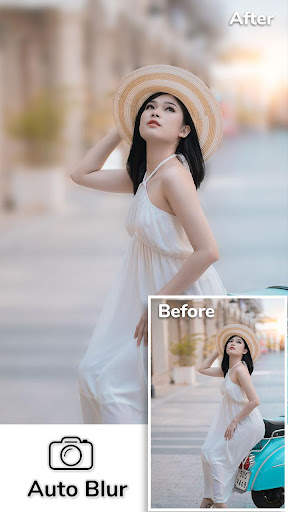
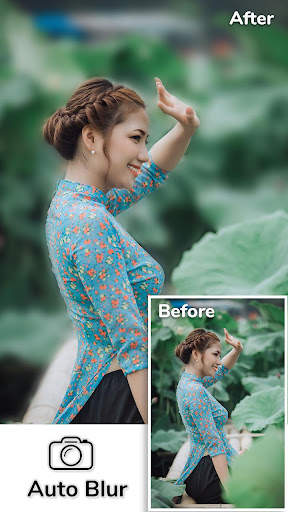
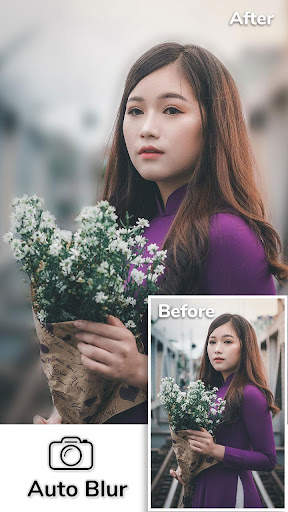
auto blur on 9Apps

Free download latest auto blur for Android here and enjoy it with your phone. Below you can download a list of top and latest apps related to auto blur . 9APPS is a fast, safe app store. With 9APPS, you can save a lot of time on searching and downloading apps.
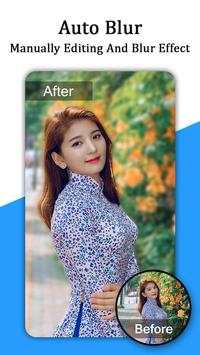
#1 Auto Blur

Auto Blur
Rating: star 3.5 | Version: 1.1 | Size: 10.9MB
Auto Blur screenshot 1 Auto Blur screenshot 2 Auto Blur screenshot 3

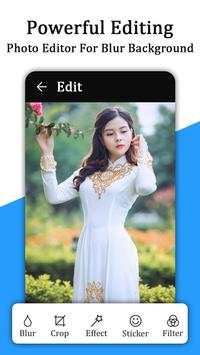
✏Auto Blur background Camera - DSLR Camera is Speedy - Easy to use & Create Incredible Blur Background Effect Pictures..........
↝ Apply Best & smart Auto Blur effect on the Image and Create wonderful blur background effect photos with helping hand to blur & remove the unwanted part of your pictures. Make amazing auto blur background effect photo in collage photos with frame style. Blur photo, Blur image background allows your pictures to reflect DSLR Camera effects like never before.
↝ Auto Blur background Camera - DSLR Camera is also made collage photos maker with photo editor and frame style and create blur image background contains high-level Photo editor and adjustments options like Temperature, Highlights, Shadows, Brightness, Contrast, Saturation, Sharpness, Exposure. Image Background - Blur Background - Blur Photo which can be used to give your picture background & blur image effect photo editor.

Auto Blur background Camera - DSLR Camera app automatically creates collage photo from your multi selected photos. So, it is a very easy and quick way of creating a nice photo collage in blur effects.
EXCLUSIVE AUTO
BLUR KEY FEATURES
❧ Blur unwanted part of a pic and give it a blur effect, using the blur image filters, of this blur picture editor or blur photo editor.

Collage photo editor special blur effect:-
◎ create one of the best collage photos in blur effect. And the select photos in a multi choice from your gallery.
◎ A huge collection of creative photo layout is available in this modern auto blur collage photo maker.
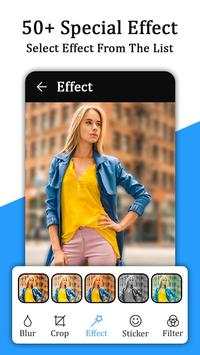
◎ In auto blur effect app has 30 Special effect that makes your photo even Beautiful.

Frame Style: -
Auto blur app has various frame style like Love frame style, Birthday frame style, Nature Frame style, Good morning frame style, Beautiful teddy frame style, etc...

Save Photo in My creation: -
Auto blur Save your created best auto blur photos in my creation folder in this app & also have in your device gallery.
❧ In auto blur collage photo editor, you can easily
replace one photo to another place in collage photo grid layer
❧ You can change a Grid photo layer space size- Inner space & outer space
❧ Apply BG-color effects in Grid photo layer & make in best frame style photo
❧ Auto blur collage photo has
110 stickers like Birthday stickers, love stickers, Emoji stickers, Morning stickers, Teddy stickers, etc. available in auto blur app.

Text effect: -
You can text in your favorite font with text color and customize your text font style

Text Opacity
is the best feature in the auto blur app, you can change the text in blur effects.
❧ You can easy to share directly your auto blur created images to social media from "My creation" of this app
↝Blur photo, Blur image background is a high-class collage photo editor with apply frame style on your image. Collage photography is very easy using the Portrait auto blur app. collage photo editor in one touch. Portrait photography is a photograph of a person.
↝The automatic Blur image background is very easy app to create amazing blur background pictures. Blur image background is an effective blur photo editor, which can be used, to give your picture background, a blurry effect.
Auto blur app download & share your friends & family in social media networks.
Thank you for choose this app.

...

👉 For More Detail of Auto Blur

#2 Auto Blur, Auto Cut Paste, Auto Background Changer
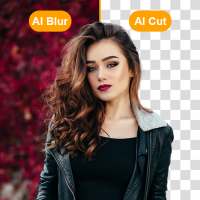
Auto Blur, Auto Cut Paste, Auto Background Changer
Rating: star 4.4 | Version: 1.4 | Size: 37.0MB
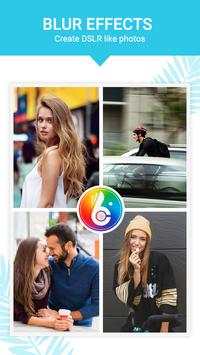
Auto Blur, Auto Cut Paste, Auto Background Changer screenshot 1 Auto Blur, Auto Cut Paste, Auto Background Changer screenshot 2 Auto Blur, Auto Cut Paste, Auto Background Changer screenshot 3

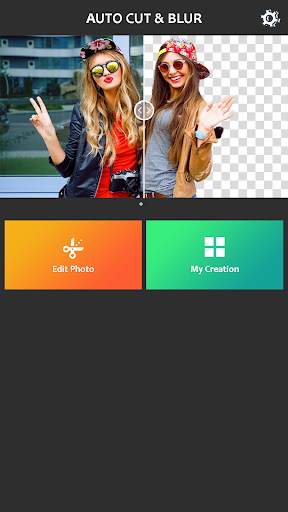
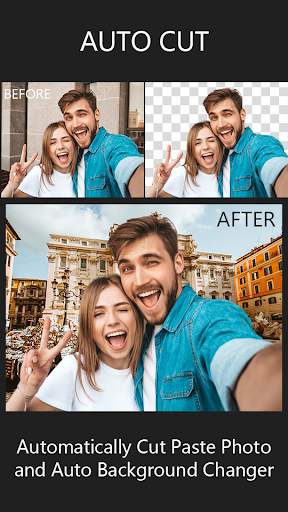
"Auto Blur, Auto Cut, Auto Background Changer" es un software de procesamiento de imágenes totalmente automático y potente.
Auto Blur Fondo
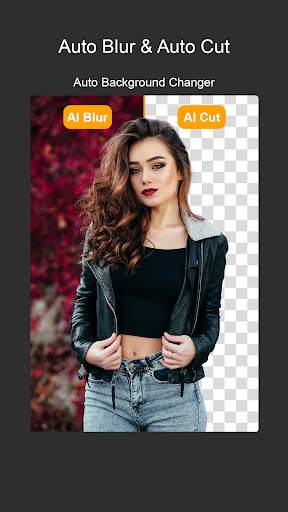
- El fondo Auto Blur da la obra de arte que su foto simple se captura en la cámara DSLR . Auto Blur es fácil y suave para usar y crear un increíble efecto de fondo de desenfoque en las imágenes.
- El fondo Auto Blur se enfoca automáticamente y inteligente en su imagen. Auto Blur se puede usar automáticamente o manualmente.
Corte automático y pegue el editor de fotos de
- El recorte automático de corte y pegue el editor de fotos significa el cambiador de fondo automático y el removedor de fondo. Cortado automático de corte y cambiador de fondo automático es inteligente, recorte su foto.
- El recorte de corte automático es muy fácil de usar y el mejor removedor de fondo.
- Se puede usar automáticamente o manualmente.
Características:
- Objeto de enfoque inteligente y fondo de desenfoque automático
- Ajuste de intensidad de desenfoque de imagen y efecto de enfoque DSLR.
- Manual para Frote de Finger (Forma Tradicional) Fondo borroso y removedor de fondo.
- Cortar automáticamente la foto de la pasta y el cambiador de fondo automático.
- AI Magic con efecto bokeh y superposición.
- Guarde y comparta la imagen para las redes sociales como Instagram, Facebook, etc.
Use esta aplicación y Haz que su foto sea como el editor epic y de fotos de DSLR profesional.
Si tiene alguna pregunta o sugerencia sobre "Auto Blur, Auto Cut Paste, Auto Background Changer" Siéntase libre de informarnos.
correo electrónico: contactus .techplus @ gmail.com.
Gracias por descargar "Auto Blur, Auto Cut Paste, Auto Fondo Cambiador"

...

👉 For More Detail of Auto Blur, Auto Cut Paste, Auto Background Changer

#3 Auto Blur

Auto Blur
Rating: star 3.0 | Version: 1.0 | Size: 9.3MB
Auto Blur screenshot 1 Auto Blur screenshot 2 Auto Blur screenshot 3

Auto blur background is fast and easy to use app to create amazing blur background effect pictures. Easy Create amazing blur background effect photos like a Professional DSLR Camera by simply selecting focus area.
With Auto Blur Background – Blur Camera & DSLR Camera, very easy to blur image background or auto background blur, select your image by drawing around it and it will auto blur background. Use this advance image blur option to simplify pic blur editing. This pic blur editor helps you to blur unwanted part of your Photos. You can blur photo and can blur background automatically or manually using this fast blur photo editor.
Portrait camera - Auto Blur image background is an effective blur photo editor, which can be used, to give your picture background, a blurry effect. Blur unwanted portions of a pic effectively, and give it a blur effect, using the blur photo filters, of this blur picture editor or blur pic editor. blurry pictures, photo background editor, camera focus, focus camera, dslr camera effect, dslr photography.
Auto Blur Background – Portrait camera, Blur Camera & DSLR Camera is app to capture image with blur focus perticular objects. Bring DSLR-like Photography to your smartphone. dslr camera - Blur Background app allow you to take best picture and edit photo and make your photo background Blur and make your picture more beautiful.
Features of Auto Blur Background - Blur Camera & DSLR Camera
+ Blur background
+ Portrait camera
+ Background defocus
+ Manually editing and blur effects by finger movement.
+ Easy to import photos and easy to editing. 
+ Share you edited photos on social media or with friends easily. 
+ Save your edited photos in gallery easily. 
+ Blur Camera
+ Auto Blur Background
+ Restore your blur area easily and make your editing perfect. 
+ Zoom in and zoom out photos easily to make editing easily.
+ Touch to Focus
+ Portrait blur
+ To create Focus on finger touch area(Adjustable Brush Size and with Undo, Redo)
+ Touch to Blur
Key features of Auto Blur Background – Blur Camera & DSLR Camera:
Easy Blur Photo Editor / Auto Blur Background image:
• with Portrait camera, Select image or import image from gallery or capture using camera to make blurry background.
• Draw around the image to focus and click on done button . Portrait camera will blur background and unfocus it .
• Blur Camera Adjust blur intensity using burriness option.
• effect blur camera unblur image or blur image again, use manual blur effect image blur option .
Manual Blur photo editor:
• after auto blur effect if you want to unblur again then use this blur photo editor
• just select blur or unblur and touch image to blur or unblur
• adjust blurriness and brush size to apply blur effect
DSLR Camera Blur Effects:
• DSLR Camera Blur Effects is fast and easy to use app to create amazing blur background effect pictures on the go
Shape Blur:
• Blur photo Select shape blur option and then choose image to be blurred
• try different shapes and adjust blurriness to get a proper blur image with shape.
• photo blur editor and effect is best shape blur photo editor.
Auto Blur Background – Blur Camera & DSLR Camera Blur Effects is perfect combination of beauty and functionality. And it is Ideal for creating AfterFocus Photo, Focus Photo, Blur Background Pictures, Blur Pictures, Point Blur Picture and many more. Try Now!!!

...

👉 For More Detail of Auto Blur

#4 DSLR Blur Camera - Auto Blur
DSLR Blur Camera - Auto Blur
Rating: star 4.2 | Version: 1.4 | Size: 10.4MB
DSLR Blur Camera - Auto Blur screenshot 1 DSLR Blur Camera - Auto Blur screenshot 2 DSLR Blur Camera - Auto Blur screenshot 3

DSLR Blur
le permite crear un increíble fondo de desenfoque
, para esto no necesita ninguna cámara dslr
. Just Haga clic en el botón Cámara o Galería y tome Increíble foto y aplicar efecto de desenfoque.
Dos tipos de efecto de desenfoque DSLR Disponible:
Manual Borrosa:
le permitirá tomar una foto de la galería o la cámara y le permite aplicar el fondo de desenfoque manualmente por su toque de dedo. Puede aplicar el efecto de desenfoque y también puede eliminar el efecto borroso de Imagen.
Forma borrosa:
Configuración de forma Puede aplicar borroso de forma que desenfoque área fuera de forma o forma interior. Disponible para aplicar en la imagen que hará que su foto sea impresionante.
Característica:
- Tome la foto de la galería o la cámara.
Parte innecesaria de la imagen si es necesario.
- Aplique desenfoque y agregue increíbles formas.
- Ajustar el nivel de desenfoque usando la barra de búsqueda
- Compruebe, desmarque para aplicar o Retire el borde de la forma.
- Ahora haga clic en Botón Guardar.
- Guardar, compartir y disfrutar de increíble foto profesional al compartir amigo, familia y colega.
disfrutar de la aplicación ..

...

👉 For More Detail of DSLR Blur Camera - Auto Blur

#5 Auto Blur Camera - Blur Photo,

Auto Blur Camera - Blur Photo,
Rating: star 4.0 | Version: 3.1 | Size: 38.6MB
Auto Blur Camera - Blur Photo, screenshot 1 Auto Blur Camera - Blur Photo, screenshot 2 Auto Blur Camera - Blur Photo, screenshot 3

Cámara de desenfoque automático - Foto de desenfoque, fondo de desenfoque
Cámara de desenfoque automático - Photo de blur es un fondo de desenfoque de funcionamiento, que se utiliza para dar fondo de foto como borrosa efectos Se crea como porciones no deseadas de una foto de manera efectiva, y le dan un efecto borrosa, de este editor de imágenes Blur o editor de fotos Blur.
Características de la cámara de desenfoque automático, la foto de blur
# Se usa para difuminar la parte no deseada de su foto.
# Efecto de desenfoque de fondo como cámara DSLR profesional.
# fácil de usar con la interfaz de usuario amigable de fondo desenfoque.
## Difumina una parte o la totalidad de tu foto.
# FOCUS FOTO en el fondo de la foto.
# Usa un cepillo para desenfocar donde quieres.
# Efecto de fondo de la imagen de blur.
# Desenfocar los no deseados Parte de su imagen.
# Diviértete usando Point Bull. , efectos bokeh, backgr OUND Editor. Usandolos puede hacer fácilmente su propio editor de fondo. Editor de fondo manual usando su dedo y amp; Toque las partes no utilizadas de las fotos que desea difuminar y mantenga su gran parte enfocada.
Cómo usar cámara DSLR, cámara de desenfoque, foto de desenfoque:
## Seleccione la imagen de su galería
# recorte su imagen
# Fondo de imagen de desenfoque en el movimiento del dedo
# Use herramientas de edición de fotos como el tamaño del cepillo, deshacer, rehacer y más para difuminar con precisión.
# agregar Texto, etiqueta de la imagen en la imagen.
# Establezca brillo y efectos en la imagen.
# toque para acercarse y acercarse a las imágenes de fondo de la imagen blur con sus amigos y familiares a través de WhatsApp, Facebook y Otras redes sociales.
Descargar cámaras DSLR & amp; ¡Camera de desenfoque con funciones de foto de desenfoque de fondo de desenfoque gratis ahora!

...

👉 For More Detail of Auto Blur Camera - Blur Photo,

Search Results

1/20

You may like

DOWNLOAD IS NOT SUPPORTED IN WEB STORE!
Use the latest version of 9Apps to download APK&OBB file of games in one click!
DOWNLOAD 9APPS