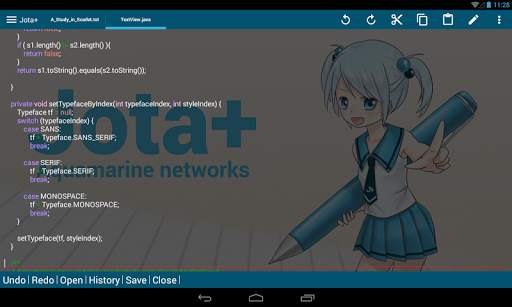
920 text editor on 9Apps

Free download latest 920 text editor for Android here and enjoy it with your phone. Below you can download a list of top and latest apps related to 920 text editor . 9APPS is a fast, safe app store. With 9APPS, you can save a lot of time on searching and downloading apps.

#1 920 Text Editor

920 Text Editor
Rating: star 5.0 | Version: 13.7.18 | Size: 1.0MB
920 Text Editor screenshot 1 920 Text Editor screenshot 2 920 Text Editor screenshot 3

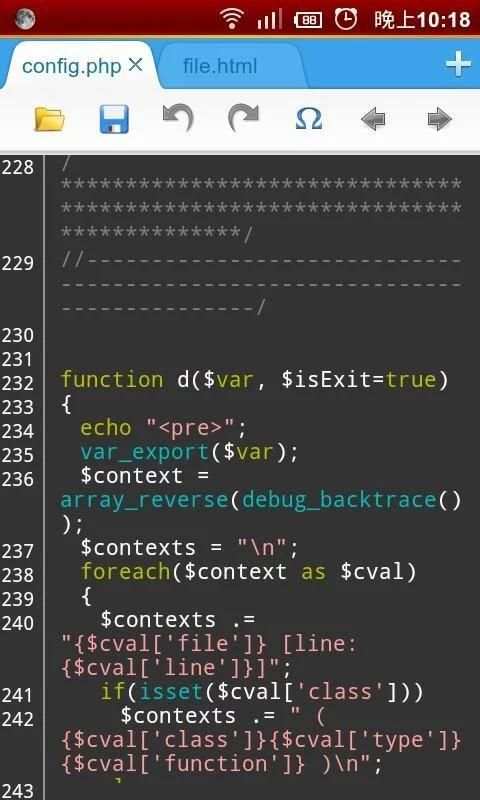
920 Text Editor is a run on the Android phone a powerful text editor, anywhere, you can easily view or edit your code, you can also use it as e-book reader to open txt novel, it is like on Windows EmEditor, EditPlus so powerful.
More change log please go to www.jecelyin.com
Features:
1. Multi Tab, you can open different files in different tabs to facilitate you in a different text of this switch to edit
2. syntax highlighting:
ASP, ActionScript, C/C++, C#, Erlang, Frink, HTML/XML/WML, CSS, Javascript, Java, JSP, Perl, PHP, Python, Shell/Bash, Lua, SQL, VB/VBS, Tcl, TeX/LaTeX, Verilog, AutoHotKey, AutoLisp, PowerShell, Pascal,Fortran, ColdFusion, VHDL
3. show line numbers
4. show blank characters (tabs, line breaks)
5. automatically detects the open file encoding, and you can also convert the current file encoding support:
ISO-2022-CN, BIG5, EUC-TW, GBK, GB2312, ISO-8859-5, KOI8-R, WINDOWS-1251, MACCYRILLIC, IBM866, IBM855
, ISO-8859-7, WINDOWS-1253, ISO-8859-8, WINDOWS-1255, ISO-2022-JP, SHIFT_JIS, EUC-JP, ISO-2022-KR
, EUC-KR, UTF-8, UTF-16BE / UTF-16LE, UTF-32BE / UTF-32LE / X-ISO-10646-UCS-4-34121 / X-ISO-10646-UCS-4-21431
, WINDOWS-1252
6. easy toolbar, you can quickly make a new file, open, save, save as, undo/redo, and some commonly used symbols, back to last edit location, etc.
7. list of recently opened files history
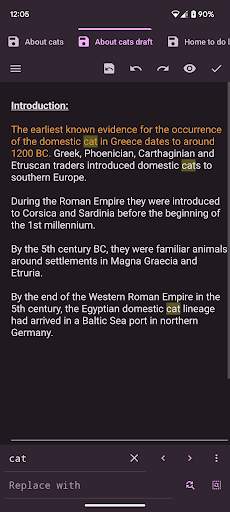
8. regular search, replace or replace all
9. change the font and font size
10. "Word wrap" switch
11. lock the screen orientation in: auto, horizontal or vertical
12. remember the last open file
13. hide the soft keyboard, long press the edit area can be turn on
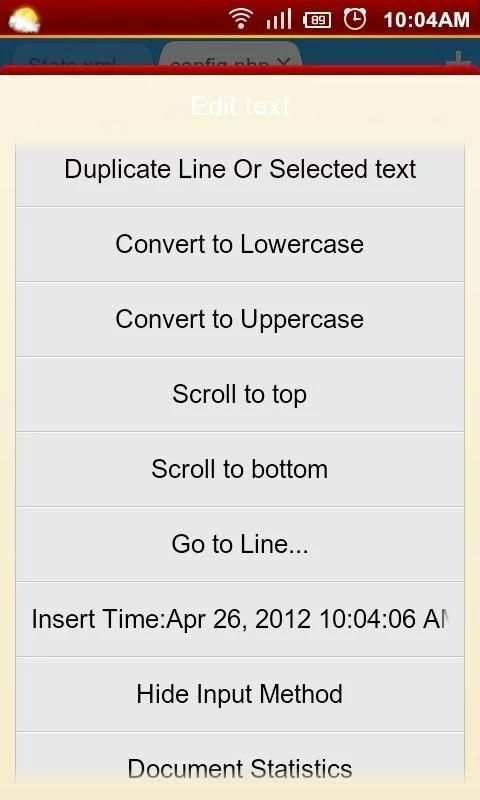
14. long press the "edit area" you can convert selected text to uppercase or lowercase
15. auto indent
16. keep the screen in the awake state
17. you can run at ROOT permissions
18. easy's file manager, you can delete or rename the file, or open with other application to view, copy/move etc. to manage files
19. use the volume keys to quickly switch the display/hide the toolbar, full-screen mode
20. preview the HTML file
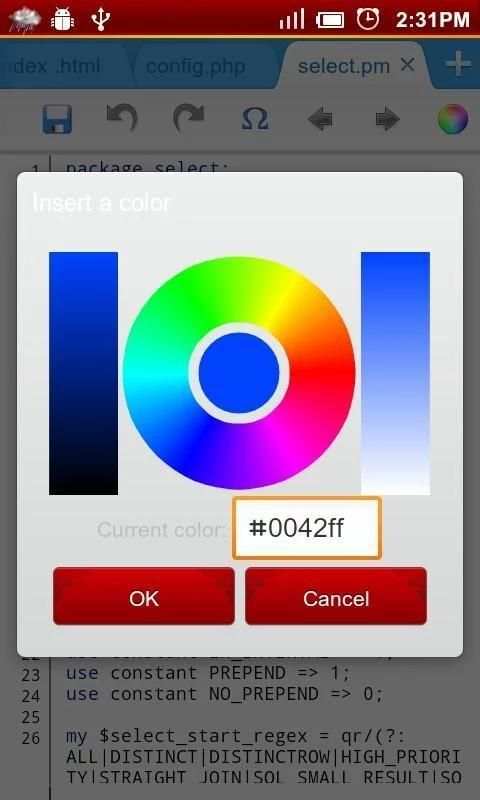
21. power Color Picker
22. use Grep recursive search keyword in the path
23. you can use the "Preferences" menu "Donate" page to the donate it
Tags: text editor, ASP Editor for Android, ActionScript Editor for Android, C/C++ Editor for Android, C# Editor for Android, Erlang Editor for Android, Frink Editor for Android, HTML Editor for Android, XML/WML Editor for Android, CSS Editor for Android, Javascript Editor for Android, Java Editor for Android, JSP Editor for Android, Perl Editor for Android , PHP Editor for Android, Python Editor for Android, Shell/Bash Editor for Android, Lua Editor for Android, SQL Editor for Android, VB/VBS Editor for Android, Tcl Editor for Android, TeX/LaTeX Editor for Android, Verilog Editor for Android

...

👉 For More Detail of 920 Text Editor

#2 Text Editor

Text Editor
Rating: star 3.6 | Version: 2.23.b142 | Size: 11.1MB
Text Editor screenshot 1 Text Editor screenshot 2 Text Editor screenshot 3

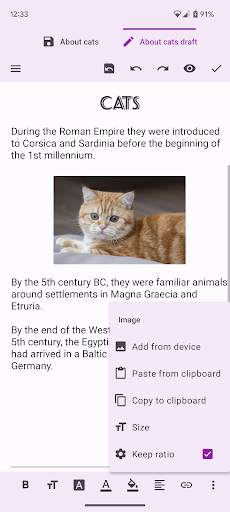
Ang Oojao Text Editor ay isang simple at malakas na editor ng file, upang buksan at i -save ang mga file.Maaari itong magbukas ng higit pang mga file nang sabay -sabay, dahil sinusuportahan nito ang mga tab.
Ang app na ito ay suportado ng ad upang mapanatili itong libre, ngunit ang mga ad ay hindi nakakainis at maaaring mabilis na sarado o pansamantalang naka-off sa mga setting.At mayroong
walang mga ad habang nag -edit
!gusto mo ang mga ito.na may malaking laki ng file
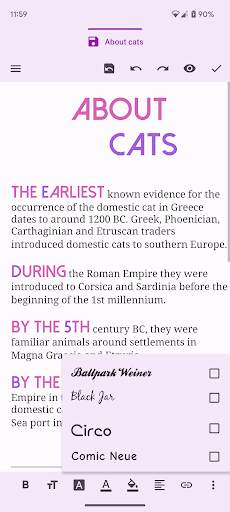
• baguhin ang font bold, italic, underline, strike-through
• baguhin ang laki ng font, kulay, highlight, typeface, alignment
• ipasok ang mga imahe at link
• Baguhin ang napiling teksto sauppercase o maliit na maliit na
• baguhin ang charset /encoding
• madilim na tema
• Pagpipilian sa pag -print
at marami pa!

...

👉 For More Detail of Text Editor

#3 OldSchool Editor : Text Editor

OldSchool Editor : Text Editor
Rating: star 4.2 | Version: 1.5.2 | Size: 2.9MB
OldSchool Editor : Text Editor screenshot 1 OldSchool Editor : Text Editor screenshot 2 OldSchool Editor : Text Editor screenshot 3

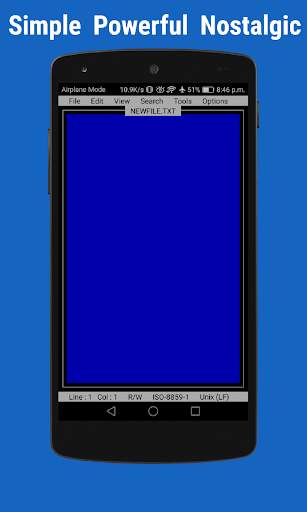
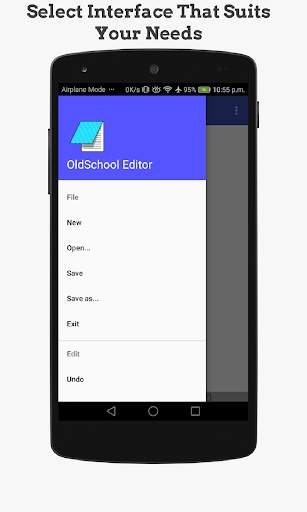
Ang Editor ng OldSchool ay isang text editor ay may isang simple, makapangyarihang, intuitive at nostalhik na interface na nagbibigay ng pakiramdam na nagtatrabaho sa desktop. Maaaring gamitin ang Editor ng OldSchool bilang karaniwang editor para sa pag-edit ng anumang uri ng mga tekstong file.
Paalala: Ito ay isang editor para sa mga plain text file at hindi idinisenyo para sa pagbubukas ng PDF, DOC, DOCX o anumang iba pang mga format ng file na hindi plain text.
Mga Tampok ng Oldschool Editor:
★ Simple, maliit na sukat at ad libre.
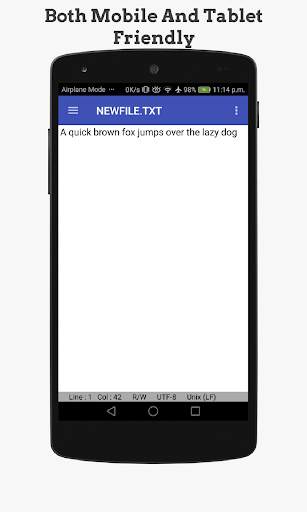
★ Napakahusay at simpleng interface ng gumagamit na dinisenyo para sa parehong mga telepono at tablet.
★ Maramihang mga interface na magagamit upang madagdagan ang pagiging produktibo sa parehong mga telepono at tablet.
★ Lumikha, mag-browse at mag-save ng mga file ng teksto na may tampok na pag-save ng auto.
★ Baguhin ang interface, laki ng teksto, font at kulay.
★ I-print ang mga file ng teksto sa Android 5 o sa itaas.
★ Suporta sa Conversion Case at Text Trim Operation .
★ Buksan ang mga malalaking file sa mga bahagi na may sistema ng paging.
★ Mga numero ng linya ng display.
★ Sinusuportahan ang undo at gawing muli ang mga operasyon.
★ Sinusuportahan lamang ang mode, word wrap at bilang ng salita.
★ Sinusuportahan ang paghahanap at palitan, linya jumping at regular na paghahanap ng ekspresyon.
★ Mabilis na buksan ang mga file ng HTML sa browser o panloob na viewer.
★ Built-in na tagapili ng kulay para sa pagkuha ng mga code ng kulay sa iba't ibang format tulad ng RGB, HSL at Hex.
★ Sinusuportahan ang mga shortcut sa keyboard para sa maraming mga operasyon ng editor.
★ Sinusuportahan ang iba't ibang uri ng mga estilo ng pagtatapos ng linya ( n, r n).
★ Sinusuportahan ang US-ASCII, UTF-8 , ISO-8859-1 at IBM437 mga pamantayan sa pag-encode na may encoding detector.
Kung nakakita ka ng anumang mga problema huwag mag-atubiling magbigay ng mga suhestiyon at puna sa feedbackdtw@gmail.com
.
Sumali sa pahina ng Facebook ng OldSchool Editor para sa pakikipag-ugnayan sa developer
https://www.facebook.com/oldschooleditor/
Kung gusto mo ang application na ito at nais mong suportahan ang pag-unlad o pinahahalagahan ang developer na magagawa mo Bumili ng bersyon ng suporta ng application na ito. Ang bersyon ng suporta ay may eksaktong parehong mga tampok.
Mga Pahintulot Kinakailangan:
read_external_storage
: Reading storage
write_external_storage
: Pagsusulat ng mga file sa imbakan
Internet
: para sa panloob na browser wake_lock
: para sa firebase analytics access_network_state
: para sa firebase analytics

...

👉 For More Detail of OldSchool Editor : Text Editor

#4 Text On Photo - Text Editor

Text On Photo - Text Editor
Rating: star 4.0 | Version: 8.3 | Size: 17.9MB
Text On Photo - Text Editor screenshot 1 Text On Photo - Text Editor screenshot 2 Text On Photo - Text Editor screenshot 3

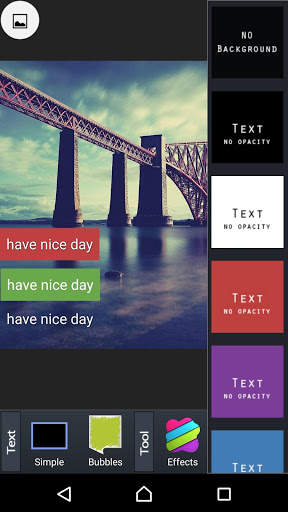
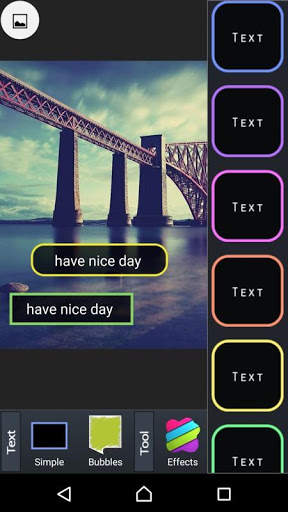
Text sa Photo app para sa Android
★ Higit sa 220 mga font ang magagamit.
★ Maaari kang mag-install ng iba pang mga font.
★ Ang laki ng teksto ay nababago.
★ Ang kulay ng teksto ay nababago.
★ Ang shodow ng teksto ay nababago.
★ Ang text ay naiikot.
★ Kulay ng stroke at lapad ng teksto ay nababago.
★ Kulay ng background ng teksto ay nababago.
★ Ang spacing ng sulat ay nababago
★ Line nababago ang puwang
Ang teksto sa Larawan ay isang app upang matulungan ang mga gumagamit na mabilis na magdagdag ng mga salita sa mga larawan, na makakatulong sa iyo na madaling maipasok ang iyong mga paboritong quote sa anumang imahe. Samakatuwid, madali kang makakalikha ng magandang larawan nang hindi gumugugol ng sobrang oras sa Teksto sa Larawan.
Kung gusto mo ang pagbabasa ng mga quote ng pag-ibig sa mga social network o naghahanap ka lang ng mga romantikong quote ng pag-ibig upang ipadala sa iyong minamahal araw-araw ngunit hindi mo alam kung paano gumawa ng quote ng pag-ibig na may magagandang larawan, mas mabuti na huwag mong palampasin ang pagkakataon na subukan ang Teksto sa Larawan!
Sa Teksto sa Larawan ngayon maaari kang lumikha ng libu-libong mga simpleng pangungusap sa pag-ibig na may application na imahe na may teksto.
Tungkol sa Text sa Photo app
💥Mga Natitirang Tampok Sa Teksto sa Larawan:
✔️ Kahanga-hangang disenyo ng interface ngunit madaling gamitin.
✔️ Napakadali ng teksto sa larawan upang magdagdag ng mga salita sa mga larawan.
✔️ Ang simple at maginhawang toolkit sa pag-edit ng teksto ay ginagawang mas madali ang pag-edit mo ng iyong sariling mga istilo ng font
✔️ Iba't ibang silid-aklatan sa mga salita at imahe, na kung saan patuloy na na-update 24/24 mula sa mga sikat na may-akda sa buong mundo.
✔️ Mahigit sa 100 magagandang dinisenyo na mga font.
✔️ Ang modernong background ay idinisenyo w it gradient, pastel style
✔️ Daan-daang mga burloloy, badge at higit pang mga sticker kaysa dati.
✔️ Ang magagandang pag-iimbak ng imahe ng pag-ibig ay tumutulong sa iyo na malayang pumili
✔️ Pagbabahagi sa mga social networking site tulad ng Instagram, Facebook, Twitter ay isang piraso lamang ng cake sa pamamagitan lamang ng isang pindutan.

...

👉 For More Detail of Text On Photo - Text Editor

#5 Jota (Text Editor)

Jota  (Text Editor)
Rating: star 4.0 | Version: 2022.01 | Size: 13.9MB
Jota  (Text Editor) screenshot 1 Jota  (Text Editor) screenshot 2 Jota  (Text Editor) screenshot 3

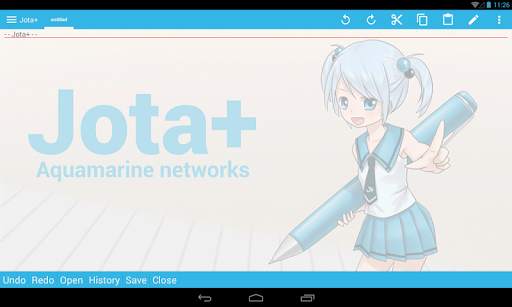
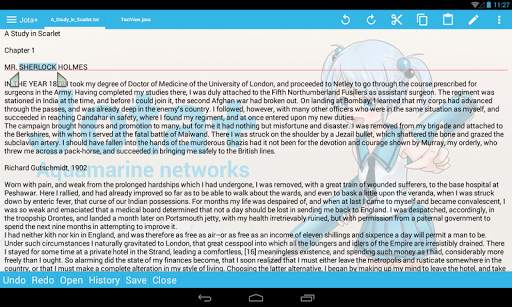
Jota ay ang pinakamahusay na editor ng teksto para sa Android.
Jota ay madaling gamitin. . At magkaroon ng mahusay na kakayahan at mahusay na pagganap
Para sa mga babasahin, para sa programming, Jota ay nagbibigay ng pinakamahusay na karanasan ng isang pag-edit ng teksto Windfinder ★ Nagtatampok ng Jota Windfinder -. Support tampok na multi-file .
- Suporta 1 milyon na mga character.
- Suportahan ang maraming mga code na karakter at Auto-Alamin ang tampok na ito.
- Hanapin / Palitan (Suportahan Regular Expression).
- I-highlight ang paghahanap salita
- Suporta ng font i-customize. (Proporsyonal / Mono Space / ttf, otf font).
- Support install-shortcut ng tampok
- Auto-save.
- numero Show Line.
-. Ipakita Tab / Line-break mark
-. Realtime mga character / salita / mga linya Counter.
- Nako-customize Toolbar
- Syntax highlight ng suporta ng maraming mga wika. (Awk, X11-basic, css, c / c, java, javascript, lua, Layunin-C, pascal, php, sawa, rubi, SH, tex, xml, html)
At ito ni napapasadyang
. - Nako-customize Fixed Phrase pamamahala.
-. Clipboard pamamahala
- Itinayo sa file browser sa pamamahala ng bookmark.
- Libreng wallpaper sa pamamagitan Non Miyabi. http://sites.google.com/site/nonsillustgallery/.
- Alamin ang pagbabago file
- Suporta pisikal na-keyboard device / Bluetooth o USB Keyboard / Chromebook.
- Safe app nang walang anumang mga kahilingan ng masama ng pahintulot .
- Suportahan ang maraming uri ng Cloud Storage Services. (Dropbox, GoogleDrive, OneDrive atbp ...).
- Rescue Center para sa realtime backup Windfinder ★ LIBRE bersyon ay para sa pagsubok, sa gayon ang ilang mga katangian ay naka-lock
Ngunit maaari mong gamitin ang libreng bersyon ng. isang Text editor na may sapat na kakayahan.
maaari kang bumili ng PRO-KEY app mula sa Google play upang i-unlock ang mga dagdag na mga tampok. Windfinder ▼ Firebase Crashlytics at Mobile mga ad ay binuo sa app.
Pakikumpirma aming privacy patakaran. Windfinder ▼ Babala.
ipinagbabawal namin ang pamamahagi ng mga Jota sa mga lugar na bukod sa Google play.
Ito ay nakumpirma na ang mga piratang app mixed malware ay ipinamamahagi.
At ang ginagawa namin hindi nagbibigay ng suporta sa mga pirated apps.
Mangyaring mag-ingat. Windfinder ▼ hindi namin tumugon sa anumang bagay sa Review Komentaryo.
Kung mayroon kang problema o mga mungkahi, magpadala sa amin ng isang email.
▼ FAQ
Q. Hindi mai-save sa SD-Card o USB-Flash.
A. Ang mga ito ay suportado ng Storage Access Framework.
makita ang Preferences> File> "Gamitin ang Android karaniwang File Picker" at tingnan ang mga ito. Windfinder Q. Hindi ko mahanap ang aking file sa file browser.
A . Mangyaring suriin off "Text File Only" in side menu. binili Windfinder Q. ako PRO-KEY, ngunit hindi maaaring i-activate.
A. Subukan ang mga sumusunod na ...
tiyakin na ang iyong aparato ay nakakonekta sa internet at naka-log sa Google
Kumpirmahin na PRO-KEY ay naka-install sa mga Setting ng System
I-click ang Menu -.. Kagustuhan -.. I-activate PRO-KEY
i-reboot ang aparato at simulan Jota
i-uninstall at muling i-install Jota o PRO-KEY Windfinder -... Ang ilang mga aparato ay may Background-Task-killer idinagdag sa pamamagitan ng OEM vendor
Iyon uri ng tampok ay maaaring masira inter appllication komunikasyon
Mangyaring set Jota at PRO-KEY sa listahan ng pahintulot Windfinder -. Kung mayroon kang problema sa pag-activate, mangyaring magpadala ng email sa nag-develop Windfinder Q. Paano upang itago Lumulutang Pindutan Action
.. A. See Kagustuhan> Lumulutang Pindutan. Pagkatapos ay piliin ang 'walang-magtalaga'. Windfinder Q . labasan app bago i-save ang aking file!
Q. Mapapatungan aking file!
A. tingnan ang Mga Kagustuhan> Rescue Center, maaari mong mahanap ang iyong mga file. Windfinder Q. Paano gamitin ang in-app na file picker sa Android 11. (Para Connector plugins)
A. tingnan ang Mga Kagustuhan> File> standard file picker Gamitin ang Android.
I-off ito, pagkatapos ay pumili ng isang folder para sa mga in-app na file picker.
Ang Root folder o download folder ay hindi maaaring mapili.
Upang lumikha ng mga bagong folder at piliin ang inirerekomendang
Pagkatapos ay maaari mong gamitin ang in-app na file picker Windfinder ▼ Tulong para sa Chromebook at Bluetooth Keyboard.
-. alt menu F
- alt D contextmenu
- ctrl tab sidemenu
- ctrl PageUp / PageDown switch tab
- tingnan Shortcut Setting upang magbigkis ctrl alpabeto key
- cant magbigkis ctrl T, w sa Chromebook Windfinder ▼ Tungkol sa Pahintulot Windfinder - baguhin o tanggalin ang mga nilalaman ng iyong USB storage
- basahin ang mga nilalaman ng iyong USB storage Windfinder para sa loading / pag-save sa panloob na storage. Windfinder - ganap na access sa network
- tingnan ang network na koneksyon Windfinder para sa mga mobile ad Windfinder -. i-install ang mga shortcut Windfinder sa pag-install ng isang shortcut sa mga file papunta sa Home app.
(c) Ang Aquamarine Networks.

...

👉 For More Detail of Jota (Text Editor)

Search Results

1/14

You may like

DOWNLOAD IS NOT SUPPORTED IN WEB STORE!
Use the latest version of 9Apps to download APK&OBB file of games in one click!
DOWNLOAD 9APPS