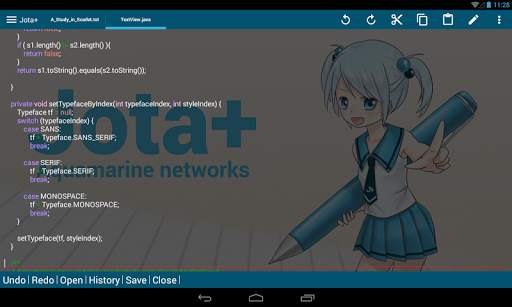
920 text editor on 9Apps

Free download latest 920 text editor for Android here and enjoy it with your phone. Below you can download a list of top and latest apps related to 920 text editor . 9APPS is a fast, safe app store. With 9APPS, you can save a lot of time on searching and downloading apps.

#1 920 Text Editor

920 Text Editor
Rating: star 5.0 | Version: 13.7.18 | Size: 1.0MB
920 Text Editor screenshot 1 920 Text Editor screenshot 2 920 Text Editor screenshot 3

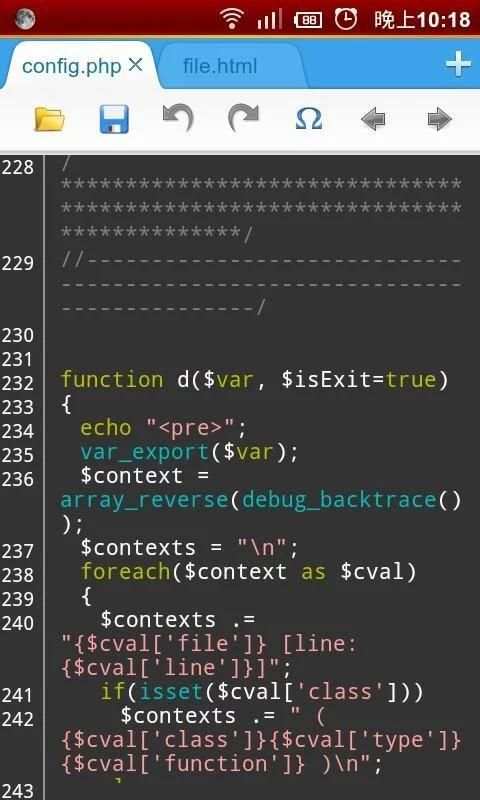
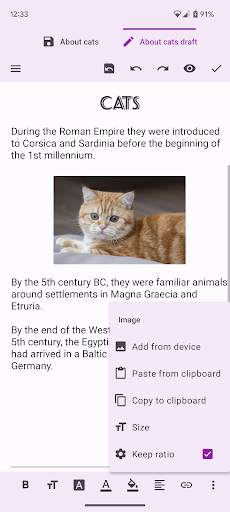
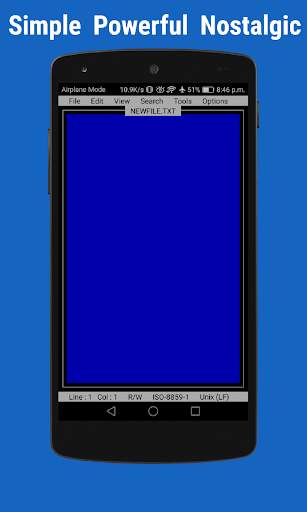
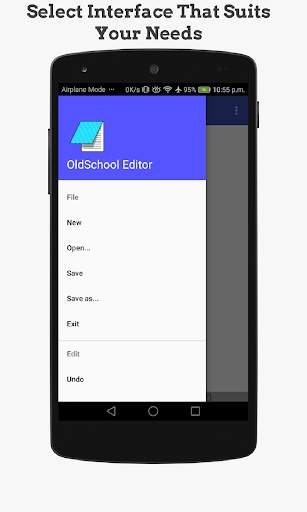
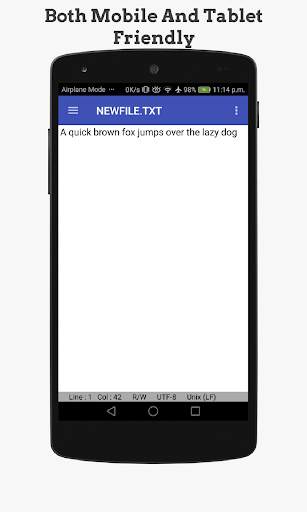
920 Text Editor is a run on the Android phone a powerful text editor, anywhere, you can easily view or edit your code, you can also use it as e-book reader to open txt novel, it is like on Windows EmEditor, EditPlus so powerful.
More change log please go to www.jecelyin.com
Features:
1. Multi Tab, you can open different files in different tabs to facilitate you in a different text of this switch to edit
2. syntax highlighting:
ASP, ActionScript, C/C++, C#, Erlang, Frink, HTML/XML/WML, CSS, Javascript, Java, JSP, Perl, PHP, Python, Shell/Bash, Lua, SQL, VB/VBS, Tcl, TeX/LaTeX, Verilog, AutoHotKey, AutoLisp, PowerShell, Pascal,Fortran, ColdFusion, VHDL
3. show line numbers
4. show blank characters (tabs, line breaks)
5. automatically detects the open file encoding, and you can also convert the current file encoding support:
ISO-2022-CN, BIG5, EUC-TW, GBK, GB2312, ISO-8859-5, KOI8-R, WINDOWS-1251, MACCYRILLIC, IBM866, IBM855
, ISO-8859-7, WINDOWS-1253, ISO-8859-8, WINDOWS-1255, ISO-2022-JP, SHIFT_JIS, EUC-JP, ISO-2022-KR
, EUC-KR, UTF-8, UTF-16BE / UTF-16LE, UTF-32BE / UTF-32LE / X-ISO-10646-UCS-4-34121 / X-ISO-10646-UCS-4-21431
, WINDOWS-1252
6. easy toolbar, you can quickly make a new file, open, save, save as, undo/redo, and some commonly used symbols, back to last edit location, etc.
7. list of recently opened files history
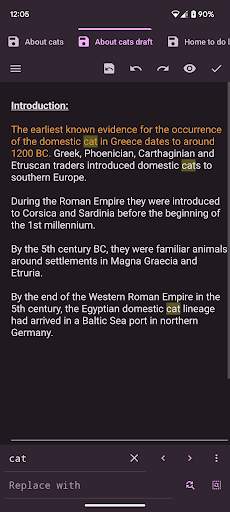
8. regular search, replace or replace all
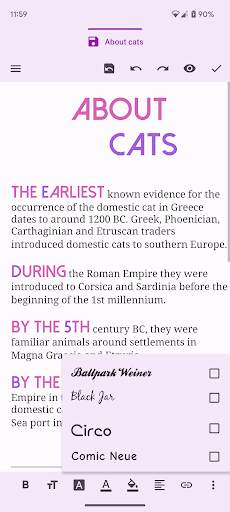
9. change the font and font size
10. "Word wrap" switch
11. lock the screen orientation in: auto, horizontal or vertical
12. remember the last open file
13. hide the soft keyboard, long press the edit area can be turn on
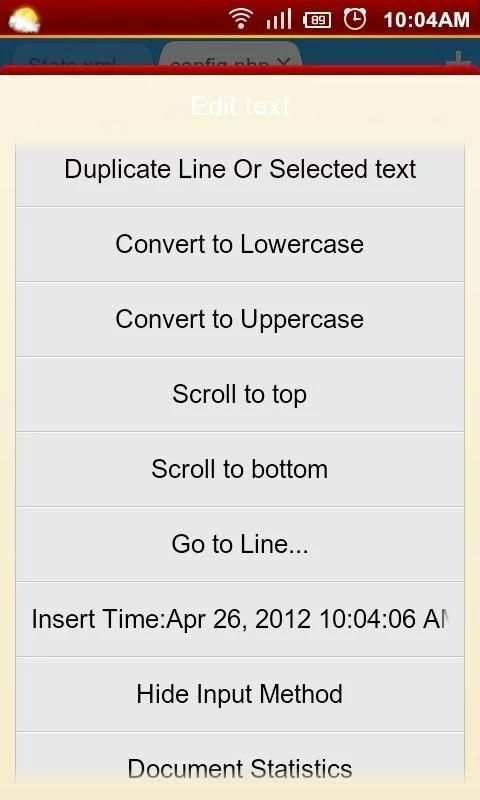
14. long press the "edit area" you can convert selected text to uppercase or lowercase
15. auto indent
16. keep the screen in the awake state
17. you can run at ROOT permissions
18. easy's file manager, you can delete or rename the file, or open with other application to view, copy/move etc. to manage files
19. use the volume keys to quickly switch the display/hide the toolbar, full-screen mode
20. preview the HTML file
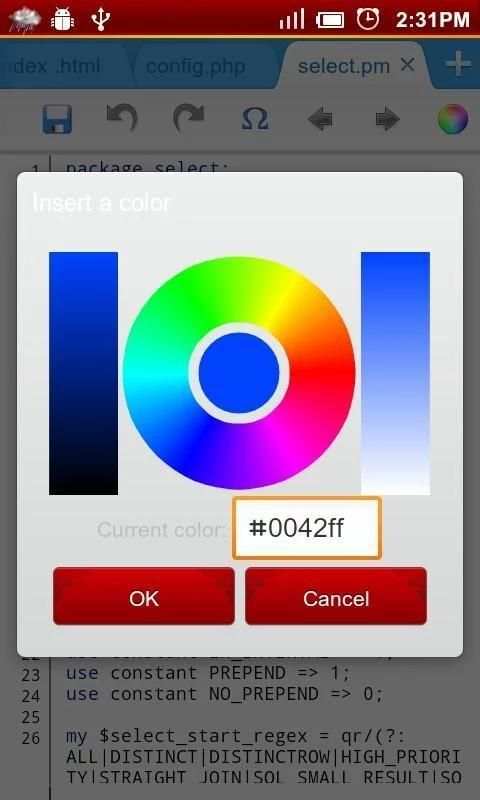
21. power Color Picker
22. use Grep recursive search keyword in the path
23. you can use the "Preferences" menu "Donate" page to the donate it
Tags: text editor, ASP Editor for Android, ActionScript Editor for Android, C/C++ Editor for Android, C# Editor for Android, Erlang Editor for Android, Frink Editor for Android, HTML Editor for Android, XML/WML Editor for Android, CSS Editor for Android, Javascript Editor for Android, Java Editor for Android, JSP Editor for Android, Perl Editor for Android , PHP Editor for Android, Python Editor for Android, Shell/Bash Editor for Android, Lua Editor for Android, SQL Editor for Android, VB/VBS Editor for Android, Tcl Editor for Android, TeX/LaTeX Editor for Android, Verilog Editor for Android

...

👉 For More Detail of 920 Text Editor

#2 Text Editor

Text Editor
Rating: star 3.6 | Version: 2.23.b142 | Size: 11.1MB
Text Editor screenshot 1 Text Editor screenshot 2 Text Editor screenshot 3

oojao text editor သည်ဖိုင်များကိုဖွင့ ်. သိမ်းဆည်းရန်ရိုးရှင်းသောနှင့်အားကောင်းသော file editor ဖြစ်သည်။၎င်းသည် tabs များကိုထောက်ပံ့ပေးသောကြောင့်၎င်းသည်ဖိုင်များကိုတစ်ပြိုင်နက်တည်းဖွင့်နိုင်သည်။
ဤအက်ပလီကေးရှင်းသည်၎င်းကိုကာကွယ်ရန်ကြော်ငြာကိုထောက်ခံသည်။ သို့သော်ကြော်ငြာများသည်စိတ်အနှောင့်အယှက်ဖြစ်စေသည်မဟုတ်,
>
>>> ကြော်ငြာများမရှိပါဘူး။
စာသားပုံစံများကိုထည့်သွင်းခြင်းများပြုလုပ်နိုင်သည်။သင်သူတို့ကိုလိုချင်သည်။
English
စာရွက်စာတမ်းများကို ဖန်တီး. တည်းဖြတ်ခြင်း။ဖိုင်အရွယ်အစားကြီး
• font bold, underline, underline, strike-thangres alignments alignments alignments alignments alignments alignments alignment ကိုပြောင်းပါ။ စာလုံးအရွယ်အစား, အရောင်, HighlTeface ကိုပြောင်းပါ။ •ရွေးချယ်ထားသောစာသားကိုထည့်ပါစာလုံးအကြီးသို့မဟုတ်စာလုံးအသေးများ• Charset / encoding
•မှောင်မိုက်အကြောင်းအရာကိုပြောင်းလဲပါ။

...

👉 For More Detail of Text Editor

#3 OldSchool Editor : Text Editor

OldSchool Editor : Text Editor
Rating: star 4.2 | Version: 1.5.2 | Size: 2.9MB
OldSchool Editor : Text Editor screenshot 1 OldSchool Editor : Text Editor screenshot 2 OldSchool Editor : Text Editor screenshot 3

Oldschool Editor ဆိုသည်မှာ text editor တွင်စာသားတည်းဖြတ်သူတွင်ရိုးရှင်းသော, အစွမ်းထက်, ထိုးထိမ်းသာခြင်းနှင့်လွမ်းဆွတ်မှုနှင့်လွမ်းဆွတ်မှုနှင့်လွမ်းဆွတ်မှုနှင့်လွမ်းဆွတ်မှုနှင့်လွမ်းဆွတ်မှုမျက်နှာပြင်ရှိသည်။ Oldschool တည်းဖြတ်သူသည်စာသားဖိုင်များကိုတည်းဖြတ်ခြင်းအတွက်ပုံမှန်အယ်ဒီတာအဖြစ်အသုံးပြုနိုင်သည်။
မှတ်စု: ၎င်းသည် PDF, Doc, Docx သို့မဟုတ်အခြားလွင်ပြင်စာသားပုံစံများကိုဖွင့်ရန်ဒီဇိုင်းထုတ်ထားသောအယ်ဒီတာဖြစ်သည်။
Oldschool ၏အင်္ဂါရပ်များ Editor: ★ရိုးရှင်းသော, သေးငယ်တဲ့အရွယ်အစားနှင့်ကြော်ငြာအခမဲ့ဖြစ်သည်။ ★ဖုန်းများနှင့်တက်ဘလက်နှစ်ခုလုံးအတွက်ထုတ်လုပ်မှုကိုတိုးမြှင့်နိုင်ရန်အတွက်ဒီဇိုင်းထုတ်ထားသည့်★★ Proverse Activerses intervaces များရရှိနိုင်ပါသည်။ ★ create, ★★ Change interface, text size font and color ။ ★ Android 5 ရှိစာသားဖိုင်များကိုပုံနှိပ်ပါ။ ★ Support Contintion Convertion နှင့် text operation ။
★ paging system နှင့်အတူအစိတ်အပိုင်းများအတွက်ကြီးမားသောဖိုင်များကို oppings ။ ★★ Support Line နံပါတ်များကိုပံ့ပိုးသည်။
unto နှင့် reto operations mode ကိုသာဖတ်ပါ။ ★ Supports Supports Find & အစားထိုးခြင်း, လိုင်းခုန်ခြင်းနှင့်ပုံမှန်စကားရပ်ရှာဖွေရေးတွင် HTML ဖိုင်များကို browser သို့မဟုတ် internal viewer တွင်လျင်မြန်စွာဖွင့်ပါ။ ★ RGB, hex ။
★အယ်ဒီတာလုပ်ငန်းလည်ပတ်မှုအတွက်ကီးဘုတ်ဖြတ်လမ်းများကိုထောက်ပံ့သည်။
★ကွဲပြားခြားနားသောလိုင်းအဆုံးသတ်ပုံစံများကိုထောက်ပံ့သည်။ ★ US-ASCII ကို UTF-8 ကိုထောက်ပံ့သည် iso-8859-1 နှင့် IBM437 encoding detector နှင့်အတူ encoding စံချိန်စံညွှန်းများ။
BR>
Developer နှင့်အပြန်အလှန်ဆက်သွယ်ရန်အတွက် Oldschool editor ၏ Facebook စာမျက်နှာသို့ဆက်သွယ်ပါ။
သင်ဤလျှောက်လွှာကိုကြိုက်နှစ်သက်ပါက, ဤလျှောက်လွှာ၏ပံ့ပိုးမှုဗားရှင်းကိုဝယ်ပါ။ ပံ့ပိုးမှုဗားရှင်းတွင်တူညီသောအင်္ဂါရပ်များရှိသည်။
ခွင့်ပြုချက်လိုအပ်သည်။
b >>
စာဖတ်ခြင်းသိမ်းဆည်းခြင်း
write_external_storage
: ဖိုင်များကိုသိုလှောင်ခြင်း
B> Internet
/ b>: ပြည်တွင်းရေး browser များအတွက်
: Firbase Analytics အတွက်
access_network_state
: Fire accessytics အတွက်

...

👉 For More Detail of OldSchool Editor : Text Editor

#4 Text On Photo - Text Editor

Text On Photo - Text Editor
Rating: star 4.0 | Version: 8.3 | Size: 17.9MB
Text On Photo - Text Editor screenshot 1 Text On Photo - Text Editor screenshot 2 Text On Photo - Text Editor screenshot 3

Android အတွက်ဓာတ်ပုံရှိဓာတ်ပုံအက်ပ်
★စာလုံးရေ ၂၂၀ ကျော်ရှိသည်။
★သင်သည်အခြားဖောင့်များထည့်သွင်းနိုင်သည်။ ★★စာသားအရွယ်အစားပြောင်းနိုင်သည်။ ★★စာသားအရောင်ပြောင်းနိုင်သည်။ > ★စာသားပုံသေပြောင်းခြင်းပြောင်းလဲနိုင်သည်။ ★★စာသားကိုလှည့်နိုင်သည်။
★စာသားအရောင်နှင့်အကျယ်ပြောင်းလဲနိုင်သည်။ ★★စာသားနောက်ခံအရောင်ပြောင်းလဲနိုင်သည်။ ★★အက္ခရာအကွာအဝေးပြောင်းနိုင်သည်★★လိုင်း အကွာအဝေးကိုပြောင်းနိုင်သည်။
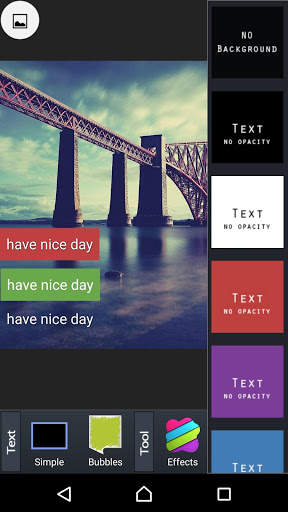
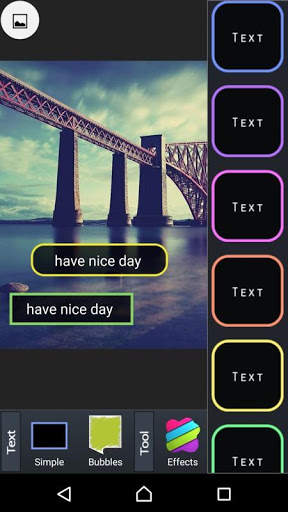
ဓာတ်ပုံပေါ်တွင်စာသားသည်အသုံးပြုသူများကိုဓာတ်ပုံများသို့စာလုံးများကိုလျင်မြန်စွာထည့်သွင်းနိုင်ရန်ကူညီသည်။ ၎င်းသည်မည်သည့်ရုပ်ပုံတွင်မဆိုသင်အကြိုက်ဆုံးကိုးကားချက်များကိုလွယ်ကူစွာထည့်နိုင်သည်။ ဒါ့အပြင် Text on Photo နဲ့အချိန်မဖြုန်းဘဲလှပတဲ့ရုပ်ပုံကိုအလွယ်တကူဖန်တီးနိုင်ပါတယ်။
လူမှုရေးကွန်ရက်များ၌အချစ်ဇာတ်လမ်းများကိုဖတ်ရတာကိုကြိုက်ရင်ဒါမှမဟုတ်ချစ်ခြင်းမေတ္တာကိုနေ့တိုင်းပေးပို့ဖို့ရင်ခုန်စရာအချစ်ဇာတ်လမ်းတွေကိုသာရှာနေမယ်ဆိုရင် လှပသောရုပ်ပုံများဖြင့်ချစ်ခြင်းမေတ္တာကိုမည်သို့ကိုးကားရမည်ကိုသင်မသိပါ၊ ပို၍ ကောင်းမွန်သောဓာတ်ပုံနှင့်စာသားကိုကြိုးစားရန်အခွင့်အရေးကိုလက်လွတ်မခံပါနှင့်။
ယခုစာသားဖြင့်ဓာတ်ပုံနှင့်အတူသင်ထောင်ပေါင်းများစွာ၏ရိုးရှင်းသောအချစ်ဝါကျများကိုပုံပေါ်သို့တင်ခြင်းဖြင့်ဖန်တီးနိုင်သည် ဓာတ်ပုံနှင့်ပါ ၀ င်သည့်
Photo ဓာတ်ပုံပေါ်ရှိစာသားတွင်ထူးခြားသောထူးခြားချက်များ -
✔️အထင်ကြီးစရာကောင်းသည့် interface ဒီဇိုင်းဖြစ်သော်လည်းအသုံးပြုရလွယ်ကူသည်။
✔️ ဓာတ်ပုံတွင်စာအားဓာတ်ပုံများထည့်ရန်အလွန်လွယ်ကူသည်။
✔️ရိုးရိုးလေးနှင့်အဆင်ပြေသောစာသားတည်းဖြတ်ရေးကိရိယာသည်သင်၏ကိုယ်ပိုင်စာလုံးစတိုင်များကိုတည်းဖြတ်ရန်ပိုမိုလွယ်ကူစေသည်။
library စာကြည့်တိုက်အမျိုးမျိုးနှင့်ရုပ်ပုံများပါသော ကမ္ဘာတစ်ဝှမ်းရှိကျော်ကြားသောစာရေးဆရာများမှ ၂၄/၂၄ ကိုစဉ်ဆက်မပြတ် update လုပ်သည်။
beautiful လှပသောဒီဇိုင်းဖောင့်ပေါင်း ၁၀၀ ကျော်။
✔️ခေတ်မီနောက်ခံဒီဇိုင်းကို w ient gradient, pastel စတိုင်။
undred ရာပေါင်းများစွာသောအဆင်တန်ဆာများ၊ တံဆိပ်များနှင့်စတစ်ကာများထက်ပိုသည်။
✔️လှပသောချစ်ခြင်းမေတ္တာရုပ်ပုံသိုလှောင်မှုကသင့်အားလွတ်လပ်စွာရွေးချယ်ရန်ကူညီသည်။
social လူမှုရေးကွန်ရက်များပေါ်တွင်မျှဝေခြင်း Instagram, Facebook, Twitter ကဲ့သို့ခလုတ်တစ်ချက်တည်းသာလျှင်ကိတ်မုန့်တစ်ခုသာဖြစ်သည်။

...

👉 For More Detail of Text On Photo - Text Editor

#5 Jota (Text Editor)

Jota  (Text Editor)
Rating: star 4.0 | Version: 2022.01 | Size: 13.9MB
Jota  (Text Editor) screenshot 1 Jota  (Text Editor) screenshot 2 Jota  (Text Editor) screenshot 3

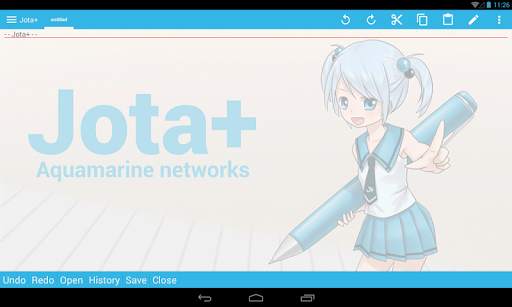
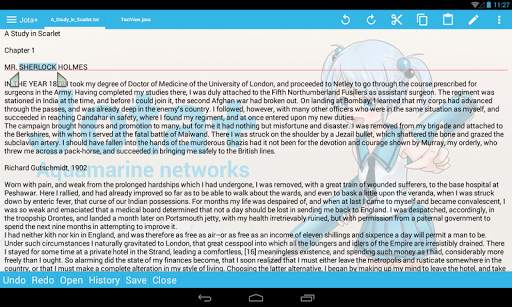
Jota အန်းဒရွိုက်အတွက်အကောင်းဆုံးစာသားကိုအယ်ဒီတာဖြစ်ပါတယ်။
Jota အသုံးပြုမှုရန်လွယ်ကူသည်။ ထိုအခါအကြီးစွမ်းရည်တို့နှင့်ကြီးသောစွမ်းဆောင်ရည်ရှိစာရွက်စာတမ်းများသည်
, programming ကိုအဘို့, Jota စာသားတည်းဖြတ်ရေးရဲ့အကောင်းဆုံးအတွေ့အကြုံကိုပေးစွမ်း
★ Jota
၏ features - ။ ။ ပံ့ပိုးမှု Multi-file ကိုအင်္ဂါရပ် ။
- ပံ့ပိုးမှု 1 သန်းဇာတ်ကောင်
- ။ များစွာသောဇာတ်ကောင် codes တွေကိုနှင့် auto-ထောက်လှမ်းအင်္ဂါရပ်ကိုပံ့ပိုး
- ။ ရှာဖွေရန် / အစားထိုးမည် (ပုံမှန်ဖော်ပြမှုပံ့ပိုး)
- ။ စိတ်ဝင်စားဖွယ်ရာရှာဖွေနေစကားလုံးများကို
- ပံ့ပိုးမှုဖောင် Customize ။ (အချိုးကျ / Mono အဘိဓါန်အာကာသ / ttf, otf ဖောင်)
- ပံ့ပိုးမှု Install-ဖြတ်လမ်းအင်္ဂါရပ်
- ။ အော်တို save
- ။ ။ Show ကိုလိုင်းနံပါတ်များကို
- Show ကို Tab ကို / လိုင်း-ချိုးအမှတ်အသား
- လက်ရှိအချိန်ဇာတ်ကောင် / စကားလုံးများကို / လိုင်းများကောင်တာ
- ။ ။ စိတ်ကြိုက် Toolbar ကို
- Syntax ထောက်ခံမှုဘာသာစကားမြားစှာကိုမီးမောင်းထိုးပြ။ (awk, X11-အခြေခံ, css, C / C, Java, JavaScript, lua, Objective-C, Pascal, PHP, Python, ပတ္တမြား, sh, Tex, xml, html)
ထိုသို့ရဲ့စိတ်ကြိုက်
။ - မဟုတ်သော Miyabi နေဖြင့်အခမဲ့ Wallpaper - ။ ။ Clipboard စီမံခန့်ခွဲမှု
- - bookmark ကိုစီမံခန့်ခွဲမှုနှင့်အတူဖိုင်ကို browser မှာ Built
။ customizable Phrase စီမံခန့်ခွဲမှု
Fixed ။ http://sites.google.com/site/nonsillustgallery/
- ဖိုင်ပြုပြင်မွမ်းမံထောက်လှမ်း
- ။ ။ ပံ့ပိုးမှုရုပ်ပိုင်းဆိုင်ရာ-ကီးဘုတ်ထုတ်ကုန် / ကဘလူးတုသ်သို့မဟုတ် USB Keyboard ကို / Chromebook သည်
- ကို Safe app ကိုမဆိုမကောင်းသောအခွင့်ပြုချက်တောင်းဆိုမှုများမပါဘဲ ။
- Cloud သိုလှောင်မှုန်ဆောင်မှုများအများအပြားမျိုးကိုပံ့ပိုး။ (Dropbox ကို, GoogleDrive, OneDrive စသည်တို့ ... )
- ။ တချို့ features တွေကိုသော့ခတ်နေကြသည်ဒါကြောင့်လက်ရှိအချိန် backup လုပ်ထားဘို့ကယ်ဆယ်ရေးစင်တာကို
★အခမဲ့ဗားရှင်းရုံးတင်စစ်ဆေးအဘို့ဖြစ်၏
သင်တို့မူကားအဖြစ်အခမဲ့ဗားရှင်းကိုသုံးနိုင်သည်။ တစ်စာသားလုံလောက်သောစွမ်းဆောင်ရည်များနှင့်အတူအယ်ဒီတာ။ သင်ကသော့ဖွင့်အပို features တွေရန်က Google Play ကနေ PRO-KEY ကို app ကိုဝယ်နိုင်
။
▼ Firebase Crashlytics နှင့်မိုဘိုင်းကြော်ငြာ app ကိုစတည်ဆောက်လျက်ရှိကြ၏။
ကျွန်တော်တို့ရဲ့ privacy ကိုအတည်ပြုပေးပါ မူဝါဒအ။
▼သတိပေးခြင်း။ ကျနော်တို့ကို Google Play စထက်အခြားသောအရပ်တို့၌သင်သည် Jota ၏ဖြန့်ဖြူးတားမြစ်
။
ဒါဟာ
။ အဆိုပါခိုးကူး app ကိုရောထွေး malware ကိုဖြန့်ဝေထားပြီးအတည်ပြုခဲ့ပြီးထိုအကြှနျုပျတို့ပွု ခိုးကူး apps များမှထောက်ခံမှုမပေး။
သတိထားပါပေးပါ။
▼ကျနော်တို့ပြန်လည်သုံးသပ်ခြင်းမှတ်ချက်အပေါ်ဘာမှမှ reply မည်မဟုတ်။
သငျသညျကိုဒုက္ခသို့မဟုတ်အကြံပြုချက်များရှိပါကကျွန်တော်တို့ကိုအီးမေးလ်တစ်စောင်ပေးပို့ပါ။
▼မေးလေ့ရှိသောမေးခွန်းများ
ဆိုးကျိုး SD က-Card ကိုဒါမှမဟုတ် USB-Flash ကိုအပေါ်မကယ်တင်နိုင်ပါ။
အေ သူတို့ကသိုလှောင်မှု Access ကိုမူဘောင်ကထောက်ခံကြသည်။ Preferences ကို> File> "ကိုအသုံးပြုခြင်းက Android ရဲ့စံဖိုင်မှတ်တမ်းကောက်ယူသူ" ကိုကြည့်ပါကစစ်ဆေး
။
ဆိုးကျိုးငါဖိုင်ကို browser မှာငါ့အ file ကိုရှာမတှေ့နိုငျပါသညျ။
တစ်ဦးက ... ။ အောက်ပါ
အေကြိုးစားပါ။
ဆိုးကျိုးငါ PRO-KEY ကိုဝယ်, ဒါပေမယ့်ကိုသက်ဝင်နိုင်ဘူး။ ဘေးထွက် Menu ထဲမှာ "သာလျှင်စာသားဖိုင်မှတ်တမ်း" ချွတ်စစ်ဆေးသေချာအောင်သင့်ရဲ့ကြောင်း Make
ကျေးဇူးပြု. ။ စက်ကို PRO-KEY ကိုစနစ်က Settings ထဲမှာ installed ကြောင်းအင်တာနက်ချိတ်ဆက်နှင့် Google သို့ logged
Confirm ဖြစ်ပါတယ် Menu ကိုကလစ်နှိပ်ပါ
- ။ Preferences ကို - ။ ။ Activate PRO-KEY ကို device ကို reboot နှင့် Jota start
ဖယ်ရှားရန်နှင့် re-install Jota သို့မဟုတ် PRO-KEY ကို
- ။ ။ ။ တချို့က devices တွေကိုနောက်ခံ-Task ကို-Killer OEM ရောင်းချသူများကဆက်ပြောသည်ရှိသည်ဟုအင်္ဂါရပ်များ
ဒါကကြင်နာအချင်းချင်း appllication ဆက်သွယ်ရေးကိုချိုးဖျက်စေခြင်းငှါ
ကျေးဇူးပြု. set ကို Jota နှင့်ခွင့်ပြုချက်စာရင်း PRO-KEY ကို
- ။ သင် activation နှင့်အတူဒုက္ခရှိပါကဆော့ဖ်ဝဲရေးသားသူအီးမေးလ်ပေးပို့ပါ
ဆိုးကျိုးဘယ်လိုလှုပ်ရှားမှုခလုတ် Floating ဝှက်ဖို့
။ ။ Button လေး Floating အေကြည့်ရှု Preferences ကို> ။ ထိုအခါ '' မ Assign '' ကိုရွေးချယ်ပါ။
မေး ။ ငါ၏အဖိုင်ကိုမှတပါးမတိုင်မီ App ကိုထွက်ပေါက်!
ဆိုးကျိုး ငါ၏အဖိုင်ကို overwrite လုပ်တဲ့!
အေ သင်သည်သင်၏ဖိုင်ကိုတွေ့ပါစေခြင်းငှါ, Preferences ကို> ကယ်ဆယ်ရေးစင်တာကိုကြည့်ပါ။
ဆိုးကျိုး အန်းဒရွိုက် 11 ရက်နေ့တွင် In-app ကိုဖိုင်ကိုရွေးသူသုံးစွဲဖို့ကိုဘယ်လို။ (Connector plugins ကိုများအတွက်)
အေ Preferences ကိုတွေ့မြင်> Files> အသုံးပြုမှု Android ရဲ့စံဖိုင်ကိုရွေးသူ။ In-app ကိုဖိုင်ကိုရွေးသူတစ်ဖိုင်တွဲကို select ထို့နောက်ကြောင့်ပိတ်ထားပါ
။
အဆိုပါ Root ဖိုင်တွဲမဟုတ်သလိုဒေါင်းလုပ်ဖိုင်တွဲကိုရွေးချယ်ရနိုင်မှာမဟုတ်ဘူး။
ဖိုင်တွဲအသစ်ကိုဖန်တီးကြောင့် select လုပ်ရန်အကြံပြုသည်
ထိုအခါသင်သည် In-app ကိုဖိုင်ကိုရွေးသူကိုသုံးနိုင်သည် Chromebook နှင့် Bluetooth ကို Keyboard ကို
များအတွက်
▼အကူအညီ - ။ ။ alt F ကို menu ကို
- ctrl tab ကို sidemenu
- - ctrl PageUp / PageDown switch ကို tab ကို
ပါ - Chromebook
အပေါ် w, cant ချည်နှောင် ctrl T ကို - ချည်နှောင် ctrl အက္ခရာ key ကို
မှ Shortcut ကိုချိန်ညှိချက်များကိုတွေ့မြင်: D contextmenu
Alt ▼ခွင့်ပြုချက်များ
အကြောင်း - internal storage ကိုမှချွေတာ / တင်ဘို့
သင်၏ USB storage ကိုရဲ့ contents ဖတ်ပါ - သင့်ကို USB storage ကို
ရဲ့ contents modify သို့မဟုတ်ဖျက်ပစ်ပါမည်။
- အပြည့်အဝကွန်ယက်ကို access ကို
- မိုဘိုင်းကြော်ငြာတွေများအတွက်အမြင်ကွန်ယက်ကိုဆက်သွယ်မှု
အ
- ။ ပေါ်သို့ file ကိုတစ်ဖြတ်လမ်းကို install များအတွက်ဖြတ်လမ်း
install မူလစာမျက်နှာ app ကို။
အ (ဂ) Aquamarine ကွန်ယက်။

...

👉 For More Detail of Jota (Text Editor)

Search Results

1/14

You may like

DOWNLOAD IS NOT SUPPORTED IN WEB STORE!
Use the latest version of 9Apps to download APK&OBB file of games in one click!
DOWNLOAD 9APPS