920 text editor on 9Apps

Free download latest 920 text editor for Android here and enjoy it with your phone. Below you can download a list of top and latest apps related to 920 text editor . 9APPS is a fast, safe app store. With 9APPS, you can save a lot of time on searching and downloading apps.

#1 920 Text Editor
920 Text Editor
Rating: star 5.0 | Version: 13.7.18 | Size: 1.0MB
920 Text Editor screenshot 1 920 Text Editor screenshot 2 920 Text Editor screenshot 3

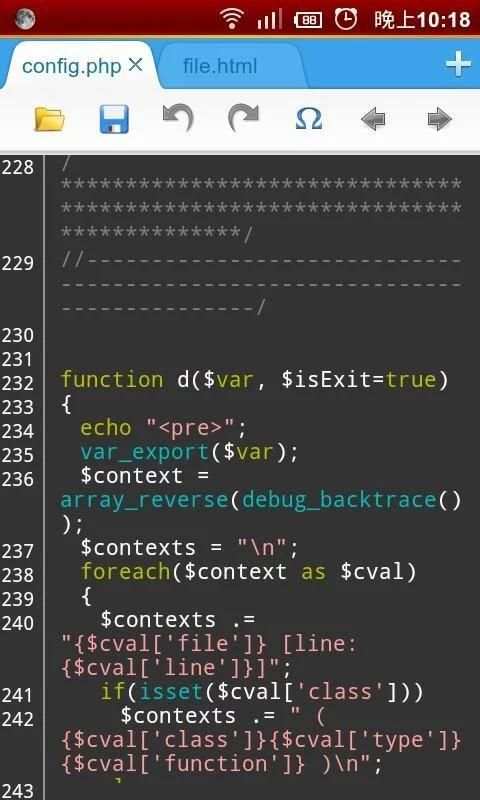
920 Text Editor is a run on the Android phone a powerful text editor, anywhere, you can easily view or edit your code, you can also use it as e-book reader to open txt novel, it is like on Windows EmEditor, EditPlus so powerful.
More change log please go to www.jecelyin.com
Features:
1. Multi Tab, you can open different files in different tabs to facilitate you in a different text of this switch to edit
2. syntax highlighting:
ASP, ActionScript, C/C++, C#, Erlang, Frink, HTML/XML/WML, CSS, Javascript, Java, JSP, Perl, PHP, Python, Shell/Bash, Lua, SQL, VB/VBS, Tcl, TeX/LaTeX, Verilog, AutoHotKey, AutoLisp, PowerShell, Pascal,Fortran, ColdFusion, VHDL
3. show line numbers
4. show blank characters (tabs, line breaks)
5. automatically detects the open file encoding, and you can also convert the current file encoding support:
ISO-2022-CN, BIG5, EUC-TW, GBK, GB2312, ISO-8859-5, KOI8-R, WINDOWS-1251, MACCYRILLIC, IBM866, IBM855
, ISO-8859-7, WINDOWS-1253, ISO-8859-8, WINDOWS-1255, ISO-2022-JP, SHIFT_JIS, EUC-JP, ISO-2022-KR
, EUC-KR, UTF-8, UTF-16BE / UTF-16LE, UTF-32BE / UTF-32LE / X-ISO-10646-UCS-4-34121 / X-ISO-10646-UCS-4-21431
, WINDOWS-1252
6. easy toolbar, you can quickly make a new file, open, save, save as, undo/redo, and some commonly used symbols, back to last edit location, etc.
7. list of recently opened files history
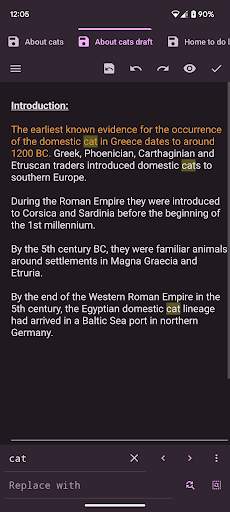
8. regular search, replace or replace all
9. change the font and font size
10. "Word wrap" switch
11. lock the screen orientation in: auto, horizontal or vertical
12. remember the last open file
13. hide the soft keyboard, long press the edit area can be turn on
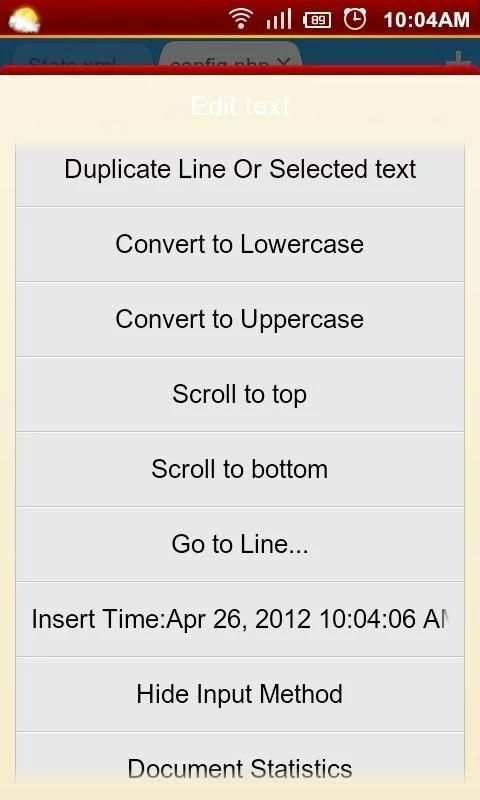
14. long press the "edit area" you can convert selected text to uppercase or lowercase
15. auto indent
16. keep the screen in the awake state
17. you can run at ROOT permissions
18. easy's file manager, you can delete or rename the file, or open with other application to view, copy/move etc. to manage files
19. use the volume keys to quickly switch the display/hide the toolbar, full-screen mode
20. preview the HTML file
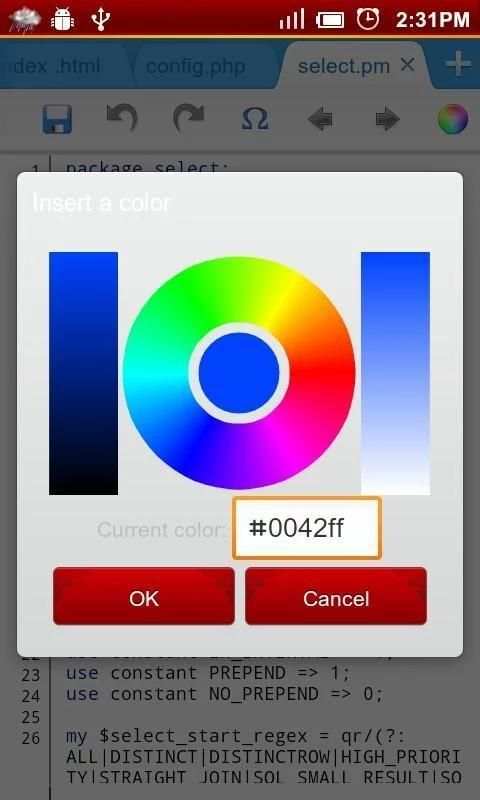
21. power Color Picker
22. use Grep recursive search keyword in the path
23. you can use the "Preferences" menu "Donate" page to the donate it
Tags: text editor, ASP Editor for Android, ActionScript Editor for Android, C/C++ Editor for Android, C# Editor for Android, Erlang Editor for Android, Frink Editor for Android, HTML Editor for Android, XML/WML Editor for Android, CSS Editor for Android, Javascript Editor for Android, Java Editor for Android, JSP Editor for Android, Perl Editor for Android , PHP Editor for Android, Python Editor for Android, Shell/Bash Editor for Android, Lua Editor for Android, SQL Editor for Android, VB/VBS Editor for Android, Tcl Editor for Android, TeX/LaTeX Editor for Android, Verilog Editor for Android

...

👉 For More Detail of 920 Text Editor

#2 Text Editor

Text Editor
Rating: star 3.6 | Version: 2.23.b142 | Size: 11.1MB
Text Editor screenshot 1 Text Editor screenshot 2 Text Editor screenshot 3

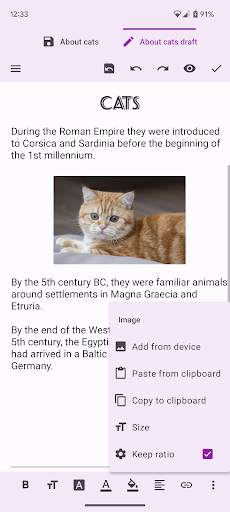
Oojao Text Editor is a simple and powerful file editor, to open and save files. It can open more files at once, as it supports tabs.
This app is ad-supported to keep it free, but ads are not annoying and can be quickly closed or temporarily turned off in Settings. And there are
no ads while editing
!
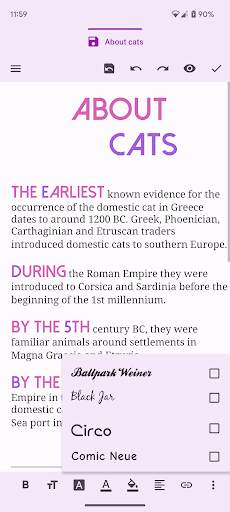
Added rich text styling options, so you can make your notes look just the way you want them.
FEATURES
• Create and edit documents
• Open more documents at once in tabs
• Recently opened documents list, for quick access
• Open very large files with big file size
• Change font bold, italic, underline, strike-through
• Change font size, color, highlight, typeface, alignment
• Insert images and links
• Change selected text to uppercase or lowercase
• Change charset /encoding
• Dark theme
• Print option
And much more!

...

👉 For More Detail of Text Editor

#3 OldSchool Editor : Text Editor

OldSchool Editor : Text Editor
Rating: star 4.2 | Version: 1.5.2 | Size: 2.9MB
OldSchool Editor : Text Editor screenshot 1 OldSchool Editor : Text Editor screenshot 2 OldSchool Editor : Text Editor screenshot 3

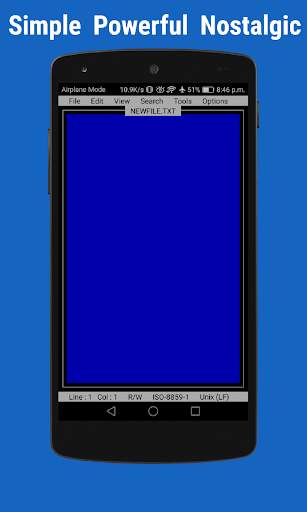
OldSchool Editor is text editor has a simple, powerful, intuitive and nostalgic interface that gives feel of working on desktop. OldSchool Editor can be used as standard editor for editing any kind of text files.
Note : It is an editor for plain text files and not designed for opening pdf, doc, docx or any other non plain text file format.
Features of OldSchool Editor :
★ Simple, small size and Ad Free.
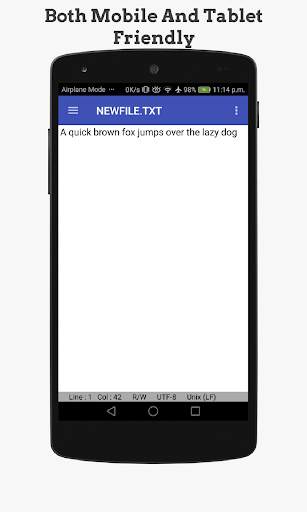
★ Powerful and simple user interface designed for both phones and tablets.
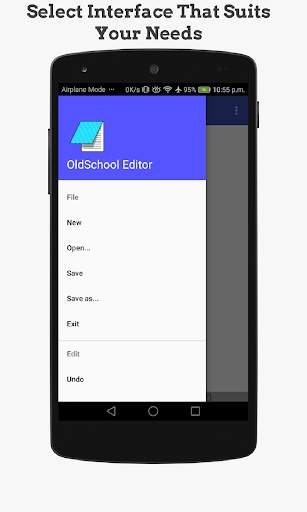
★ Multiple interfaces available to increase productivity in both phones and tablets.
★ Create, browse and save text files with auto saving feature.
★ Change Interface, text size, font and color.
★ Print text files on Android 5 or above.
★ Support case conversion and text trim operation.
★ Open large files in parts with paging system.
★ Display line numbers.
★ Supports Undo and Redo operations.
★ Supports Read only mode, word wrap and word count.
★ Supports Find & Replace, line jumping and regular expression search.
★ Quickly open HTML files in browser or internal viewer.
★ Built-in color picker for getting color codes in different format such as RGB, HSL and HEX.
★ Supports keyboard shortcuts for many editor operations.
★ Supports different kind of Line ending styles (
,
,
).
★ Supports US-ASCII, UTF-8, ISO-8859-1 and IBM437 encoding standards with encoding detector.
If you find any problems feel free to give suggestions and feedback at feedbackdtw@gmail.com.
Join OldSchool Editor's facebook page for interaction with developer
https://www.facebook.com/oldschooleditor/
If you like this application and want to support development or appreciate developer you can buy support version of this application. Support version has exactly same features.
Permissions Required :
READ_EXTERNAL_STORAGE : Reading storage
WRITE_EXTERNAL_STORAGE : Writing files in storage
INTERNET : For internal browser
WAKE_LOCK : For Firebase analytics
ACCESS_NETWORK_STATE : For Firebase analytics

...

👉 For More Detail of OldSchool Editor : Text Editor

#4 Text On Photo - Text Editor

Text On Photo - Text Editor
Rating: star 4.0 | Version: 8.3 | Size: 17.9MB
Text On Photo - Text Editor screenshot 1 Text On Photo - Text Editor screenshot 2 Text On Photo - Text Editor screenshot 3

Text on Photo app for Android
★ More than 220 fonts are available.
★ You can install other fonts.
★ Text size is changeable.
★ Text color is changeable.
★ Text shodow is changeable.
★ Text is rotatable.
★ Text stroke color and width is changeable.
★ Text background color is changeable.
★ Letter spacing is changeable
★ Line spacing is changeable
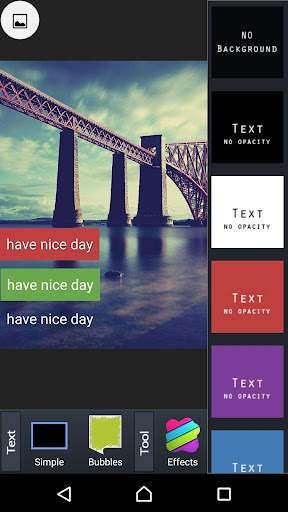
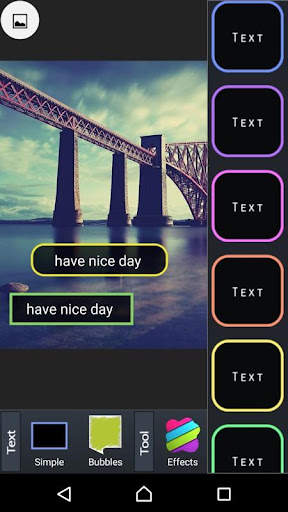
Text on Photo is an app to help users to add words to pictures quickly, that helps you easily insert your favorite quotes into any image. Therefore, you can easily create beautiful picture without spending too much time with Text on Photo.
If you love reading love quotes on social networks or you are simply looking for romantic love quotes to send to your beloved every day but you do not know how to make love quote with beautiful pictures, you better not miss the chance to try Text on Photo out!
With Text on Photo now you can create thousands of simple love sentences with the application to image with text.
About Text on Photo app
💥Outstanding Features In Text on Photo:
✔️ Impressive interface design but easy to use.
✔️ Text on photo very easy to add words to pictures.
✔️ Simple and convenient text editing toolkit makes the way you edit your own font styles more easier
✔️ Various library in words and images, which constantly updated 24/24 from famous authors around the world.
✔️ More than 100 beautiful designed fonts.
✔️ Modern background is designed with gradient, pastel style
✔️ Hundreds of ornaments, badges and more stickers than ever.
✔️ Beautiful love image storage helps you choose freely
✔️ Sharing on social networking sites like Instagram, Facebook, Twitter is just a piece of cake by just one button.

...

👉 For More Detail of Text On Photo - Text Editor

#5 Jota (Text Editor)

Jota  (Text Editor)
Rating: star 4.0 | Version: 2022.01 | Size: 13.9MB
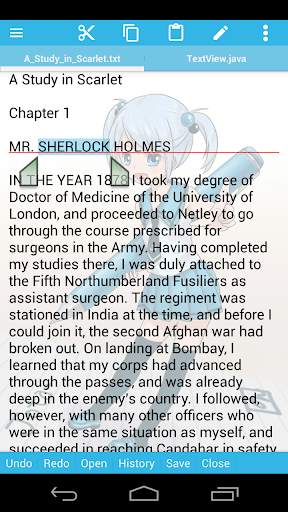
Jota  (Text Editor) screenshot 1 Jota  (Text Editor) screenshot 2 Jota  (Text Editor) screenshot 3

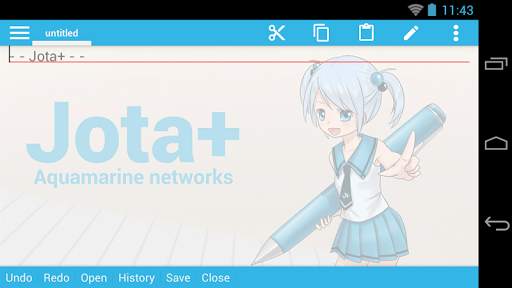
Jota is the best text editor for Android.
Jota is easy to use. And have the great ability and great performance.
For documentation, for programming, Jota provides the best experience of a text editing.
★features of Jota
- Support multi-file feature.
- Support 1 million characters.
- Support many character codes and Auto-Detect feature.
- Search/Replace (Support Regular Expression)
- Highlight searching words.
- Support font customize. (Proportional / Mono Space / ttf,otf font )
- Support Install-shortcut feature.
- Auto save.
- Show Line numbers.
- Show Tab/Line-break mark.
- Realtime characters/words/lines Counter.
- Customizable Toolbar.
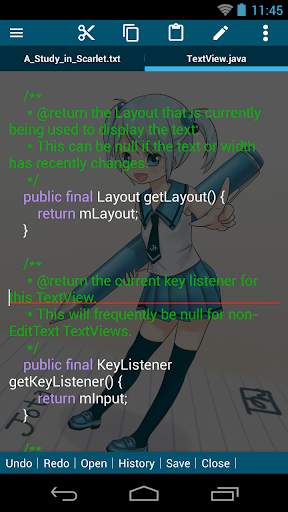
- Syntax highlight support many languages. (awk,X11-basic,css,c/c ,java,javascript,lua,Objective-C,pascal,php,python,ruby,sh,tex,xml,html)
And it's customizable.
- Customizable Fixed Phrase management.
- Clipboard management.
- Built in file browser with bookmark management.
- Free Wallpaper by Non Miyabi. http://sites.google.com/site/nonsillustgallery/
- Detect file modification.
- Support physical-keyboard devices/Bluetooth or USB Keyboard/Chromebook.
- Safe app without any evil permission requests.
- Support many kinds of Cloud Storage Services. ( Dropbox, GoogleDrive, OneDrive etc...)
- Rescue Center for realtime backup.
★FREE version is for trial, so some features are locked.
But you can use free version as a Text editor with sufficient capabilities.
You can buy PRO-KEY app from Google Play to unlock extra features.
▼Firebase Crashlytics and Mobile Ads are built into the app.
Please confirm our privacy policy.
▼Warning.
We prohibit the distribution of Jota on places other than Google Play.
It has been confirmed that the pirated app mixed malware has been distributed.
And we do not provide support to pirated apps.
Please be careful.
▼We won't reply to anything on Review Comments.
If you have troubles or suggestions, send us an email.
▼FAQ
Q. Can't save on SD-Card or USB-Flash.
A. They are supported by Storage Access Framework.
see Preferences>File>”Use Android's standard File Picker" and check it.
Q. I can't find my file in file browser.
A. Please check off "Text File Only" in side menu.
Q. I bought PRO-KEY, but couldn't activate.
A. Try following...
Make sure that your device is connected to the internet and logged into Google.
Confirm that PRO-KEY is installed in System Settings.
Click Menu - Preferences - Activate PRO-KEY.
reboot the device and start Jota .
uninstall and re-install Jota or PRO-KEY.
- Some devices have Background-Task-Killer added by OEM vendors.
That kind of feature may break inter appllication communications.
Please set Jota and PRO-KEY to permission list.
- If you have troubles with the activation, please send an email to the developer.
Q. How to hide Floating Action Buttons.
A. See Preferences > Floating Button. Then select 'no-assign'.
Q. App exits before save my file!
Q. Overwritten my file!
A. see Preferences > Rescue Center, you may find your file.
Q. How to use in-app file picker on Android 11 . (for Connector plugins)
A. see Preferences > Files > Use Android's standard file picker.
Turn off it, then select a folder for in-app file picker.
The Root folder nor Download folder can't be selected.
To create new folder and select it is recommended.
Then you can use in-app file picker.
▼Help for Chromebook and Bluetooth Keyboard
- alt F menu
- alt D contextmenu
- ctrl tab sidemenu
- ctrl PageUp/PageDown switch tab
- see Shortcut Settings to bind ctrl alphabet key
- cant bind ctrl T,w on Chromebook
▼About Permissions
- modify or delete the contents of your USB storage
- read the contents of your USB storage
for loading/saving to internal storage.
- full network access
- view network connections
for mobile ads.
- install shortcut
for installing a shortcut of the file onto Home app.
(c) Aquamarine Networks.

...

👉 For More Detail of Jota (Text Editor)

Search Results

1/14

You may like

DOWNLOAD IS NOT SUPPORTED IN WEB STORE!
Use the latest version of 9Apps to download APK&OBB file of games in one click!
DOWNLOAD 9APPS