juicessh on 9Apps

Free download latest juicessh for Android here and enjoy it with your phone. Below you can download a list of top and latest apps related to juicessh . 9APPS is a fast, safe app store. With 9APPS, you can save a lot of time on searching and downloading apps.

#1 JuiceSSH - SSH Client

JuiceSSH - SSH Client
Rating: star 4.4 | Version: 3.2.2 | Size: 23.7MB
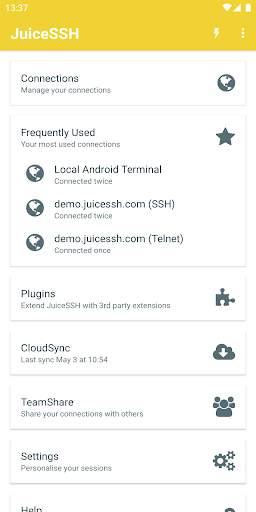
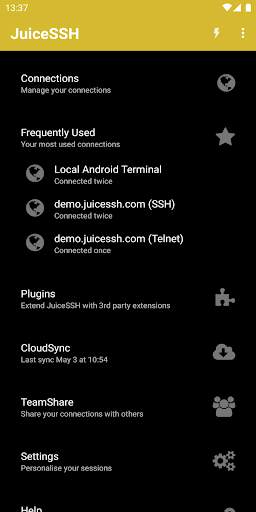
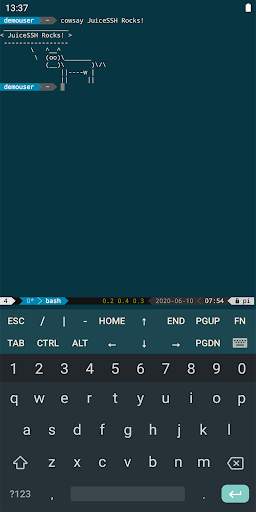
JuiceSSH - SSH Client screenshot 1 JuiceSSH - SSH Client screenshot 2 JuiceSSH - SSH Client screenshot 3

The all in one terminal client for Android including SSH, Local Shell, Mosh and Telnet support.
Features:
- Full color terminal / ssh client
- Popup keyboard with all those normally hard to find characters
- Use the volume keys to quickly change font size
- External keyboard support
- Gestures for irssi, weechat, tmux and screen
- Community and third party plugins
- Official Mosh support (http://mosh.mit.edu)
- Telnet support
- Local Android terminal support
- Dark, Light, 80's hacker, Molokai, Solarized Dark and Solarized Light terminal color themes
For an overview of solarized color scheme and why it rocks for terminal usage check out http://ethanschoonover.com/solarized
- Click URLs to open in a browser
- Copy & Paste within sessions
- Save / Share SSH transcripts
- UTF-8 character support
- Easily organize your connections by group
- Keep multiple SSH sessions running in the background
- Seamlessly connect 'via' other SSH connections with one click
- Immediate access when you open the app to your frequently used connections
- IPv6 support
- Password & OpenSSH private key support (ed25519, ECDSA, RSA and DSA)
- SSH key generator (optional passphrase encryption supported)
- Identities (users/password/keys) are abstracted from connections. Instead of updating every connection when you change your password - just update the identity and any connections linked to it will use the new password/key.
- zlib compression to improve SSH sessions on high latency connections
Pro Features (optional in-app purchase):
- Quick and easy port forwards that can be connected to via the app or widget and can automatically open in a browser if required.
- Integrate with Amazon AWS / EC2, synchronize connections and automatically group servers based on their class or security groups.
- Securely keep everything in sync between multiple devices
- Automated AES-256 encrypted backups of all of your connections and settings
- A beautiful widget for fast access to either your frequently used connections, or a specific group
- Team collaboration. Share your groups of connections with team members and start working together instead of separately.
- Handy snippets library for quick access to your frequently used commands
- Security lock to automatically protect JuiceSSH after a period of inactivity

...

👉 For More Detail of JuiceSSH - SSH Client

#2 JuiceSSH PortKnocker Plugin

JuiceSSH PortKnocker Plugin
Rating: star 4.2 | Version: 1.0.2 | Size: 1.4MB
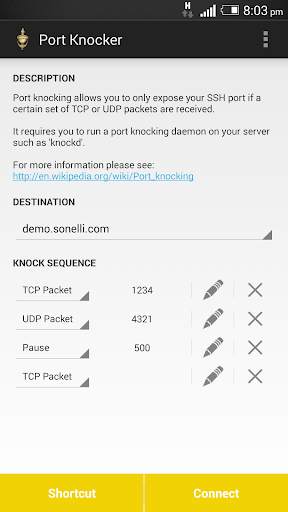
JuiceSSH PortKnocker Plugin screenshot 1 JuiceSSH PortKnocker Plugin screenshot 2

JuiceSSH plugin for port knocking.
Port knocking allows you to only expose your SSH port if a certain set of TCP or UDP packets are received. It requires you to run a port knocking daemon on your server such as 'knockd'.
See the following wikipedia page for more information:
http://en.wikipedia.org/wiki/Port_Knocking
This plugin is open source and we welcome all contributors.
Please see the plugin's github repository for more information and please feel free to submit pull requests:
https://github.com/sonelli/juicessh-portknocker
This JuiceSSH plugin requires JuiceSSH 1.5.0 or greater be installed

...

👉 For More Detail of JuiceSSH PortKnocker Plugin

#3 JuiceSSH Plugin Audit Log

JuiceSSH Plugin Audit Log
Rating: star 4.5 | Version: 1.0.0 | Size: 835.7KB
JuiceSSH Plugin Audit Log screenshot 1 JuiceSSH Plugin Audit Log screenshot 2

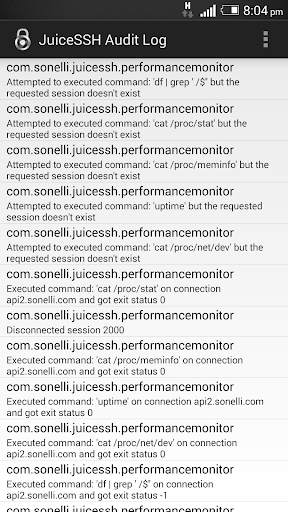
A JuiceSSH plugin for viewing the plugin audit log.
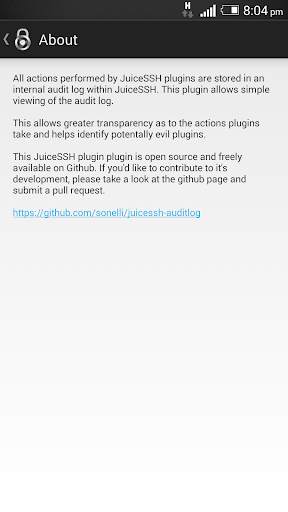
All actions performed by JuiceSSH plugins are logged in an internal audit log within JuiceSSH. This plugin allows simple viewing of the audit log.
This allows greater transparency as to the actions plugins take and helps identify potentially malicious plugins.
This plugin is open source and we welcome all contributors.
Please see the plugin's github repository for more information and please feel free to submit pull requests:
https://github.com/sonelli/juicessh-auditlog
This JuiceSSH plugin requires JuiceSSH 1.5.0 or greater be installed

...

👉 For More Detail of JuiceSSH Plugin Audit Log

#4 JuiceSSH Tasker Plugin

JuiceSSH Tasker Plugin
Rating: star 4.7 | Version: 1.0.2 | Size: 992.3KB
JuiceSSH Tasker Plugin screenshot 1 JuiceSSH Tasker Plugin screenshot 2

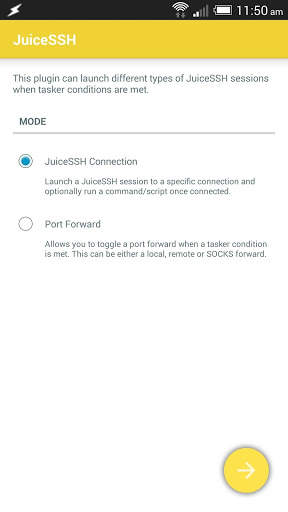
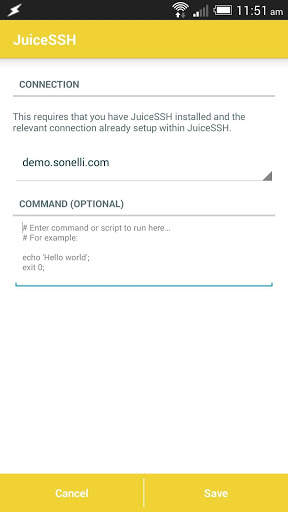
This is a plugin for JuiceSSH that allows you to automate your terminal sessions with Tasker
It allows you to:
* Launch SSH / Mosh / telnet or local android terminal sessions and optionally run a command/script on the session.
* Toggle port forwards
This plugin requires both JuiceSSH and Tasker to be installed.

...

👉 For More Detail of JuiceSSH Tasker Plugin

#5 JuiceSSH Config reader

JuiceSSH Config reader
Rating: star 3.0 | Version: 1.2 | Size: 1.4MB
JuiceSSH Config reader screenshot 1 JuiceSSH Config reader screenshot 2 JuiceSSH Config reader screenshot 3

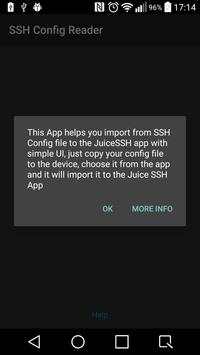
this app is just a plugin you must download JuiceSSH in order to use this app!
this app parses SSH config file and adds the missing servers to the Juice SSH app
you need to copy your 'config' file to the device, then locate it using the app and import the servers, that's it

...

👉 For More Detail of JuiceSSH Config reader

Search Results

1/1

You may like

DOWNLOAD IS NOT SUPPORTED IN WEB STORE!
Use the latest version of 9Apps to download APK&OBB file of games in one click!
DOWNLOAD 9APPS