juicessh on 9Apps

Free download latest juicessh for Android here and enjoy it with your phone. Below you can download a list of top and latest apps related to juicessh . 9APPS is a fast, safe app store. With 9APPS, you can save a lot of time on searching and downloading apps.

#1 JuiceSSH - SSH Client

JuiceSSH - SSH Client
Rating: star 4.4 | Version: 3.2.2 | Size: 23.7MB
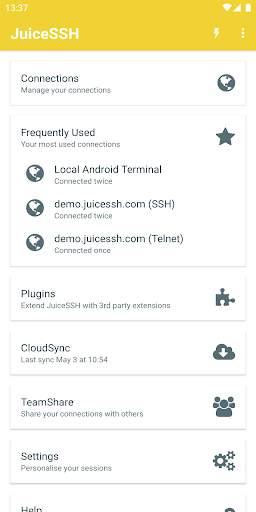
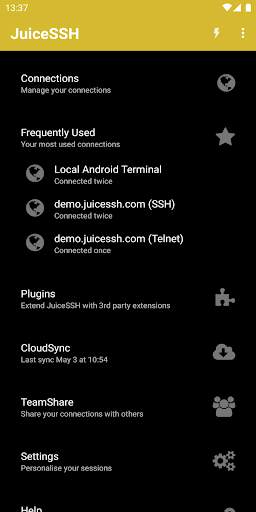
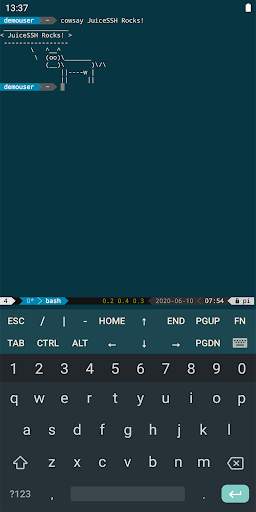
JuiceSSH - SSH Client screenshot 1 JuiceSSH - SSH Client screenshot 2 JuiceSSH - SSH Client screenshot 3

El terminal cliente para Android todo en uno incluye SSH, Shell Local, Mosh y soporte Telnet.
Características:
- Terminal / cliente ssh a todo color
- Popup de teclado con todos esos caracteres difíciles de encontrar normalmente
- Usa las teclas de volumen para cambiar rápidamente el tamaño de la fuente
- Soporte para teclado externo
- Gestos para irssi, weechat, tmux y screen
- Plugins de la comunidad y de terceros
- Soporte oficial para Mosh (http://mosh.mit.edu)
- Soporte para Telnet
- Soporte para terminal local de Android
- Temas de color para el terminal, Oscuro, Claro, 80's hacker, Molokai, Solarized Dark y Solarized Light
Para un resumen del esquema de color solarized y por qué es idóneo para usarlo con el terminal mira en http://ethanschoonover.com/solarized
- Click en las URLs para abrirlas en un navegador
- Copiar & Pegar en las sesiones
- Guardar / Compartir transcripciones SSH a Dropbox/Evernote/Correo & tarjeta SD
- Soporte para codificación UTF-8
- Organiza fácilmente tus conexiones por grupos
- Mantén múltiples sesiones SSH ejecutándose en segundo plano
- Conexión continua 'vía' otras conexiones SSH con un click
- Acceso inmediato cuando abres la app a tus conexiones frecuentemente utilizadas
- Soporte IPv6
- Soporte para Contraseña & clave privada OpenSSH (ECDSA, RSA and DSA)
- Generador de clave RSA (cifrado soportado)
- Agente de direccionamiento de clave SSH
- Soporte para autentificación de dos-factores (ej: Google Authenticator)
- Identidades (usuarios/contraseña/claves) se abstraen de las conexiones. En lugar de actualizar cada conexión cuando cambias tu contraseña - sólo actualiza la identidad y cualquier conexión ligada a ella usará la nueva contraseña/clave.
- Compresión zlib para mejorar las sesiones SSH en conexiones de alta latencia
Características Pro (compra opcional integrada en la app):
- Direccionamientos de puerto rápidos y sencillos que se pueden conectar mediante la app o el widget y se pueden abrir automáticamente en un navegador si se requiere.
- Integración con Amazon AWS / EC2, sincroniza conexiones y agrupa seridores automáticamente basado en su clase o grupos de seguridad.
- Mantiene todo sincronizado con seguridad entre múltiples dispositivos
- Copias de seguridad automatizadas cifradas con AES-256 de todas tus conexiones y configuraciones
- Un fantástico widget para acceder rápidamente a cualquiera de tus conexiónes frecuentemente utilizadas, o a un grupo específico (Android 3.0 ).
- Colaboración en equipo. Comparte tus grupos de conexiones con miembros de un equipo y comienza a trabajar juntos en lugar de por separado.
- Biblioteca de 'fragmentos' para acceder rápidamente a tus comandos frecuentemente utilizados
- Bloqueo de seguridad para proteger JuiceSSH automáticamente tras un periodo de inactividad
Para un resumen detallado de los permisos de esta aplicación y cómo se utiliza cada uno en nuestro cliente ssh, por favor mira https://juicessh.com/permissions

...

👉 For More Detail of JuiceSSH - SSH Client

#2 JuiceSSH PortKnocker Plugin

JuiceSSH PortKnocker Plugin
Rating: star 4.2 | Version: 1.0.2 | Size: 1.4MB
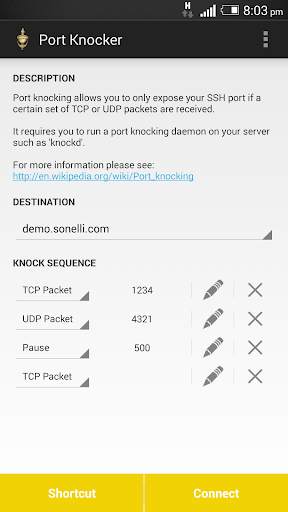
JuiceSSH PortKnocker Plugin screenshot 1 JuiceSSH PortKnocker Plugin screenshot 2

JuiceSSH plugin for port knocking.
Port knocking allows you to only expose your SSH port if a certain set of TCP or UDP packets are received. It requires you to run a port knocking daemon on your server such as 'knockd'.
See the following wikipedia page for more information:
http://en.wikipedia.org/wiki/Port_Knocking
This plugin is open source and we welcome all contributors.
Please see the plugin's github repository for more information and please feel free to submit pull requests:
https://github.com/sonelli/juicessh-portknocker
This JuiceSSH plugin requires JuiceSSH 1.5.0 or greater be installed

...

👉 For More Detail of JuiceSSH PortKnocker Plugin

#3 JuiceSSH Plugin Audit Log

JuiceSSH Plugin Audit Log
Rating: star 4.5 | Version: 1.0.0 | Size: 835.7KB
JuiceSSH Plugin Audit Log screenshot 1 JuiceSSH Plugin Audit Log screenshot 2

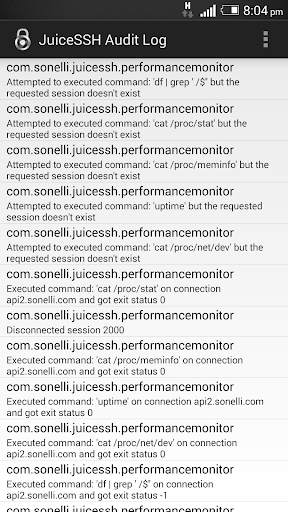
A JuiceSSH plugin for viewing the plugin audit log.
All actions performed by JuiceSSH plugins are logged in an internal audit log within JuiceSSH. This plugin allows simple viewing of the audit log.
This allows greater transparency as to the actions plugins take and helps identify potentially malicious plugins.
This plugin is open source and we welcome all contributors.
Please see the plugin's github repository for more information and please feel free to submit pull requests:
https://github.com/sonelli/juicessh-auditlog
This JuiceSSH plugin requires JuiceSSH 1.5.0 or greater be installed

...

👉 For More Detail of JuiceSSH Plugin Audit Log

#4 JuiceSSH Tasker Plugin

JuiceSSH Tasker Plugin
Rating: star 4.7 | Version: 1.0.2 | Size: 992.3KB
JuiceSSH Tasker Plugin screenshot 1 JuiceSSH Tasker Plugin screenshot 2

Este es un complemento para Juicsessh que le permite automatizar sus sesiones terminales con Tasker
le permite:
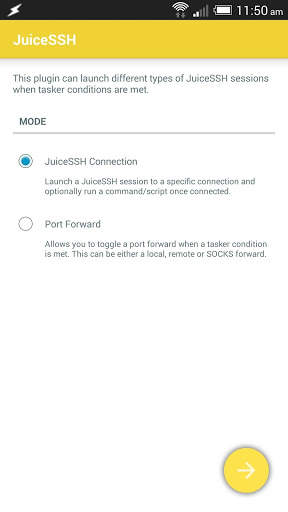
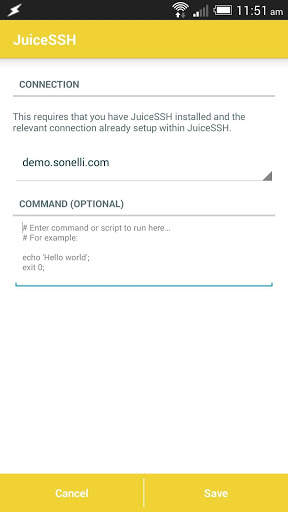
* Lanzar SSH / MOSH / TELNET o Sesiones de terminales de Android locales y opcionalmente ejecutar un comando/ Script en la sesión.
* Toggle Port Reenvents
Este complemento requiere que se instale Juicsessh y Tasker.

...

👉 For More Detail of JuiceSSH Tasker Plugin

#5 JuiceSSH Config reader

JuiceSSH Config reader
Rating: star 3.0 | Version: 1.2 | Size: 1.4MB
JuiceSSH Config reader screenshot 1 JuiceSSH Config reader screenshot 2 JuiceSSH Config reader screenshot 3

this app is just a plugin you must download JuiceSSH in order to use this app!
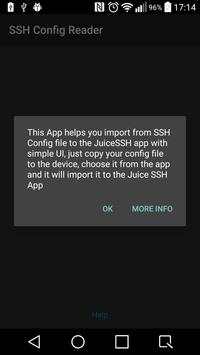
this app parses SSH config file and adds the missing servers to the Juice SSH app
you need to copy your 'config' file to the device, then locate it using the app and import the servers, that's it

...

👉 For More Detail of JuiceSSH Config reader

Search Results

1/1

You may like

DOWNLOAD IS NOT SUPPORTED IN WEB STORE!
Use the latest version of 9Apps to download APK&OBB file of games in one click!
DOWNLOAD 9APPS