mx player on 9Apps

Free download latest mx player for Android here and enjoy it with your phone. Below you can download a list of top and latest apps related to mx player . 9APPS is a fast, safe app store. With 9APPS, you can save a lot of time on searching and downloading apps.

#1 PLAYit - A New All-in-One Video Player

PLAYit - A New All-in-One Video Player
Rating: star 5.0 | Version: 2.7.38.100 | Size: 28.7MB
PLAYit - A New All-in-One Video Player screenshot 1 PLAYit - A New All-in-One Video Player screenshot 2 PLAYit - A New All-in-One Video Player screenshot 3

In need of an all-in-one media player and video downloader?
PLAYit is ready to provide you a feast for eyes and ears!
Download and enjoy Now
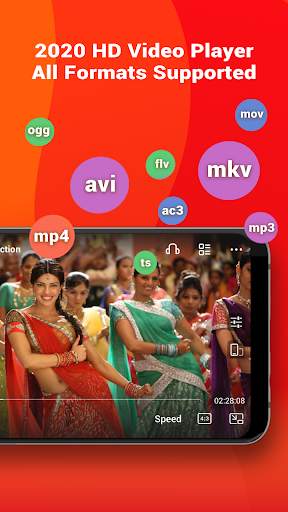
HD video player 2020 is your best video mate in India to enjoy latest Bollywood movies, Hindi films, watch IPL 2020 games and other local video clips in all format (MKV videos, FLV videos,M4V videos, etc.
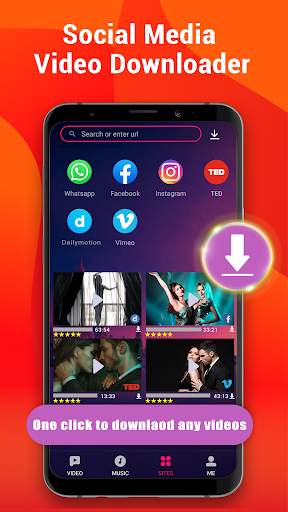
Besides, you can also direct download and save any videos from Facebook, Instagram, WhatsApp and other social media from PLAYit. In this way, you could save the video in advance and watch anytime anywhere even if there's poor Internet connection.
Best online HD video player and downloader 2️0️2️0️ with stunning features
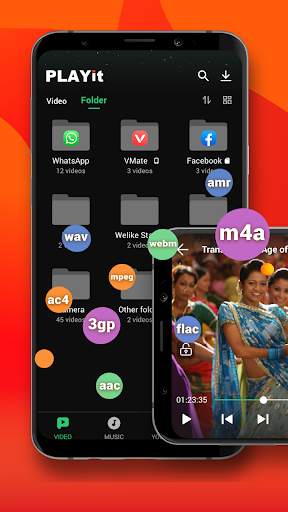
All format videos all format audio supported
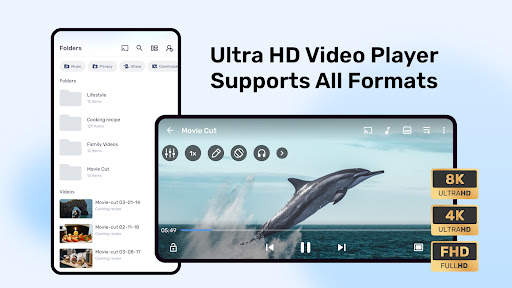
HD Video player for all format: 4k videos, 1080p videos, MKV videos, FLV videos, 3GP videos, M4V videos, TS videos, MPG videos
Audio player for all format: mp3 files, m4a files
Auto detect and manage local media files
Auto identify all video files on Android device and SD card, easy to sort and share media files. No matter what video format downloaded from other sites and saved on your device, our video player will analyze all the media files and allow playing videos with high-definition.
Quick search, play and download online videos/pics
Private browse any sites and PLAYit provides video download option. Search any videos and tab the "download" button, videos or photos will directly saved on your device. Now you could easily save Facebook videos, Instagram post & stories, download and share WhatsApp status.
Floating play and background play allow multi-tasking
Turn on floating-play window so that you can chat with others or work with other apps while watching videos or listening to music.
Video to audio converter
One click to convert videos to audios and enjoy audio/music playing.
Online Subtitle Function
Search online subtitle and free download to watch movies with English/Hindi/Tamil subtitles.
Smart gesture control during videos playing
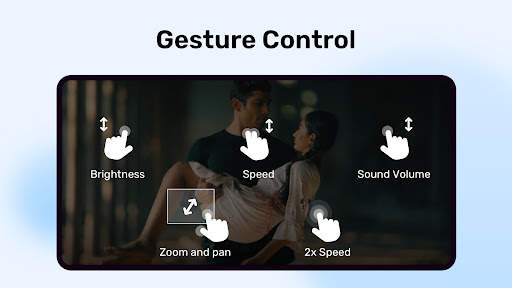
Multi-play option and easy gesture control to change playback speed, brightness and volume.
Advanced kernel SW decoder to provide better experience
Software acceleration can be applied to more videos formats and by changing the decoding mode seamlessly, the playback will be more smooth and of high quality.
Video Player: Play It
- Browse all your local video files and play status videos, trailers, movies and any other videos stored in your device, any formats supported.
- Background play function allows you to keep playing the video when you switch to other apps or turn off the phone screen.
- Floating play function enables you to adjust the position of player’s floating window and use other apps at the same time.
- Easily use gesture control to adjust playback speed, brightness and volume. video playback continuous from the last position smartly
Video Downloader: Download It
- Enter the video website or social media site like Facebook, Instagram, TikTok
- Tap “Download” button to download and save Facebook live videos, Instagram post, WhatsApp status, TikTok videos and other social media pictures or videos
- Tap “Download” button to download and save full movies or film clips on your own device
Music Player: Listen to It
- Locate and manage all music files from your phone memory and SD card.
- Free choose to play single piece of songs or the whole playlist on PLAYit music player
- Convert Mp4 to Mp3 with one simple click remaining incredible audio quality
- Automatically pause playback when your headset is unplugged.
PLAYit player for PC
To play videos on your laptop/computer, please go to our official website www.playit.app to get window version.
We are working hard for your better experience as a stunning video player and downloader!
If you have any problem during the usage of PLAYit, please contact us via mediabackup.team@gmail.com

...

👉 For More Detail of PLAYit - A New All-in-One Video Player

#2 MX Player

MX Player
Rating: star 4.3 | Version: 1.83.0 | Size: 129.4MB
MX Player screenshot 1 MX Player screenshot 2 MX Player screenshot 3

Powerful video and music player with advanced hardware acceleration and subtitle supports
a) HARDWARE ACCELERATION - Hardware acceleration can be applied to more videos with the help of new HW+ decoder.
b) MULTI-CORE DECODING - MX Player is the first Android video player which supports multi-core decoding. Test results proved that multi-core device's performance is up to 70% better than single-core devices.
c) PINCH TO ZOOM, ZOOM AND PAN - Easily zoom in and out by pinching and swiping across the screen. Zoom and Pan are also available by option.
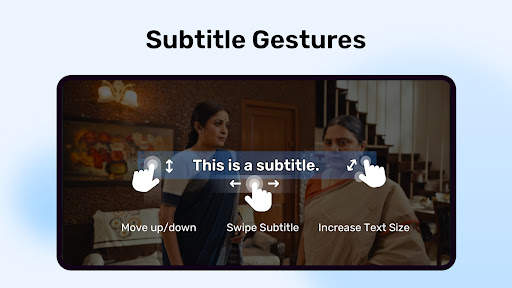
d) SUBTITLE GESTURES - Scroll forward/backward to move to next/previous text, Up/down to move text up and down, Zoom in/out to change text size.
e) Privacy Folder - Hide your secret videos to your private folder and protect your privacy.
f) KIDS LOCK - Keep your kids entertained without having to worry that they can make calls or touch other apps.
Subtitle formats:
- DVD, DVB, SSA/*ASS* subtitle tracks.
- SubStation Alpha(.ssa/.*ass*) with full styling.
- SAMI(.smi) with Ruby tag support.
- SubRip(.srt)
- MicroDVD(.sub)
- VobSub(.sub/.idx)
- SubViewer2.0(.sub)
- MPL2(.mpl)
- TMPlayer(.txt)
- Teletext
- PJS(.pjs)
- WebVTT(.vtt)
******
Permission Details:
–––––––––––––––––––
* "READ_EXTERNAL_STORAGE" is required to read your media files in your primary & secondary storages.
* "WRITE_EXTERNAL_STORAGE" is required to rename or delete files and to store the downloaded subtitles.
* "LOCATION" permission is required to help find nearby friends.
* "NETWORK" and "WIFI" permissions are required to get the network status which is required for various activities like license checking, update checking etc.
* "BLUETOOTH" permission is required in order to improve AV sync when the Bluetooth headset is connected.
* "CAMERA" permission is required to scan QR code.
* "INTERNET" is required to play internet streams.
* "VIBRATE" is required to control the vibration feedback.
* "WAKE_LOCK" is required to prevent your phone from sleeping while watching any video.
* "KILL_BACKGROUND_PROCESSES" is required to stop the MX Player services used in background play.
* "DISABLE_KEYGUARD" is required to temporarily prevent secure screen lock when Kids Lock is used.
* "SYSTEM_ALERT_WINDOW" is required to block some keys when Kids Lock is used.
* "DRAW OVER OTHER APPS" is required to block system buttons when input blocking is activated on the playback screen.
******
If you are facing "package file is invalid" error, please install it again from product home page (https://mx.j2inter.com/download)
******
If you have any questions, please visit our Facebook Page or XDA MX Player forum.
https://www.facebook.com/MXPlayer
http://forum.xda-developers.com/apps/mx-player
Some of the screens are from the Elephants Dreams licensed under the Creative Commons Attribution 2.5.
(c) copyright 2006, Blender Foundation / Netherlands Media Art Institute / www.elephantsdream.org
Some of the screens are from the Big Buck Bunny licensed under the Creative Commons Attribution 3.0 Unported.
(c) copyright 2008, Blender Foundation / www.bigbuckbunny.org

...

👉 For More Detail of MX Player

#3 MX Player Beta

MX Player Beta
Rating: star 4.2 | Version: 2.21.6 | Size: 37.1MB
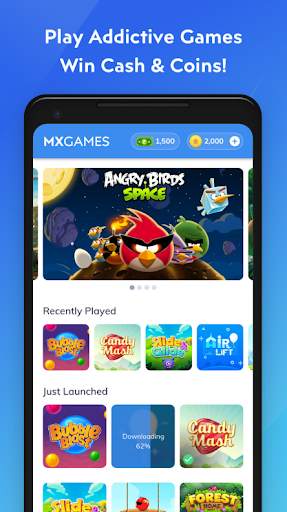
MX Player Beta screenshot 1 MX Player Beta screenshot 2 MX Player Beta screenshot 3

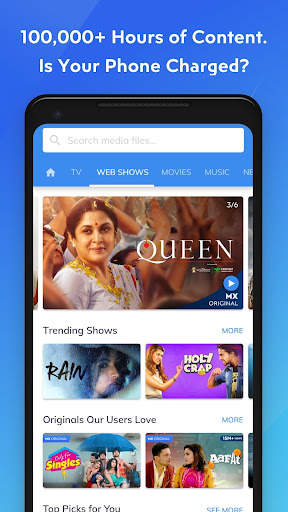
MX Player, the most powerful video player now brings you a FREE streaming service offering more than 100,000+ hours of content including Original & Exclusive Shows, Movies, TV Shows, Web Series & a dual Music experience with videos and audio.
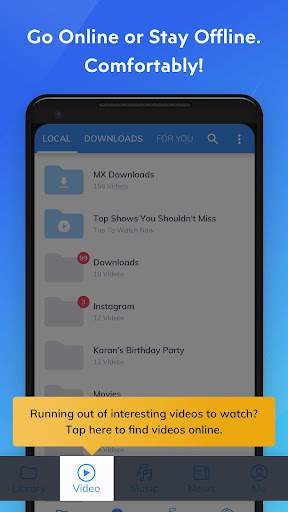
We have also added ‘Downloads’ tab & functionality to make it easy for you to manage your downloaded content and find new content to download with a single click.
The same powerful video player now plays online videos with all the gestures that you already love!
Powerful video player with advanced hardware acceleration and subtitle support.
a) HARDWARE ACCELERATION - Hardware acceleration can be applied to more videos with the help of new HW+ decoder.
b) MULTI-CORE DECODING - MX Player is the first Android video player which supports multi-core decoding. Test result proved that dual-core device's performance is up to 70% better than single-core devices.
c) PINCH TO ZOOM, ZOOM AND PAN - Easily zoom in and out by pinching and swiping across the screen. Zoom and Pan is also available by option.
d) SUBTITLE GESTURES - Scroll forward/backward to move to next/previous text, Up/down to move text up and down, Zoom in/out to change text size.
e) KIDS LOCK - Keep your kids entertained without having to worry that they can make calls or touch other apps. (plugin required)
Subtitle formats:
- DVD, DVB, SSA/ASS subtitle tracks.
- SubStation Alpha(.ssa/.ass) with full styling.
- SAMI(.smi) with Ruby tag support.
- SubRip(.srt)
- MicroDVD(.sub)
- VobSub(.sub/.idx)
- SubViewer2.0(.sub)
- MPL2(.mpl)
- TMPlayer(.txt)
- Teletext
- PJS(.pjs)
- WebVTT(.vtt)
******
About "Draw over other apps" permission: This permission is required to block system buttons when input blocking is activated on the playback screen.
About "Pair with Bluetooth devices" permission: This permission is required to improve AV sync when Bluetooth headset is connected.
About "Disable screen lock" permission: This permission is required to remove screen lock temporarily when Kids lock mode is used. Nevertheless, secure screen lock will not be disabled.
About "Control vibration", "Prevent device from sleeping" permissions: These permissions are required for media playback on some devices.
******
If you are facing "package file is invalid" error, please install it again from product home page (https://sites.google.com/site/mxvpen/download)
******
If you have any questions, please visit our Facebook Page:
https://www.facebook.com/MX.Player.Beta/
Some of the screens are from the Elephants Dreams licensed under the Creative Commons Attribution 2.5.
(c) copyright 2006, Blender Foundation / Netherlands Media Art Institute / www.elephantsdream.org
Some of the screens are from the Big Buck Bunny licensed under the Creative Commons Attribution 3.0 Unported.
(c) copyright 2008, Blender Foundation / www.bigbuckbunny.org
Some contents in App are provided by YouTube services and API, please follow these:
https://www.youtube.com/t/terms
https://www.youtube.com/yt/copyright/
https://www.youtube.com/yt/policyandsafety/

...

👉 For More Detail of MX Player Beta

#4 MX Music Plus Video Player

MX Music Plus Video Player
Rating: star 4.0 | Version: 9.4 | Size: 7.3MB
MX Music Plus Video Player screenshot 1 MX Music Plus Video Player screenshot 2 MX Music Plus Video Player screenshot 3

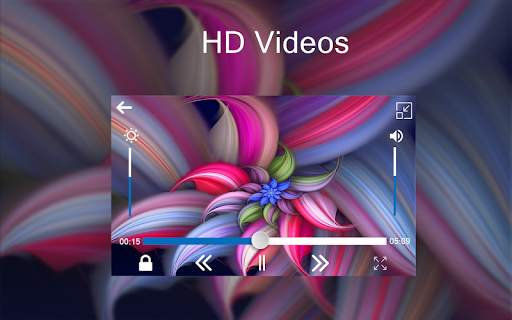
Download MX Music Plus Video Player with Best Video HD Qualities which Never Show Android Apps
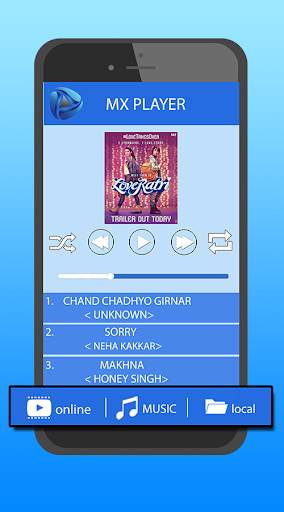
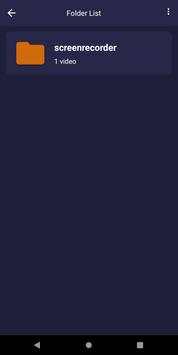
▶ MX Music Plus Video Player Introduced online and Local Media Folder with High Video Quality to Supports all Type Video Formats. Download MX Music Plus Video Player with New Facilities First Time in Google Play Store That Is Download Video Status Is Trendy in Digital Technologies
▶MX Music Plus Video Player Online And Local Media Design Advanced UI Design And Supports All Format to Run Video. MX Music Plus Video Player Supports More User Friendly Versions like PJS, MPG4, MP4S, WMVA, AAC, NRS And More Than 40+ Media
Advanced Features
1. Online View : MX Music Plus Video Player Is Introduced Best Future With Highly Decoder Algorithm To Performance View And Download Video Min 30sec-2min Using Video Status for Coming And Upcoming Social Media Trends Facilities To Share Video Status In Your Friend Circle And Groups With Consider High Performance According User Friendly.
2. Offline View: MX Music Plus Video Player Is Made 80% increase Performance Considering Decode Core Coding to Compare Device Performance to View Video View Generate Multi-core Decoding Facilities With Watch share and Details of information’s Of video Size.
3. Music View : MX Music Plus Video Player With Announce Best Audio Quality Of Sound While Playing Audio File. Its Realize Increase Best Quality Of Musics While Playing Any Controls Of Music Player,Music Player Include Shortcut Playing Tools While Play,pause,shuffle and Next songs and Album In Music Player Tools.
3. Automatically Detect All Video in your phone
4. Increase and Decrease of Volume Controls
5. Increase and Decrease of Brightness Controls
6. Child Lock and Share Video Status
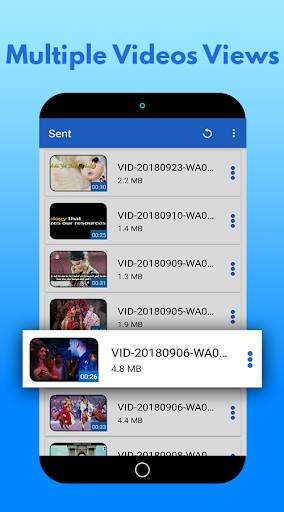
7. Its Very Easy To Details Info and Delete Folder and Video
8. Forward and Backward Smoothly Controls
Thanks for Downloading MX Music Plus Video Player!!!!

...

👉 For More Detail of MX Music Plus Video Player

#5 Video player MX Player

Video player MX Player
Rating: star 4.3 | Version: 1.2 | Size: 4.4MB
Video player MX Player screenshot 1 Video player MX Player screenshot 2 Video player MX Player screenshot 3

Powerful video player with advanced hardware acceleration and subtitle support.
a) HARDWARE ACCELERATION - Hardware acceleration can be applied to more videos with the help of new HW+ decoder.
b) MULTI-CORE DECODING - MX Player is the first Android video player which supports multi-core decoding. Test result proved that multi-core device's performance is up to 70% better than single-core devices.
c) PINCH TO ZOOM, ZOOM AND PAN - Easily zoom in and out by pinching and swiping across the screen. Zoom and Pan is also available by option.
d) SUBTITLE GESTURES - Scroll forward/backward to move to next/previous text, Up/down to move text up and down, Zoom in/out to change text size.
e) MX FILE SHARING - Fast transfer files without mobile data usage. Share Music, Share Video, Share Files.
f) KIDS LOCK - Keep your kids entertained without having to worry that they can make calls or touch other apps.
Subtitle formats:
- DVD, DVB, SSA/*ASS* subtitle tracks.
- SubStation Alpha(.ssa/.*ass*) with full styling.
- SAMI(.smi) with Ruby tag support.
- SubRip(.srt)
- MicroDVD(.sub)
- VobSub(.sub/.idx)
- SubViewer2.0(.sub)
- MPL2(.mpl)
- TMPlayer(.txt)
- Teletext
- PJS(.pjs)
- WebVTT(.vtt)
******
Permission Details:
–––––––––––––––––––
* "READ_EXTERNAL_STORAGE" is required to read your media files in your primary & secondary storages.
* "WRITE_EXTERNAL_STORAGE" is required to rename or deletion of files and to store the downloaded subtitles.
* "LOCATION" permission is required to help find nearby friends for file transfers.
* "NETWORK" and "WIFI" permissions are required to get the network status which is required for various activities like license checking, update checking etc. Wifi connection is also used for faster file transfers.
* "BLUETOOTH" permission is required in order to improve AV sync when Bluetooth headset is connected, and create connections for file transfers.
* "CAMERA" permission is required to scan QR code for file transfers.
* "INTERNET" is required to play internet streams.
* "VIBRATE" is required to control the vibration feedbacks.
* "WAKE_LOCK" is required to prevent your phone from sleeping while watching any video.
* "KILL_BACKGROUND_PROCESSES" is required to stop the MX Player services used in background play.
* "DISABLE_KEYGUARD" is required to temporarily prevent secure screen lock when Kids Lock is used.
* "SYSTEM_ALERT_WINDOW" is required to block some keys when Kids Lock is used.
* "DRAW OVER OTHER APPS" is required to block system buttons when input blocking is activated on the playback screen.

...

👉 For More Detail of Video player MX Player

Search Results

1/20

You may like

DOWNLOAD IS NOT SUPPORTED IN WEB STORE!
Use the latest version of 9Apps to download APK&OBB file of games in one click!
DOWNLOAD 9APPS