mx player on 9Apps

Free download latest mx player for Android here and enjoy it with your phone. Below you can download a list of top and latest apps related to mx player . 9APPS is a fast, safe app store. With 9APPS, you can save a lot of time on searching and downloading apps.

#1 PLAYit - A New All-in-One Video Player

PLAYit - A New All-in-One Video Player
Rating: star 5.0 | Version: 2.7.38.100 | Size: 28.7MB
PLAYit - A New All-in-One Video Player screenshot 1 PLAYit - A New All-in-One Video Player screenshot 2 PLAYit - A New All-in-One Video Player screenshot 3

In need of an all-in-one media player and video downloader?
PLAYit is ready to provide you a feast for eyes and ears!
Download and enjoy Now
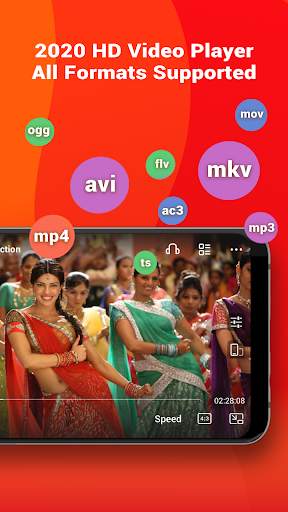
HD video player 2020 is your best video mate in India to enjoy latest Bollywood movies, Hindi films, watch IPL 2020 games and other local video clips in all format (MKV videos, FLV videos,M4V videos, etc.
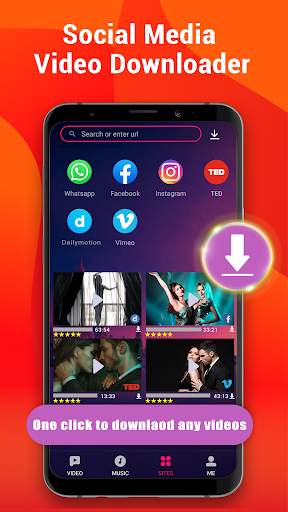
Besides, you can also direct download and save any videos from Facebook, Instagram, WhatsApp and other social media from PLAYit. In this way, you could save the video in advance and watch anytime anywhere even if there's poor Internet connection.
Best online HD video player and downloader 2️0️2️0️ with stunning features
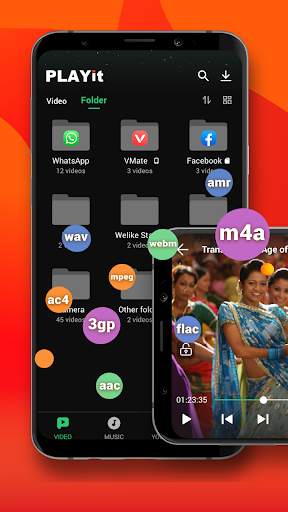
All format videos all format audio supported
HD Video player for all format: 4k videos, 1080p videos, MKV videos, FLV videos, 3GP videos, M4V videos, TS videos, MPG videos
Audio player for all format: mp3 files, m4a files
Auto detect and manage local media files
Auto identify all video files on Android device and SD card, easy to sort and share media files. No matter what video format downloaded from other sites and saved on your device, our video player will analyze all the media files and allow playing videos with high-definition.
Quick search, play and download online videos/pics
Private browse any sites and PLAYit provides video download option. Search any videos and tab the "download" button, videos or photos will directly saved on your device. Now you could easily save Facebook videos, Instagram post & stories, download and share WhatsApp status.
Floating play and background play allow multi-tasking
Turn on floating-play window so that you can chat with others or work with other apps while watching videos or listening to music.
Video to audio converter
One click to convert videos to audios and enjoy audio/music playing.
Online Subtitle Function
Search online subtitle and free download to watch movies with English/Hindi/Tamil subtitles.
Smart gesture control during videos playing
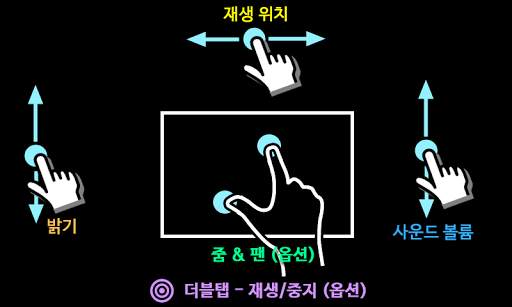
Multi-play option and easy gesture control to change playback speed, brightness and volume.
Advanced kernel SW decoder to provide better experience
Software acceleration can be applied to more videos formats and by changing the decoding mode seamlessly, the playback will be more smooth and of high quality.
Video Player: Play It
- Browse all your local video files and play status videos, trailers, movies and any other videos stored in your device, any formats supported.
- Background play function allows you to keep playing the video when you switch to other apps or turn off the phone screen.
- Floating play function enables you to adjust the position of player’s floating window and use other apps at the same time.
- Easily use gesture control to adjust playback speed, brightness and volume. video playback continuous from the last position smartly
Video Downloader: Download It
- Enter the video website or social media site like Facebook, Instagram, TikTok
- Tap “Download” button to download and save Facebook live videos, Instagram post, WhatsApp status, TikTok videos and other social media pictures or videos
- Tap “Download” button to download and save full movies or film clips on your own device
Music Player: Listen to It
- Locate and manage all music files from your phone memory and SD card.
- Free choose to play single piece of songs or the whole playlist on PLAYit music player
- Convert Mp4 to Mp3 with one simple click remaining incredible audio quality
- Automatically pause playback when your headset is unplugged.
PLAYit player for PC
To play videos on your laptop/computer, please go to our official website www.playit.app to get window version.
We are working hard for your better experience as a stunning video player and downloader!
If you have any problem during the usage of PLAYit, please contact us via mediabackup.team@gmail.com

...

👉 For More Detail of PLAYit - A New All-in-One Video Player

#2 MX 플레이어

MX 플레이어
Rating: star 4.3 | Version: 1.83.0 | Size: 129.4MB
MX 플레이어 screenshot 1 MX 플레이어 screenshot 2 MX 플레이어 screenshot 3

고급 하드웨어 가속 및 자막 지원 기능을 갖춘 강력한 비디오 및 음악 플레이어
a) 하드웨어 가속 - 새로운 HW+ 디코더를 사용하여 더 많은 동영상에 하드웨어 가속을 적용할 수 있습니다.
b) 멀티 코어 디코딩 - MX Player는 멀티 코어 디코딩을 지원하는 최초의 Android 비디오 플레이어입니다. 테스트 결과 멀티 코어 장치의 성능이 단일 코어 장치보다 최대 70% 더 우수하다는 것이 입증되었습니다.
c) 핀치 투 줌, 줌 및 팬 - 화면을 핀치하고 스와이프하여 쉽게 확대 및 축소할 수 있습니다. 줌과 패닝도 옵션으로 가능합니다.
d) 자막 제스처 - 앞/뒤로 스크롤하여 다음/이전 텍스트로 이동하고, 위/아래로 스크롤하여 텍스트를 위아래로 이동하고, 확대/축소하여 텍스트 크기를 변경합니다.
e) 개인 정보 폴더 - 비밀 동영상을 개인 폴더에 숨기고 개인 정보를 보호하세요.
d) 파일 전송 - 이제 모바일 데이터를 사용하지 않고 클릭 한 번으로 음악, 앱, 대용량 파일 등을 즉시 전송할 수 있습니다.
f) KIDS LOCK - 아이들이 전화를 걸거나 다른 앱을 만질 수 있다는 걱정 없이 아이들을 즐겁게 해주세요.
자막 형식:
- DVD, DVB, SSA/*ASS* 자막 트랙.
- 완벽한 스타일링이 가능한 SubStation Alpha(.ssa/.*ass*).
- Ruby 태그를 지원하는 SAMI(.smi).
- SubRip(.srt)
- 마이크로DVD(.sub)
- VobSub(.sub/.idx)
- SubViewer2.0(.sub)
- MPL2(.mpl)
- TMPlayer(.txt)
- 텔레텍스트
- PJS(.pjs)
- WebVTT(.vtt)
******
권한 세부정보:
–––––––––––––––––––
* 기본 및 보조 저장소에서 미디어 파일을 읽으려면 "READ_EXTERNAL_STORAGE"가 필요합니다.
* "WRITE_EXTERNAL_STORAGE"는 파일 이름 변경 및 삭제, 다운로드한 자막 저장을 위해 필요합니다.
* "LOCATION" 권한은 주변 친구 찾기를 돕기 위해 필요합니다.
* 라이센스 확인, 업데이트 확인 등과 같은 다양한 활동에 필요한 네트워크 상태를 얻으려면 "네트워크" 및 "WIFI" 권한이 필요합니다.
* 블루투스 헤드셋 연결 시 AV 싱크 개선을 위해 "BLUETOOTH" 권한이 필요합니다.
* QR 코드를 스캔하려면 "CAMERA" 권한이 필요합니다.
* 인터넷 스트림을 재생하려면 "INTERNET"이 필요합니다.
* 진동 피드백을 제어하려면 "VIBRATE"가 필요합니다.
* "WAKE_LOCK"은 동영상을 시청하는 동안 휴대전화가 잠자기 상태가 되지 않도록 하는 데 필요합니다.
* "KILL_BACKGROUND_PROCESSES"는 백그라운드 재생에서 사용되는 MX 플레이어 서비스를 중지하는 데 필요합니다.
* Kids Lock 사용 시 보안 화면 잠금을 일시적으로 방지하려면 "DISABLE_KEYGUARD"가 필요합니다.
* Kids Lock 사용 시 일부 키를 차단하려면 "SYSTEM_ALERT_WINDOW"가 필요합니다.
* "DRAW OVER OTHER APPS"는 재생 화면에서 입력 차단이 활성화된 경우 시스템 버튼을 차단하기 위해 필요합니다.
******
"패키지 파일이 유효하지 않습니다" 오류가 발생하는 경우 제품 홈페이지(https://mx.j2inter.com/download)에서 다시 설치하십시오.
******
질문이 있으시면 Facebook 페이지 또는 XDA MX 플레이어 포럼을 방문하십시오.
https://www.facebook.com/MXPlayer
http://forum.xda-developers.com/apps/mx-player
화면 중 일부는 Creative Commons Attribution 2.5에 따라 라이선스가 부여된 Elephants Dreams에서 가져온 것입니다.
(c) copyright 2006, Blender Foundation / 네덜란드 미디어 아트 인스티튜트 / www.elephantsdream.org
일부 화면은 Creative Commons Attribution 3.0 Unported에 따라 라이선스가 부여된 Big Buck Bunny의 화면입니다.
(c) 저작권 2008, Blender Foundation / www.bigbuckbunny.org

...

👉 For More Detail of MX 플레이어

#3 MX Player Beta

MX Player Beta
Rating: star 4.2 | Version: 2.21.6 | Size: 37.1MB
MX Player Beta screenshot 1 MX Player Beta screenshot 2 MX Player Beta screenshot 3

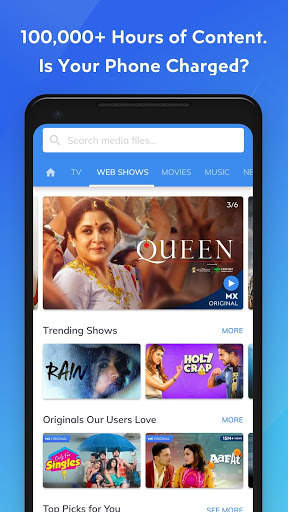
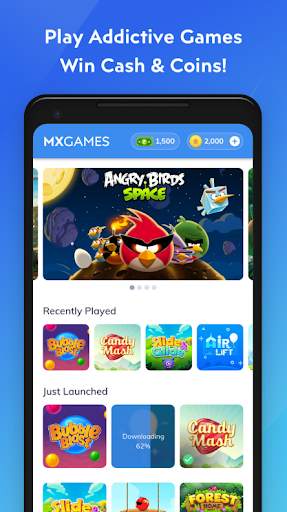
가장 강력한 비디오 플레이어 인 MX Player는 이제 원본 및 독점 쇼, 영화, TV 쇼, 웹 시리즈 및 비디오 및 오디오가 포함 된 이중 음악 경험을 포함하여 100,000 시간 이상의 콘텐츠를 제공하는 무료 스트리밍 서비스를 제공합니다.
캐시 토너먼트를 소개합니다! 더 많이 플레이하고 Paytm 지갑을 사용하여 돈을 인출 할 수있는 기회를 얻으십시오.
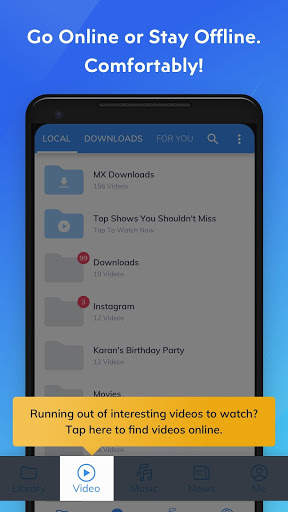
또한 다운로드 한 콘텐츠를 쉽게 관리하고 새로운 콘텐츠를 찾을 수 있도록 '다운로드'탭 및 기능을 추가했습니다. 한 번의 클릭.
동일한 강력한 비디오 플레이어가 이제 이미 좋아하는 모든 제스처로 온라인 비디오를 재생합니다!
고급 하드웨어 가속 및 자막 지원을 갖춘 강력한 비디오 플레이어.
a) 하드웨어 가속-새로운 HW + 디코더의 도움으로 더 많은 동영상에 하드웨어 가속을 적용 할 수 있습니다.
b) 멀티 코어 디코딩-MX Player는 멀티 코어 디코딩을 지원하는 최초의 Android 동영상 플레이어입니다. 테스트 결과 듀얼 코어 장치의 성능이 싱글 코어 장치보다 최대 70 % 더 우수한 것으로 나타났습니다.
c) 핀치 투 줌, 줌 및 패닝-화면을 손가락으로 모으거나 스 와이프하여 쉽게 확대 및 축소 할 수 있습니다. 확대 / 축소 및 이동은 옵션으로도 가능합니다.
d) 자막 제스처-앞 / 뒤로 스크롤하여 다음 / 이전 텍스트로 이동, 위 / 아래로 스크롤하여 텍스트를 위아래로 이동, 확대 / 축소하여 텍스트 크기 변경 .
e) KIDS LOCK-자녀가 전화를 걸거나 다른 앱을 만질 수 있다는 걱정없이 즐겁게 지내세요. (플러그인 필요)
자막 형식 :
-DVD, DVB, SSA / ASS 자막 트랙.
-전체 스타일이 적용된 SubStation Alpha (.ssa / .ass).
-Ruby 태그를 지원하는 SAMI (.smi).
-SubRip (.srt)
-MicroDVD (.sub)
-VobSub (.sub / .idx)
-SubViewer2.0 (. sub)
-MPL2 (.mpl)
-TMPlayer (.txt)
-Teletext
-PJS (.pjs)
-WebVTT (.vtt)
* *****
"다른 앱 위에 그리기"권한 정보 :이 권한은 재생 화면에서 입력 차단이 활성화 된 경우 시스템 버튼을 차단하는 데 필요합니다.
"블루투스 장치와 페어링"권한 정보 :이 권한은 블루투스 헤드셋 연결시 AV 동기화를 개선하기 위해 필요합니다.
"화면 잠금 해제"권한 정보 :이 권한은 키즈 잠금 모드를 사용할 때 일시적으로 화면 잠금을 해제하는 데 필요합니다. 그럼에도 불구하고 보안 화면 잠금은 비활성화되지 않습니다.
'진동 제어', '기기 절전 모드 방지'권한 정보 : 이러한 권한은 일부 기기에서 미디어를 재생하는 데 필요합니다.
******
"패키지 파일이 잘못되었습니다"오류가 발생하면 제품 홈페이지 (https://sites.google.com/site/mxvpen/download)에서 다시 설치하십시오.
******
질문이 있으시면 Facebook 페이지를 방문하십시오.
https://www.facebook.com/MX.Player.Beta/
일부 화면은 아래 라이선스를받은 Elephants Dreams에서 가져온 것입니다. 크리에이티브 커먼즈 저작자 표시 2.5.
(c) copyright 2006, Blender Foundation / Netherlands Media Art Institute / www.elephantsdream.org
일부 화면은 Creative Commons Attribution에 따라 라이선스가 부여 된 Big Buck Bunny에서 가져온 것입니다. 3.0 Unported.
(c) copyright 2008, Blender Foundation / www.bigbuckbunny.org
앱의 일부 콘텐츠는 YouTube 서비스 및 API에서 제공됩니다. 다음을 따르세요.
https : // www .youtube.com / t / terms
ht tps : //www.youtube.com/yt/copyright/
https://www.youtube.com/yt/policyandsafety/

...

👉 For More Detail of MX Player Beta

#4 MX Music Plus Video Player

MX Music Plus Video Player
Rating: star 4.0 | Version: 9.4 | Size: 7.3MB
MX Music Plus Video Player screenshot 1 MX Music Plus Video Player screenshot 2 MX Music Plus Video Player screenshot 3

Download MX Music Plus Video Player with Best Video HD Qualities which Never Show Android Apps
▶ MX Music Plus Video Player Introduced online and Local Media Folder with High Video Quality to Supports all Type Video Formats. Download MX Music Plus Video Player with New Facilities First Time in Google Play Store That Is Download Video Status Is Trendy in Digital Technologies
▶MX Music Plus Video Player Online And Local Media Design Advanced UI Design And Supports All Format to Run Video. MX Music Plus Video Player Supports More User Friendly Versions like PJS, MPG4, MP4S, WMVA, AAC, NRS And More Than 40+ Media
Advanced Features
1. Online View : MX Music Plus Video Player Is Introduced Best Future With Highly Decoder Algorithm To Performance View And Download Video Min 30sec-2min Using Video Status for Coming And Upcoming Social Media Trends Facilities To Share Video Status In Your Friend Circle And Groups With Consider High Performance According User Friendly.
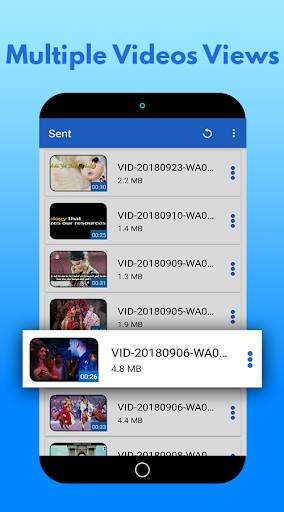
2. Offline View: MX Music Plus Video Player Is Made 80% increase Performance Considering Decode Core Coding to Compare Device Performance to View Video View Generate Multi-core Decoding Facilities With Watch share and Details of information’s Of video Size.
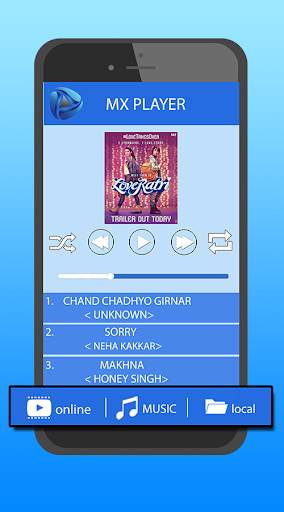
3. Music View : MX Music Plus Video Player With Announce Best Audio Quality Of Sound While Playing Audio File. Its Realize Increase Best Quality Of Musics While Playing Any Controls Of Music Player,Music Player Include Shortcut Playing Tools While Play,pause,shuffle and Next songs and Album In Music Player Tools.
3. Automatically Detect All Video in your phone
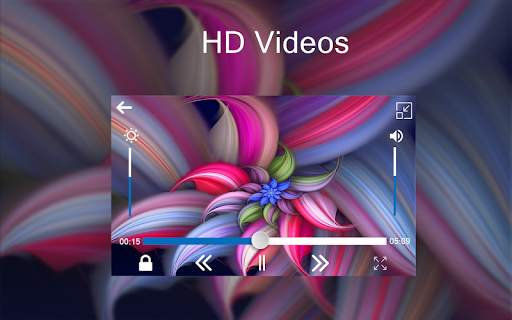
4. Increase and Decrease of Volume Controls
5. Increase and Decrease of Brightness Controls
6. Child Lock and Share Video Status
7. Its Very Easy To Details Info and Delete Folder and Video
8. Forward and Backward Smoothly Controls
Thanks for Downloading MX Music Plus Video Player!!!!

...

👉 For More Detail of MX Music Plus Video Player

#5 Video player MX Player

Video player MX Player
Rating: star 4.3 | Version: 1.2 | Size: 4.4MB
Video player MX Player screenshot 1 Video player MX Player screenshot 2 Video player MX Player screenshot 3

Powerful video player with advanced hardware acceleration and subtitle support.
a) HARDWARE ACCELERATION - Hardware acceleration can be applied to more videos with the help of new HW+ decoder.
b) MULTI-CORE DECODING - MX Player is the first Android video player which supports multi-core decoding. Test result proved that multi-core device's performance is up to 70% better than single-core devices.
c) PINCH TO ZOOM, ZOOM AND PAN - Easily zoom in and out by pinching and swiping across the screen. Zoom and Pan is also available by option.
d) SUBTITLE GESTURES - Scroll forward/backward to move to next/previous text, Up/down to move text up and down, Zoom in/out to change text size.
e) MX FILE SHARING - Fast transfer files without mobile data usage. Share Music, Share Video, Share Files.
f) KIDS LOCK - Keep your kids entertained without having to worry that they can make calls or touch other apps.
Subtitle formats:
- DVD, DVB, SSA/*ASS* subtitle tracks.
- SubStation Alpha(.ssa/.*ass*) with full styling.
- SAMI(.smi) with Ruby tag support.
- SubRip(.srt)
- MicroDVD(.sub)
- VobSub(.sub/.idx)
- SubViewer2.0(.sub)
- MPL2(.mpl)
- TMPlayer(.txt)
- Teletext
- PJS(.pjs)
- WebVTT(.vtt)
******
Permission Details:
–––––––––––––––––––
* "READ_EXTERNAL_STORAGE" is required to read your media files in your primary & secondary storages.
* "WRITE_EXTERNAL_STORAGE" is required to rename or deletion of files and to store the downloaded subtitles.
* "LOCATION" permission is required to help find nearby friends for file transfers.
* "NETWORK" and "WIFI" permissions are required to get the network status which is required for various activities like license checking, update checking etc. Wifi connection is also used for faster file transfers.
* "BLUETOOTH" permission is required in order to improve AV sync when Bluetooth headset is connected, and create connections for file transfers.
* "CAMERA" permission is required to scan QR code for file transfers.
* "INTERNET" is required to play internet streams.
* "VIBRATE" is required to control the vibration feedbacks.
* "WAKE_LOCK" is required to prevent your phone from sleeping while watching any video.
* "KILL_BACKGROUND_PROCESSES" is required to stop the MX Player services used in background play.
* "DISABLE_KEYGUARD" is required to temporarily prevent secure screen lock when Kids Lock is used.
* "SYSTEM_ALERT_WINDOW" is required to block some keys when Kids Lock is used.
* "DRAW OVER OTHER APPS" is required to block system buttons when input blocking is activated on the playback screen.

...

👉 For More Detail of Video player MX Player

Search Results

1/20

You may like

DOWNLOAD IS NOT SUPPORTED IN WEB STORE!
Use the latest version of 9Apps to download APK&OBB file of games in one click!
DOWNLOAD 9APPS