mx pla on 9Apps

Free download latest mx pla for Android here and enjoy it with your phone. Below you can download a list of top and latest apps related to mx pla . 9APPS is a fast, safe app store. With 9APPS, you can save a lot of time on searching and downloading apps.

#1 MX Player

MX Player
Rating: star 4.3 | Version: 1.83.0 | Size: 129.4MB
MX Player screenshot 1 MX Player screenshot 2 MX Player screenshot 3

Straordinario riproduttore video con accelerazione hardware avanzata e supporto ai sottotitoli.
a) DECODIFICA HARDWARE - Con il nuovo decoder HW, altri video possono trarre beneficio dall'accelerazione hardware.
b) DECODIFICA MULTI-CORE - MX Video Player è il primo lettore video per Android che esegue la decodifica multi-core. Secondo i risultati dei test sui dispositivi dual-core, mostra un incremento delle performance del 70% rispetto alla decodifica single-core.
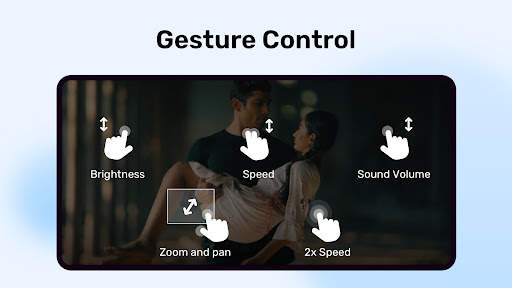
c) GESTO ZOOM, ZOOM + PAN - Modifica il livello di zoom semplicemente 'pizzicando' lo schermo. È disponibile anche la modalità zoom + pan.
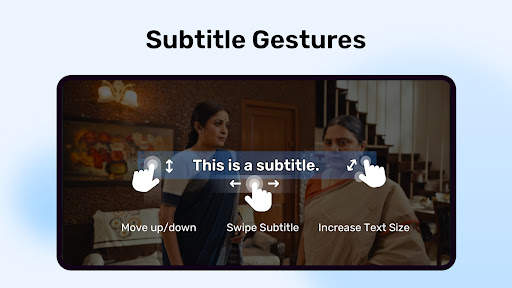
d) GESTI SOTTOTITOLI - Striscia avanti/indietro per cambiare sottotitoli, su/giù per spostare il testo in alto o in basso, zoom in/out con due dita per ingrandire o rimpicciolire il testo.
e) KIDS LOCK - Lasciate che i vostri bambini si divertano senza la preoccupazione che vengano effettuate chiamate o toccate altre applicazioni. (plugin richiesto)
Formati Sottotitoli:
- Tracce Sottotitoli DVD, DVB, SSA/*ASS*.
- SubStation Alpha(.ssa/.*ass*) con formattazione completa.
- SAMI(.smi) con il supporto ai tag Ruby.
- SubRip(.srt)
- MicroDVD(.sub)
- VobSub(.sub/.idx)
- SubViewer2.0(.sub)
- MPL2(.mpl)
- TMPlayer(.txt)
- Teletext
- PJS(.pjs)
- WebVTT(.vtt)
******
A proposito del permesso "Spostamento sopra altre app": Questo permesso è richiesto per bloccare i tasti di sistema quando il blocco dei comandi è attivato nella schermata di riproduzione video.
Circa il permesso su "Associazione di dispositivi Bluetooth": Questo permesso richiede di migliorare il sync quando gli auricolari sono collegati.
Circa il permesso sul "Disabilitare lo sblocca schermo": questo permesso richiede di rimuovere temporaneamente il blocca schermo quando la modalità "Controllo Bambini" è attivo. Tuttavia, il blocca schermo non deve essere disabilitato.
I permessi per il controllo della vibrazione servono per evitare che il telefono vada in standby: questi permessi sono obbligatori per la riproduzione di file multimediali su alcuni dispositivi.
******
Se appare l'errore 'File del pacchetto non valido', installa nuovamente MX Player scaricandolo dalla homepage (https://sites.google.com/site/mxvpen/download)
******
Se hai domande o richieste, visita il XDA forum di MX Player.
http://forum.xda-developers.com/apps/mx-player or https://www.facebook.com/MXPlayer
Some of the screens are from the Elephants Dreams licensed under the Creative Commons Attribution 2.5.
(c) copyright 2006, Blender Foundation / Netherlands Media Art Institute / www.elephantsdream.org
Some of the screens are from the Big Buck Bunny licensed under the Creative Commons Attribution 3.0 Unported.
(c) copyright 2008, Blender Foundation / www.bigbuckbunny.org

...

👉 For More Detail of MX Player

#2 MX Player Beta

MX Player Beta
Rating: star 4.2 | Version: 2.21.6 | Size: 37.1MB
MX Player Beta screenshot 1 MX Player Beta screenshot 2 MX Player Beta screenshot 3

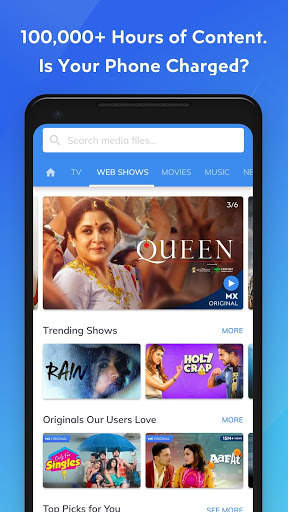
MX Player, il lettore video più potente ora ti offre un servizio di streaming GRATUITO che offre oltre 100.000 ore di contenuti tra cui spettacoli originali ed esclusivi, film, programmi TV, serie web e una doppia esperienza musicale con video e audio.
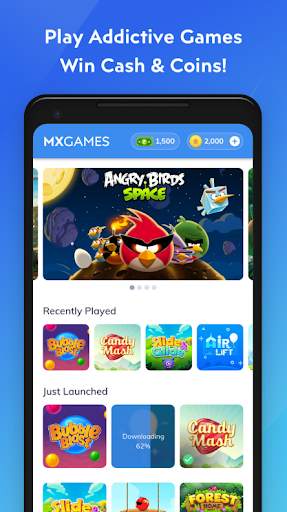
Presentazione dei tornei cash! Gioca di più e ottieni la possibilità di prelevare i soldi utilizzando il tuo portafoglio Paytm.
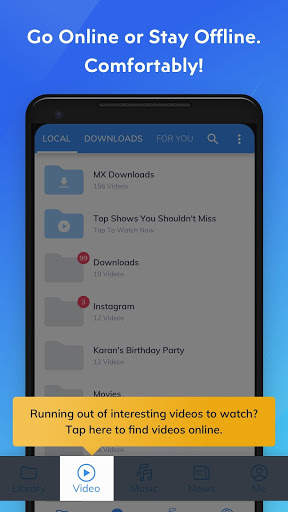
Abbiamo anche aggiunto la scheda e le funzionalità "Download" per semplificare la gestione dei contenuti scaricati e trovare nuovi contenuti da scaricare con un singolo clic.
Lo stesso potente lettore video ora riproduce video online con tutti i gesti che già ami!
Potente lettore video con accelerazione hardware avanzata e supporto per i sottotitoli.
a) ACCELERAZIONE HARDWARE - L'accelerazione hardware può essere applicata a più video con l'aiuto del nuovo decodificatore HW +.
b) DECODIFICA MULTI-CORE - MX Player è il primo lettore video Android che supporta la decodifica multi-core. Il risultato del test ha dimostrato che le prestazioni del dispositivo dual-core sono migliori fino al 70% rispetto ai dispositivi single-core.
c) POCA PER ZOOM, ZOOM E PANORAMICA - Ingrandisci e rimpicciolisci facilmente pizzicando e scorrendo sullo schermo. Zoom e Panoramica sono disponibili anche per opzione.
d) GESTI SOTTOTITOLI - Scorri avanti / indietro per spostarti al testo precedente / successivo, Su / giù per spostare il testo su e giù, Zoom avanti / indietro per modificare le dimensioni del testo .
e) BLOCCO BAMBINI: intrattieni i tuoi bambini senza doversi preoccupare che possano effettuare chiamate o toccare altre app. (plug-in richiesto)
Formati dei sottotitoli:
- Tracce di sottotitoli DVD, DVB, SSA / ASS.
- SubStation Alpha (.ssa / .ass) con stile completo.
- SAMI (.smi) con supporto tag Ruby.
- SubRip (.srt)
- MicroDVD (.sub)
- VobSub (.sub / .idx)
- SubViewer2.0 (. sub)
- MPL2 (.mpl)
- TMPlayer (.txt)
- Televideo
- PJS (.pjs)
- WebVTT (.vtt)
* *****
Informazioni sull'autorizzazione "Disegna su altre app": questa autorizzazione è necessaria per bloccare i pulsanti di sistema quando il blocco degli input è attivato nella schermata di riproduzione.
Informazioni sull'autorizzazione "Accoppia con dispositivi Bluetooth": questa autorizzazione è necessaria per migliorare la sincronizzazione AV quando è collegato un auricolare Bluetooth.
Informazioni sull'autorizzazione "Disabilita blocco schermo": questa autorizzazione è necessaria per rimuovere temporaneamente il blocco schermo quando viene utilizzata la modalità Blocco bambini. Tuttavia, il blocco schermo protetto non verrà disabilitato.
Informazioni sulle autorizzazioni "Controlla vibrazione", "Impedisci sospensione dispositivo": queste autorizzazioni sono necessarie per la riproduzione multimediale su alcuni dispositivi.
******
Se stai riscontrando l'errore "il file del pacchetto non è valido", installalo di nuovo dalla home page del prodotto (https://sites.google.com/site/mxvpen/download)
******
In caso di domande, visita la nostra pagina Facebook:
https://www.facebook.com/MX.Player.Beta/
Alcune schermate provengono da Elephants Dreams con licenza Creative Commons Attribution 2.5.
(c) copyright 2006, Blender Foundation / Netherlands Media Art Institute / www.elephantsdream.org
Alcuni degli schermi provengono da Big Buck Bunny con licenza Creative Commons Attribution 3.0 Unported.
(c) copyright 2008, Blender Foundation / www.bigbuckbunny.org
Alcuni contenuti in App sono forniti da servizi e API di YouTube, segui questi:
https: // www .youtube.com / t / terms
ht tps: //www.youtube.com/yt/copyright/
https://www.youtube.com/yt/policyandsafety/

...

👉 For More Detail of MX Player Beta

#3 MX Play

MX Play
Rating: star 3.7 | Version: 5.1.2 | Size: 6.7MB
MX Play screenshot 1 MX Play screenshot 2 MX Play screenshot 3

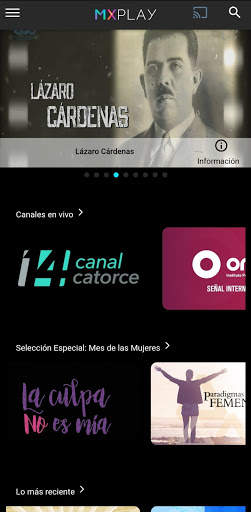
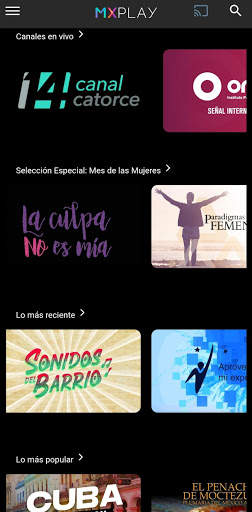
MX Play è un'app di distribuzione di contenuti audiovisivi, prodotta da enti pubblici culturali ed educativi.
Si tratta di contenuti sociali significativi con produzioni focalizzate su ogni pubblico che possono essere viste in qualsiasi luogo tu voglia con connessione Internet, quindi seconsumi più contenuti avrai migliori consigli.Trasformare questa App in un sistema personalizzato con i tuoi interessi senza limitarti a un solo contenuto, perché in ogni momento puoi accedere a tutti i contenuti tramite una ricerca generale o specifica.

...

👉 For More Detail of MX Play

#4 HD MX Player

HD MX Player
Rating: star 4.9 | Version: 1.0 | Size: 6.3MB
HD MX Player screenshot 1 HD MX Player screenshot 2 HD MX Player screenshot 3

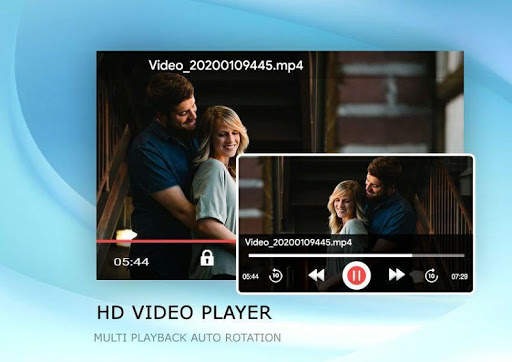
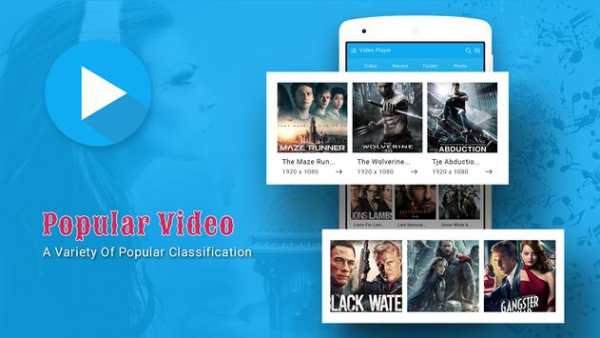
*mp4, Full HD Player
*Video Player
*Music Player
*Online Trending Videos
*Photo Albums
*Download and Search Subtitle of Videos
*Search Tracks, Album, Artist, mp4 files, video files, music library are the features of Rocks Player.
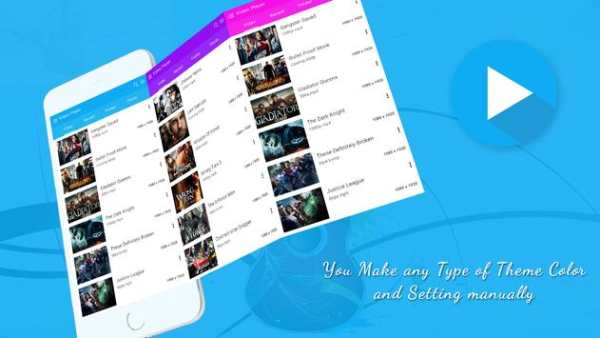
* Different Multiple Themes
* Awesome Video View
* Filter and Delete duplicate Videos Files to get more free space in Sd Card.
* Share video in social network
* Child mode and Screen Lock feature
* Autoplay Videos Queue
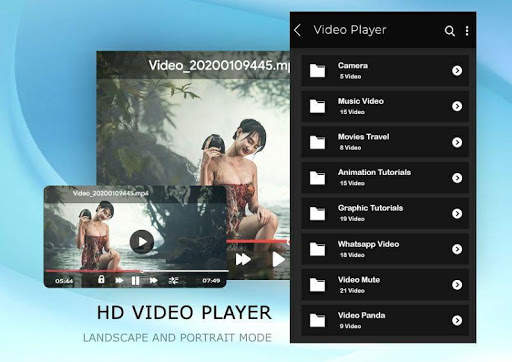
* Auto full sensor (Portrait/ Landscape)
* Video Folder View
* Sorting video list with duration, recent, latest videos and file name
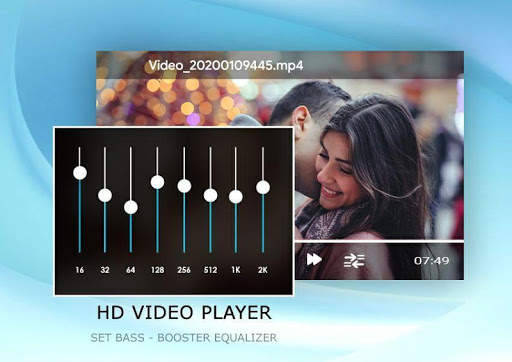
* Screen Gesture detecting feature in Brightness and Volume Control
* Update and Drag-drop feature to re-queue the video playlist.
* Remove Video from Playing Queue using bottom to up swiping items
* Start video from Resume state with Playing Queue
* Supported Formats are mp4, mp4v, avi, asf, avchd, dav, arf, ts, mov, qt, trc, dv4, dv4, mpg, mpeg, mpeg4, webm, ogv, vp9, vob, 3gp, riff, m2ts, m3u, avc, mkv, wav, flv, wmv, divx, swf
Are the key feature of this video player.
All Format Video Player:
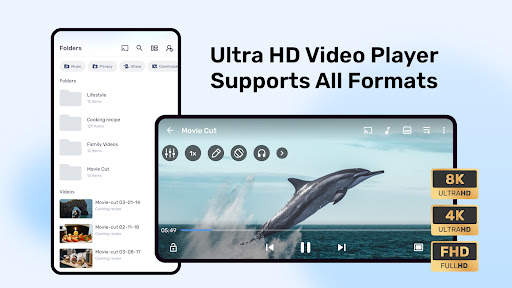
Video Player supports all popular video formats, including 3GP, AVI, FLV, M4V, MKV, MOV, MP4, WMV, etc.
Smart manage classified videos:
Video Player can Identify ALL video files on your device and SD Card automatically, allowing you to quickly locate and play the video. It helps you to manage your videos better. In addition, you can quickly rename, cut, delete and share your videos in a convenient way.
High quality and HD playing:
Video Player using hardware decoding, take advantage of hardware acceleration. You can startup quickly in all of your devices up to Android 8.0 and enjoy the best HD videos played with a HD quality and smoothly speed to get the most perfect movies playing experience.
Smart playback your videos:
Video Player is a best videos manager which helps you remember the last played progress, and auto playback in a HD Quality. Perfect stitching to the atmosphere of the previous movie scene.
Easy and convenient control:
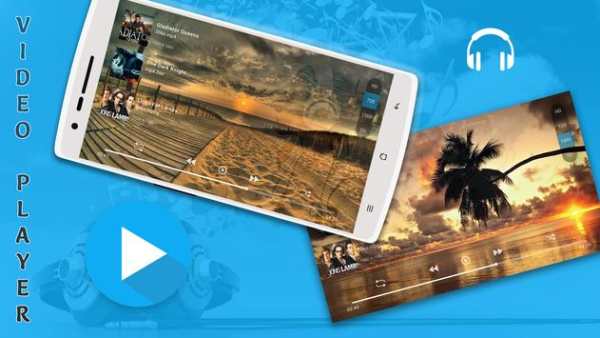
Video Player supports gestures to easily adjust the screen brightness and video volume when you are watching the video.
And you can click the button to quickly control the videos’ progresses and the last or next video to play. In addition, locking screen, floating window playback, horizontal and vertical screen switching, trimming current interface, adjusting screen sizes features are ready for you!
Stylish design & colorful themes:
Video Player is designed by a simple stylish style and images filleted. And you can select your favorite one of six colorful themes to make your exclusive video player.
HD Video Player is a powerful and private smart playback video player. We are struggle for bringing you the most perfect experience in the HD video player. Hope you can enjoy the fun of movies playing in video player.

...

👉 For More Detail of HD MX Player

#5 HD MX Player

HD MX Player
Rating: star 4.9 | Version: 1.2 | Size: 5.9MB
HD MX Player screenshot 1 HD MX Player screenshot 2 HD MX Player screenshot 3

*mp4, Full HD Player
*Video Player
*Music Player
*Online Trending Videos
*Photo Albums
*Download and Search Subtitle of Videos
*Search Tracks, Album, Artist, mp4 files, video files, music library are the features of Rocks Player.
* Different Multiple Themes
* Awesome Video View
* Filter and Delete duplicate Videos Files to get more free space in Sd Card.
* Share video in social network
* Child mode and Screen Lock feature
* Autoplay Videos Queue
* Auto full sensor (Portrait/ Landscape)
* Video Folder View
* Sorting video list with duration, recent, latest videos and file name
* Screen Gesture detecting feature in Brightness and Volume Control
* Update and Drag-drop feature to re-queue the video playlist.
* Remove Video from Playing Queue using bottom to up swiping items
* Start video from Resume state with Playing Queue
* Supported Formats are mp4, mp4v, avi, asf, avchd, dav, arf, ts, mov, qt, trc, dv4, dv4, mpg, mpeg, mpeg4, webm, ogv, vp9, vob, 3gp, riff, m2ts, m3u, avc, mkv, wav, flv, wmv, divx, swf
Are the key feature of this video player.
All Format Video Player:
Video Player supports all popular video formats, including 3GP, AVI, FLV, M4V, MKV, MOV, MP4, WMV, etc.
Smart manage classified videos:
Video Player can Identify ALL video files on your device and SD Card automatically, allowing you to quickly locate and play the video. It helps you to manage your videos better. In addition, you can quickly rename, cut, delete and share your videos in a convenient way.
High quality and HD playing:
Video Player using hardware decoding, take advantage of hardware acceleration. You can startup quickly in all of your devices up to Android 8.0 and enjoy the best HD videos played with a HD quality and smoothly speed to get the most perfect movies playing experience.
Smart playback your videos:
Video Player is a best videos manager which helps you remember the last played progress, and auto playback in a HD Quality. Perfect stitching to the atmosphere of the previous movie scene.
Easy and convenient control:
Video Player supports gestures to easily adjust the screen brightness and video volume when you are watching the video.
And you can click the button to quickly control the videos’ progresses and the last or next video to play. In addition, locking screen, floating window playback, horizontal and vertical screen switching, trimming current interface, adjusting screen sizes features are ready for you!
Stylish design & colorful themes:
Video Player is designed by a simple stylish style and images filleted. And you can select your favorite one of six colorful themes to make your exclusive video player.
HD Video Player is a powerful and private smart playback video player. We are struggle for bringing you the most perfect experience in the HD video player. Hope you can enjoy the fun of movies playing in video player.

...

👉 For More Detail of HD MX Player
Search Results

1/20

You may like

DOWNLOAD IS NOT SUPPORTED IN WEB STORE!
Use the latest version of 9Apps to download APK&OBB file of games in one click!
DOWNLOAD 9APPS