








DOWNLOAD IS NOT SUPPORTED IN WEB STORE!
Use the latest version of 9Apps to download APK&OBB file of games in one click!
DOWNLOAD 9APPS
Hello everybody
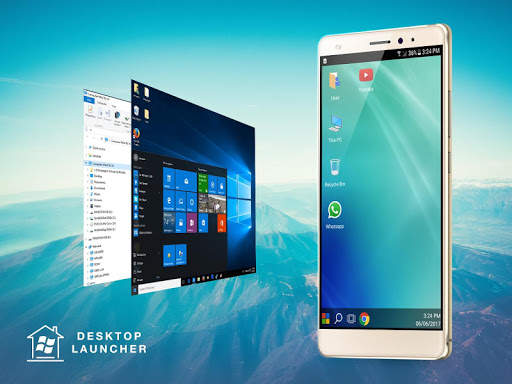
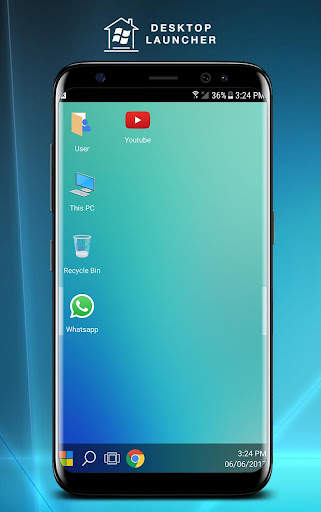
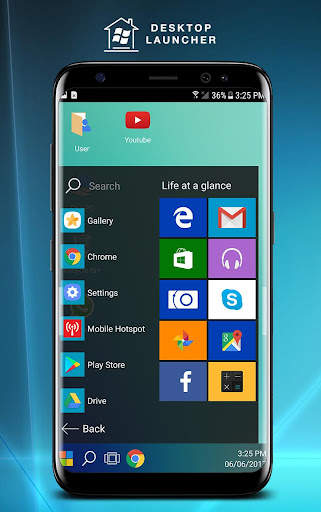
We would like to introduce to you an application that helps to modify the interface of the phone just like the desktop. It is for anyone who is used to using windows 8 or 8.1 to bring its usefulness or features to your phone. Then Desktop Launcher
PCStyle can help you completely do this.
With all non★root android devices you just install the Desktop Launcher app and then experience it.
With version 1.0 we have tried a lot but it will still have problems as well as bug, I hope you will send us the things you want to improve in the application, we will optimize as well. Fix it quickly.
Features
★ Android apps in Stylish Tiles ★ In Start Menu.
★ Best Apps are available on One Click ★ Create Shortcuts of most used apps on Desktop by press and Hold Feature.
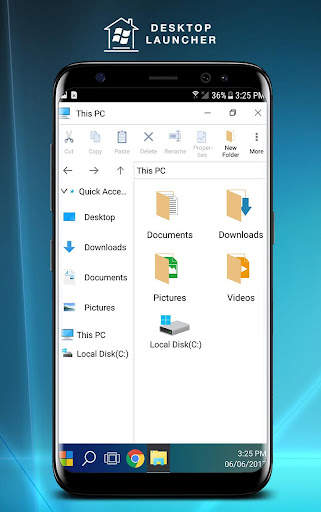
★ Manage your documents like being on your desktop or laptop.
★ Amazing style start menu for quick application launch.
★ Easy Navigation to the Apps: Switch to other programs, uninstall or view any app's system management page. Launched applications are also in the taskbar
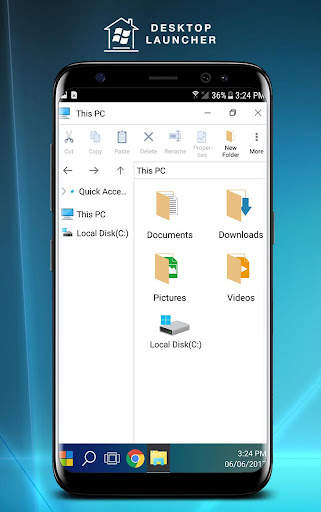
★ Built★In File Explorer ★ Create Folders, Cut, Copy, Paste, Move, Share etc.
★ Listing all of your drives, SD Card, Storage, audio and video files and pictures in PC style.
★ put the files to Recycle Bin and delete later.
★ Built★in ZIP support allows you to decompress or extract ZIP / RAR files.
★ Hide Files.
★ Lock Files.
★ Kill running tasks, increase memory and speed up your device.
**************** Dont forget to rate and share our app.
**************** Supports Tablet devices.