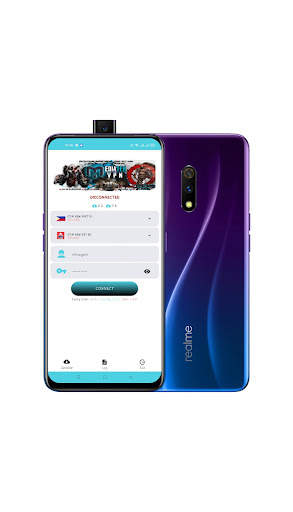
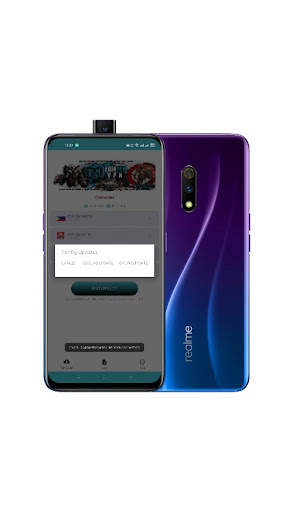
mediatek smartdevice on 9Apps

Free download latest mediatek smartdevice for Android here and enjoy it with your phone. Below you can download a list of top and latest apps related to mediatek smartdevice . 9APPS is a fast, safe app store. With 9APPS, you can save a lot of time on searching and downloading apps.

#1 Mediatek SmartDevice
Mediatek SmartDevice
Rating: star 2.6 | Version: V1.7.6 | Size: 7.3MB
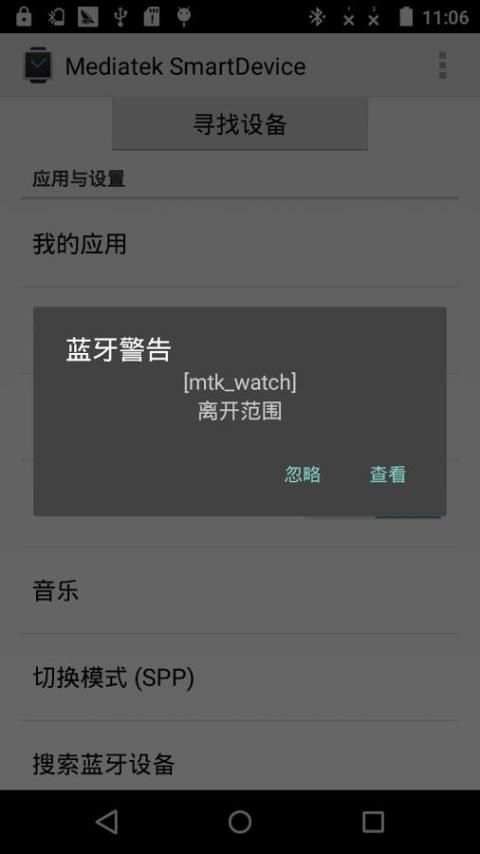
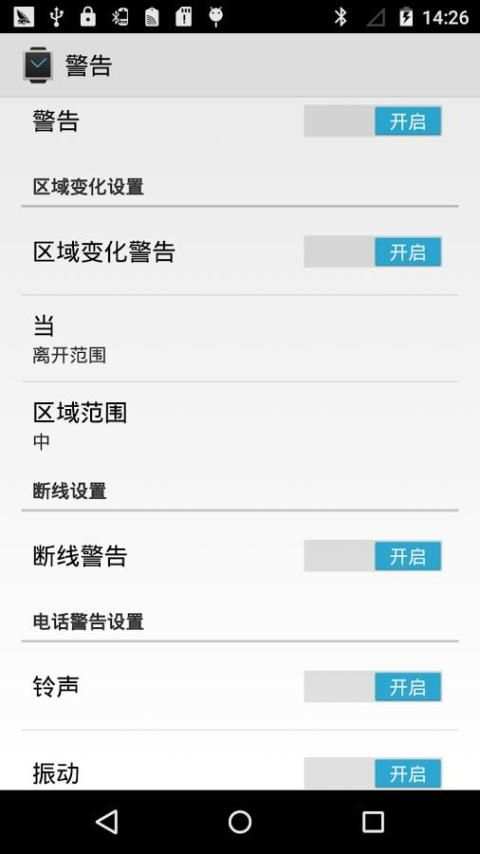
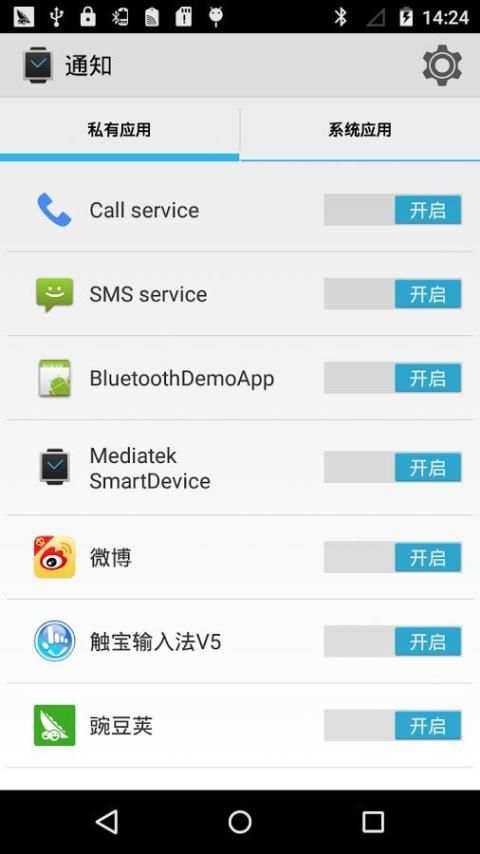
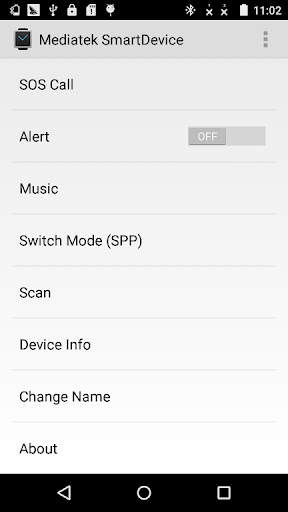
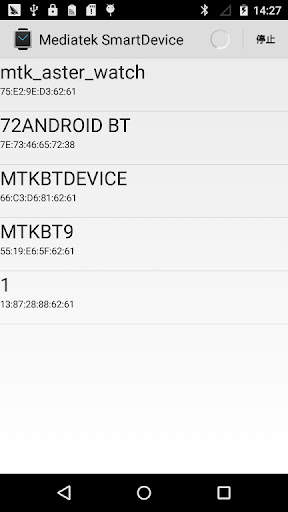
Mediatek SmartDevice screenshot 1 Mediatek SmartDevice screenshot 2 Mediatek SmartDevice screenshot 3

[English description]
Mediatek SmartDevice (For MT2502 / MT2503)
Attention:
1: The APK need work with Mediatek (MTK) wearable device (e.g. based MTK2502 / MT2503 chip wearable products).
2: The APK can connect with wearable product through SPP mode or GATT (BLE) mode (depends on your wearable device HW capability).
3: The GATT mode can work normally need below two conditions and BLE is connected.
   1) The Android platform is equal or higher Android 4.3 (API 18).
   2) The hardware of smart phone need support BLE.
  
The APK can support below functions:
1. The APK can scan wearable devices in SPP or GATT mode.
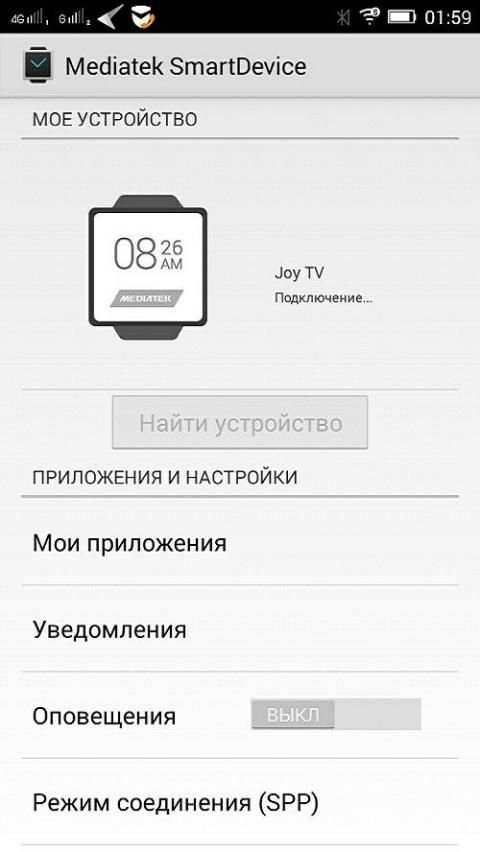
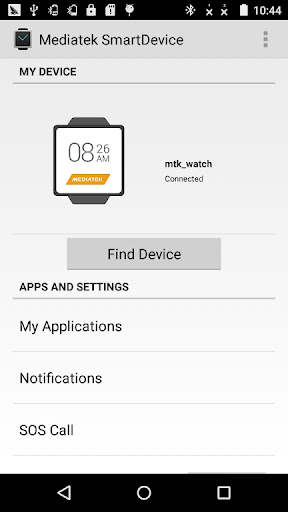
2: The APK can install or uninstall Linkit app to watch through "My Applications" item.
   E.g. Yahoo Weather / Digit clock / Codoon app
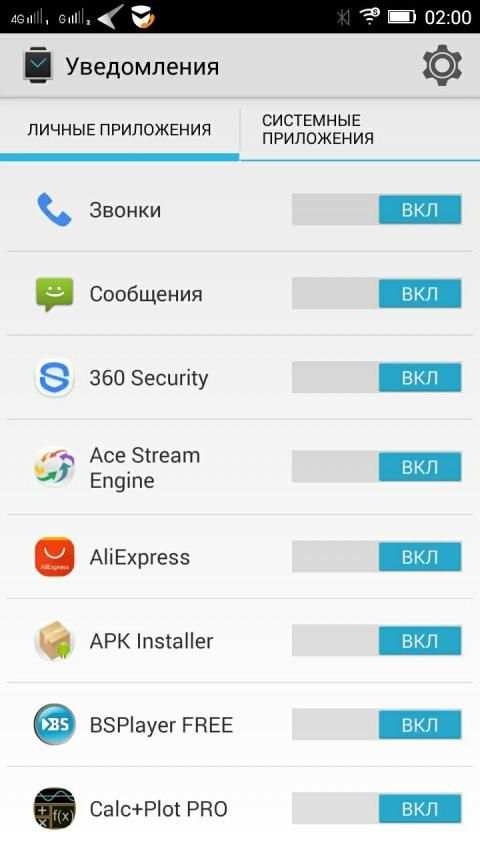
3: The APK can listen and push Smart Phone notification to watch.
   The APK can parse the notification attributes: action / group / big text view / page.
   And watch and sync operation with phone.
4: The APK can edit contact (name and number) or other attributes for making SOS call in wearable device.
5: The APK can find the wearable device through "Find device".
6: The APK will notify alert when the distance between phone and wearable device is unmatched the set value.
7: The APK can push smart phone inbox message to wearable device through MAP feature.
8: The APK integrate with Google fit and can view fitness data in Google fit APK after login in Google account.
   E.g. step / calorie / distance / heart rate
9: The APK can show the battery captivity of wearable device.
10: The APK can send firmware data to wearable device to do upgrade action.
11: The APK can push incoming call to wearable device when Hands-Free Profile (HFP) is disable.
12: The APK can sync time / zone / time format (12/24 hour format) to wearable device.
13: The APK support auto connect.
14: The APK can modify the connected device's name through "Change Name" item.
15: The APK can show the information of the connected device through "Device info" item.
Below functions need start operation on watch part:
1: Remote capture
   The watch can preview and capture a picture through open Smart Phone camera simultaneously.
2: BT music
   You can control the smart phone music media player to play / pause / pre / next / adjust volume.
Fix bug:
    The APK can not connect some watch version. Strongly recommend you upgrade the APK to V1.2.1
Special Explanation:
This APK is not suitable for NO.1 G2 watch, please do not use it to connect the G2 watch. Please contact with the manufacturer or watch saler to get help.
[Simplified Chinese description]
Mediatek SmartDevice (applies MT2502 / MT2503)
note:
1: The application needs and Mediatek (MTK) with the use of wearable devices (for example, based on MTK2502 / MT2503 wearable product).
2: connection with the application of wearable devices support SPP mode or GATT mode (depending on your wearable device has the hardware support).
3: GATT mode can work required based on the following two conditions need to Connected and BLE.
   1) mobile platform Android4.3 or more is needed
   2) mobile phone hardware required to support BLE
   
The application has the following features:
1: wearable device can scan through SPP mode or GATT mode.
2: "My Applications", can install or uninstall Linkit platform application to the wearable device.
   Such as: Yahoo Weather / Digit clock / Codoon Applications
3: You can synchronize notification message on the phone to the wearable device.
   Activities can be parsed notification message / packet / long text / page properties, and enables mobile phones and wearable devices for notification message "active" attribute for synchronous operations.
4: You can set the wearable device emergency call contact name and number.
5: You can "find device" function to find wearable device.
6: When the distance between mobile phones and wearable devices do not meet the set value, the phone sounds an alarm.
7: wearable device can obtain a short message from the inbox on your phone through the MAP function.
8: integrated Google fit, after landing Google account can view the health status information, such as the number of steps / calories / distance / heart rate.
9: You can display charge information for wearable devices.
10: You can upgrade package sent to the wearable device.
11: When the Bluetooth hands-free (Hands-Free Profile) function is not available when the caller's information can still be pushed to the device.
12: You can time / time zone / time format (12/24 format) synced with the device side.
13: Support automatic reconnection.
14: You can "modify the device name" function modify the name of the connected device.
15: Through the "View Smart Device Information" function queries wearable device information.
The following features need to initiate action from the wearable side:
1: remote camera
   Open the camera application through the mobile phone side, the wearable client can preview or photograph
2: Bluetooth music
   On the wearable device can control the music player software on the phone, such as the realization play / pause / previous / next one / volume adjustment function
Repair bug:
      The application can not connect to repair some low edition watch problems. It is strongly recommended that you apply the upgrade to version V1.2.1.
Special Note:
Which APK suited to NO.1 G2 watch, please do not use the APK to connect G2 watch. If you need assistance, please contact the manufacturer or distributor.

...

👉 For More Detail of Mediatek SmartDevice

#2 Mediatek SmartDevice

Mediatek SmartDevice
Rating: star 3.0 | Version: V1.1.2 | Size: 4.3MB
Mediatek SmartDevice screenshot 1 Mediatek SmartDevice screenshot 2

Приложение для синхронизации смарт-часов с вашим Android устройством. Приложение поддерживает ниже идущие функций: 1. Приложение может найти носимые устройства в режиме SPP или GATT. 2: Приложение может установить, удалять и просматривать приложения через пункт "Мои Приложения". Например: Yahoo Погода, Цифровые часы 3: Приложение может просматривать push-уведомлений смартфона. 4: Приложение может редактировать контакты (имя и номер) или другие атрибуты для совершения SOS вызова в носимом устройстве. 5: Приложение может найти носимое устройство через пункт "Сканировать". 6: Приложение уведомит, когда расстояние между телефоном и носимым устройством будет превышено. 7: Приложение интегрировано с Google Fit и может просматривать фитнес-данные приложения в Google Fit после входа в аккаунт Google. Например: шаг/калорий/расстояние/пульс 8: Приложение может показать заряд батареи носимого устройства. 9: Приложение может отправить прошивку в носимое устройство, чтобы обновить его. 10: Приложение может синхронизировать время/зоны/формат времени(12/24). 11: Приложение поддерживает авто подключение. 12: Приложение может изменить имя подключенного устройства через пункт "Сменить имя" 13: Приложение может показать информацию о подключенном устройстве через пункт "Информация об устройстве" Ниже функции которые откроются при подключении к смарт-часам: 1: Удаленная съемка Часы показывают предварительную картинку и фоткают удаленно. 2: BT-музыка Вы можете управлять музыкой на смартфоне удаленно. Внимание! 1: Приложение работает только с Mediatek (MTK) носимыми устройствами (например, на основе чипа MTK2502). 2: Приложение может соединиться с носимыми продуктами через режим SPP или в режиме GATT(BLE) (зависит от вашего устройства). 3: Для нормальной работы GATT режима и BLE связи нужно выполнить два условия. 1) Android 4.3 или выше. 2) Смартфон должен поддерживать BLE.

...

👉 For More Detail of Mediatek SmartDevice

#3 Mediatek SmartDevice Guia

Mediatek SmartDevice Guia
Rating: star 3.0 | Version: 2.0 | Size: 11.8MB
Mediatek SmartDevice Guia screenshot 1 Mediatek SmartDevice Guia screenshot 2 Mediatek SmartDevice Guia screenshot 3

Chú ý:
1: APK cần làm việc với thiết bị đeo được MediaTek (MTK) (ví dụ: các sản phẩm đeo chip MTK2502/MT2503 dựa trên(Phụ thuộc vào thiết bị đeo của bạn HW
Khả năng)(API 18).
2) Phần cứng của điện thoại thông minh cần hỗ trợ BLE.APK có thể quét các thiết bị có thể đeo ở chế độ SPP hoặc GATT.Mục.
Ví dụ:Yahoo Weather/Digit Clock/Codoon Ứng dụng
3: APK có thể nghe và đẩy thông báo điện thoại thông minh để xem.Xem và đồng bộ hóa hoạt động với điện thoại.
4: APK có thể chỉnh sửa liên hệ (tên và số) hoặc các thuộc tính khác để thực hiện cuộc gọi SOS trong thiết bị đeo.;.: APK tích hợp với Google Fit và có thể xem dữ liệu thể dục trong APK của Google Fit sau khi đăng nhập vào tài khoản Google.
ví dụ:Bước/calo/khoảng cách/nhịp tim
9: APK có thể hiển thị pin bị giam cầm của thiết bị đeo.có thể đẩy cuộc gọi đến thiết bị có thể đeo khi hồ sơ rảnh tay (HFP) bị vô hiệu hóa.APK hỗ trợ Auto Connect.
14: APK có thể sửa đổi tên của thiết bị được kết nối thông qua & quot; thay đổi tên & quot;Mục.
15: APK có thể hiển thị thông tin của thiết bị được kết nối thông qua & quot; Thông tin thiết bị & quot;Mục.BR> Bạn có thể điều khiển trình phát phương tiện âm nhạc điện thoại thông minh để phát/tạm dừng/pre/next/điều chỉnh âm lượng.Rất khuyến khích bạn nâng cấp APK lên v1.2.1
Giải thích đặc biệtVui lòng liên hệ với
nhà sản xuất hoặc xem Saler để nhận trợ giúp.BR> 1: 该 需要 与 与 mediatek (mtk) 穿戴式 搭配 使用 (例如 , mtk2502/mt2503 的 产品 产品 产品。(取决于 你 的 设备 有 该 支持 支持 支持。。3 或 以上
2) 手机 需要 支持 ble
该 具有 以下 :
1的 , , 安装 或 卸载 卸载 卸载 平台 平台 到 设备 上。。
Br> 可以 通知 的 活动 活动/分组/长 内容 内容 , , 并 手机 和 穿戴式 设备 设备 上 通知设备 上 呼叫 的 和。。
5, 手机会 报警。
7 : 通过 bản đồ , , 设备 从 从 获取 收件 箱 短 信息。。
例如 ,/卡路/距离/心率。
9 : 可以 穿戴式 设备 电量 信息。。
10(Hồ sơ rảnh tay) 功能 可用 仍然 可以 将来 电信息 给 设备。重 连。
14 : : 通过 修改 修改 名 名 功能 修改 已 设备 名称
Ứng dụng này được tạo bởi người hâm mộ và tất cả các hình ảnh được sử dụng trong ứng dụng này được cho là thuộc phạm vi công cộng.Nếu bạn sở hữu quyền đối với
Bất kỳ hình ảnh điểm nào của Mediatek SmartDevice và không muốn họ xuất hiện ở đây, vui lòng liên hệ với chúng tôi và họ sẽ bị xóa
nó khỏi ứng dụng.
Ứng dụng này không có bất kỳ mối quan hệ nào với MediaTek SmartDevice hoặc bất kỳ công ty nào khác, đây chỉ là để giải trí và giúp đỡ hướng dẫn cho
Người dùng Mediatek SmartDevice.
- Mục đích của ứng dụng là giúp người dùng tốt hơnHiểu và tạo điều kiện cho việc sử dụng MediaTek SmartDevice.
- Ứng dụng tuân thủ các hướng dẫn sử dụng công bằng của Đạo luật Bản quyền Hoa Kỳ.

...

👉 For More Detail of Mediatek SmartDevice Guia

#4 Mediatek Learning

Mediatek Learning
Rating: star 5.0 | Version: 3.4.0.2 | Size: 11.7MB
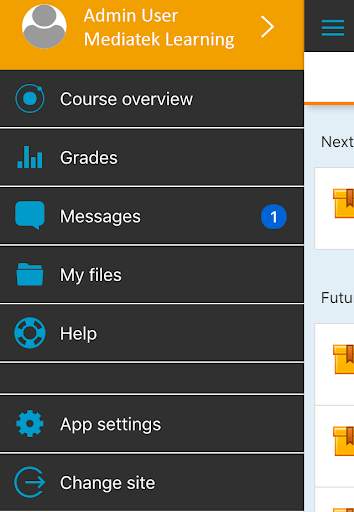
Mediatek Learning screenshot 1 Mediatek Learning screenshot 2

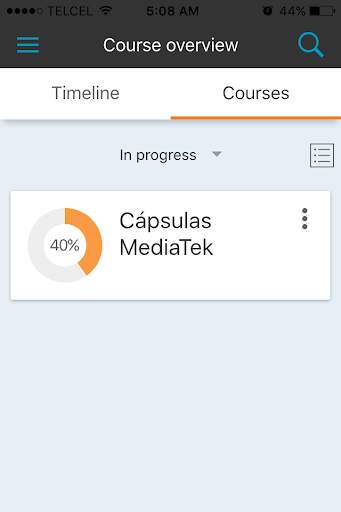
Introducing MediaTek Learning, a platform that will help to improve your capabilities and on-line learning experiences. Have access to an exclusive content to expand your knowledge in technology.
Through the MediaTek Learning app, you will have a simple access directly from your mobile device, offering the essential features and functionalities to achieve successful learning at your fingertips.
Such as:
- Exclusive MediaTek content access, which helps you to learn more about mobile technology.
- Interactive connection with other participants to share experiences.
- Consolidate your knowledge, on and off line, by participating in learning activities and games.
- Profile configurations for a personalized access.
- Ability to save files which can help you in your sales work and on the job training, such as images, pdf's or other files from your mobile device.
- Schedule milestones of each program and training courses of your interest, in a timeline or by courses.
- Receive instant notifications or specific publications in private messages.
- Visualize scores and grades to track your progress.
You can find all this and more with MediaTek Learning, which provide you with key information to learn more about different technologies that will help you to differentiate and understand how your
mobile device works.

...

👉 For More Detail of Mediatek Learning

#5 Mediatek Vpn

Mediatek Vpn
Rating: star 4.5 | Version: 1.0.0 | Size: 16.2MB
Mediatek Vpn screenshot 1 Mediatek Vpn screenshot 2

Mediatek Vpn gives you secure location and high speed internet.

...

👉 For More Detail of Mediatek Vpn

Search Results

1/1

You may like

DOWNLOAD IS NOT SUPPORTED IN WEB STORE!
Use the latest version of 9Apps to download APK&OBB file of games in one click!
DOWNLOAD 9APPS