mediatek smartdevice on 9Apps

Free download latest mediatek smartdevice for Android here and enjoy it with your phone. Below you can download a list of top and latest apps related to mediatek smartdevice . 9APPS is a fast, safe app store. With 9APPS, you can save a lot of time on searching and downloading apps.

#1 Mediatek SmartDevice
Mediatek SmartDevice
Rating: star 2.6 | Version: V1.7.6 | Size: 7.3MB
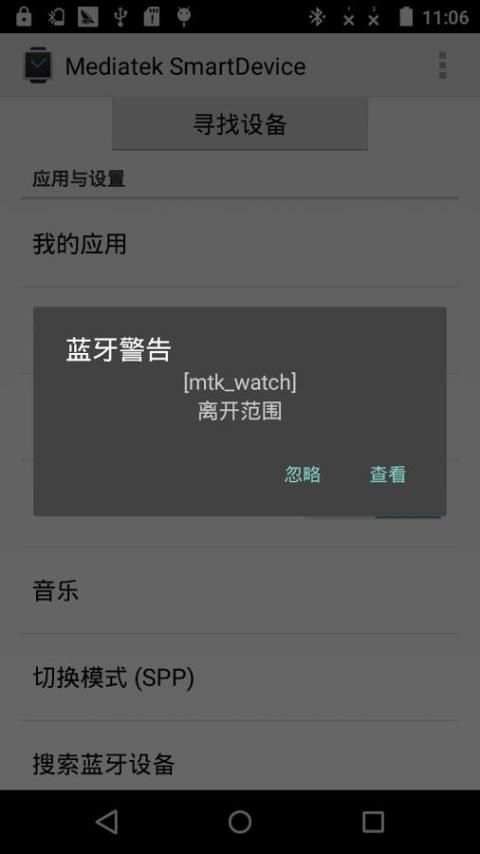
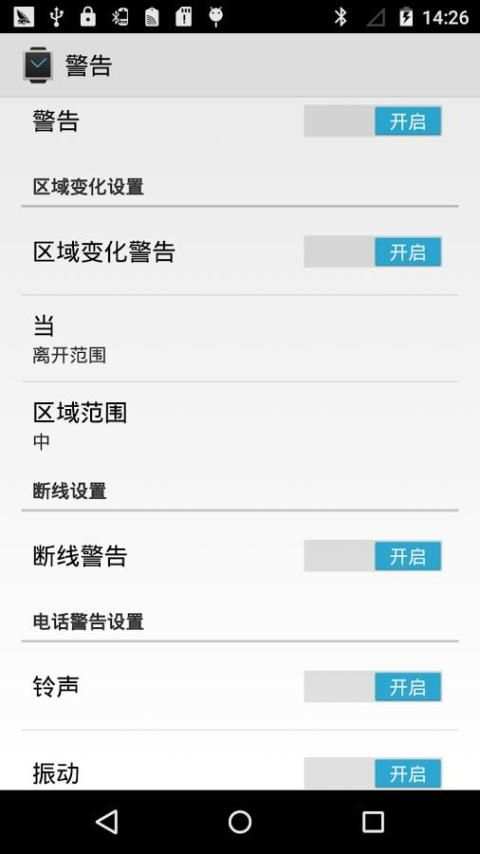
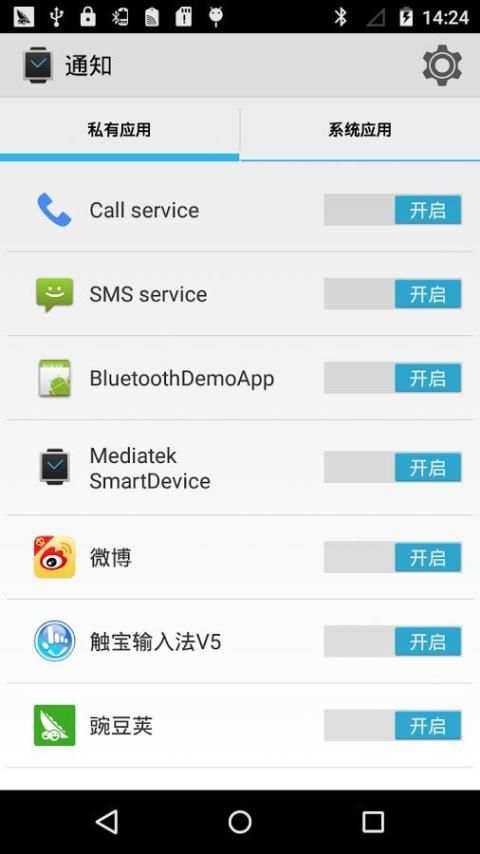
Mediatek SmartDevice screenshot 1 Mediatek SmartDevice screenshot 2 Mediatek SmartDevice screenshot 3

[English description]
Mediatek SmartDevice (For MT2502 / MT2503)
Attention:
1: The APK need work with Mediatek (MTK) wearable device (e.g. based MTK2502 / MT2503 chip wearable products).
2: The APK can connect with wearable product through SPP mode or GATT (BLE) mode (depends on your wearable device HW capability).
3: The GATT mode can work normally need below two conditions and BLE is connected.
   1) The Android platform is equal or higher Android 4.3 (API 18).
   2) The hardware of smart phone need support BLE.
  
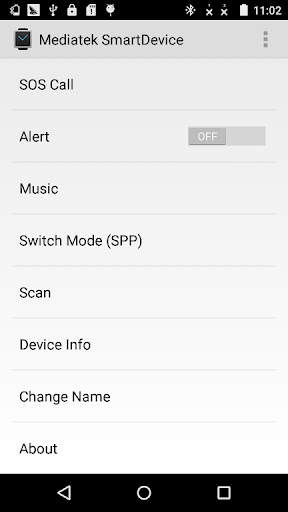
The APK can support below functions:
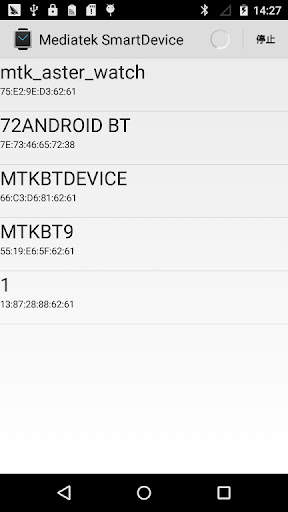
1. The APK can scan wearable devices in SPP or GATT mode.
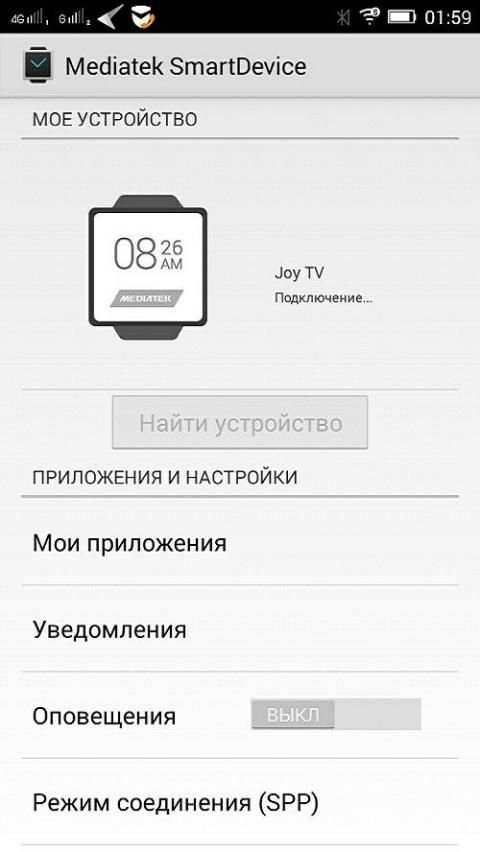
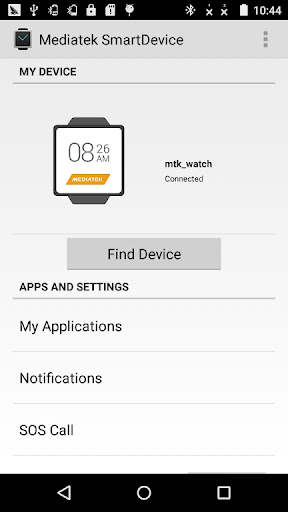
2: The APK can install or uninstall Linkit app to watch through "My Applications" item.
   E.g. Yahoo Weather / Digit clock / Codoon app
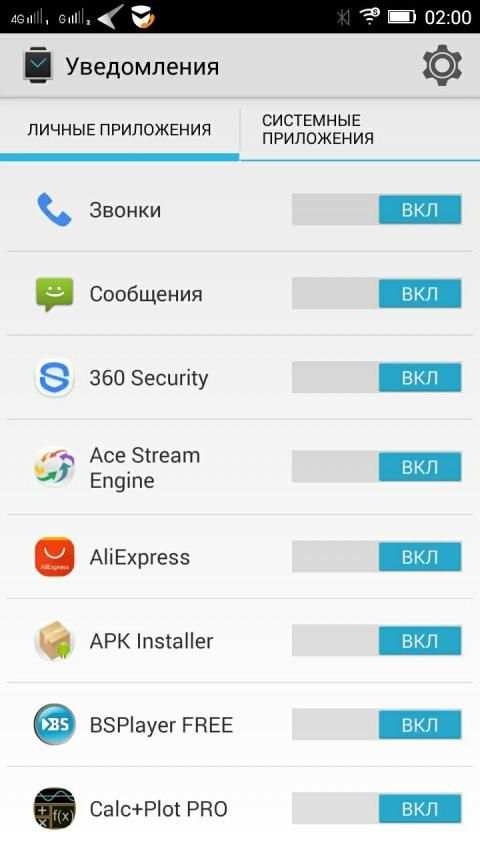
3: The APK can listen and push Smart Phone notification to watch.
   The APK can parse the notification attributes: action / group / big text view / page.
   And watch and sync operation with phone.
4: The APK can edit contact (name and number) or other attributes for making SOS call in wearable device.
5: The APK can find the wearable device through "Find device".
6: The APK will notify alert when the distance between phone and wearable device is unmatched the set value.
7: The APK can push smart phone inbox message to wearable device through MAP feature.
8: The APK integrate with Google fit and can view fitness data in Google fit APK after login in Google account.
   E.g. step / calorie / distance / heart rate
9: The APK can show the battery captivity of wearable device.
10: The APK can send firmware data to wearable device to do upgrade action.
11: The APK can push incoming call to wearable device when Hands-Free Profile (HFP) is disable.
12: The APK can sync time / zone / time format (12/24 hour format) to wearable device.
13: The APK support auto connect.
14: The APK can modify the connected device's name through "Change Name" item.
15: The APK can show the information of the connected device through "Device info" item.
Below functions need start operation on watch part:
1: Remote capture
   The watch can preview and capture a picture through open Smart Phone camera simultaneously.
2: BT music
   You can control the smart phone music media player to play / pause / pre / next / adjust volume.
Fix bug:
    The APK can not connect some watch version. Strongly recommend you upgrade the APK to V1.2.1
Special Explanation:
This APK is not suitable for NO.1 G2 watch, please do not use it to connect the G2 watch. Please contact with the manufacturer or watch saler to get help.
[Simplified Chinese description]
Mediatek SmartDevice (applies MT2502 / MT2503)
note:
1: The application needs and Mediatek (MTK) with the use of wearable devices (for example, based on MTK2502 / MT2503 wearable product).
2: connection with the application of wearable devices support SPP mode or GATT mode (depending on your wearable device has the hardware support).
3: GATT mode can work required based on the following two conditions need to Connected and BLE.
   1) mobile platform Android4.3 or more is needed
   2) mobile phone hardware required to support BLE
   
The application has the following features:
1: wearable device can scan through SPP mode or GATT mode.
2: "My Applications", can install or uninstall Linkit platform application to the wearable device.
   Such as: Yahoo Weather / Digit clock / Codoon Applications
3: You can synchronize notification message on the phone to the wearable device.
   Activities can be parsed notification message / packet / long text / page properties, and enables mobile phones and wearable devices for notification message "active" attribute for synchronous operations.
4: You can set the wearable device emergency call contact name and number.
5: You can "find device" function to find wearable device.
6: When the distance between mobile phones and wearable devices do not meet the set value, the phone sounds an alarm.
7: wearable device can obtain a short message from the inbox on your phone through the MAP function.
8: integrated Google fit, after landing Google account can view the health status information, such as the number of steps / calories / distance / heart rate.
9: You can display charge information for wearable devices.
10: You can upgrade package sent to the wearable device.
11: When the Bluetooth hands-free (Hands-Free Profile) function is not available when the caller's information can still be pushed to the device.
12: You can time / time zone / time format (12/24 format) synced with the device side.
13: Support automatic reconnection.
14: You can "modify the device name" function modify the name of the connected device.
15: Through the "View Smart Device Information" function queries wearable device information.
The following features need to initiate action from the wearable side:
1: remote camera
   Open the camera application through the mobile phone side, the wearable client can preview or photograph
2: Bluetooth music
   On the wearable device can control the music player software on the phone, such as the realization play / pause / previous / next one / volume adjustment function
Repair bug:
      The application can not connect to repair some low edition watch problems. It is strongly recommended that you apply the upgrade to version V1.2.1.
Special Note:
Which APK suited to NO.1 G2 watch, please do not use the APK to connect G2 watch. If you need assistance, please contact the manufacturer or distributor.

...

👉 For More Detail of Mediatek SmartDevice

#2 Mediatek SmartDevice

Mediatek SmartDevice
Rating: star 3.0 | Version: V1.1.2 | Size: 4.3MB
Mediatek SmartDevice screenshot 1 Mediatek SmartDevice screenshot 2

Приложение для синхронизации смарт-часов с вашим Android устройством. Приложение поддерживает ниже идущие функций: 1. Приложение может найти носимые устройства в режиме SPP или GATT. 2: Приложение может установить, удалять и просматривать приложения через пункт "Мои Приложения". Например: Yahoo Погода, Цифровые часы 3: Приложение может просматривать push-уведомлений смартфона. 4: Приложение может редактировать контакты (имя и номер) или другие атрибуты для совершения SOS вызова в носимом устройстве. 5: Приложение может найти носимое устройство через пункт "Сканировать". 6: Приложение уведомит, когда расстояние между телефоном и носимым устройством будет превышено. 7: Приложение интегрировано с Google Fit и может просматривать фитнес-данные приложения в Google Fit после входа в аккаунт Google. Например: шаг/калорий/расстояние/пульс 8: Приложение может показать заряд батареи носимого устройства. 9: Приложение может отправить прошивку в носимое устройство, чтобы обновить его. 10: Приложение может синхронизировать время/зоны/формат времени(12/24). 11: Приложение поддерживает авто подключение. 12: Приложение может изменить имя подключенного устройства через пункт "Сменить имя" 13: Приложение может показать информацию о подключенном устройстве через пункт "Информация об устройстве" Ниже функции которые откроются при подключении к смарт-часам: 1: Удаленная съемка Часы показывают предварительную картинку и фоткают удаленно. 2: BT-музыка Вы можете управлять музыкой на смартфоне удаленно. Внимание! 1: Приложение работает только с Mediatek (MTK) носимыми устройствами (например, на основе чипа MTK2502). 2: Приложение может соединиться с носимыми продуктами через режим SPP или в режиме GATT(BLE) (зависит от вашего устройства). 3: Для нормальной работы GATT режима и BLE связи нужно выполнить два условия. 1) Android 4.3 или выше. 2) Смартфон должен поддерживать BLE.

...

👉 For More Detail of Mediatek SmartDevice

#3 Mediatek SmartDevice Guia

Mediatek SmartDevice Guia
Rating: star 3.0 | Version: 2.0 | Size: 11.8MB
Mediatek SmartDevice Guia screenshot 1 Mediatek SmartDevice Guia screenshot 2 Mediatek SmartDevice Guia screenshot 3

주의 :
1 : APK는 Mediatek (MTK) 웨어러블 장치 (예 : 기반 MTK2502/MT2503 칩 웨어러블 제품)와 함께 작업해야합니다.
2 : APK는 SPP 모드 또는 GATT (BLE) 모드를 통해 웨어러블 제품과 연결할 수 있습니다.. (웨어러블 장치에 따라 다릅니다 hw
기능)
3 : Gatt 모드는 정상적으로 두 가지 조건 아래로 필요하며 BLE가 연결되어 있습니다.
1) Android 플랫폼은 Android 4.3입니다.(API 18).
2) 스마트 폰의 하드웨어는 지원이 필요합니다.
APK는 아래 기능을 지원할 수 있습니다.
1.APK는 SPP 또는 GATT 모드에서 웨어러블 장치를 스캔 할 수 있습니다.
2 : APK는 "내 응용 프로그램"을 통해 링크 앱을 설치하거나 제거 할 수 있습니다.항목.
예 :Yahoo Weather/Digit Clock/Codoon App
3 : APK는 스마트 폰 알림을 듣고 푸시하여 시청할 수 있습니다.
APK는 알림 속성을 구문 분석 할 수 있습니다 : Action/Group/Big Text View/Page.
및전화로 시청 및 동기화 작업.
4 : APK는 웨어러블 장치에서 SOS를 호출하기위한 연락처 (이름 및 번호) 또는 기타 속성을 편집 할 수 있습니다.
5 : APK는 "Device"를 통해 웨어러블 장치를 찾을 수 있습니다.;.
6 : APK는 전화와 웨어러블 장치 사이의 거리가 설정 값과 비교할 때 경고에 알림을 알립니다.
7 : APK는 맵 기능을 통해 스마트 폰받은 편지함 메시지를 웨어러블 장치로 푸시 할 수 있습니다.
8: APK는 Google Fit과 통합되어 Google 계정에 로그인 한 후 Google Fit APK에서 피트니스 데이터를 볼 수 있습니다.
예 :STEP/CALORIE/거리/심박수
9 : APK는 웨어러블 장치의 배터리 포로를 보여줄 수 있습니다.
10 : APK는 펌웨어 데이터를 웨어러블 장치로 보내 업그레이드 작업을 수행 할 수 있습니다.
11 : APK핸즈프리 프로파일 (HFP)이 비활성화 될 때 수신 통화를 웨어러블 장치로 밀어 넣을 수 있습니다.
12 : APK는 시간/영역/시간 형식 (12/24 시간 형식)을 웨어러블 장치로 동기화 할 수 있습니다.
13 :APK 지원 자동 연결.
14 : APK는 "변경 이름"을 통해 연결된 장치의 이름을 수정할 수 있습니다.항목.
15 : APK는 "장치 정보"를 통해 연결된 장치의 정보를 표시 할 수 있습니다.항목.
아래 함수는 시계 부분에서 시작해야합니다 :
1 : 원격 캡처
시계는 열린 스마트 폰 카메라를 통해 동시에 미리보기 및 사진을 캡처 할 수 있습니다.
2 : bt 음악
스마트 폰 음악 미디어 플레이어를 제어하여 플레이/일시 정지/프리/다음/조정 볼륨을 제어 할 수 있습니다.
버그 수정 :
APK는 일부 시계 버전을 연결할 수 없습니다.APK를 v1.2.1
로 업그레이드하는 것이 좋습니다. 특별한 설명 :
이 APK는 No.1 G2 Watch에 적합하지 않으므로 G2 시계를 연결하는 데 사용하지 마십시오.도움을 받으려면
제조업체 또는 Saler를 감시하십시오.
[简体 中文 中文]
Mediatek SmartDevice (适用于 MT2502/MT2503)
注意 :
1 : 该 1 需要 与 与 Mediatek (MTK) 穿戴式 设备 搭配 搭配 使用 使用 (例如 例如 例如 例如 例如 例如 例如 例如 例如 例如 例如 的 穿戴式 穿戴式 产品 产品 产品 产品 产品 产品 产品 产品
2 : 该 应用 与 穿戴式 设备 的 连接 支持 支持 支持 支持 支持 spp 模式 或 gatt 模式(的 的 你 你 穿戴式 设备 是否 是否 有 该 硬件 支持 支持 支持)。
3 : gatt 模式 模式 能 能 正常 工作 需 基于 以下 2 个 条件 条件, 并且 ble 需要 已 已 连接 上
1) 手机 需要 需要 是 是 是 android4.3> 或 br
2) 手机 硬件 硬件 需要 支持 ble
该 应用 应用 具有 以下 功能 功能 :
1 : 可以 通过 通过 通过 spp 模式 或 gatt 模式 扫 描穿 描穿 戴式 设备。
2 : 通过“我”的 的 的”, 可以 实现 实现 安装 或 卸载 링크 링키 씨br> 可以 解析 可以 可以 消息 的 活动 活动/分组/长 长 文本 内容 内容/页面属性 页面属性 页面属性 页面属性 页面属性 页面属性 页面属性 页面属性 实现 实现 实现 手机 和 穿戴式 设备 设备 上 对 通知 通知 消息 的 的 的 的 的 的 的 的 的 & quot; 属性 进行 进行 同步 操作
4 : 可以 设置 设置 : : 可以 设置 设置 穿戴式设备 设备 设备 紧急 上 联系人 联系人 的 名字 和 号码 号码
5 : 可以 通过 & quot; 寻找 设备 设备 & quot; 功能 寻找 穿 穿 穿 戴式 设备 设备
6 : 当 手机 和 和 和 穿戴式 设备 间 的 不 符合 符合 设定值 设定值 设定值 设定值 的 的,, 手机会 发出 手机会 手机会
7 : 通过지도 功能, 穿戴式 设备 设备 可以 从 手机 手机 上 上 获取 收件 箱 短 短 信息
8 : 整合 了 了 了 了 了 登陆 登陆 登陆 登陆 后 后 查看 健康 健康 状况 状况 状况 状况 状况 状况 状况 健康 健康 后 后 后 后 后 后 后例如 例如, 步数/卡路 里/距离/心率。
9 : 可以 显示 显示 穿戴式 穿戴式 设备 的 的 电量 信息。
10 : 可以 可以 将 升级 升级 包 发 送 到 到 穿戴式 设备 上 上
11 : 当 蓝牙 蓝牙 :(핸즈프리 프로파일)) 不 不 可用 可用 时 仍然 可以 可以 将来 电信息 电信息 给 给 设备 设备。
12 : 可以 将 时间 时间/时区/时间 制式 制式 (12/24 制式) 信息 同步 同步 同步 到 到 端
13 : 支持 : 支持 : 支持 : : 支持 : :重 重 重。
14 : 可以 通过 通过 通过 通过“修改 设备 名 名”功能 修改 修改 已 连 设备 设备 的 名称 名称
15 : 通过“查看 智能 智能 设备 信息”功能 查询 查询 穿戴式 穿戴式 信息。
면책 조항 :
이 앱은 팬이 제작 하고이 응용 프로그램에 사용 된 모든 이미지는 공개 도메인에있는 것으로 여겨집니다.Mediatek SmartDevice 점수 이미지 중 하나에 대한 권리를 소유하고 있다면 여기에 표시되기를 바랍니다. 여기에 연락하시면
앱에서 제거됩니다.
이 앱은 Mediatek SmartDevice 또는 다른 회사와 관련이 없습니다. 이것은 재미 있고
Mediatek SmartDevice 사용자를위한 가이드입니다.
- 앱의 목적은 사용자가 더 나은 사용자를 돕는 것입니다.Mediatek SmartDevice의 사용을 이해하고 용이하게합니다.
- 앱은 미국 저작권법의 "공정 사용"지침을 준수합니다.
-이 응용 프로그램이 지적 재산권을 침해하는 경우 이메일로 저희에게 연락하십시오.

...

👉 For More Detail of Mediatek SmartDevice Guia

#4 Mediatek Learning

Mediatek Learning
Rating: star 5.0 | Version: 3.4.0.2 | Size: 11.7MB
Mediatek Learning screenshot 1 Mediatek Learning screenshot 2

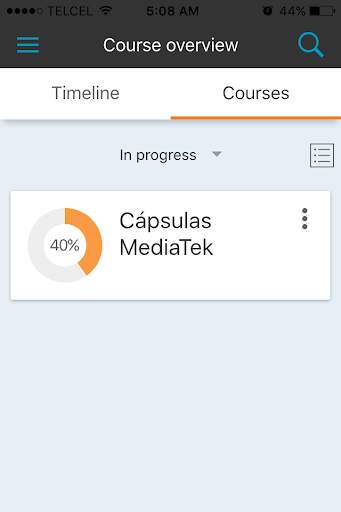
Introducing MediaTek Learning, a platform that will help to improve your capabilities and on-line learning experiences. Have access to an exclusive content to expand your knowledge in technology.
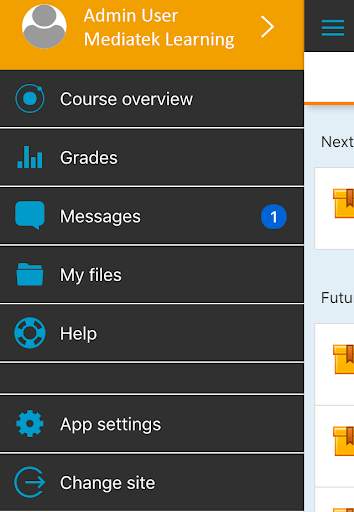
Through the MediaTek Learning app, you will have a simple access directly from your mobile device, offering the essential features and functionalities to achieve successful learning at your fingertips.
Such as:
- Exclusive MediaTek content access, which helps you to learn more about mobile technology.
- Interactive connection with other participants to share experiences.
- Consolidate your knowledge, on and off line, by participating in learning activities and games.
- Profile configurations for a personalized access.
- Ability to save files which can help you in your sales work and on the job training, such as images, pdf's or other files from your mobile device.
- Schedule milestones of each program and training courses of your interest, in a timeline or by courses.
- Receive instant notifications or specific publications in private messages.
- Visualize scores and grades to track your progress.
You can find all this and more with MediaTek Learning, which provide you with key information to learn more about different technologies that will help you to differentiate and understand how your
mobile device works.

...

👉 For More Detail of Mediatek Learning

#5 Mediatek Vpn

Mediatek Vpn
Rating: star 4.5 | Version: 1.0.0 | Size: 16.2MB
Mediatek Vpn screenshot 1 Mediatek Vpn screenshot 2

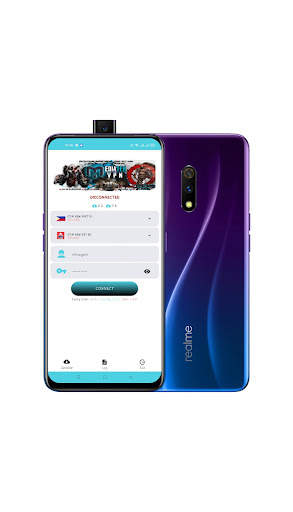
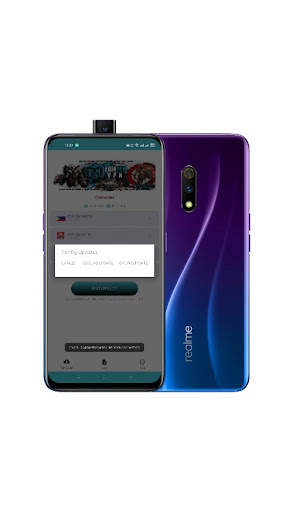
Mediatek Vpn gives you secure location and high speed internet.

...

👉 For More Detail of Mediatek Vpn

Search Results

1/1

You may like

DOWNLOAD IS NOT SUPPORTED IN WEB STORE!
Use the latest version of 9Apps to download APK&OBB file of games in one click!
DOWNLOAD 9APPS