










DOWNLOAD IS NOT SUPPORTED IN WEB STORE!
Use the latest version of 9Apps to download APK&OBB file of games in one click!
DOWNLOAD 9APPS

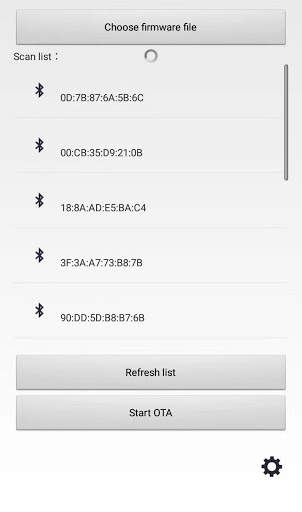
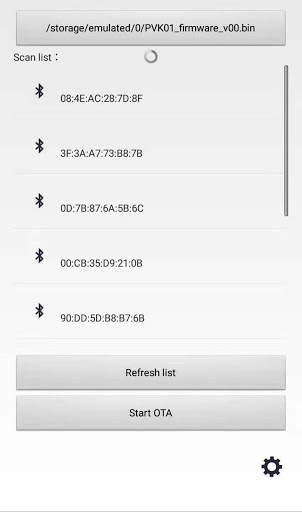
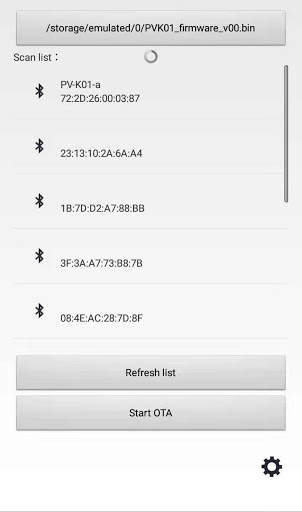
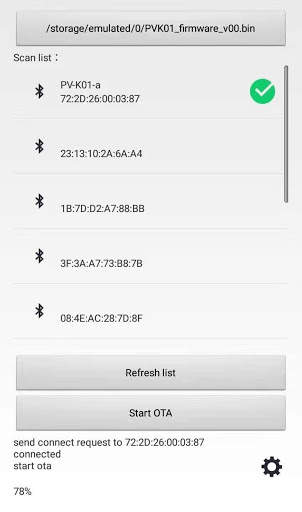
Ota app para sa pag-update ng firmware ng Power Vessel Bluetooth na keyboard.
1.I-download ang firmware file mula sa fundian homepage (www.fundian.com).
2.I-save ang file (* .bin) sa device kung saan naka-install ang app.
3.Patakbuhin ang app at pindutin ang pindutan ng "Pumili ng Firmware File" upang piliin ang naka-save na firmware file (* .bin).
4.I-on ang keyboard upang gawin itong ipinares.
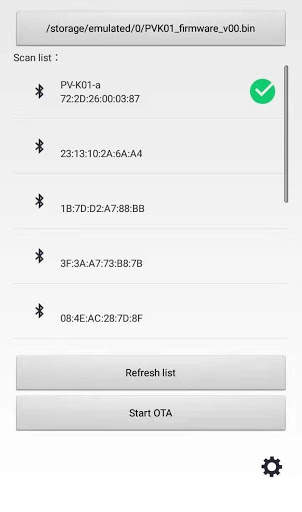
5.Piliin ang 'PV-K01-A' mula sa listahan ng device.
6.Pindutin ang pindutan ng "Start Ota" upang magpatuloy sa pag-update.
OTA app for the firmware update of the POWER-VESSEL Bluetooth keyboard.


