mobizen on 9Apps

Free download latest mobizen for Android here and enjoy it with your phone. Below you can download a list of top and latest apps related to mobizen . 9APPS is a fast, safe app store. With 9APPS, you can save a lot of time on searching and downloading apps.

#1 Mobizen Mirroring for SAMSUNG 4.x
Mobizen Mirroring for SAMSUNG 4.x
Rating: star 3.3 | Version: 2.21.15.46 | Size: 23.9MB
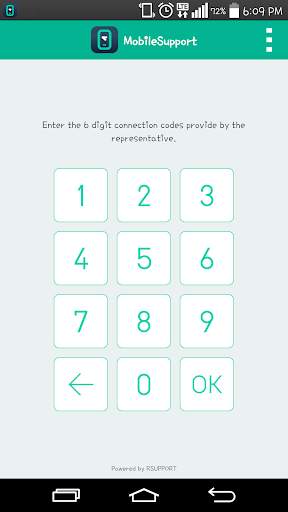
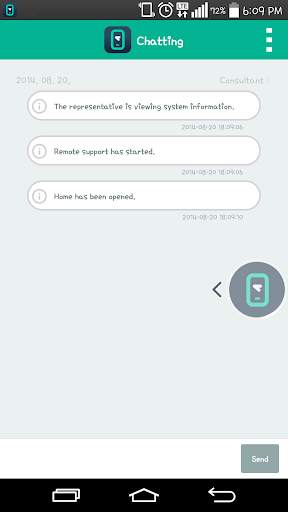
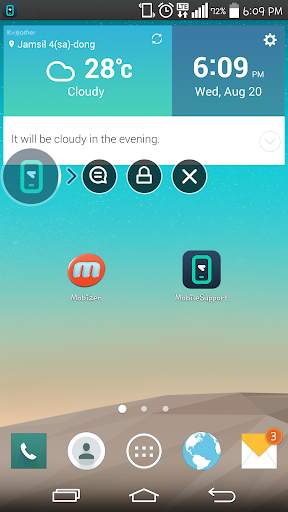
Mobizen Mirroring for SAMSUNG 4.x screenshot 1 Mobizen Mirroring for SAMSUNG 4.x screenshot 2 Mobizen Mirroring for SAMSUNG 4.x screenshot 3

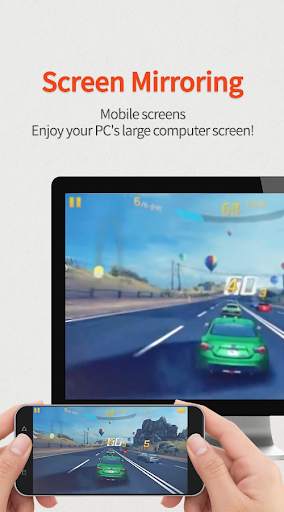
Mobizen Mirroring
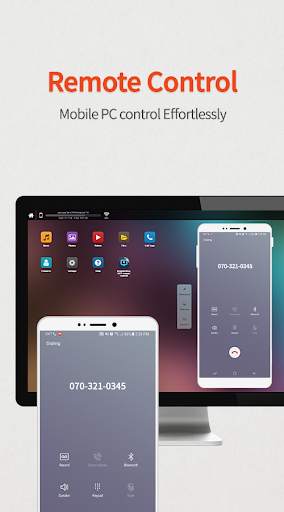
controls Android devices from a PC.
shows the screen of Android/iOS devices on a PC.
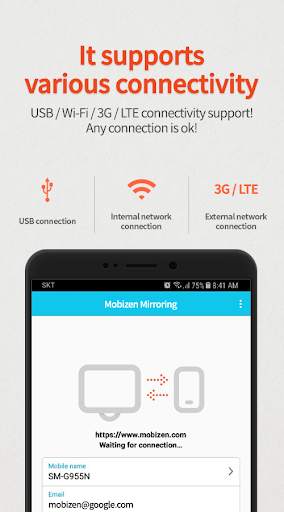
supports wired/wireless connections (3G/LTE/Wi-Fi/USB).
Use Mobizen to do these
ㆍEnjoy games/video/pictures on a bigger screen.
ㆍControl smartphones with keyboard and mouse.
ㆍReceive alerts and notification on the PC.
ㆍAccess the phone when it is not with you.
ㆍFind or copy files to/from the phone.
Main features
ㆍScreen mirroring: enjoy mobile screen in the big way!
ㆍcontrol the mobile from PC!
ㆍConnect in any way: supports USB/3G/LTE/Wi-Fi.
(3G/LTE/Wi-Fi available on Professional version only)
ㆍsecurely remote control devices with 2-step verification.
ㆍeasily access files on the mobile device.
ㆍreceive all alerts and notifications on the PC.
Other features
ㆍMirror in full screen.
ㆍAdjust transparency on the PC side.
ㆍRecord the smartphone from PC.
ㆍQuick access key such as HOME, MENU, BACK, SEARCH, POWER and VOLUME.
ㆍSkin specific to the device.
ㆍClean recording / mirroring without watermark.
ㆍUse Google or Facebook account to connect.
[1] Get started with an email.
- Launch the Mobizen Mirroring app.
- Press [Start].
- Select an email account registered on the phone.
- Enter the password and press [Start].
- On the PC, open www.mobizen.com.
- Enter the email and the password to login.
- Done! You are now connected.
[2] Get started with Goole+/Facebook
- Launch the Mobizen Mirroring app.
- Press [Start].
- Select either Goole+ or Facebook.
- Allow the usage of the selected account.
- On the PC, open www.mobizen.com.
- Select the same SNS account (Google+ or Facebook) to login.
- Done! You are now connected.
* Mobizen Mirroring supports Android N.
[Mobile]
-Android 4.0 or higher
[PC Operating System]
-Windows 7 or later
[Browser]
-Chrome 21 or higher, Firefox 18 or higher, Internet Explorer 10 or higher,
Safari 7.1 or later
Do you want know more about Mobizen?
▶Helpdesk http://support-mirroring.mobizen.com/hc/en-us
▶Website https://www.mobizen.com/?locale=en

...

👉 For More Detail of Mobizen Mirroring for SAMSUNG 4.x

#2 WcDonald's with Mobizen

WcDonald's with Mobizen
Rating: star 3.0 | Version: 1 | Size: 43.8MB
WcDonald's with Mobizen screenshot 1 WcDonald's with Mobizen screenshot 2 WcDonald's with Mobizen screenshot 3

Hungry, O ~
Jump!! Jump!! Eat burgers~
★ Be careful the bird. There is also the floor yen sinkhole!
Producer: ha yeong
& ji won

...

👉 For More Detail of WcDonald's with Mobizen

#3 Plugin:Pantech v3.0 Mobizen,RC

Plugin:Pantech v3.0 Mobizen,RC
Rating: star 3.2 | Version: 3.0.1.2 (Build 303) | Size: 21.3KB
Plugin:Pantech v3.0 Mobizen,RC screenshot 1 Plugin:Pantech v3.0 Mobizen,RC screenshot 2 Plugin:Pantech v3.0 Mobizen,RC screenshot 3

ปลั๊กอิน: แอป Pantech V3.0 ช่วยให้การเชื่อมต่อกับอุปกรณ์พกพา Pantech ใช้งานกับโปรแกรมและบริการที่จัดทำโดย Rsupport ให้บริการสนับสนุนระยะไกลไปยังองค์กรที่มีประสิทธิภาพและมีความปลอดภัยบนมือถือคลาวด์และด้วยแอพนี้ผู้ใช้สามารถเพลิดเพลินได้ บริการที่มีเทคโนโลยีล่าสุดและความปลอดภัย
แอพนี้ได้รับการทดสอบโดยตรงและได้รับการรับรองจาก Pantech เพื่อติดตั้งอย่างปลอดภัยและให้บริการดังต่อไปนี้
• Mobizen (http: // www Mobizen.com)
- เชื่อมต่อกับสมาร์ทโฟนหรือแท็บเล็ตจากพีซี (รองรับ USB, Wi-Fi, 3G / LTE)
- การใช้ Mirroring สมาร์ทโฟนใช้แอพ Android บนพีซี (ใช้ Instagram กับ Mobizen Video: HTTP: / / youtu.be/cphmcawgla8)
- บันทึกหน้าจอมือถือ: บันทึกหน้าจอหรือจับภาพหน้าจอโดยไม่มีการรูทหรือการตั้งค่าพิเศษ
- เนื้อหามือถือสตรีมมิ่ง: เข้าถึงเพลงและวิดีโอที่เก็บไว้ในสมาร์ทโฟนโดยไม่ต้องถ่ายภาพ
- การถ่ายโอนไฟล์ด้วยการลากและวาง: ส่งและรับไฟล์ระหว่างพีซีและมือถือได้อย่างง่ายดายด้วยการลากของเมาส์ & Drop.
- การสนับสนุน Smartwork: ทำการนำเสนอข้อมูลบนสมาร์ทโฟนที่มีการทำมิเรอร์ตรวจสอบข้อความอีเมลการแจ้งเตือน SNS และสายที่ไม่ได้รับโดยใช้คุณสมบัติการแจ้งเตือน
• Remotecall Mobile Pack (http: //www.rsupport.com/kr / ผลิตภัณฑ์ / Remotecall / MobilePack)
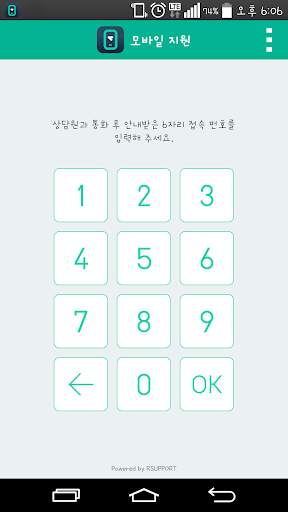
- การแชร์หน้าจอ: เชื่อมต่อกับตัวแทนฝ่ายสนับสนุนด้านเทคนิคแชร์หน้าจอมือถือเพื่อวิเคราะห์ปัญหาและให้ทางออกที่รวดเร็วและรวดเร็วยิ่งขึ้นฟรี - การควบคุมระยะไกล: เปิดโปรแกรมและอนุญาตให้ตัวแทนควบคุมอุปกรณ์มือถือเพื่อวิเคราะห์โดยตรงและแก้ปัญหา
- ทุกวิธีการสื่อสารที่เป็นไปได้ในการสนับสนุนระยะไกล: ผู้ใช้สามารถเขียนหรือวาดโดยตรงบนโทรศัพท์, การแชทข้อความแบบ 2 ทาง และพูดคุยในขณะที่คุณกำลังโทร
หมายเหตุ: ปลั๊กอิน: แอป Pantech V3.0 ไม่สามารถดำเนินการได้ด้วยตัวเองและจะดำเนินการเฉพาะในอุปกรณ์ที่ได้รับการรับรองและโดยผลิตภัณฑ์มือถือและบริการที่จัดทำโดย Rsupport ปลั๊กอิน: แอป Pantech V3.0 จะถูกติดตั้งโดยอัตโนมัติเมื่อคุณ ร้องเพลงและบริการมือถือของ Sing Rsupport
อุปกรณ์ที่รองรับ:
Vega Racer 2: IM-A830S / IM-A830K / IM-A830L
Vega Racer 2 BLING: IM-A830KE
VEGA S5 : IM-A840S
VEGA S5 พิเศษ: IM-A840SP
VEGA R3: IM-A850S / IM-A850K / IM-A850L

...

👉 For More Detail of Plugin:Pantech v3.0 Mobizen,RC

#4 Plugin:Pantech v1.0 Mobizen,RC

Plugin:Pantech v1.0 Mobizen,RC
Rating: star 3.1 | Version: 3.0.1.2 (Build 303) | Size: 21.3KB
Plugin:Pantech v1.0 Mobizen,RC screenshot 1 Plugin:Pantech v1.0 Mobizen,RC screenshot 2 Plugin:Pantech v1.0 Mobizen,RC screenshot 3

Plugin:Pantech v1.0 app allows seamless connection with Pantech mobile devices to use the program and services provided by Rsupport.
Rsupport provides remote support service to enterprises based on powerful and secured mobile cloud, and with this App, users can enjoy the service with latest technology and security.
This App has been directly tested and certified by Pantech to be safely installed and it serves the following purposes.
•Mobizen (http://www.mobizen.com)
- Connect with Smartphone or Tablet from PC (supports USB, Wi-Fi, 3G/LTE)
- Using Smartphone mirroring, use Android App on PC (Using Instagram with Mobizen video: http://youtu.be/CphMcAWGLa8)
- Record mobile screen: record the screen or take screenshot without rooting or special setup.
- Mobile contents streaming: access the music and video stored in the Smartphone without transferring them.
- File transfer with Drag & Drop: easily send and receive files between PC and mobile by mouse’s drag & drop.
- Smartwork support: make presentation of information on the Smartphone with mirroring, check text messages, email, SNS notification and missed calls using notification feature.
​​
• RemoteCall mobile pack (http://www.rsupport.com/kr​/products/remotecall/mobilepack)
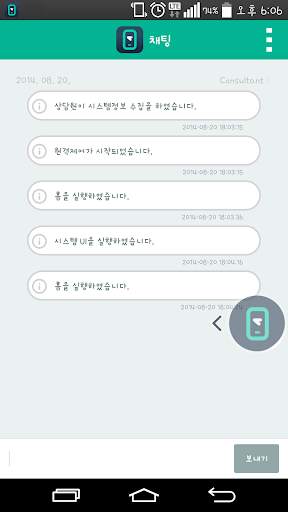
- Screen sharing: connect with technical support representative, share the mobile screen to analyze the problem and provide a quicker and more professional solution.
- Remote control: launch programs and allow the representative to control the mobile device to directly analyze and solve the problem.
- Every possible communication method in remote support: user can write or draw directly on the phone, 2-way text chat and talk while you are on the call.
Notes: Plugin:Pantech v1.0 app cannot be executed on its own and it is executed only in the certified device and by the mobile product and service provided by Rsupport.
Plugin:Pantech v1.0 app will be automatically installed when using Rsupport’s mobile product and service.
Supported devices :
VEGA IRON : IM-A870S/IM-A870K/IM-A870L
VEGA LTE A : IM-A880S
VEGA Secrete Note : IM-A890S/IM-A890K/IM-A890L
VEGA N6 Full HD : IM-A860S/IM-A860K/IM-A860L

...

👉 For More Detail of Plugin:Pantech v1.0 Mobizen,RC

#5 Plugin:Pantech v2.0 Mobizen,RC

Plugin:Pantech v2.0 Mobizen,RC
Rating: star 2.9 | Version: 3.0.1.2 (Build 303) | Size: 21.4KB

Plugin:Pantech v2.0 Mobizen,RC screenshot 1 Plugin:Pantech v2.0 Mobizen,RC screenshot 2 Plugin:Pantech v2.0 Mobizen,RC screenshot 3

Plugin:Pantech v2.0 app allows seamless connection with Pantech mobile devices to use the program and services provided by Rsupport.
Rsupport provides remote support service to enterprises based on powerful and secured mobile cloud, and with this App, users can enjoy the service with latest technology and security.
This App has been directly tested and certified by Pantech to be safely installed and it serves the following purposes.
•Mobizen (http://www.mobizen.com)
- Connect with Smartphone or Tablet from PC (supports USB, Wi-Fi, 3G/LTE)
- Using Smartphone mirroring, use Android App on PC (Using Instagram with Mobizen video: http://youtu.be/CphMcAWGLa8)
- Record mobile screen: record the screen or take screenshot without rooting or special setup.
- Mobile contents streaming: access the music and video stored in the Smartphone without transferring them.
- File transfer with Drag & Drop: easily send and receive files between PC and mobile by mouse’s drag & drop.
- Smartwork support: make presentation of information on the Smartphone with mirroring, check text messages, email, SNS notification and missed calls using notification feature.
​​
• RemoteCall mobile pack (http://www.rsupport.com/kr​/products/remotecall/mobilepack)
- Screen sharing: connect with technical support representative, share the mobile screen to analyze the problem and provide a quicker and more professional solution.
- Remote control: launch programs and allow the representative to control the mobile device to directly analyze and solve the problem.
- Every possible communication method in remote support: user can write or draw directly on the phone, 2-way text chat and talk while you are on the call.
Notes: Plugin:Pantech v2.0 app cannot be executed on its own and it is executed only in the certified device and by the mobile product and service provided by Rsupport.
Plugin:Pantech v2.0 app will be automatically installed when using Rsupport’s mobile product and service.
Supported devices :
VEGA IRON2 : IM-A910S/IM-A910K/IM-A910L

...

👉 For More Detail of Plugin:Pantech v2.0 Mobizen,RC

Search Results

1/1

You may like

DOWNLOAD IS NOT SUPPORTED IN WEB STORE!
Use the latest version of 9Apps to download APK&OBB file of games in one click!
DOWNLOAD 9APPS