mobizen on 9Apps

Free download latest mobizen for Android here and enjoy it with your phone. Below you can download a list of top and latest apps related to mobizen . 9APPS is a fast, safe app store. With 9APPS, you can save a lot of time on searching and downloading apps.

#1 Mobizen Mirroring for SAMSUNG 4.x
Mobizen Mirroring for SAMSUNG 4.x
Rating: star 3.3 | Version: 2.21.15.46 | Size: 23.9MB
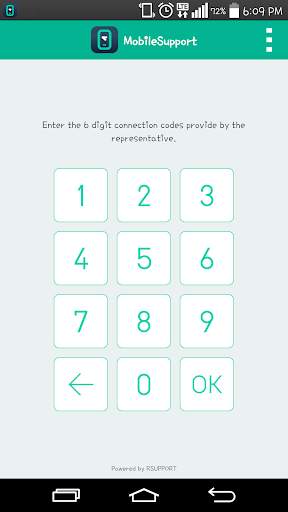
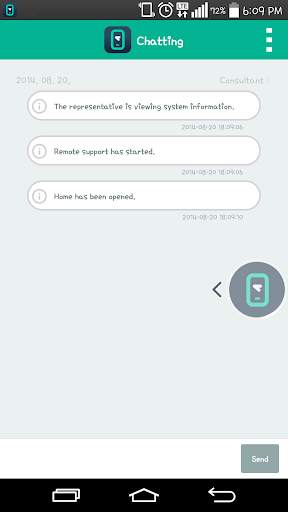
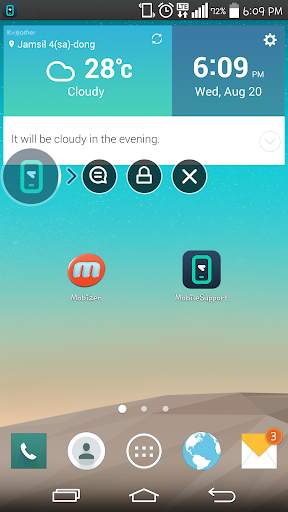
Mobizen Mirroring for SAMSUNG 4.x screenshot 1 Mobizen Mirroring for SAMSUNG 4.x screenshot 2 Mobizen Mirroring for SAMSUNG 4.x screenshot 3

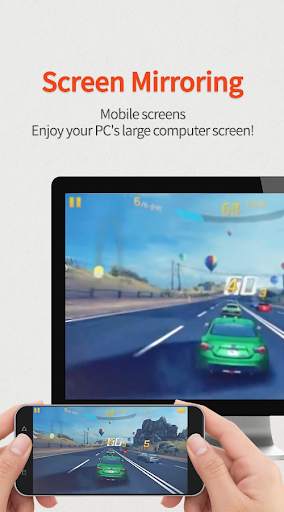
Mobizen Mirroring
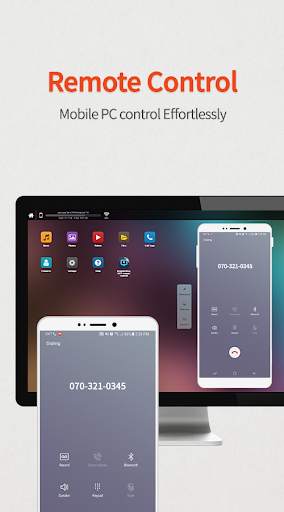
controls Android devices from a PC.
shows the screen of Android/iOS devices on a PC.
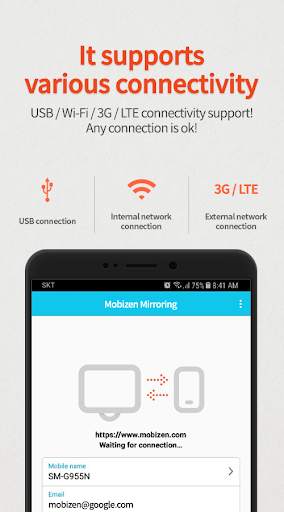
supports wired/wireless connections (3G/LTE/Wi-Fi/USB).
Use Mobizen to do these
ㆍEnjoy games/video/pictures on a bigger screen.
ㆍControl smartphones with keyboard and mouse.
ㆍReceive alerts and notification on the PC.
ㆍAccess the phone when it is not with you.
ㆍFind or copy files to/from the phone.
Main features
ㆍScreen mirroring: enjoy mobile screen in the big way!
ㆍcontrol the mobile from PC!
ㆍConnect in any way: supports USB/3G/LTE/Wi-Fi.
(3G/LTE/Wi-Fi available on Professional version only)
ㆍsecurely remote control devices with 2-step verification.
ㆍeasily access files on the mobile device.
ㆍreceive all alerts and notifications on the PC.
Other features
ㆍMirror in full screen.
ㆍAdjust transparency on the PC side.
ㆍRecord the smartphone from PC.
ㆍQuick access key such as HOME, MENU, BACK, SEARCH, POWER and VOLUME.
ㆍSkin specific to the device.
ㆍClean recording / mirroring without watermark.
ㆍUse Google or Facebook account to connect.
[1] Get started with an email.
- Launch the Mobizen Mirroring app.
- Press [Start].
- Select an email account registered on the phone.
- Enter the password and press [Start].
- On the PC, open www.mobizen.com.
- Enter the email and the password to login.
- Done! You are now connected.
[2] Get started with Goole+/Facebook
- Launch the Mobizen Mirroring app.
- Press [Start].
- Select either Goole+ or Facebook.
- Allow the usage of the selected account.
- On the PC, open www.mobizen.com.
- Select the same SNS account (Google+ or Facebook) to login.
- Done! You are now connected.
* Mobizen Mirroring supports Android N.
[Mobile]
-Android 4.0 or higher
[PC Operating System]
-Windows 7 or later
[Browser]
-Chrome 21 or higher, Firefox 18 or higher, Internet Explorer 10 or higher,
Safari 7.1 or later
Do you want know more about Mobizen?
▶Helpdesk http://support-mirroring.mobizen.com/hc/en-us
▶Website https://www.mobizen.com/?locale=en

...

👉 For More Detail of Mobizen Mirroring for SAMSUNG 4.x

#2 WcDonald's with Mobizen

WcDonald's with Mobizen
Rating: star 3.0 | Version: 1 | Size: 43.8MB
WcDonald's with Mobizen screenshot 1 WcDonald's with Mobizen screenshot 2 WcDonald's with Mobizen screenshot 3

Hungry, O ~
Jump!! Jump!! Eat burgers~
★ Be careful the bird. There is also the floor yen sinkhole!
Producer: ha yeong
& ji won

...

👉 For More Detail of WcDonald's with Mobizen

#3 Plugin:Pantech v3.0 Mobizen,RC

Plugin:Pantech v3.0 Mobizen,RC
Rating: star 3.2 | Version: 3.0.1.2 (Build 303) | Size: 21.3KB
Plugin:Pantech v3.0 Mobizen,RC screenshot 1 Plugin:Pantech v3.0 Mobizen,RC screenshot 2 Plugin:Pantech v3.0 Mobizen,RC screenshot 3

プラグイン:Pantech V3.0アプリは、RSupportによって提供されるプログラムとサービスを使用するためにPantech Mobileデバイスとのシームレスな接続を可能にします。
RSupportは、強力で保護されたモバイルクラウドに基づいてリモートサポートサービスを提供し、このアプリでは、ユーザーは楽しめる最新のテクノロジとセキュリティを持つサービス。
このアプリは、安全にインストールされるためにPantechによって直接テストされ、認定されており、次の目的に役立ちます。
•Mobizen(http:// www。 mobizen.com)
- PCからのスマートフォンやタブレットとの接続(USB、Wi-Fi、3G / LTE)
- スマートフォンのミラーリングの使用、PC上のAndroidアプリを使用する(Mobizen Video:http:/ / youtu.be/cphmcawgla8)
- モバイル画面の記録:レートを記録するか、レート作成や特別な設定なしでスクリーンショットを録音します。
- モバイルコンテンツストリーミング:スマートフォンに保存されている音楽やビデオに移動せずにアクセスします。
- ドラッグアンドドロップのファイル転送:マウスのドラッグでPCとモバイルの間でファイルを簡単に送受信
- スマートワークのサポート:スマートフォンでミラーリングで情報を表示し、通知機能を使用したテキストメッセージ、電子メール、SNSの通知と不在着信を確認します。
•RemoteCall Mobile Pack(http: //www.rsupport.com/kr / products / RemoteCall / MobilePack)
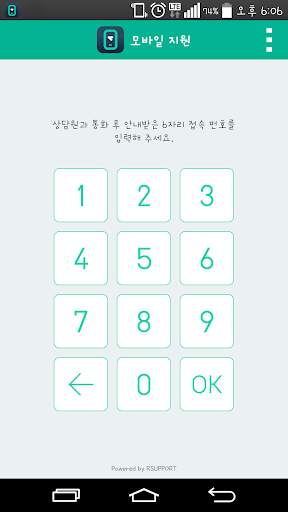
- 画面の共有:テクニカルサポートの担当者と接続し、問題を解析し、より迅速で専門的なソリューションを提供します。
- リモートコントロール:プログラムを起動し、担当者が携帯機器を直接分析して解析することを制御します。
リモートサポートでのすべての可能な通信方式:ユーザーは電話で直接、2 outeテキストチャットを書くことができます。
注意事項:Plugin:Pantech v3.0アプリはそれ自身で実行できず、それは認定されたデバイスでのみ実行され、RSupportによって提供されるモバイル製品とサービスによってだけ実行されます。
プラグイン:Pantech v3.0アプリはUのときに自動的にインストールされますRSupportのモバイル製品とサービスを歌います。
サポートされているデバイス:
Vega Racer 2:IM-A830S / IM-A830K / IM-A830L
Vega Racer 2 Bling:IM-A830KE
Vega S5 :IM-A840S
Vega S5スペシャル:IM-A840SP
Vega R3:IM-A850S / IM-A850K / IM-A850L

...

👉 For More Detail of Plugin:Pantech v3.0 Mobizen,RC

#4 Plugin:Pantech v1.0 Mobizen,RC

Plugin:Pantech v1.0 Mobizen,RC
Rating: star 3.1 | Version: 3.0.1.2 (Build 303) | Size: 21.3KB
Plugin:Pantech v1.0 Mobizen,RC screenshot 1 Plugin:Pantech v1.0 Mobizen,RC screenshot 2 Plugin:Pantech v1.0 Mobizen,RC screenshot 3

Plugin:Pantech v1.0 app allows seamless connection with Pantech mobile devices to use the program and services provided by Rsupport.
Rsupport provides remote support service to enterprises based on powerful and secured mobile cloud, and with this App, users can enjoy the service with latest technology and security.
This App has been directly tested and certified by Pantech to be safely installed and it serves the following purposes.
•Mobizen (http://www.mobizen.com)
- Connect with Smartphone or Tablet from PC (supports USB, Wi-Fi, 3G/LTE)
- Using Smartphone mirroring, use Android App on PC (Using Instagram with Mobizen video: http://youtu.be/CphMcAWGLa8)
- Record mobile screen: record the screen or take screenshot without rooting or special setup.
- Mobile contents streaming: access the music and video stored in the Smartphone without transferring them.
- File transfer with Drag & Drop: easily send and receive files between PC and mobile by mouse’s drag & drop.
- Smartwork support: make presentation of information on the Smartphone with mirroring, check text messages, email, SNS notification and missed calls using notification feature.
​​
• RemoteCall mobile pack (http://www.rsupport.com/kr​/products/remotecall/mobilepack)
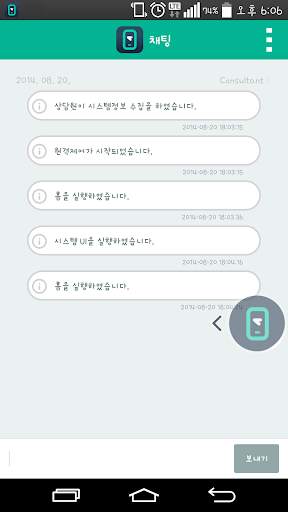
- Screen sharing: connect with technical support representative, share the mobile screen to analyze the problem and provide a quicker and more professional solution.
- Remote control: launch programs and allow the representative to control the mobile device to directly analyze and solve the problem.
- Every possible communication method in remote support: user can write or draw directly on the phone, 2-way text chat and talk while you are on the call.
Notes: Plugin:Pantech v1.0 app cannot be executed on its own and it is executed only in the certified device and by the mobile product and service provided by Rsupport.
Plugin:Pantech v1.0 app will be automatically installed when using Rsupport’s mobile product and service.
Supported devices :
VEGA IRON : IM-A870S/IM-A870K/IM-A870L
VEGA LTE A : IM-A880S
VEGA Secrete Note : IM-A890S/IM-A890K/IM-A890L
VEGA N6 Full HD : IM-A860S/IM-A860K/IM-A860L

...

👉 For More Detail of Plugin:Pantech v1.0 Mobizen,RC

#5 Plugin:Pantech v2.0 Mobizen,RC

Plugin:Pantech v2.0 Mobizen,RC
Rating: star 2.9 | Version: 3.0.1.2 (Build 303) | Size: 21.4KB

Plugin:Pantech v2.0 Mobizen,RC screenshot 1 Plugin:Pantech v2.0 Mobizen,RC screenshot 2 Plugin:Pantech v2.0 Mobizen,RC screenshot 3

Plugin:Pantech v2.0 app allows seamless connection with Pantech mobile devices to use the program and services provided by Rsupport.
Rsupport provides remote support service to enterprises based on powerful and secured mobile cloud, and with this App, users can enjoy the service with latest technology and security.
This App has been directly tested and certified by Pantech to be safely installed and it serves the following purposes.
•Mobizen (http://www.mobizen.com)
- Connect with Smartphone or Tablet from PC (supports USB, Wi-Fi, 3G/LTE)
- Using Smartphone mirroring, use Android App on PC (Using Instagram with Mobizen video: http://youtu.be/CphMcAWGLa8)
- Record mobile screen: record the screen or take screenshot without rooting or special setup.
- Mobile contents streaming: access the music and video stored in the Smartphone without transferring them.
- File transfer with Drag & Drop: easily send and receive files between PC and mobile by mouse’s drag & drop.
- Smartwork support: make presentation of information on the Smartphone with mirroring, check text messages, email, SNS notification and missed calls using notification feature.
​​
• RemoteCall mobile pack (http://www.rsupport.com/kr​/products/remotecall/mobilepack)
- Screen sharing: connect with technical support representative, share the mobile screen to analyze the problem and provide a quicker and more professional solution.
- Remote control: launch programs and allow the representative to control the mobile device to directly analyze and solve the problem.
- Every possible communication method in remote support: user can write or draw directly on the phone, 2-way text chat and talk while you are on the call.
Notes: Plugin:Pantech v2.0 app cannot be executed on its own and it is executed only in the certified device and by the mobile product and service provided by Rsupport.
Plugin:Pantech v2.0 app will be automatically installed when using Rsupport’s mobile product and service.
Supported devices :
VEGA IRON2 : IM-A910S/IM-A910K/IM-A910L

...

👉 For More Detail of Plugin:Pantech v2.0 Mobizen,RC

Search Results

1/1

You may like

DOWNLOAD IS NOT SUPPORTED IN WEB STORE!
Use the latest version of 9Apps to download APK&OBB file of games in one click!
DOWNLOAD 9APPS