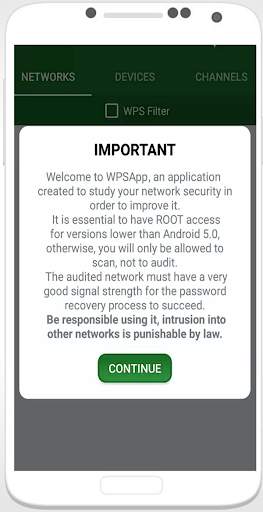
wps connect pro apk on 9Apps

Free download latest wps connect pro apk for Android here and enjoy it with your phone. Below you can download a list of top and latest apps related to wps connect pro apk . 9APPS is a fast, safe app store. With 9APPS, you can save a lot of time on searching and downloading apps.

#1 WiFi WPS Connect Pro

WiFi WPS Connect Pro
Rating: star 4.8 | Version: 1.0 | Size: 4.0MB
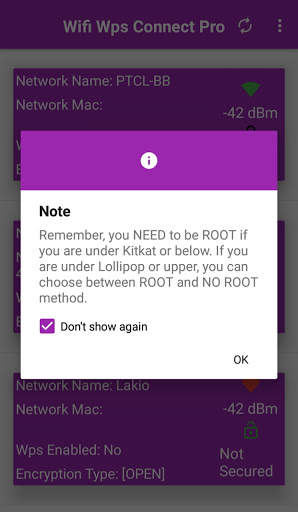
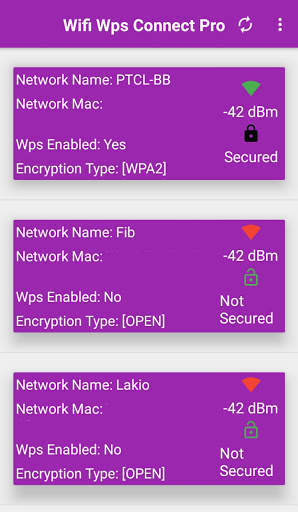
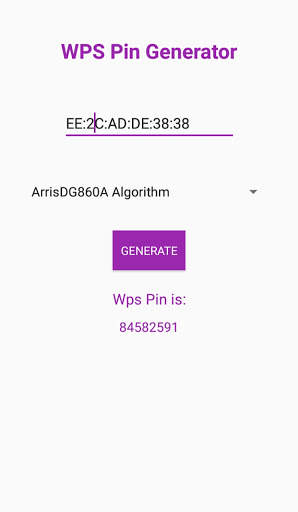
WiFi WPS Connect Pro screenshot 1 WiFi WPS Connect Pro screenshot 2 WiFi WPS Connect Pro screenshot 3

Do you want to know if your Access Point is vulnerable at the Wps protocol?
Wifi WPS Connect Pro
is the app that you need!
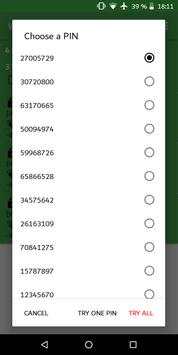
This Wps app allows you to connect to a WiFi network using an 8-digit pin number or try
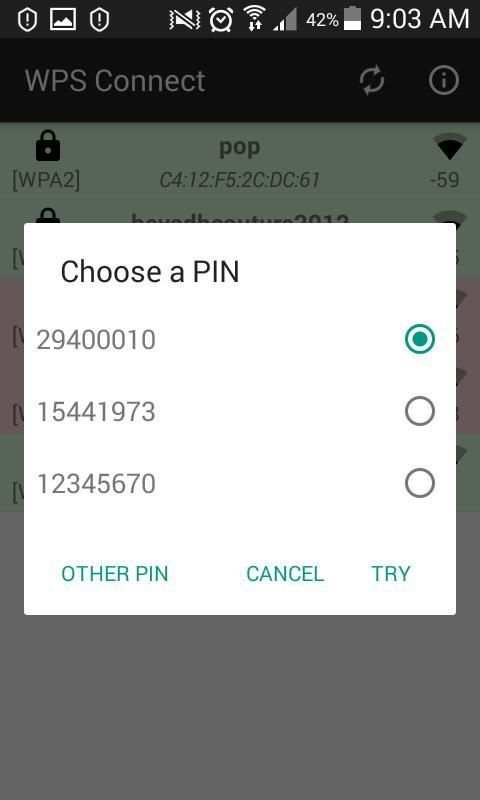
default pins that usually is predefined in the router, the problem is that the pin of many routers from different companies is known or is known how to calculate it.
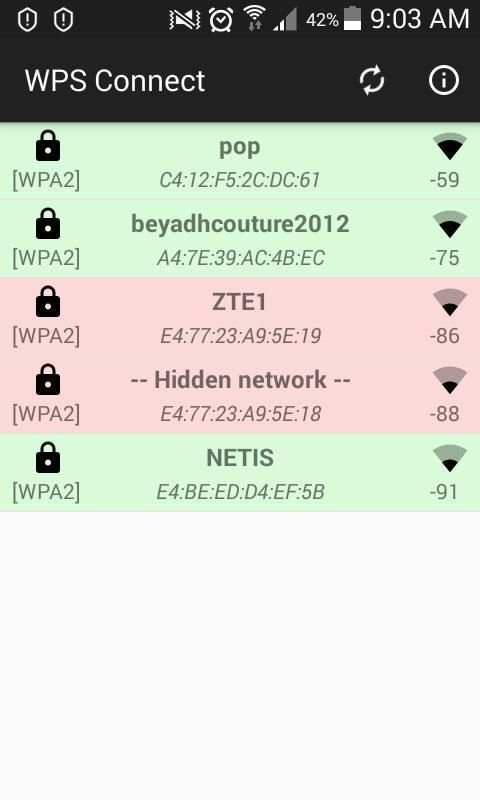
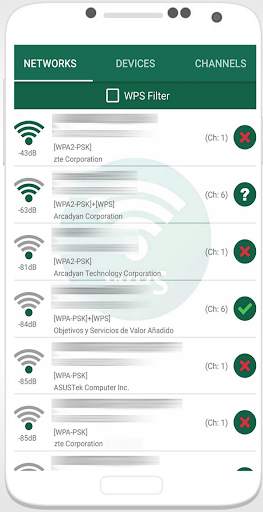
Use is very simple, when scanning networks around us, you will see networks with a red cross, these are "secure" networks, they have disabled the WPS protocol and default password is unknown.
Those with a green tick are most likely vulnerable, have the WPS protocol enabled and the connection pin is known It may also be that the router has WPS disabled, but the password is known.
Luckily just a small part of Wireless Access Point are vulnerable to WPS protocol.
If you will find that you Access WiFi is vulnerable to WPS protocol we advise you to deactivate it.
Pins are calculated with several algorithms throught Mac address.
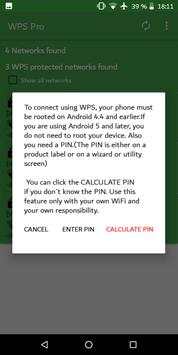
If you already know the wps pin you can use the app to connect and get the password using your pin.
If your mobile are not rooted you can use the application to connect wifi, but you cannot show password without rooted
This App provides you tools to optimize an increase network security.
What is WPS (Wifi Protected Setup) ?
https://en.wikipedia.org/wiki/Wi-Fi_Protected_Setup
Some important Notes:
This application requires to grant a location permission and turning on GPS location for Android 6.0 or higher.
The reason you need to allow location permission and turning on GPS location is because of Android 6.0 or higher versions limitations and the new Google policy.
More information in:
https://developer.android.com/about/versions/marshmallow/android-6.0-changes.html#behavior-hardware-id
Note:
Not All Networks are vulnerable and that the network appears as such does not guarantee 100% that it is several companies have updated firmware of their routers to correct the fault.
The application was developed for educational purposes, Use Wifi WPS Connect Pro app only with your own AP for do not go against the law.

...

👉 For More Detail of WiFi WPS Connect Pro

#2 WPS Connect PRO

WPS Connect PRO
Rating: star 3.0 | Version: 1.1.0 | Size: 2.2MB
WPS Connect PRO screenshot 1 WPS Connect PRO screenshot 2

Ce protocole permet de se connecter à un réseau WiFi à l'aide d'une pin numérique à 8 chiffres normalement prédéfinie dans le routeur. Le problème est que le pin de nombreux routeurs de différentes entreprises est connue ou sait comment le calculer.
Cette application utilise ces pins pour essayer de se connecter et vérifier si le réseau est vulnérable. Il implémente plusieurs algorithmes de génération de pins connus et de nombreuses pins par défaut. Il calcule également le mot de passe par défaut pour certains routeurs, vous permet de visualiser les mots de passe WiFi que vous avez enregistrés sur le dispositif, il scanne les dispositifs connectés à votre réseau et il analyse la qualité des canaux WiFi.
L'utilisation est très simple, lorsque nous analysons les réseaux autour de nous, apparaîtra avec une flèche rouge, ce sont des réseaux "sécurisés", le protocole WPS est désactivé et le mot de passe par défaut n'est pas connu.
Ceux qui apparaissent avec un point d'interrogation ont le protocole WPS activé, mais le pin n'est pas connue, dans ce cas, l'application vous permet de tester avec le plus commun.
le protocole WPS est activé et le pin avec laquelle se connecter au réseau est connue. Vous pouvez également l'avoir désactivé, mais votre mot de passe est connu, dans ce cas, il apparaîtra également en vert et vous pourrez vous connecter avec le mot de passe.
Vous devez juste être un utilisateur Root pour voir les mots de passe, pour vous connecter sur Android 9 et pour certaines fonctions supplémentaires.
AVIS: Tous les réseaux ne sont pas vulnérables et le fait que le réseau apparaît bleu C ne garantit pas la vulnérabilité à 100%, plusieurs entreprises ont mis à jour le logiciel de leurs routeurs pour corriger le défaut.
Essayez-le dans votre réseau et si cela est vulnérables, VEUILLEZ REMEDERER. Désactivez les wps et modifiez le mot de passe pour un fort et personnalisé.
JE NE SUIS PAS RESPONSABLE DE LA MAUVAISE UTILISATION DE L'APP, L'INTRUSION DANS LES RÉSEAUX EST PENÉE PAR LA LOI.
Depuis Android 6 (Marshmallow), il est nécessaire d'accorder des autorisations de localisation. C'est une nouvelle exigence ajoutée par Google dans cette version. Plus d'informations dans: https://developer.android.com/about/versions/marshmallow/android-6.0-changes.html#behavior-hardware-id
Certains modèles Samsung utilisent le cryptage et ne montrent pas de mots de passe réels, montrent une longue série de chiffres hexadécimaux. Recherchez des informations sur Internet ou contactez-moi si vous voulez savoir comment les décrypter.
La connexion avec pin ne fonctionne pas sur les modèles LG avec Android 7. Il s'agit d'un problème avec le software propre à LG.
Comprenez le fonctionnement de l'application avant d'émettre une évaluation.
Envoyez une proposition, une décision ou un commentaire à gtuity@gmail.com, merci.
This protocol allows you to connect to a WiFi network using an 8-digit digital pin normally preset in the router. The problem is that the pin of many routers from different companies is known or knows how to calculate it.
This application uses these pins to try to connect and check if the network is vulnerable. It implements several known pin generation algorithms and many default pins. It also calculates the default password for certain routers, allows you to view the WiFi passwords you have saved on the device, it scans the devices connected to your network and it analyzes the quality of the WiFi channels.
The use is very simple, when we analyze the networks around us, will appear with a red arrow, they are "secure" networks, the WPS protocol is disabled and the default password is not known.
Those who appear with a question mark have the WPS protocol enabled, but the pin is not known, in this case the application allows you to test with the most common.
the WPS protocol is activated and the pin with which to connect to the network is known. You can also have it disabled, but your password is known, in which case it will also appear in green and you can connect with the password.
You just need to be a Root user to see passwords, to log into Android 9 and for some additional functions.
NOTICE: Not all networks are vulnerable and the fact that the network appears blue C does not guarantee 100% vulnerability, several companies have updated their routers' software to correct the fault.
Try it in your network and if it is vulnerable, PLEASE REMEDY. Disable wps and change the password for a strong and personalized one.
I AM NOT RESPONSIBLE FOR THE MISUSE OF THE APP, THE INTRUSION IN THE NETWORKS IS PENALIZED BY LAW.
Since Android 6 (Marshmallow), it is necessary to grant location permissions. This is a new requirement added by Google in this version. More information in: https://developer.android.com/about/versions/marshmallow/android-6.0-changes.html#behavior-hardware-id
Some Samsung models use encryption and do not show real passwords, show a long series of hexadecimal digits. Look for information on the Internet or contact me if you want to know how to decrypt it.
The connection with pin does not work on LG models with Android 7. This is a problem with LG's own software.
Understand how the application works before issuing an evaluation.
Send a proposal, a decision or a comment to gtuity@gmail.com, thank you.

...

👉 For More Detail of WPS Connect PRO

#3 Pro WPS Connect

Pro WPS Connect
Rating: star 3.0 | Version: 1.0.3 | Size: 3.0MB
Pro WPS Connect screenshot 1 Pro WPS Connect screenshot 2 Pro WPS Connect screenshot 3

With this application you can connect to WiFi networks which have WPS protocol enabled. This feature was only available to start from this version 4.1.2 to 4 of Android.
Application was developed with educational purposes Golden Inc.
WPS:
http://es.wikipedia.org/wiki/Wi-Fi_Protected_Setup
WPS Connect is focused on verifying if your router is vulnerable to a default PIN. Many routers that companies install own vulnerabilities in this aspect. With this application you can check if your router is vulnerable or not and act accordingly.
Includes default PINs, As well as algorithms such Zhao Chesung (ComputePIN) or Stefan Viehböck (easyboxPIN).
Tested on:
- LG G2
- Nexus 5
- Samsung Galaxy S3
IMPORTANT!!
Prior to an assessment, understand that it serves the application.
So for this app we are not responsible for any misuse.

...

👉 For More Detail of Pro WPS Connect

#4 WIFI WPS PRO ( WPS Connect )

WIFI WPS PRO ( WPS Connect )
Rating: star 3.2 | Version: 2.2.2 | Size: 2.6MB
WIFI WPS PRO ( WPS Connect ) screenshot 1 WIFI WPS PRO ( WPS Connect ) screenshot 2 WIFI WPS PRO ( WPS Connect ) screenshot 3

WIFI WPS PRO ( WPS Connect )
Do you want to know if your WiFi is vulnerable with the WPS protocol?
WIFI WPS PRO ( WPS Connect ) is the app that you need!
This application recover the default WPS PIN.
You can connect to wireless networks which have enable the protocol WPS.
WIFI Wps Pro checks to see if your network is secure through the WPS connection.
Features:
-Pin Bruteforce (from pin to pin)
-Restore previous saved session
-Different Calculating Algorithms for default pins
-Password Recovery (ROOT ONLY)
-Decrypt "wpa_supplicant" Passwords (ROOT ONLY)
-Copy saved Passwords
- Connect with WPS Default Pin Generator (At least 15 PINs displayed)
- WiFi analyzer (channel, Distance to the router, router manufacturer, encryption...)
- Connection using passphrase
And more :
-Offline Pin Calculator
-No data collected
If your router is vulnerable, this app will allow you to try different default pins or simply to bruteforce a WPS router.
You can easily restore your password: this app shows stored password, and it can decrypt the wpa_supplicant file in which they are saved!
App also discovers if an Access Point with WPS enabled is invulnerable (WPS LOCKED).
PIN codes are calculated with many algorithms:
-Zhao
-Dlink
-Dlink 1
-Belkin (root)
-FTE-xxx
-Asus
-AiroconRealtek
-EasyBox Arcadyan
-Arris
!THIS APP IS MADE TO TEST YOUR OWN ROUTER!
IMPORTANT:
-The application was developed for educational purposes.
-In this application you can check if your router is vulnerable or not.
if you realize someone has security problem you must inform immediately.
-I am not responsible for the misuse that can be given
About WPS : https://es.wikipedia.org/wiki/Wi-Fi_Protected_Setup
Simple questions: What is WPS and how does it work?
https://www.digitalcitizen.life/simple-questions-what-wps-wi-fi-protected-setup

...

👉 For More Detail of WIFI WPS PRO ( WPS Connect )

#5 wifi wps pro - wps connect 2021

wifi wps pro - wps connect 2021
Rating: star 3.9 | Version: 5 | Size: 3.5MB
wifi wps pro - wps connect 2021 screenshot 1 wifi wps pro - wps connect 2021 screenshot 2 wifi wps pro - wps connect 2021 screenshot 3

this protocol allows you to connect to a wifi network using an 8 digit pin number that usually is predefined in the router, the problem is that the pin
Wifi Wps Wpa Connect 2021 Dumper Pin app feature
- Complete offline
- Simple and Easy User Interfaces
- Get Free All Router/Modem Wifi Wps Pin for wifi wps connect tester
- This app is also functionality in the application You Can copy and share it with Facebook, Twitter, WhatsApp and other many more Social Apps.
wifi wps connect app uses several known pin generation algorithms and many default pins to try to connect and check if the network is vulnerable or not.
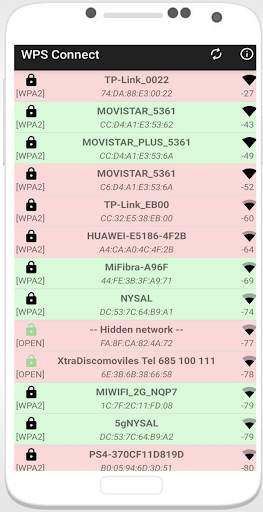
when scanning networks around us using this app, you will see networks with a red cross, these are "secure" networks, they have disabled the WPS protocol and default password is unknown.
those with a green tick are most likely vulnerable, have the WPS protocol enabled and the connection pin
Try it in your network and if it is vulnerable, Please Remedy Disable wps and change the password for a strong and personalized one.
What is Wps ?
https://en.wikipedia.org/wiki/Wi-Fi_Protected_Setup
* Note:
wifi wps pro 2021 uses "ACCESS_COARSE_LOCATION" permission to make the app able to search for available WiFi networks around you.
The reason you need to allow location permission is because of Android 6.0 or higher versions limitations and the new Google policy.
More information in:
https://developer.android.com/about/versions/marshmallow/android-6.0-changes.html#behavior-hardware-id
You can test the pins with this app and you can connect, but you cannot see the password without root permissions.
The Application was developed for educational purposes i am not responsible for any abuse that may be made.
This App Provide free Wifi Wps connect Testing Working Pin For All Router/Modem Like dlink wps pin, tplink wps pin, zyxel wps pin, tenda wps pin, netis wps pin, asus wps pin, belkin wps pin, buffalo wps pin, netgear wps pin, medialink wps pin, securifi wps pin, sitecom wps pin, synology wps pin, and all other modem/router Wps Pins.

...

👉 For More Detail of wifi wps pro - wps connect 2021

Search Results

1/1

You may like

DOWNLOAD IS NOT SUPPORTED IN WEB STORE!
Use the latest version of 9Apps to download APK&OBB file of games in one click!
DOWNLOAD 9APPS