shortcut master apk on 9Apps

Free download latest shortcut master apk for Android here and enjoy it with your phone. Below you can download a list of top and latest apps related to shortcut master apk . 9APPS is a fast, safe app store. With 9APPS, you can save a lot of time on searching and downloading apps.

#1 Shortcut Master (Lite)

Shortcut Master (Lite)
Rating: star 3.8 | Version: 1.2.7 | Size: 3.0MB
Shortcut Master (Lite) screenshot 1 Shortcut Master (Lite) screenshot 2 Shortcut Master (Lite) screenshot 3

Shortcut Master is a powerful tool for creating, capture, searching... shortcut. It can reveal any hidden shortcuts, hidden secret codes... in your device.
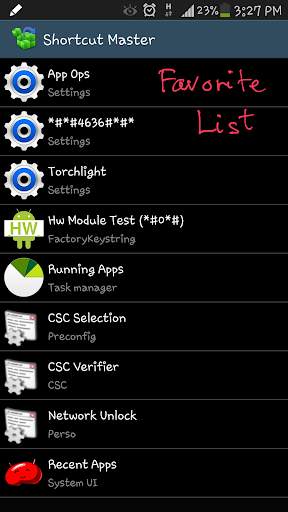
You can create shortcuts for any hidden functions or secret codes, such as App Ops, *#*#4636#*#* (Testing menu), etc...
To start creating a shortcut, follow these simple steps:
1) Find the target by using one of the following tools (under the Menu):
- Secret Code Explorer
- App Explorer
- Search
- Capture Shortcut
2) You can test the target by opening it (Launch button).
3) Create the shortcut in the list (Favorite button) or on the Home screen.
4) OR you can import the shortcut list into your app. Here is some sample shortcut lists for your convenience:
- Android Hidden Shortcuts (4.3): http://forum.xda-developers.com/attachment.php?attachmentid=2872474&d=1406473157
- Samsung Hidden Shortcuts (Note 3): http://forum.xda-developers.com/attachment.php?attachmentid=2872475&d=1406473157
* SECRET CODE EXPLORER:
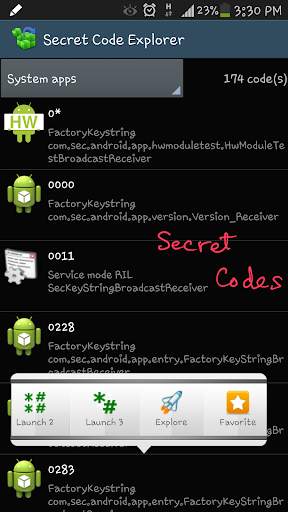
Here you will get a list of all secret codes available in your device.
You can filter the list by All apps, System apps or User (downloaded) apps.
For each item in a list, the first line is the code, the second line is app name and the last one is broadcast receiver name.
By tapping on the item, a context menu appears that will let you launch the code, explore the app (that owns this code) and add this code to the favorite list for easy access.
You have 4 options to launch the code: method 0 and 1 (broadcast the intent), method 2 and 3 (simulate the dialing on the dial-pad). By default, method 2 dials *#*#code#*#*, method 3 dials *#code#, but you can change these formats in the Settings. Method 0 requires root permission, while method 1 doesn't.
After testing the code, you can add a shortcut for this code to the favorite list. You also have 4 options to create the shortcut. Be noted that you can not create shortcut on the home screen for the secret code.
NOTE: For Samsung devices that have not been enabled HiddenMenu, you can still use this app to launch the secret codes.
* APP EXPLORER:
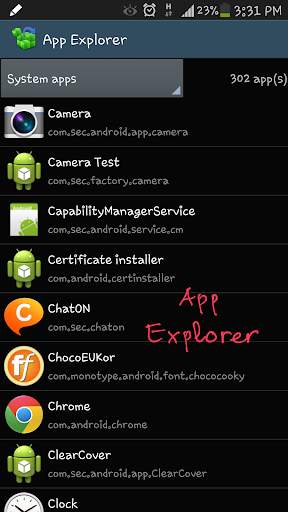
Here you will get a list of installed apps in your device. You can filter the list by All apps, System apps or User (downloaded) apps.
For each app, the first line is the app name, the second line is the package name.
Tapping on the app will open the list of all components (activities) in that app. By tapping on the item, a context menu appears that will let you launch the target, add a shortcut for this target to the favorite list or the home screen for easy access.
* SEARCH:
Here you can search the target by full text searching. Just enter any text to the search box and press the button to search. The text will be searched in the app name, package name and the target class name.
You can filter the search result by All apps, System apps or User (downloaded) apps.
* CAPTURE SHORTCUT:
You can capture the shortcut manually or automatically.
To manually capture, navigate to the desire app that you want to capture shortcut, pull down the system notification bar and tap on the 'Capture Shortcut' icon.
To capture automatically, do the same and wait for the predefined period of time and this app will do auto capture for you.
* EXPORT/IMPORT:
You can export the favorite list to the file on the sdcard for backup. Use the file to import later or copy the file to other devices.
*** ACKNOWLEDGEMENTS ***
- Some system functions may need ROOT permission to be launched.
- Some system functions can not be created shortcut on the Home screen.
Please be noted that it is due to device policy, and these vary from devices to devices.
Supporting thread on XDA: http://forum.xda-developers.com/showthread.php?t=2800117
LITE Edition Limitation:
- Show ads
- Can not create shortcuts on the Home screen
- Limit the number of shortcuts in the favorite list (max. number of shortcuts is 20)

...

👉 For More Detail of Shortcut Master (Lite)

#2 APK Extractor Master

APK Extractor Master
Rating: star 4.3 | Version: 7 | Size: 3.0MB
APK Extractor Master screenshot 1 APK Extractor Master screenshot 2

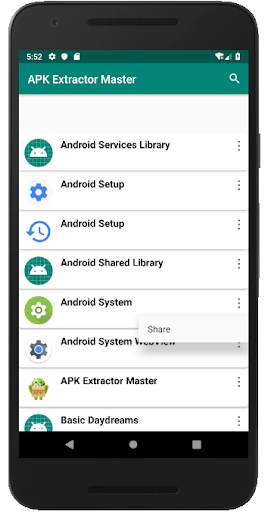
APK Extractor Master. Lists all the apps in the device. Upon clicking on any app, the apk file is saved in internal storage in the folder APKOutput. The choice of your app can be searched as well from the list of shown apps. Each app has share option too which will enable to share the apk file through mail,drive,whatsapp etc

...

👉 For More Detail of APK Extractor Master

#3 Shortcut Master

Shortcut Master
Rating: star 3.0 | Version: 1.1.1 | Size: 8.3MB
Shortcut Master screenshot 1 Shortcut Master screenshot 2 Shortcut Master screenshot 3

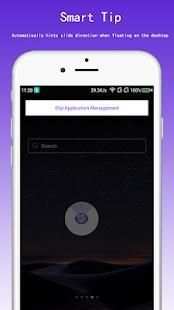
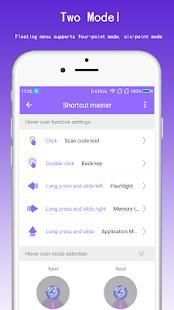
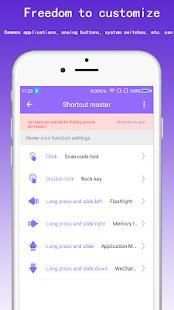
An application that helps you to quickly operate your phone. At any time, you only need one gesture to find the function you want. Give a chestnut: One-click application, one-click query, one-key setting, even one-click open friend circle, one-click show Alipay collection code (more convenient features, as long as you dare to propose, shortcut master can help you achieve oh ) ... These usually take a few steps or multiple clicks to complete the operation, the shortcut master can help you complete one click. Do you think it's magical and convenient, and then think about downloading it quickly. Is there wood? Is there wood?
(Well, this is just a small series of self-consolation only). Although there are similar applications in the application market, the shortcut masters are absolutely original: a variety of suspension modes, smart tips, convenient tools ... and more will not say, you slowly experience it yourself!

...

👉 For More Detail of Shortcut Master

#4 Share Master Apps Transfer APK

Share Master Apps Transfer APK
Rating: star 3.5 | Version: 1.8 | Size: 5.2MB
Share Master Apps Transfer APK screenshot 1 Share Master Apps Transfer APK screenshot 2 Share Master Apps Transfer APK screenshot 3

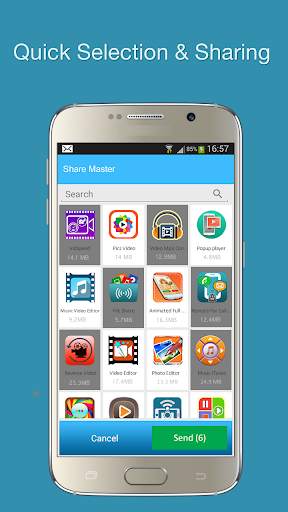
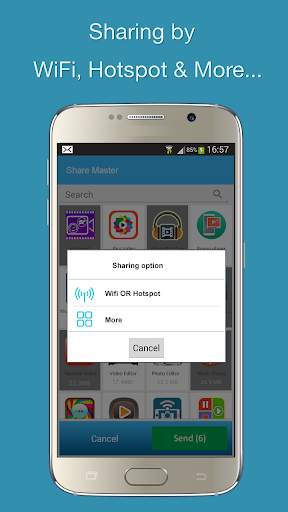
Apps Sharing made easy! Easily share any app on your phone to your friends and family! Lots of sharing options – share by HotSpot, Same Wifi, and much more!
>>>> Features
Share one or multiple Android Apps, APK files at the same time
SuperFast Transfer speeds – upto 200 times the speed of Bluetooth
State of the art nearby Phone Discovery and Connectivity for HotSpot and Same WiFi modes.
Auto switching from Same Wifi to HotSpot, if required. The nearby phones are easily discovered and shown and one can easily connect to the phone with a Single Click. Even there is an advanced settings option of Auto connect. Support Auto file transfer / Share after connection.
Send / Share once or multiple times to the connected phone from the same connection
Send / Share the complete installable APK file OR just an app link
Received Android Apps are kept in a Received folder for later use. You can easily install apps later. You can also delete apks once you have installed the app.
Share via Apk package files by HotSpot, Same WiFi, Gmail, Email, SMS, Facebook, Twitter, Whatsapp etc
Modern and Intuitive User Interface/ UI. Support all kinds of Smart devices – SmartPhones, Tablets etc.
Save data charges by sharing apps through HotSpot or Same Wifi modes. There are Android apps like Games which are in 100’s of Mbs – share them thru HotSpot or Same wifi without incurring any expensive data charges - both to the Sender or the Receiver. Internet is not needed. No need of APK file transfer / share file thru Bluetooth. App data sending speed is very high i.e. 200 times of Bluetooth.
Start Sharing Apps, Apk files with friends & family by HotSpot, Same WiFi, Gmail, Email, SMS, Facebook, Twitter, Whatsapp etc ! Get Apps Sharing today!

...

👉 For More Detail of Share Master Apps Transfer APK

#5 Quick Shortcut Maker - Shortcut Creator Master

Quick Shortcut Maker - Shortcut Creator Master
Rating: star 3.0 | Version: 1.0 | Size: 4.5MB
Quick Shortcut Maker - Shortcut Creator Master screenshot 1 Quick Shortcut Maker - Shortcut Creator Master screenshot 2 Quick Shortcut Maker - Shortcut Creator Master screenshot 3

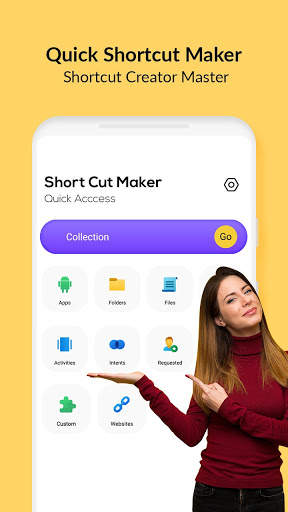
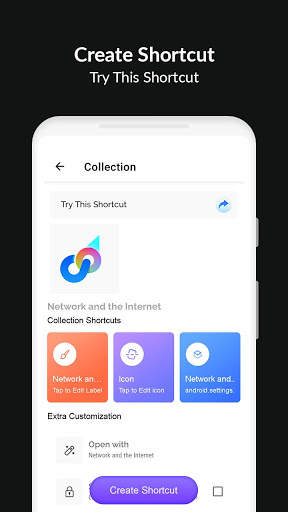
Quick Shortcut Maker application supports you in creating shortcuts on local files, folders, applications, contacts, settings, messages, and customizing shortcuts from other apps.
You can create your own shortcut title and use many various features for customizing the shortcut icon: use the icon of the related application, crop image exported from the external gallery, import icons from the file, use icon from the external theme.
Quick Shortcut Maker app also supports native widgets - you can create a widget instead of a shortcut. You can change the Later the widget icon, title, and appearance. Also, you can organize shortcuts in the Collections database using various methods such as hierarchy, tags. You can later use Collections dialogs to get quick access to the organized shortcuts.
This app can create a shortcut on the Android home screen for anything you want from your android.
Folder and Files:>/b> Create shortcuts of files and folder from internal storage.
Apps & Activities:
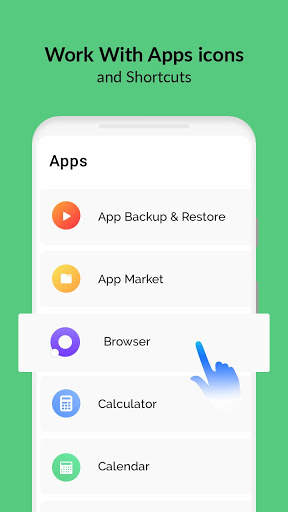
Create a shortcut of installed apps & activities.
Custom:
In the shortcut master apk, this is a fresh and new feature to get shortcuts from installed apps and edit them before creating.
Quick Settings:
Create shortcut maker online change your system settings quickly.
Intents:
Shortcuts Creator Master of android system intents along with the default app.
Shortcut Preview:
After choosing the activity app will show you a preview of the shortcut before creating. You can also rename the shortcut name and add a shortcut to favorite.
Website:
Shortcut for your favorite website.
Favorite:
In Quick Shortcut Maker, you can check the list of your favorite shortcuts.
History:
Shortcut Creator Master allows you to check the list of shortcuts created by you.
How to create shortcut in android app?
To start creating a shortcut, below these easy steps:
1) Find the Quick Shortcut Maker - Shortcut Creator Master app on the Google Play store and download it.
2) Find the target by using one of the below tools:
Secret Code Explorer, App Explorer, Search or Capture Shortcut
3) You can test or preview it.
4) Create the shortcut on the Home screen and in the list.
5) Otherwise, you can import the shortcut list into your app.
Why Quick Shortcut maker apk your Android experience better?
• Fast and Free multitasking:
switch to recent apps or last app with just one swipe. There is no quicker way to do it.
• One-handed usability:
You don't require to stretch out your finger to move them back, toggle quick settings, recent button, or pull-down notification.
• Focus on user experience:
ads free, the app is fast, easy to use, beautiful, and exceptionally customizable.
• No cluster home screen:
Instantly, you can access your favorite apps and shortcuts from anywhere.

...

👉 For More Detail of Quick Shortcut Maker - Shortcut Creator Master

Search Results

1/1

You may like

DOWNLOAD IS NOT SUPPORTED IN WEB STORE!
Use the latest version of 9Apps to download APK&OBB file of games in one click!
DOWNLOAD 9APPS