itranscript on 9Apps

Free download latest itranscript for Android here and enjoy it with your phone. Below you can download a list of top and latest apps related to itranscript . 9APPS is a fast, safe app store. With 9APPS, you can save a lot of time on searching and downloading apps.

#1 English Podcast & Transcript
English Podcast & Transcript
Rating: star 4.5 | Version: 0.3.5.27 | Size: 10.4MB
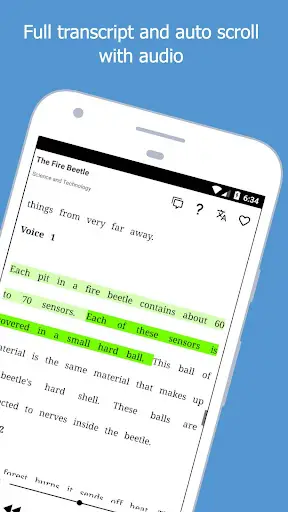
English Podcast & Transcript screenshot 1 English Podcast & Transcript screenshot 2 English Podcast & Transcript screenshot 3

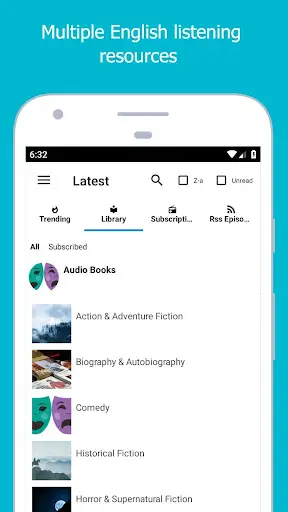
This app is a SUPER 💪 tool to help you practice English Listening in the most convenient way with Podcast and Audio Books.
Main Features:
★ FULL TRANSCRIPT AUTO SCROLL and TRACKING: You can listen and know what you are listening.
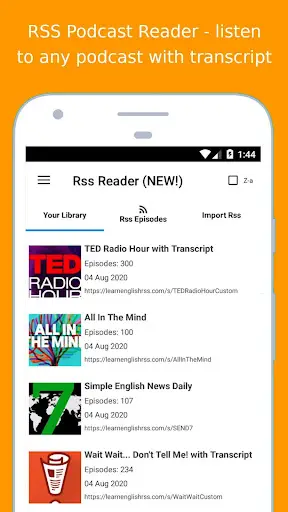
★ ENGLISH PODCAST READER with Text Transcript Subtitles : Listen to ANY ENGLISH PODCAST CHANNEL with full transcript text subtitles support.
★ Many free English Listening audio content:
LIBRIVOX AUDIO BOOKS Library, VOA Learning English, NASA Podcast, US Podcast or select any English Podcast Channel to listen.
★ Integrated online and offline Dictionary. Also you can quick translate with Google Translate.
★ All lesson and episode support full transcript text subtitles.
★ Download and listen in offline mode.
★ Memorize vocabulary with Memo: Save your vocabulary and review it every day.
★ Create your collection and share with friends.
➤ ENGLISH PODCAST READER is a special feature 😊, you can import and listen to any English Podcast channel, eg:
NPR TED Radio Hour, Wait Wait... Don't Tell Me! , Morning Edition, All Thing Considered, Fresh Air, Weekend Edition, Simple English News Daily, Living on Earth, All In The Mind, Freakonomics Radio, Spotlight English, Real English Conversations, The 100 Word Stories Podcast, Workplace English Podcast, 6 Minute Vocabulary, IELTS Energy English Podcast, English Across The Pond, Speak English Now Podcast, IELTS Made Easier, All Ears English Podcast, Business English Pod, Plain English Podcast, Casual English lessons, Better at English Podcast, Let's Master English!, Espresso English Podcast, The History of English Podcast, Luke's ENGLISH Podcast, Zapp! English Vocabulary and Pronunciation, Happy English Podcast, The Feel Good English Podcast, Storynory - Stories for Kids, Stories Podcast, ...
✦ ESLRES English Podcast and Audio Books Listening with Audio and Transcript
✦ ESLRES English Listening
✦ Listen English Podcast with Transcript
✦ Listen English Podcast with Subtitles
✦ Listen English Podcast with Text
Visit our website: www.eslres.com
**NOTE** This app was created to make it easier for learners to practice English listening with podcast content. This app does not own any data. Ownership belongs to the Podcast provider.
❤️ We hope you can improve your English skills with this application. Thank you! ❤️
From ESLRES English Listening.

...

👉 For More Detail of English Podcast & Transcript

#2 French phonetic transcription

French phonetic transcription
Rating: star 4.2 | Version: 2.0.5 | Size: 46.3MB
French phonetic transcription screenshot 1 French phonetic transcription screenshot 2 French phonetic transcription screenshot 3

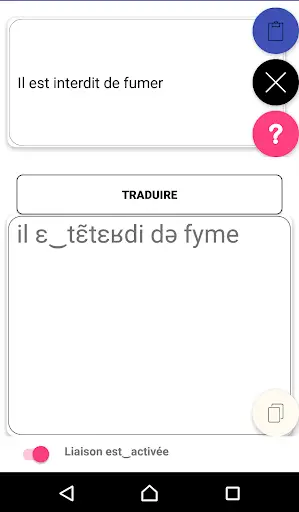
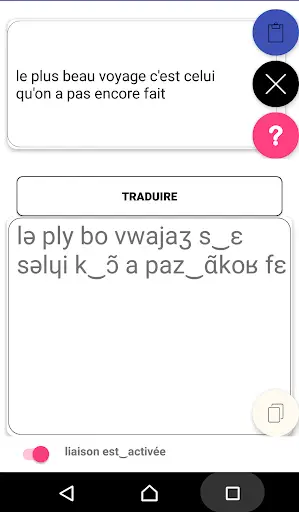
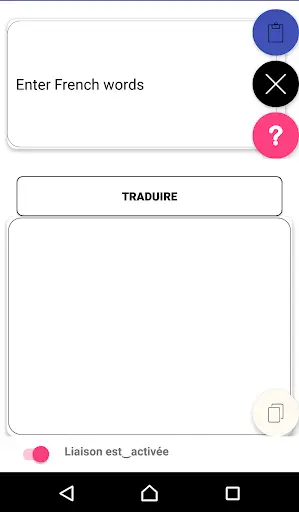
프랑스 문장을 음성에 해당하는 것으로 변환하는 데 도움이되는 단순.
프랑스 문장을 음성 동등성으로 변환 할 수있는 응용 프로그램.
중요 : 권장 숫자 최고의 성능을위한 캐릭터는 30입니다.

...

👉 For More Detail of French phonetic transcription

#3 Transcription Tool

Transcription Tool
Rating: star 2.9 | Version: 1.2.9 | Size: 3.6MB
Transcription Tool screenshot 1 Transcription Tool screenshot 2 Transcription Tool screenshot 3

NOTE: The application does not automatically transcribe audio, please do not rate negative for that.
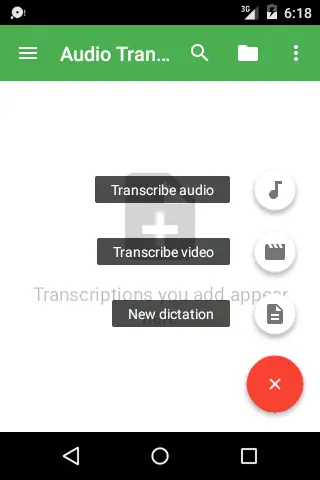
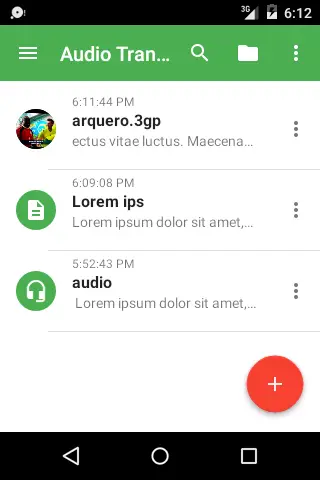
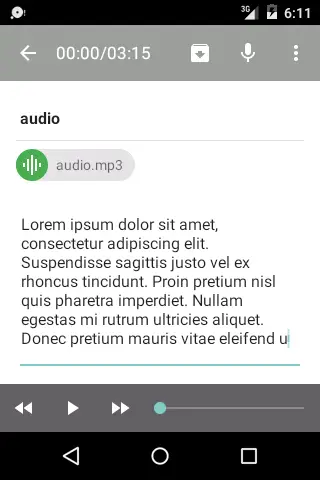
Complete tool for audio/video transcription and dictation.
Features:
* Support extended voice recognition
* Recognition of punctuation marks and special characters
* Full integration with the keyboard
* Playback paused
* Storage of position, text, etc.
* Export to plain text
* Inspired by Express Scribe®
Use the voice recognition engine to google but expanding to support punctuation and special characters.
Supported format:
MP3, 3GPP, WAVE, Ogg and MPEG-4
Languages ​​supported:
* Spanish, English, Portuguese and Italian
List of recognized commands:
* Point
* Comma
* New line
* Equals
* Full stop
* Semicolon
* Colon
* Arroba
* Asterisk
* Ampersand
* Open single quote / End single quote
* Open quote / Close quote
* Open angle bracket / Close angle bracket
* Open parenthesis / Close parenthesis
* Question mark
* Exclamation point
* Forward slash
* Backslash
* Space bar
* Vertical bar
and more!
Report errors or translation suggestions:
rnhdev.info@gmail.com

...

👉 For More Detail of Transcription Tool

#4 Transcription

Transcription
Rating: star 3.0 | Version: 1.0 | Size: 7.0MB
Transcription screenshot 1 Transcription screenshot 2 Transcription screenshot 3

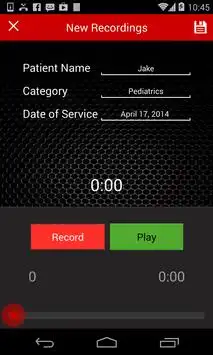
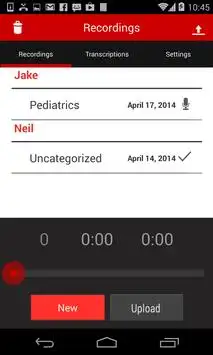
Transcription is an application specifically designed to simplify the process of physician dictation and medical transcription. It allows a physician to record, upload, and view transcribed documents anywhere, at any time. It's simple, safe, and secure.
Benefits for the Physician
Recording
With Transcription, you can create reports at your desk, while with a patient, or on the go. You don't need to be tied to a land-line to call an 800 number, or use a confusing hand-held voice recorder. Editing is made easier with tools to seek, insert, or overwrite reports. Reports are automatically organized by patient name, category, and date of service, so it's easy to find what you want.
Uploading
With a tap of a button, one or all reports can be effortlessly uploaded through a Wi-Fi connection. You, or your staff, no longer need to take cumbersome extra steps to send dictation for transcription.
Viewing
Your dictations are handled by our experienced transcriptionists, and completed reports can be viewed from your Android device.
Web Access
You also will be able to manage dictations and transcriptions from our secure website; track your uploaded dictation and download your archived reports.
128-bit SSL encryption allows you to log on confident that your information is secure and protected.
About Replicant Services
We are a Seattle-based transcription company with a proven track record of excellent service and quality transcription. Our goal is to help physician offices focus on quality patient care with the tools and services needed to simplify medical reports. We designed Transcription to make the process even easier.

...

👉 For More Detail of Transcription

#5 Transcription Software - the FTW Transcriber
Transcription Software - the FTW Transcriber
Rating: star 3.3 | Version: 5.0 | Size: 2.6MB
Transcription Software - the FTW Transcriber screenshot 1 Transcription Software - the FTW Transcriber screenshot 2 Transcription Software - the FTW Transcriber screenshot 3

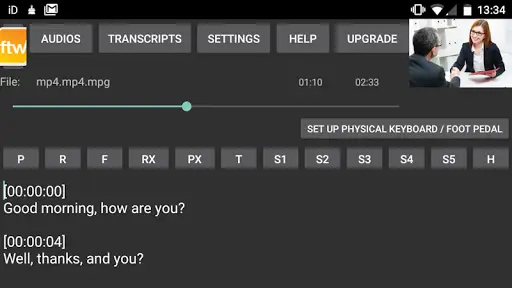
Audio transcription software for Android devices.
Transcribe wherever you are!
(*** THIS APP DOES NOT TRANSCRIBE AUTOMATICALLY - IT ENABLES YOU TO TYPE THE TEXT MANUALLY. ***)
This is the Android version of the FTW Transcriber, the widely-used Windows audio transcription software for manual transcribers.
Why not use your Android smartphone or tablet for audio transcription?
Think audio transcription has to be done at your desk? Not any more. With the FTW Transcriber for Android you can transcribe and earn wherever you are – in the dentist’s waiting-room, while relaxing on the sofa, sitting on the train or bus… literally anywhere!
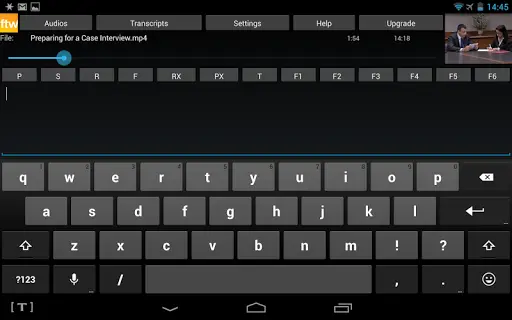
Now COMPATIBLE with foot pedals, physical keyboards and headphones - or just use it with the on-screen buttons.
Features:
- superior sound quality for trouble-free transcription
- automatic adding of time-stamps and frame numbers - huge time-saver! (optional)
- on-screen buttons or fully compatible with USB keyboards
- simple-to-use word processor built in
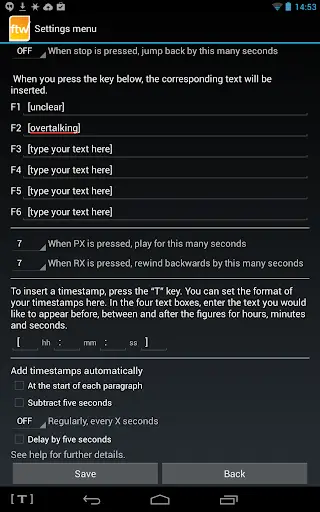
- timestamp formatting - add them in the format of your choice
- hotkeys for common transcription phrases like "overtalking" or "unclear"
- plays video files with visuals displayed
- saves transcripts in .txt format
- great support, feedback welcomed
- regular free updates
- free trial only plays the first two minutes of audio
More features coming soon!
Playable file types include:
Mp3, wav, mp4, 3gp, ogg, flac, aac and m4a, but other types such as wma, flv, ftr, dss and ds2 can be played by converting them to mp3 or wav on your desktop first. For a full list of playable file types, visit: http://developer.android.com/guide/appendix/media-formats.html
Compatible Foot Pedals:
Infinity USB2
Olympus RS31H, RS28H, RS27H
Philips ACC series
Compatible Physical Keyboards:
Any USB or Bluetooth keyboard
IMPORTANT: Bluetooth devices can be connected to your phone without an adapter, but to connect USB foot pedals and keyboards to your Android device you will probably need an adapter.
Please read this page carefully:
https://www.theftwtranscriber.com/ftwt4a/
Before leaving a negative review, please contact us at info@tygervalleysystems.com with any feedback so that we can attempt to address your issue. All correspondence will be answered. Thank you!

...

👉 For More Detail of Transcription Software - the FTW Transcriber

Search Results

1/1

You may like

DOWNLOAD IS NOT SUPPORTED IN WEB STORE!
Use the latest version of 9Apps to download APK&OBB file of games in one click!
DOWNLOAD 9APPS