exagear on 9Apps

Free download latest exagear for Android here and enjoy it with your phone. Below you can download a list of top and latest apps related to exagear . 9APPS is a fast, safe app store. With 9APPS, you can save a lot of time on searching and downloading apps.

#1 ExaGear RPG

ExaGear RPG
Rating: star 5.0 | Version: 2.6.8 | Size: 45.0MB
ExaGear RPG screenshot 1 ExaGear RPG screenshot 2 ExaGear RPG screenshot 3

ExaGear RPG is an emulator for Android which allows you to run PC games on Android devices. ExaGear RPG is the version of ExaGear Mobile with customization of controls for RPG games. NOTE that no games are included in this application and this application does not work without your own PC game files!
FEATURES
Current controls are customized and adapted for:
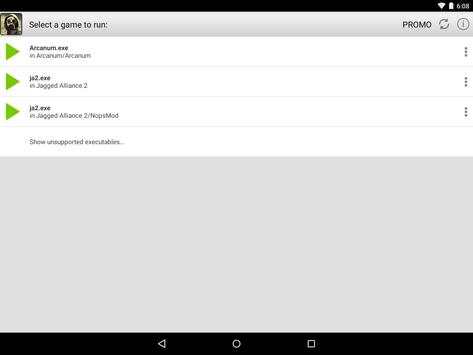
• Fallout 1, 2 (controls ‘Ferrum’ are recommended)
• Might and Magic VI, VII, VIII (controls ‘Magnesium’ are recommended)
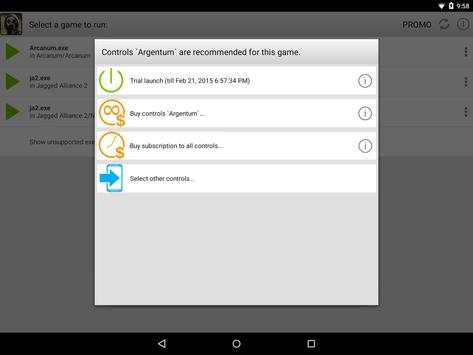
• Arcanum (controls ‘Argentum’ are recommended)
• Jagged
Alliance 2 (controls ‘Alluminium’ are recommended)
The list of tested and adapted games will increase.
For more details visit http://eltechs.com/product/exagear-mobile/
IMPORTANT NOTICES
• NO GAMES ARE INCLUDED IN THIS APP! YOU HAVE TO OBTAIN YOUR LICENSED COPIES OF PC GAMES IN A LEGAL MANNER.
• EMULATOR IS FREE TO USE FOR THREE DAYS AFTER INSTALLATION. AFTER THAT PERIOD IN ORDER TO CONTINUE YOU SHOULD SELECT ONE OF THE FOLLOWING OPTIONS:
− Choose controls package and buy it. In this case you pay once and use selected controls package for unlimited time. Note that each controls package is paid separately!
− Activate the subscription for all controls packages of ExaGear Strategies and ExaGear RPG. In this case you initiate payment for the first month and can use all controls packages of ExaGear Strategies and ExaGear RPG for a month. Starting from the second month, you will automatically be charged. Successful charge extends the subscription for a month. If you cancel the subscription you will not be charged automatically starting from the next month, and you will have access to the subscription until the end of the current (paid) months.
SETUP INSTRUCTION
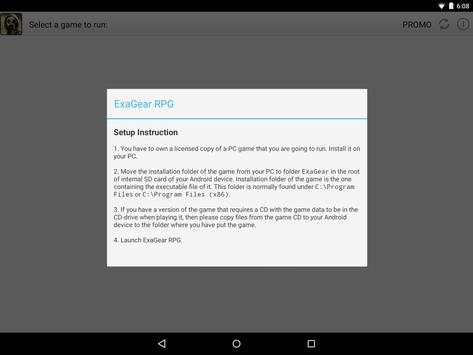
1. You have to own a licensed copy of the PC game. Install it on your PC.
2. Move installation folder of the game from your PC to ExaGear folder in the root of internal SD card of your Android device.
Installation folder of the game is the one containing executable file of the game. This folder is normally found under C:Program Files or C:Program Files (x86).
3. If you have a version of PC game that requires a game CD to be in the CD-drive when playing it, then please copy files from the game CD to your Android device to folder containing executable file of the game.
4. Launch ExaGear RPG and choose executable file to run the game.
KNOWN ISSUES
• We strongly recommend not to run localized versions under the emulator as they were not tested.
LEGAL
PC games are sold separately. ExaGear RPG users must own licensed copies of PC games. Usage of PC games with ExaGear RPG must comply with users’ rights in accordance with corresponding licenses.
ExaGear RPG software product does not relate to, nor authorized, endorsed or licensed in any way by PC games respective copyright owners.
Any and all PC games that are run by the ExaGear RPG and corresponding trademarks are property of their respective copyright owners and are not affiliated with Eltechs.
PC games screenshots are used by Eltechs only to show ExaGear RPG users the abilities and functionality of the emulator in a truthful and non-deceptive manner.

...

👉 For More Detail of ExaGear RPG

#2 ExaGear Strategies

ExaGear Strategies
Rating: star 4.0 | Version: 3.5.0 | Size: 5.8MB
ExaGear Strategies screenshot 1 ExaGear Strategies screenshot 2 ExaGear Strategies screenshot 3

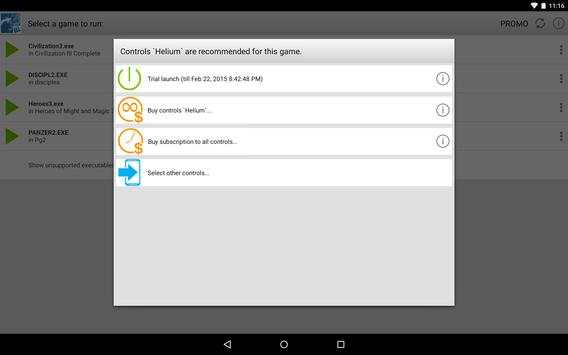
Seeking for PC games for Android? Wonder how to play Steam games or old Windows strategy games on Android devices? ExaGear Strategies is a PC game emulator for Android which allows you to play classic Windows games such as rts, strategy and tactics, turn based and hexagon strategy games and much more on your Android devices offline. It is available for free download and offers customization of controls for the touchscreen. With ExaGear Strategies computer emulator you can play your favourite old PC games directly on Android devices, without PC itself and without streaming.
Simply install the app, download and install the game and enjoy your favourite old pc games adapted for Android.
NOTE that no PC games are NOT included in this application and this application does not work without your own game files transferred to your Android device!
FEATURES OF OUR ALL IN ONE RETRO GAMES EMULATOR
Currently, we’ve optimized the touchscreen controls for:
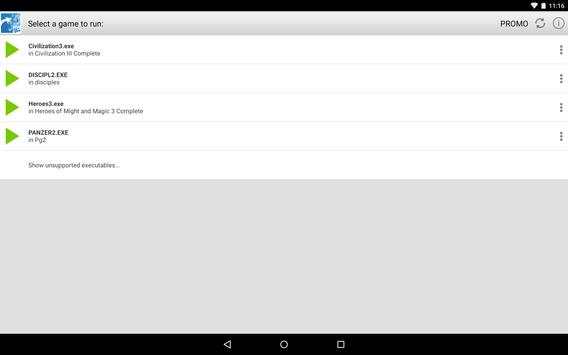
• Heroes of Might and Magic 3 (classic turn-based strategy)
• Disciples 2 (classic turn-based strategy)
• Civilization 3 (rts strategy)
• Panzer General 2 (hex strategy)
The list of tested and adapted retro computer games will be extended.
For more details visit http://eltechs.com/en/product/exagear-mobile/exagear-strategies/
IMPORTANT NOTICES
• NO GAMES ARE INCLUDED! YOU HAVE TO OBTAIN LICENSED COPIES OF PC GAMES IN A LEGAL MANNER.
• EMULATOR IS FREE TO USE FOR THREE DAYS AFTER INSTALLATION. THEN YOU SHOULD SELECT ONE OF THE FOLLOWING OPTIONS:
− Buy access to ExaGear Strategies to play your favorite PC games . In this case you pay once and play via ExaGear for unlimited time.
− Activate the subscription to ExaGear Strategies. In this case you initiate payment for the first month and can access your games via ExaGear Strategies and ExaGear RPG for a month. Starting from the second month, you will automatically be charged and extend the subscription for the next month. If you cancel the subscription you will not be automatically charged starting from the next month, subscription expires at the end of the paid month.
HOW TO PLAY PC GAMES ON ANDROID (SETUP INSTRUCTION)
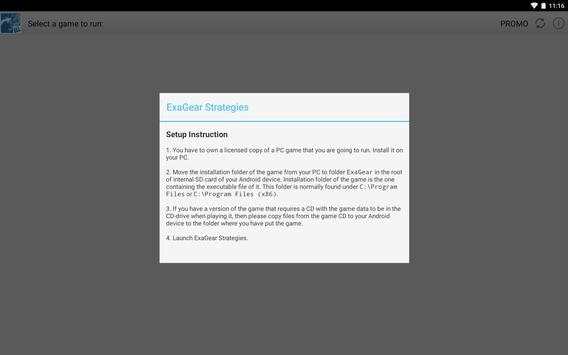
1. You have to own licensed copies of PC game to play it on your Android devices. Install them on your Desktop PC.
2. Move installation folder of an installed game from your PC to ExaGear folder in the root of internal SD card of your Android device.
Installation folder of the game is the one containing executable file of the game. This folder is normally found under C:Program Files (x86).
3. If you have a version of a PC game that requires a game CD to be in the CD-drive when playing it, then please copy all files from the game CD to your Android device to folder containing executable file of the game.
4. Launch ExaGear Strategies and choose executable file to run the game.
KNOWN ISSUES
• Heroes 3 has a known bug in playing music that causes game to freeze. As workaround music is muted in the default configuration of the emulator.
• Localized versions under the emulator are not tested.
LEGAL
PC games are sold separately. ExaGear Strategies users must own licensed copies of PC games. Usage of PC games with ExaGear Strategies must comply with users’ rights in accordance with corresponding licenses.
ExaGear Strategies software product does not relate to, nor authorized, endorsed or licensed in any way by PC games respective copyright owners.
Any and all PC games that are run by the ExaGear Strategies and corresponding trademarks are property of their respective copyright owners and are not affiliated with Eltechs.
PC games screenshots are used by Eltechs only to show ExaGear Strategies users the abilities and functionality of the emulator in a truthful and non-deceptive manner.

...

👉 For More Detail of ExaGear Strategies

#3 Run ExaGear

Run ExaGear
Rating: star 3.0 | Version: 1.0 | Size: 1.1MB
Run ExaGear screenshot 1 Run ExaGear screenshot 2

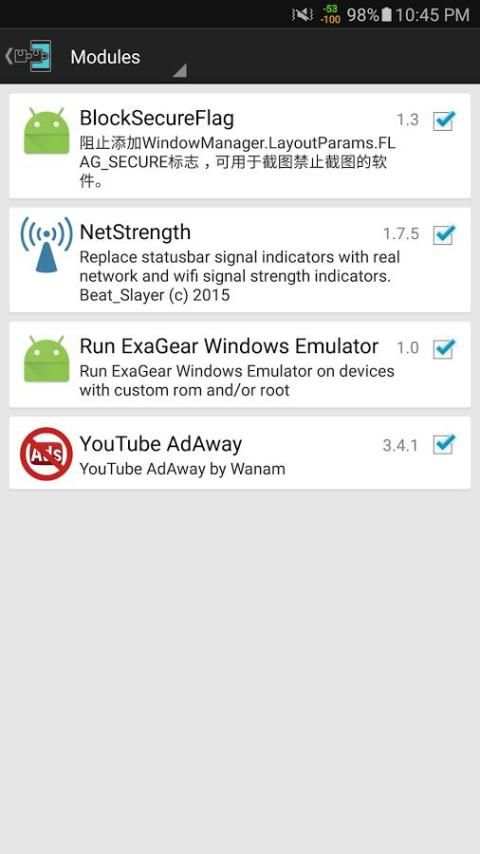
Xposed module that allows you to run ExaGear on rooted devices. You will need to have Xposed framework installed.

...

👉 For More Detail of Run ExaGear

#4 ExaGear - Windows Emulator

ExaGear - Windows Emulator
Rating: star 3.0 | Version: 1.0.0 | Size: 6.7MB
ExaGear - Windows Emulator screenshot 1 ExaGear - Windows Emulator screenshot 2

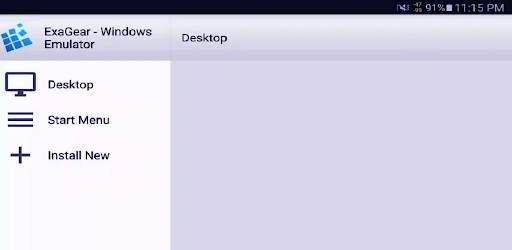
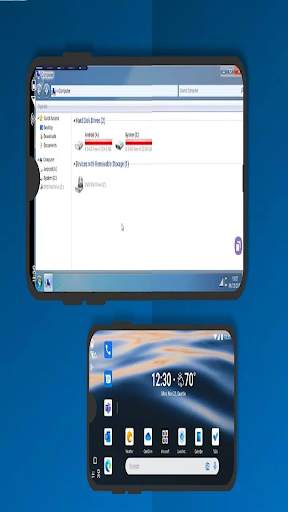
ExaGear é uma máquina que permite executar aplicativos do Windows em dispositivos ARM Android. Jogue seus primeiros jogos antiquados e utilize seus aplicativos diários de PC em seu telefone, tablet ou Chromebook - ExaGear rápido e sem nenhum problema. Nossa notável inovação permite que você envolva seus aplicativos de área de trabalho como se fossem todos aplicativos locais para seu dispositivo Android.
Por enquanto, o ExaGear pode enviar um resumo dos aplicativos e jogos do Windows

...

👉 For More Detail of ExaGear - Windows Emulator

#5 ExaGear - Windows Emulator Tip

ExaGear - Windows Emulator Tip
Rating: star 3.0 | Version: 1.0.0 | Size: 12.4MB

ExaGear - Windows Emulator Tip screenshot 1 ExaGear - Windows Emulator Tip screenshot 2 ExaGear - Windows Emulator Tip screenshot 3

Como o nome sugere, este é um emulador do Windows que permite executar o sistema operacional Windows em dispositivos móveis. A compatibilidade do Windows Cross -Platform é popular.No entanto, adicionou o emulador x86 à versão de vinho modificada.Além disso, combinando todos os itens de menu Iniciar em uma tela de acesso fácil.Embora esse aplicativo seja muito simples e perde muitas funções.Sem mencionar, o aplicativo que ele suporta são jogos antigos.
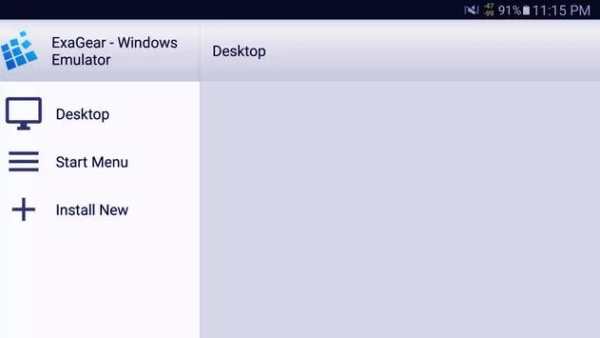
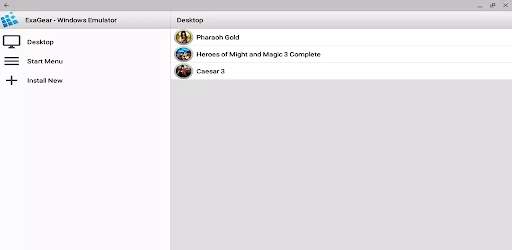
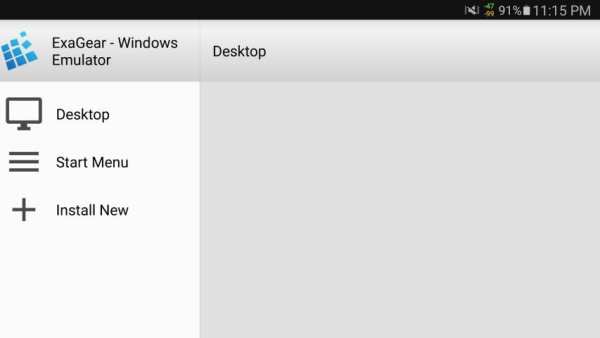
Como você usa o emulador de Windows Exagear?Como algumas outras extremidades frontais para o vinho, ele divide cada aplicativo em instalações virtuais.No entanto, ele combina todos os itens de menu Iniciar em uma tela que é facilmente acessível.O menu lateral inclui atalhos para desktops, menus de partida, instalação de novos aplicativos e gerenciamento de contêineres virtuais.Como o vinho, você também pode alterar várias configurações dos gerentes de contêineres.
Este aplicativo fornece duas maneiras de instalar aplicativos do Windows.Primeiro, você pode escolher entre uma lista predeterminada.Embora, uma lista de aplicativos suportados por baixo, e a maioria das opções sejam jogos antigos, como Civilization III, Starcraft e Fallout 2. A segunda opção é selecionar o arquivo exe da sua pasta de download.No entanto, observe que a maioria dos programas exige alguns pequenos ajustes para funcionar.
Os usuários também devem saber que, se o seu aplicativo ou jogo não estiver na lista oficial, há o mais provável que não funcione.Você também não pode alterar a versão do Windows ou substituir etc. porque o painel principal de controle de vinho não está disponível.Finalmente, não há opção para instalar a ISO como uma unidade d:.Com isso, você não pode instalar um jogo do Windows baseado em disco.Este aplicativo é a única porta de vinho que pode executar o software Windows X86 em dispositivos ARM.No entanto, além das realizações técnicas, existem muitas funções ausentes que podem ser um problema com a maioria dos usuários.Primeiro, ele só tem aplicativos e jogos suportados limitados para justificar o preço.Sem mencionar, os aplicativos do Windows não são possíveis de usar em telas de tamanho móvel.

...

👉 For More Detail of ExaGear - Windows Emulator Tip

Search Results

1/1

You may like

DOWNLOAD IS NOT SUPPORTED IN WEB STORE!
Use the latest version of 9Apps to download APK&OBB file of games in one click!
DOWNLOAD 9APPS