exagear on 9Apps

Free download latest exagear for Android here and enjoy it with your phone. Below you can download a list of top and latest apps related to exagear . 9APPS is a fast, safe app store. With 9APPS, you can save a lot of time on searching and downloading apps.

#1 ExaGear RPG

ExaGear RPG
Rating: star 5.0 | Version: 2.6.8 | Size: 45.0MB
ExaGear RPG screenshot 1 ExaGear RPG screenshot 2 ExaGear RPG screenshot 3

ExaGear RPG is an emulator for Android which allows you to run PC games on Android devices. ExaGear RPG is the version of ExaGear Mobile with customization of controls for RPG games. NOTE that no games are included in this application and this application does not work without your own PC game files!
FEATURES
Current controls are customized and adapted for:
• Fallout 1, 2 (controls ‘Ferrum’ are recommended)
• Might and Magic VI, VII, VIII (controls ‘Magnesium’ are recommended)
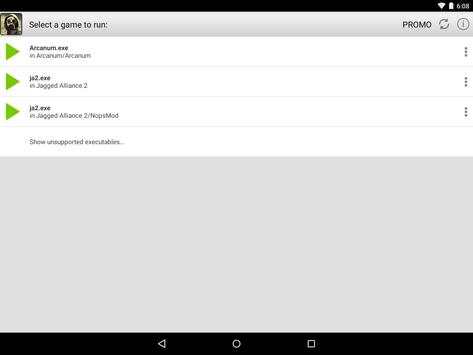
• Arcanum (controls ‘Argentum’ are recommended)
• Jagged
Alliance 2 (controls ‘Alluminium’ are recommended)
The list of tested and adapted games will increase.
For more details visit http://eltechs.com/product/exagear-mobile/
IMPORTANT NOTICES
• NO GAMES ARE INCLUDED IN THIS APP! YOU HAVE TO OBTAIN YOUR LICENSED COPIES OF PC GAMES IN A LEGAL MANNER.
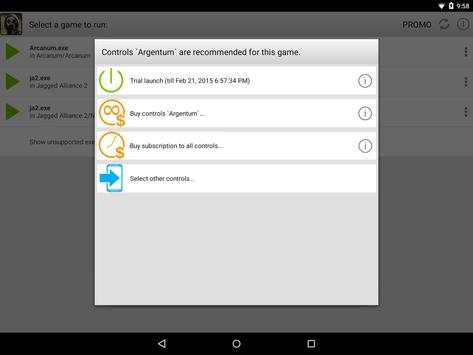
• EMULATOR IS FREE TO USE FOR THREE DAYS AFTER INSTALLATION. AFTER THAT PERIOD IN ORDER TO CONTINUE YOU SHOULD SELECT ONE OF THE FOLLOWING OPTIONS:
− Choose controls package and buy it. In this case you pay once and use selected controls package for unlimited time. Note that each controls package is paid separately!
− Activate the subscription for all controls packages of ExaGear Strategies and ExaGear RPG. In this case you initiate payment for the first month and can use all controls packages of ExaGear Strategies and ExaGear RPG for a month. Starting from the second month, you will automatically be charged. Successful charge extends the subscription for a month. If you cancel the subscription you will not be charged automatically starting from the next month, and you will have access to the subscription until the end of the current (paid) months.
SETUP INSTRUCTION
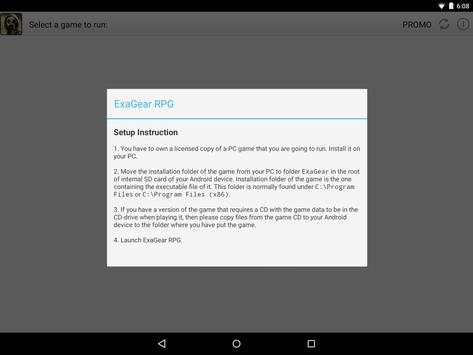
1. You have to own a licensed copy of the PC game. Install it on your PC.
2. Move installation folder of the game from your PC to ExaGear folder in the root of internal SD card of your Android device.
Installation folder of the game is the one containing executable file of the game. This folder is normally found under C:Program Files or C:Program Files (x86).
3. If you have a version of PC game that requires a game CD to be in the CD-drive when playing it, then please copy files from the game CD to your Android device to folder containing executable file of the game.
4. Launch ExaGear RPG and choose executable file to run the game.
KNOWN ISSUES
• We strongly recommend not to run localized versions under the emulator as they were not tested.
LEGAL
PC games are sold separately. ExaGear RPG users must own licensed copies of PC games. Usage of PC games with ExaGear RPG must comply with users’ rights in accordance with corresponding licenses.
ExaGear RPG software product does not relate to, nor authorized, endorsed or licensed in any way by PC games respective copyright owners.
Any and all PC games that are run by the ExaGear RPG and corresponding trademarks are property of their respective copyright owners and are not affiliated with Eltechs.
PC games screenshots are used by Eltechs only to show ExaGear RPG users the abilities and functionality of the emulator in a truthful and non-deceptive manner.

...

👉 For More Detail of ExaGear RPG

#2 ExaGear Strategies

ExaGear Strategies
Rating: star 4.0 | Version: 3.5.0 | Size: 5.8MB
ExaGear Strategies screenshot 1 ExaGear Strategies screenshot 2 ExaGear Strategies screenshot 3

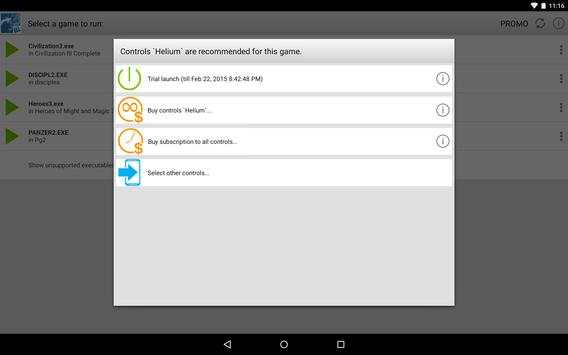
Seeking for PC games for Android? Wonder how to play Steam games or old Windows strategy games on Android devices? ExaGear Strategies is a PC game emulator for Android which allows you to play classic Windows games such as rts, strategy and tactics, turn based and hexagon strategy games and much more on your Android devices offline. It is available for free download and offers customization of controls for the touchscreen. With ExaGear Strategies computer emulator you can play your favourite old PC games directly on Android devices, without PC itself and without streaming.
Simply install the app, download and install the game and enjoy your favourite old pc games adapted for Android.
NOTE that no PC games are NOT included in this application and this application does not work without your own game files transferred to your Android device!
FEATURES OF OUR ALL IN ONE RETRO GAMES EMULATOR
Currently, we’ve optimized the touchscreen controls for:
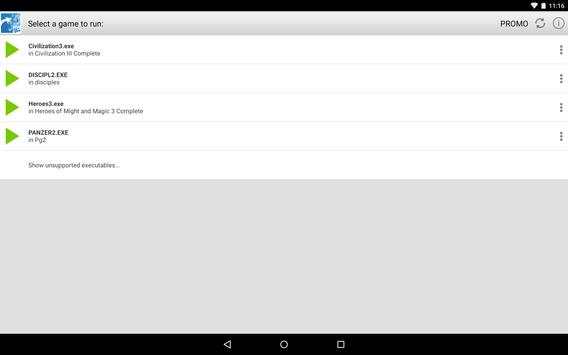
• Heroes of Might and Magic 3 (classic turn-based strategy)
• Disciples 2 (classic turn-based strategy)
• Civilization 3 (rts strategy)
• Panzer General 2 (hex strategy)
The list of tested and adapted retro computer games will be extended.
For more details visit http://eltechs.com/en/product/exagear-mobile/exagear-strategies/
IMPORTANT NOTICES
• NO GAMES ARE INCLUDED! YOU HAVE TO OBTAIN LICENSED COPIES OF PC GAMES IN A LEGAL MANNER.
• EMULATOR IS FREE TO USE FOR THREE DAYS AFTER INSTALLATION. THEN YOU SHOULD SELECT ONE OF THE FOLLOWING OPTIONS:
− Buy access to ExaGear Strategies to play your favorite PC games . In this case you pay once and play via ExaGear for unlimited time.
− Activate the subscription to ExaGear Strategies. In this case you initiate payment for the first month and can access your games via ExaGear Strategies and ExaGear RPG for a month. Starting from the second month, you will automatically be charged and extend the subscription for the next month. If you cancel the subscription you will not be automatically charged starting from the next month, subscription expires at the end of the paid month.
HOW TO PLAY PC GAMES ON ANDROID (SETUP INSTRUCTION)
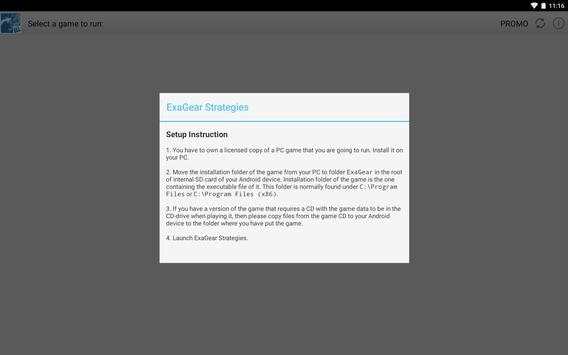
1. You have to own licensed copies of PC game to play it on your Android devices. Install them on your Desktop PC.
2. Move installation folder of an installed game from your PC to ExaGear folder in the root of internal SD card of your Android device.
Installation folder of the game is the one containing executable file of the game. This folder is normally found under C:Program Files (x86).
3. If you have a version of a PC game that requires a game CD to be in the CD-drive when playing it, then please copy all files from the game CD to your Android device to folder containing executable file of the game.
4. Launch ExaGear Strategies and choose executable file to run the game.
KNOWN ISSUES
• Heroes 3 has a known bug in playing music that causes game to freeze. As workaround music is muted in the default configuration of the emulator.
• Localized versions under the emulator are not tested.
LEGAL
PC games are sold separately. ExaGear Strategies users must own licensed copies of PC games. Usage of PC games with ExaGear Strategies must comply with users’ rights in accordance with corresponding licenses.
ExaGear Strategies software product does not relate to, nor authorized, endorsed or licensed in any way by PC games respective copyright owners.
Any and all PC games that are run by the ExaGear Strategies and corresponding trademarks are property of their respective copyright owners and are not affiliated with Eltechs.
PC games screenshots are used by Eltechs only to show ExaGear Strategies users the abilities and functionality of the emulator in a truthful and non-deceptive manner.

...

👉 For More Detail of ExaGear Strategies

#3 Run ExaGear

Run ExaGear
Rating: star 3.0 | Version: 1.0 | Size: 1.1MB
Run ExaGear screenshot 1 Run ExaGear screenshot 2

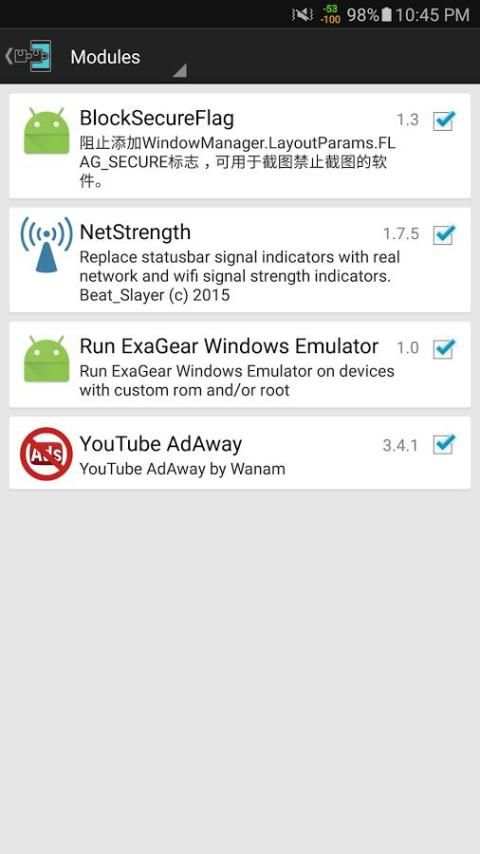
Xposed module that allows you to run ExaGear on rooted devices. You will need to have Xposed framework installed.

...

👉 For More Detail of Run ExaGear

#4 ExaGear - Windows Emulator

ExaGear - Windows Emulator
Rating: star 3.0 | Version: 1.0.0 | Size: 6.7MB
ExaGear - Windows Emulator screenshot 1 ExaGear - Windows Emulator screenshot 2

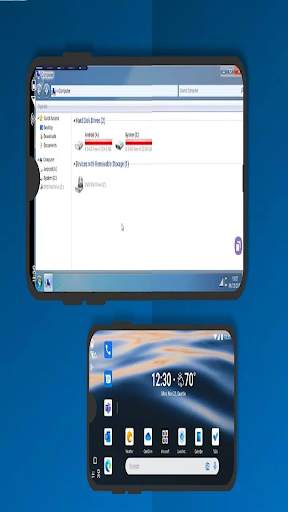
ExaGear est une machine qui vous permet d'exécuter des applications Windows sur des gadgets Android ARM. Jouez à vos premiers jeux à l'ancienne et utilisez vos applications PC quotidiennes sur votre téléphone, tablette ou Chromebook - ExaGear rapidement et sans aucun problème. Notre innovation remarquable vous permet d'impliquer les applications de votre espace de travail comme s'il s'agissait toutes d'applications locales pour votre gadget Android.
Pour le moment, ExaGear peut envoyer un aperçu des applications et des jeux Windows

...

👉 For More Detail of ExaGear - Windows Emulator

#5 ExaGear - Windows Emulator Tip

ExaGear - Windows Emulator Tip
Rating: star 3.0 | Version: 1.0.0 | Size: 12.4MB

ExaGear - Windows Emulator Tip screenshot 1 ExaGear - Windows Emulator Tip screenshot 2 ExaGear - Windows Emulator Tip screenshot 3

Comme son nom l'indique, il s'agit d'un émulateur Windows qui vous permet d'exécuter le système d'exploitation Windows sur les appareils mobiles.
Avec cela, vous pouvez accéder à votre application PC sur un petit écran. EXAGEAR Windows Emulator fonctionne similaire au vin, couche La compatibilité Windows Cross-Plateform est populaire.Cependant, il a ajouté l'émulateur x86 à la version du vin modifié.De plus, combiner tous les éléments de menu Démarrer dans un écran d'accès facile.Cependant, cette application est très simple et perd de nombreuses fonctions.Sans oublier, l'application qu'il prend en charge est d'anciens jeux.
Comment utilisez-vous EXAGEAR Windows Emulator?
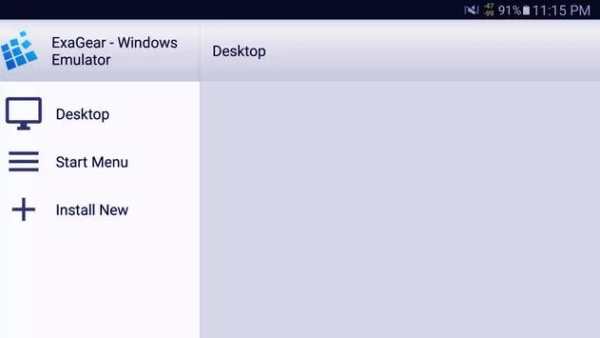
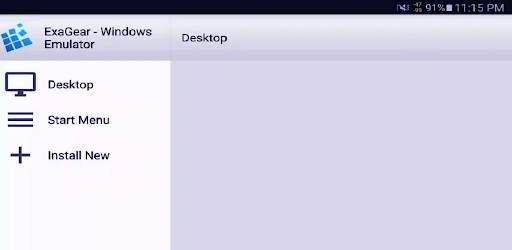
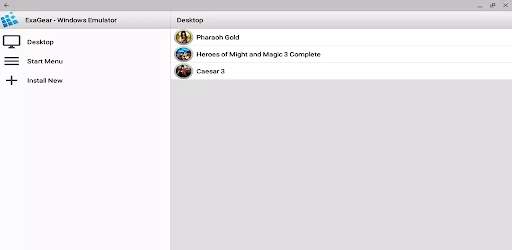
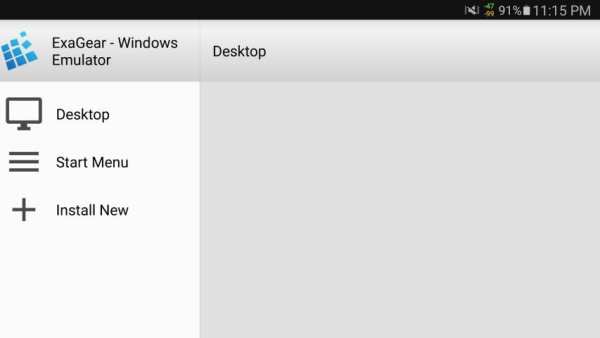
Comme mentionné, EXAGEAR Windows Emulator est très simple.Comme certains autres frontaux pour le vin, il divise chaque application en installations virtuelles.Cependant, il combine tous les éléments du menu de démarrage en un seul écran facilement accessible.Le menu latéral comprend les raccourcis pour les ordinateurs de bureau, le démarrage des menus, l'installation de nouvelles applications et la gestion des conteneurs virtuels.Comme le vin, vous pouvez également modifier divers paramètres des gestionnaires de conteneurs.
Cette application fournit deux façons d'installer des applications Windows.Tout d'abord, vous pouvez choisir parmi une liste prédéterminée.Cependant, une liste d'applications privilégiées courte, et la plupart des choix sont des jeux anciens, tels que Civilization III, Starcraft et Fallout 2. La deuxième option consiste à sélectionner le fichier EXE dans votre dossier de téléchargement.Cependant, notez que la plupart des programmes nécessitent quelques petits ajustements pour fonctionner.
Les utilisateurs doivent également savoir que si votre application ou votre jeu ne figure pas sur la liste officielle, il est très probable qu'il ne fonctionnera pas.Vous ne pouvez pas non plus modifier la version Windows ou remplacer, etc. car le panneau de commande du vin principal n'est pas disponible.Enfin, il n'y a pas d'option pour installer ISO en tant que lecteur D:.Avec cela, vous ne pouvez pas installer un jeu Windows basé sur un disque.
Devriez-vous l'acheter? Dans un point de vue technique, EXAGEAR Windows Emulator est un émulateur impressionnant.Cette application est le seul port de vin qui peut exécuter le logiciel Windows X86 sur les appareils ARM.Cependant, en plus des réalisations techniques, il existe de nombreuses fonctions manquantes qui peuvent être un problème avec la plupart des utilisateurs.Premièrement, il n'a que des applications et des jeux soutenus limités pour justifier le prix.Sans oublier que les applications Windows ne sont pas possibles à utiliser sur les écrans de taille mobile.

...

👉 For More Detail of ExaGear - Windows Emulator Tip

Search Results

1/1

You may like

DOWNLOAD IS NOT SUPPORTED IN WEB STORE!
Use the latest version of 9Apps to download APK&OBB file of games in one click!
DOWNLOAD 9APPS