musik tag editor on 9Apps

Free download latest musik tag editor for Android here and enjoy it with your phone. Below you can download a list of top and latest apps related to musik tag editor . 9APPS is a fast, safe app store. With 9APPS, you can save a lot of time on searching and downloading apps.

#1 Automatic Tag Editor

Automatic Tag Editor
Rating: star 3.8 | Version: 2.2.4.16 | Size: 14.5MB
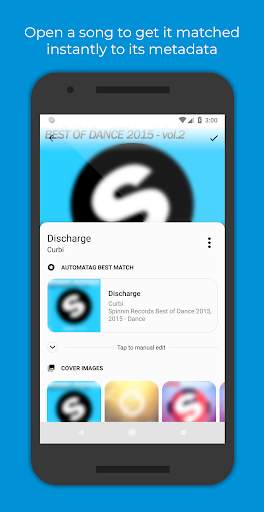
Automatic Tag Editor screenshot 1 Automatic Tag Editor screenshot 2 Automatic Tag Editor screenshot 3

Adakah anda ingat masa apabila anda mula -mula memutuskan untuk memastikan perpustakaan muzik anda lebih kemas? Anda mendapati bahawa satu -satunya penyelesaian adalah untuk mengisi semua maklumat lagu secara manual, satu demi satu.
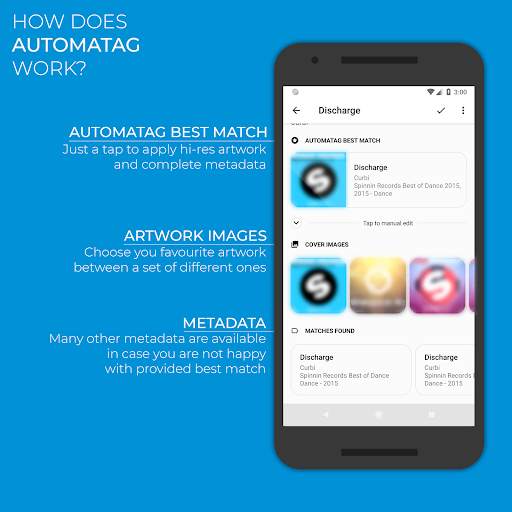
Hari -hari ini sudah berakhir! Editor Tag Automatik menganalisis perpustakaan anda dan pilih untuk anda tutup tag perlawanan, hanya ketik pada yang anda suka dan anda sudah selesai. Ia hanya akan mengambil masa lima saat setiap lagu ... Dijamin! Dan itu tidak semua: Ia juga memberi anda beberapa kuasa kuadrat Hi-Res Pictures anda boleh menggunakan sebagai cover art dengan mengetuk mereka.
Editor automatik ini sesuai untuk pengeditan id3 tag perpustakaan muzik anda. Ia mengemas kini tag tertanam supaya anda tidak kehilangannya apabila anda memindahkan fail dari telefon anda. Artis Album
‣ Album
‣ Genre
‣ tahun
‣ Nombor trek
‣ Track total
‣ nombor cakera
‣ cakera total
‣ lirik
‣ Komen
Pelbagai format audio disokong:
‣ mp3
‣ m4a
‣ ogg
‣ flac
‣ wma
‣ wav
Menyokong fail penyuntingan pada kad SD!
Nota: Editor tag automatik hanya bertujuan untuk membantu pengguna memulihkan metadata yang berkaitan dengan lagu -lagu yang telah mereka beli sebelum ini sebagai digital Salin tetapi yang mana mereka kehilangan metadata mereka dengan apa -apa cara. Editor Tag Automatik dan kakitangannya tidak menyokong cetak rompak muzik dalam apa cara sekalipun.

...

👉 For More Detail of Automatic Tag Editor

#2 Music Tag Editor

Music Tag Editor
Rating: star 3.3 | Version: 1.3.0 | Size: 4.1MB
Music Tag Editor screenshot 1 Music Tag Editor screenshot 2 Music Tag Editor screenshot 3

Music Tag Editor
(Tag Editor)
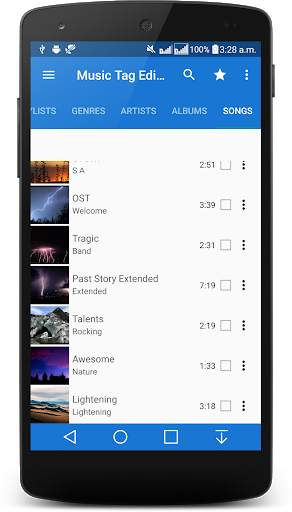
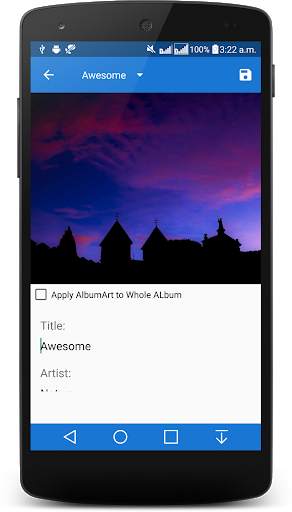
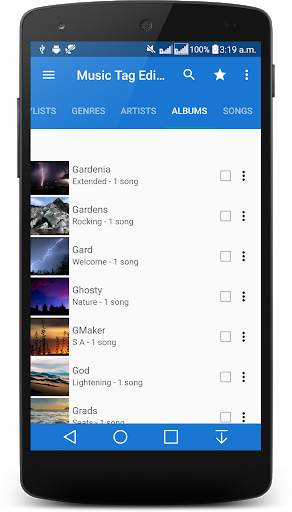
Music Tag Editor app - auto tagger is a material design music tag editor that introduces features like lyrics editing & album art editing to make the process of tagging your song files quick and easy.
Music Tag Editor automatically updates the Media Store Database when changes have been made to files to ensure changes reflect on all other media applications. Please take note that some music players use their own databases and may take longer to reflect changes to files, a manual update may need to be invoked within the application if it is possible.
Music Tagger Currently supports the following file formats MP3, FLAC , M4A and MP4 audio files only.
It is also known as - Music Tag and album art editor.
☆ NOTE FOR KITKAT USERS☆
If you are running KitKat writing to external storage will not work unless you have rooted your device and applied the SD card permissions fix. This is due to Google removing external write permissions from 3rd party apps on Android.
========================================================
Highlighted functions:
★Material design with easy to use interface
★Totally Free Tag Editor App no hidden charges .
★The Editor supports all popular Audio file formats.
★Supports Editing Multiple Tracks.
★Small size, low memory.
★Supports Playlist.
Innovative Feature:
❤ Folder Browsing to find music quickly.
❤ Memory efficient,takes very small amount of memory & easy to use .
❤ 2 Themes-Dark and Light
❤ 6 Theme and Accent Color.
❤ Reading and editing FLAC tags.
❤ Reading and editing M4A tags.
❤ Reading and editing MP4-Audio tags.
❤ Edit by Songs, Albums,Artists,Genre ,Playlist
❤ Seamless Integration with Marine Music Player
❤ Batch Edit Playlist songs
❤ Auto Music Tagger, automatic Music Tagger
❤ Manual editing currently supports MP3s,FLAC, M4A and MP4-Audio
❤ Reading and editing Appropriate ID3v3 tags
❤ Batch editing music files and albums
❤ Applying album art in android database to music files
❤ Batch applying album art in android database to music files
❤ Applying album art from storage to files.
❤ Updates Android Media Store after changes are made to MP3, M4A,MP4-Audio and FLAC tags.
❤ Reading an editing lyrics on MP3 M4A,MP4-Audio and FLAC files
❤ Built in Media Scanner
Pro Only Feature:
❤ 38 Themes and Accent Colors
❤ Song Meta Data Editing
❤ Built in File Browser(Folder View)
❤ All Future Features
❤ Developer Love
❤ No Ads
Become a Beta Tester :https://play.google.com/apps/testing/us.music.musictagger
Having an issue or got a suggestion? Drop us a mail! androidrockers007@gmail.com
Album and Artist images used in the screenshots are licensed under Public Domain License:
https://creativecommons.org/publicdomain/zero/1.0/

...

👉 For More Detail of Music Tag Editor

#3 Vanilla Tag Editor

Vanilla Tag Editor
Rating: star 3.6 | Version: 1.4.11 | Size: 960.2KB
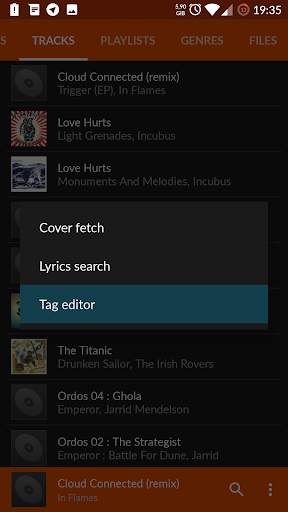
Vanilla Tag Editor screenshot 1 Vanilla Tag Editor screenshot 2 Vanilla Tag Editor screenshot 3

This app is a plugin.
Prior to use it you should have
Vanilla Music
installed.
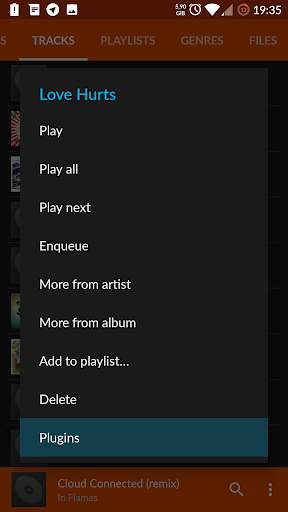
Once both player and this plugin are installed, request a context menu on a song from library screen, select "Plugins" and "Tag editor" afterwards.
Features
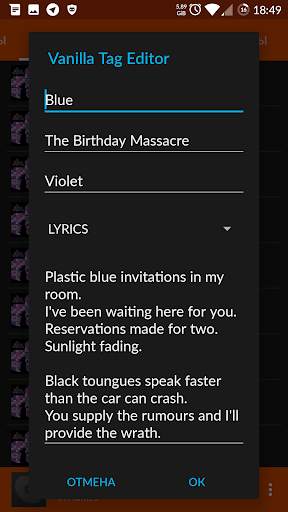
* Tag editing of multiple audiofile formats (mp3/ogg/flac/m4a)
* Custom tag editing (lyrics, track no, comment etc.)
* Lightweight (640 KB in release apk)
This program is free software: you can redistribute it and/or modify
it under the terms of the GNU General Public License as published by
the Free Software Foundation, either version 3 of the License, or
(at your option) any later version.

...

👉 For More Detail of Vanilla Tag Editor

#4 TagMusic - Tag Editor

TagMusic - Tag Editor
Rating: star 2.9 | Version: 0.9.0 | Size: 2.5MB
TagMusic - Tag Editor screenshot 1 TagMusic - Tag Editor screenshot 2 TagMusic - Tag Editor screenshot 3

You have changed the tags of song, but see no changes in music player. Two songs with same album name creates different albums. Tags of song is inconsistent with music player tag editor.
Why ?
That is because some tag editor only edits ID3 tags. TagMusic directly makes changes to Android MediaStore as well as ID3 tags. MediaStore is a database where android stores meta data of media files.
Benefits of tagging MediaStore are:
• No need to reboot the phone to update tags.
• No need for scanning media.
• Songs with same artist will be merged automatically.
• Updates tags almost instantaneously.
Features:
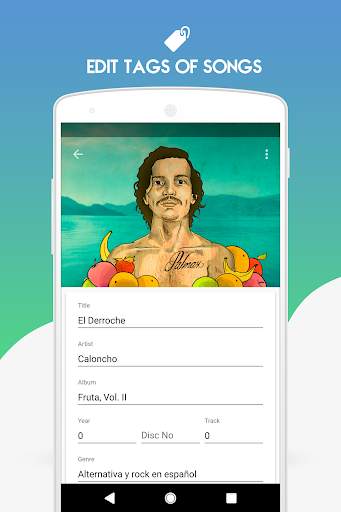
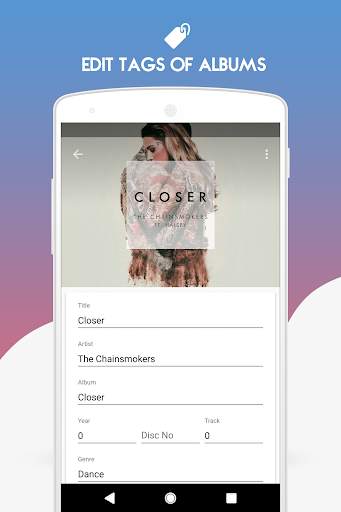
• Edit song title, artist, album, year, track, genre, composer and disc number of songs.
• Edit album, album artist, genre and year of albums.
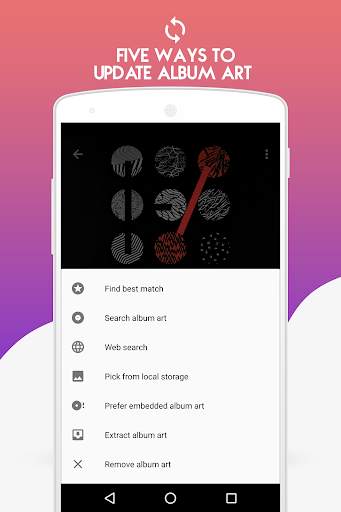
• Update cover art of albums.
• Update cover art of songs.
• Remove album art from songs.
• Remove album art from albums
• Download album art from online services
• 11 themes
• Song list view - Mini and Detail.
• Lyrics editor
• Fix tags: Extract ID3 tag of songs and update on Android Mediastore.
• Remove tag
• Folder support
• Rename files in folders from tags
• Remove album art
And many more...
Advanced features
• Batch tag songs
• Batch rename files
• Batch fix tags
The app requires the following permissions:
READ_EXTERNAL_STORAGE: This permission is required for getting the list of songs from the external card.
WRITE_EXTERNAL_STORAGE: This permission is required for editing tags of songs in external card.
ACCESS_NETWORK_STATE: This permission is required for checking the state of network connection. This is used for prompting the users to connect to internet if they are not connected.

...

👉 For More Detail of TagMusic - Tag Editor

#5 Smart MP3 Tag Editor

Smart MP3 Tag Editor
Rating: star 4.4 | Version: 23.4.23 | Size: 10.9MB
Smart MP3 Tag Editor screenshot 1 Smart MP3 Tag Editor screenshot 2 Smart MP3 Tag Editor screenshot 3

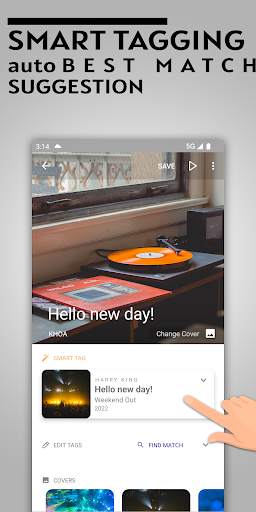
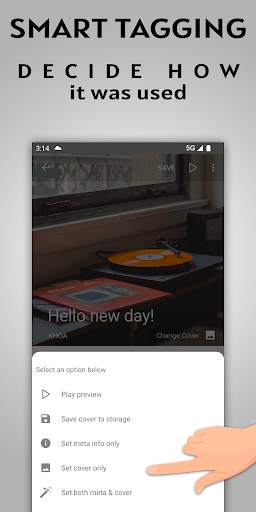
Editor penandaan ID3 untuk semua muzik anda.Aplikasi ini menyediakan fungsi Smart Tagger akan secara automatik mencari perlawanan terbaik untuk muzik anda dengan serta -merta.
percuma & amp;Ciri penuh tidak perlu membayar apa -apa wang untuk batch menandai audio anda.Sokongan tab carian lirik terbina dalam .Ciri -ciri:
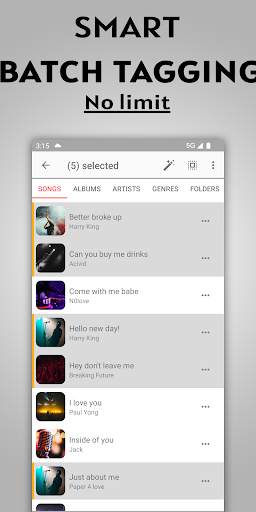
🔥 Tagging batch .Pilih fail audio berganda untuk penandaan automatik.
🔥 Edit fail Album ' s atau pelbagai fail sekaligus.Tetapkan mereka mempunyai artis yang sama, album, genre, .... semua sekaligus.
🔥 HD Artwork.Karya seni mengubah saiz.Dapat memuat turun karya seni dari URL atau pilih dari galeri foto.Sebelum memilih tag untuk memohon
🔥 Fail Namakan Automatik Menggunakan tagnya
🔥 corak penamaan semula fail.Benarkan anda menyesuaikan asas corak nama fail pada tagnya
🔥 menamakan semula fail, tukar sambungan fail untuk memadankan jenis kandungan audio
🔥 edit tag untuk muzik anda di sdcard
🔥 lirikCari dan tertanam ke fail audio
🔥 membolehkan anda menyusun semula semua medan tag sebagai format audio yang dikehendaki
br> ⭐ m4a
⭐ ogg
⭐ aiff
⭐ wma
⭐ wav
Tetapkan tag meta anda:
Imej
* tajuk
* artis
* artis album
* album
* genre
* tahun
* nombor cakera
* jumlah cakera
*
* Jumlah trek
* komposer
* Copyright
* Penerbit
* encoder
* Comment
* lirik
Reka bentuk:
- Reka Bentuk Bahan
- Interface bersih dan minimalis
- makan malam bersih dan mudah digunakan
- Mod malam.Tema Gelap
Nikmati penandaan muzik!Nilai kami 5 bintang jika aplikasinya berguna untuk anda!❤️

...

👉 For More Detail of Smart MP3 Tag Editor

Search Results

1/4

You may like

DOWNLOAD IS NOT SUPPORTED IN WEB STORE!
Use the latest version of 9Apps to download APK&OBB file of games in one click!
DOWNLOAD 9APPS