musik tag editor on 9Apps

Free download latest musik tag editor for Android here and enjoy it with your phone. Below you can download a list of top and latest apps related to musik tag editor . 9APPS is a fast, safe app store. With 9APPS, you can save a lot of time on searching and downloading apps.

#1 Automatic Tag Editor

Automatic Tag Editor
Rating: star 3.8 | Version: 2.2.4.16 | Size: 14.5MB
Automatic Tag Editor screenshot 1 Automatic Tag Editor screenshot 2 Automatic Tag Editor screenshot 3

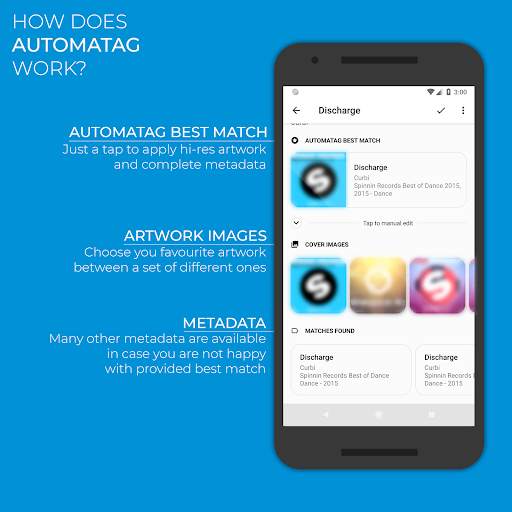
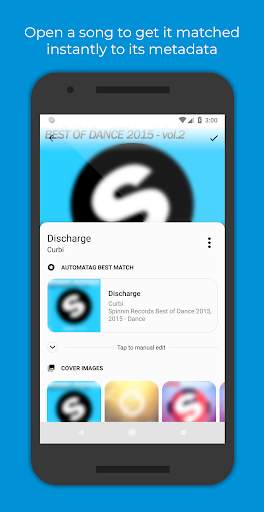
Ricordi quando hai deciso di tenere la tua libreria musicale ordinata? Hai scoperto che le informazioni delle canzoni andavano inserite manualmente una ad una.
Quei giorni sono finiti! Automatic Tag Editor analizza la tua libreria e sceglie al posto tuo le informazioni che meglio combaciano, clicca sulla corrispondenza che preferisci ed è fatta. Impiegherai 5 secondi a brano...Garantito! E non è tutto: cerca anche immagini ad alta risoluzione che puoi usare come copertine solo cliccandole.
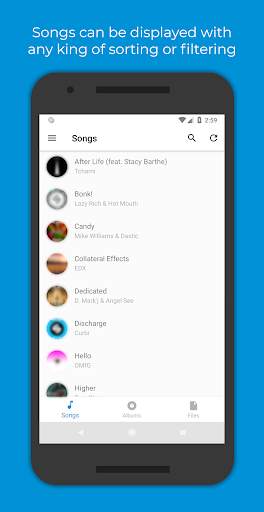
Questo editor automatico è perfetto per modificare i tag ID3 della tua libreria musicale. Aggiorna anche i tag associati al file in modo che non vengano perso quando si sposta il file altrove.
Modifica tutte le più comuni informazioni
‣ Titolo
‣ Artista
‣ Artista album
‣ Album
‣ Genere
‣ Anno
‣ Numero traccia
‣ Totale tracce album
‣ Numero disco
‣ Totale dischi
‣ Liriche
‣ Commento
Diversi formati audio sono supportati:
‣ Mp3
‣ Ogg
‣ Flac
‣ Wma
‣ M4a
‣ Wav
Supporta anche la modifica di file su memoria SD!

...

👉 For More Detail of Automatic Tag Editor

#2 Music Tag Editor

Music Tag Editor
Rating: star 3.3 | Version: 1.3.0 | Size: 4.1MB
Music Tag Editor screenshot 1 Music Tag Editor screenshot 2 Music Tag Editor screenshot 3

Music Tag Editor
(Tag Editor)
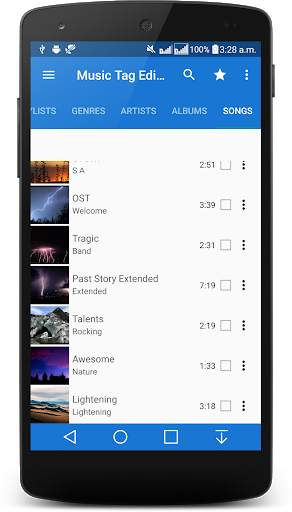
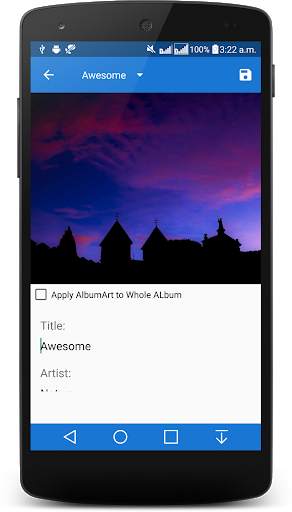
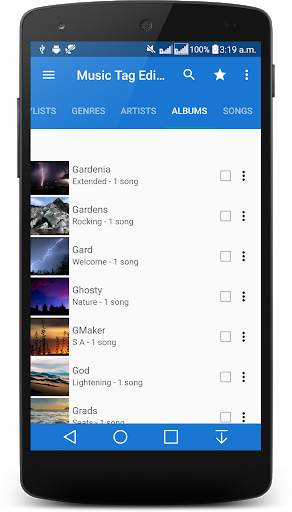
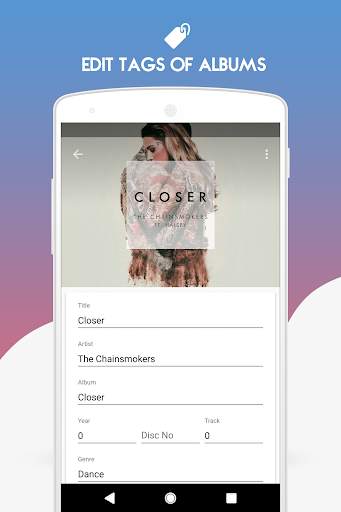
Music Tag Editor app - auto tagger is a material design music tag editor that introduces features like lyrics editing & album art editing to make the process of tagging your song files quick and easy.
Music Tag Editor automatically updates the Media Store Database when changes have been made to files to ensure changes reflect on all other media applications. Please take note that some music players use their own databases and may take longer to reflect changes to files, a manual update may need to be invoked within the application if it is possible.
Music Tagger Currently supports the following file formats MP3, FLAC , M4A and MP4 audio files only.
It is also known as - Music Tag and album art editor.
☆ NOTE FOR KITKAT USERS☆
If you are running KitKat writing to external storage will not work unless you have rooted your device and applied the SD card permissions fix. This is due to Google removing external write permissions from 3rd party apps on Android.
========================================================
Highlighted functions:
★Material design with easy to use interface
★Totally Free Tag Editor App no hidden charges .
★The Editor supports all popular Audio file formats.
★Supports Editing Multiple Tracks.
★Small size, low memory.
★Supports Playlist.
Innovative Feature:
❤ Folder Browsing to find music quickly.
❤ Memory efficient,takes very small amount of memory & easy to use .
❤ 2 Themes-Dark and Light
❤ 6 Theme and Accent Color.
❤ Reading and editing FLAC tags.
❤ Reading and editing M4A tags.
❤ Reading and editing MP4-Audio tags.
❤ Edit by Songs, Albums,Artists,Genre ,Playlist
❤ Seamless Integration with Marine Music Player
❤ Batch Edit Playlist songs
❤ Auto Music Tagger, automatic Music Tagger
❤ Manual editing currently supports MP3s,FLAC, M4A and MP4-Audio
❤ Reading and editing Appropriate ID3v3 tags
❤ Batch editing music files and albums
❤ Applying album art in android database to music files
❤ Batch applying album art in android database to music files
❤ Applying album art from storage to files.
❤ Updates Android Media Store after changes are made to MP3, M4A,MP4-Audio and FLAC tags.
❤ Reading an editing lyrics on MP3 M4A,MP4-Audio and FLAC files
❤ Built in Media Scanner
Pro Only Feature:
❤ 38 Themes and Accent Colors
❤ Song Meta Data Editing
❤ Built in File Browser(Folder View)
❤ All Future Features
❤ Developer Love
❤ No Ads
Become a Beta Tester :https://play.google.com/apps/testing/us.music.musictagger
Having an issue or got a suggestion? Drop us a mail! [email protected]
Album and Artist images used in the screenshots are licensed under Public Domain License:
https://creativecommons.org/publicdomain/zero/1.0/

...

👉 For More Detail of Music Tag Editor

#3 Vanilla Tag Editor

Vanilla Tag Editor
Rating: star 3.6 | Version: 1.4.11 | Size: 960.2KB
Vanilla Tag Editor screenshot 1 Vanilla Tag Editor screenshot 2 Vanilla Tag Editor screenshot 3

This app is a plugin.
Prior to use it you should have
Vanilla Music
installed.
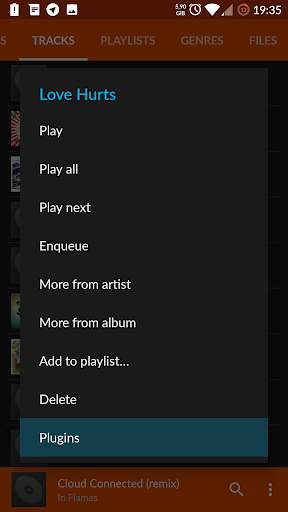
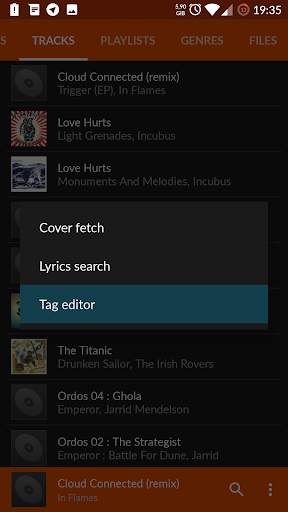
Once both player and this plugin are installed, request a context menu on a song from library screen, select "Plugins" and "Tag editor" afterwards.
Features
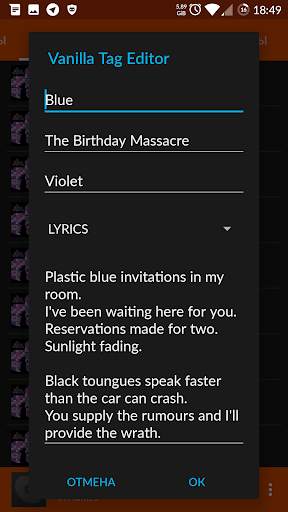
* Tag editing of multiple audiofile formats (mp3/ogg/flac/m4a)
* Custom tag editing (lyrics, track no, comment etc.)
* Lightweight (640 KB in release apk)
This program is free software: you can redistribute it and/or modify
it under the terms of the GNU General Public License as published by
the Free Software Foundation, either version 3 of the License, or
(at your option) any later version.

...

👉 For More Detail of Vanilla Tag Editor

#4 TagMusic - Tag Editor

TagMusic - Tag Editor
Rating: star 2.9 | Version: 0.9.0 | Size: 2.5MB
TagMusic - Tag Editor screenshot 1 TagMusic - Tag Editor screenshot 2 TagMusic - Tag Editor screenshot 3

You have changed the tags of song, but see no changes in music player. Two songs with same album name creates different albums. Tags of song is inconsistent with music player tag editor.
Why ?
That is because some tag editor only edits ID3 tags. TagMusic directly makes changes to Android MediaStore as well as ID3 tags. MediaStore is a database where android stores meta data of media files.
Benefits of tagging MediaStore are:
• No need to reboot the phone to update tags.
• No need for scanning media.
• Songs with same artist will be merged automatically.
• Updates tags almost instantaneously.
Features:
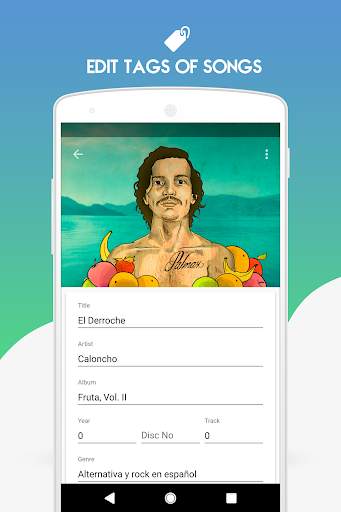
• Edit song title, artist, album, year, track, genre, composer and disc number of songs.
• Edit album, album artist, genre and year of albums.
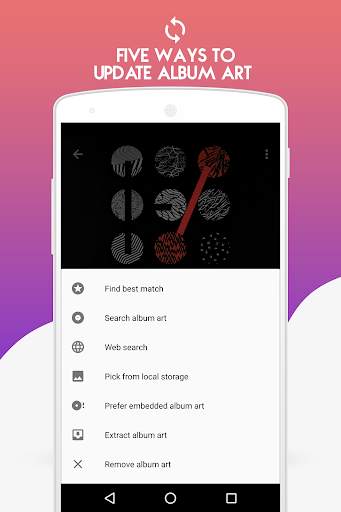
• Update cover art of albums.
• Update cover art of songs.
• Remove album art from songs.
• Remove album art from albums
• Download album art from online services
• 11 themes
• Song list view - Mini and Detail.
• Lyrics editor
• Fix tags: Extract ID3 tag of songs and update on Android Mediastore.
• Remove tag
• Folder support
• Rename files in folders from tags
• Remove album art
And many more...
Advanced features
• Batch tag songs
• Batch rename files
• Batch fix tags
The app requires the following permissions:
READ_EXTERNAL_STORAGE: This permission is required for getting the list of songs from the external card.
WRITE_EXTERNAL_STORAGE: This permission is required for editing tags of songs in external card.
ACCESS_NETWORK_STATE: This permission is required for checking the state of network connection. This is used for prompting the users to connect to internet if they are not connected.

...

👉 For More Detail of TagMusic - Tag Editor

#5 Smart MP3 Tag Editor

Smart MP3 Tag Editor
Rating: star 4.4 | Version: 23.4.23 | Size: 10.9MB
Smart MP3 Tag Editor screenshot 1 Smart MP3 Tag Editor screenshot 2 Smart MP3 Tag Editor screenshot 3

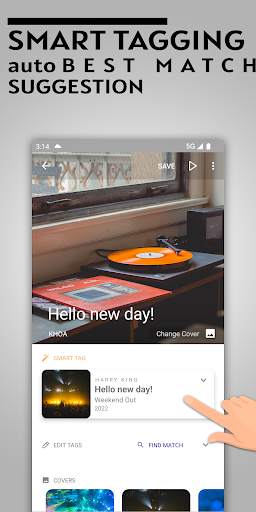
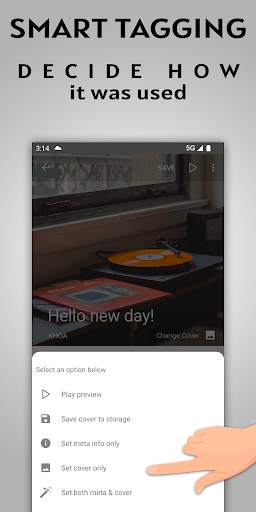
ID3 Taging Editor per tutta la tua musica.L'app fornisce una funzione smart tagger troverà automaticamente la migliore corrispondenza per la tua musica istantaneamente.
gratuito & amp;Funzione completa Non è necessario pagare qualsiasi dollaro per taggare il tuo audio.
Incorporare i testi del file audio per riprodurlo offline.Supporto Scheda Lyric integrata .
Scarica l'immagine Hi-Res per incorporare il file audio.
PotenteCaratteristiche:
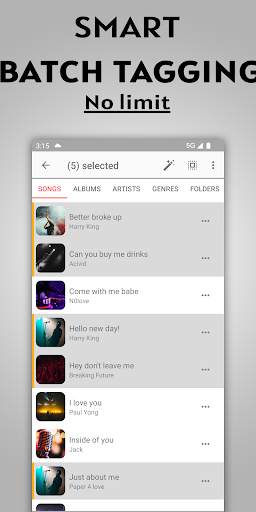
🔥 tagging batch .Seleziona più file audio per etichettatura automatica.
🔥 Modifica file interi album o più file contemporaneamente.Impostali hanno lo stesso artista, album, genere, .... tutti in una volta.
🔥 HD Artwork.Opere d'arte in ridimensionamento.In grado di scaricare opere d'arte dall'URL o selezionare dalla galleria fotografica.
🔥 Export Artwork dal file audio e salvarle nella tua memoria.
🔥 Country di ricerca
🔥 in grado di visualizzare in anteprima il file audioPrima di selezionare i tag da applicare
🔥 Rinomina automatico file utilizzando i suoi tag
🔥 Modelli di rinomina del file.Consentire di personalizzare la base del modello di nome file sui suoi tag
🔥 Rinomina il file, modifica l'estensione del file per abbinare il tipo di contenuto audio
🔥 Modifica tag per la tua musica su sdcard
🔥 testiCerca e incorporati nel file audio
🔥 Consenti a riorganizzare tutti i campi di tag come desiderato
Formati audio di supporto:
⭐ flac
⭐ mp3
⭐ m4a
⭐ ogg
⭐ aiff
⭐ wma
⭐ wav
Imposta i tuoi meta tag:
* Copertina ad alta risoluzioneImmagine
* Titolo
* Artista
* Artista dell'album
* Album
* Genere
* anno
* Numero disco
* discreto
* Numero traccia
* traccia totale
* compositore
* copyright
* editore
* encoder
* commento
* testi
design:
- Progettazione di materiale
- Interfaccia pulita e minimalista
- cena pulita e facile da usare
- Modalità notturna.Dark Theme
Divertiti a taggare la musica!Valuta 5 stelle se l'app è utile per te!❤️

...

👉 For More Detail of Smart MP3 Tag Editor

Search Results

1/4

You may like

DOWNLOAD IS NOT SUPPORTED IN WEB STORE!
Use the latest version of 9Apps to download APK&OBB file of games in one click!
DOWNLOAD 9APPS