bittorrent remote on 9Apps

Free download latest bittorrent remote for Android here and enjoy it with your phone. Below you can download a list of top and latest apps related to bittorrent remote . 9APPS is a fast, safe app store. With 9APPS, you can save a lot of time on searching and downloading apps.

#1 BitTorrent® Remote

BitTorrent® Remote
Rating: star 3.0 | Version: 1.0.20111104 | Size: 340.9KB
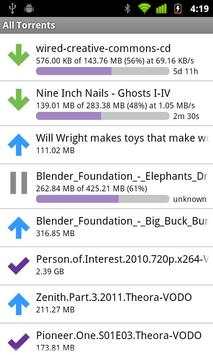
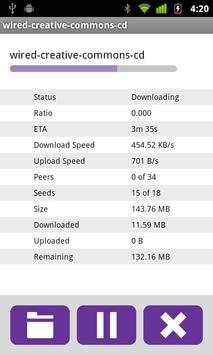
BitTorrent® Remote screenshot 1 BitTorrent® Remote screenshot 2 BitTorrent® Remote screenshot 3

Discover and download on your home computer from anywhere.
What is BitTorrent® Remote?
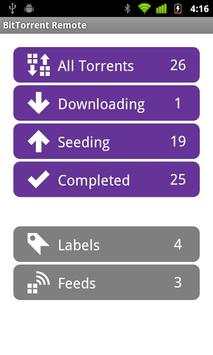
BitTorrent Remote is a simple and secure app that enables you to access BitTorrent on your home computer from anywhere. Just create an account from BitTorrent on your computer and you're done. There's no complicated network setup required.
Want to download torrents directly to your Android device?
Download BitTorrent® for Android here: http://bit.ly/1fWaXdi
Features:
Add, remove, start, stop downloads on your home computer
Check download progress
Check your RSS feeds
Automatically add torrents to your home BitTorrent client from your mobile browser
Shift completed downloads to your Android device for local playback
How do I get started?
View more detailed instructions at https://remote.bittorrent.com/signup
By downloading or using this app, you agree to the Terms of Use (http://www.bittorrent.com/legal/terms-of-use) and Privacy Policy (http://www.bittorrent.com/legal/privacy)
Support and feedback? btandroidremote@bittorrent.com

...

👉 For More Detail of BitTorrent® Remote

#2 BitTorrent Torrent Downlader

BitTorrent Torrent Downlader
Rating: star 4.5 | Version: 8.1.8 | Size: 34.5MB
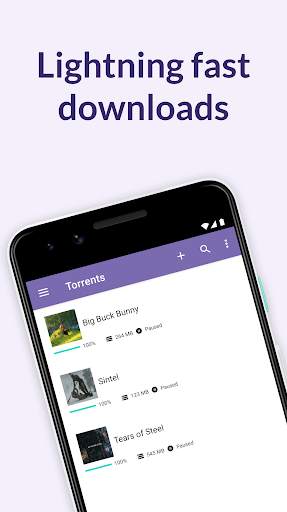
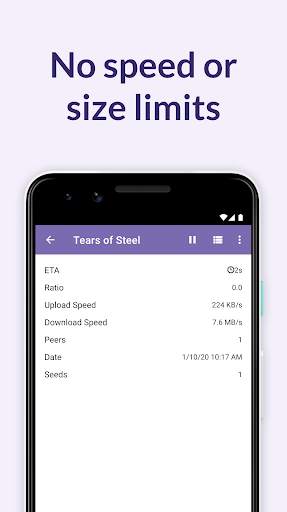
BitTorrent Torrent Downlader screenshot 1 BitTorrent Torrent Downlader screenshot 2 BitTorrent Torrent Downlader screenshot 3

Android용 공식 BitTorrent® 앱을 사용하여 휴대폰이나 태블릿에서 토렌트를 찾고, 다운로드(토렌트)하고 플레이하세요. 다운로드 속도나 다운로드 크기 제한이 없는 멋진 토렌트 다운로더를 받으세요. 이제 휴대폰으로 토렌트를 다운로드하는 것이 쉽습니다.
Android용 BitTorrent 앱은 어디에서나 비디오/음악을 검색, 다운로드 및 재생할 수 있는 매우 간단한 방법입니다.
Android용 BitTorrent 앱은 더 나은 성능, 더 빠른 다운로드 및 사용자 중심의 모바일 토렌트 경험을 제공합니다.
우리는 귀하의 피드백을 듣고 이 최신 버전을 다음과 같이 업데이트했습니다.
✔ 아름답고 가볍고 깔끔한 디자인
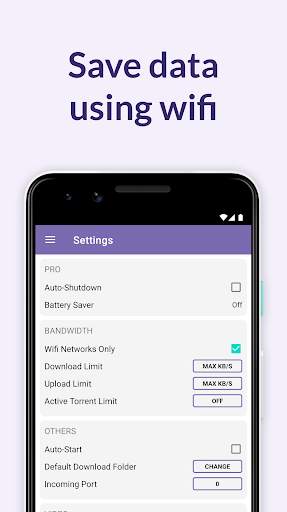
✔ 모바일 데이터를 절약하는 Wi-Fi 전용 모드
✔ 속도 제한 및 크기 제한 없음
✔ 통합된 음악 및 비디오 라이브러리로 미디어에 쉽게 액세스
✔ 저장 공간을 최소화하기 위해 토렌트 내에서 다운로드할 파일 선택
✔ 통합 음악 및 비디오 플레이어로 더 나은 음악 감상 및 비디오 감상 경험
✔ 자동 종료(Pro 기능)
더 많은 기능:
✔ 토렌트 추가 시 파일 다운로드 위치 선택
✔ 급류 및 마그넷 링크 다운로드
✔ 토렌트만 삭제 또는 토렌트 및 파일 삭제 중에서 선택
✔ Pусский, Español, Italiano, Português do Brasil의 번역
✔ 성능을 극대화하기 위해 전담 토렌트 코어 엔지니어가 지속적으로 업데이트하는 최신 코어 토렌트 기술
✔ 처음부터 Moby 및 Public Enemy와 같은 BitTorrent의 콘텐츠 파트너로부터 라이선스가 부여된 무료 음악 및 비디오 토렌트를 다운로드하십시오.
✔ 토렌트에 하나 이상의 음악 파일을 다운로드하셨습니까? 재생 목록으로 한 번에 모두 재생
✔ 향상된 다운로드 성능 개선 및 안정성. 여기에는 Canonical Peer Priority(토렌트 무리에서 귀하와 동료 간의 홉 길이 감소) 및 더 빠른 마그넷 링크 데이터 처리가 포함됩니다.
FAQ
이 페이지를 방문하세요: http://help.bittorrent.com/
도움말 및 지원
https://forum.bittorrent.com/forum/5-bittorrent-client/에서 BitTorrent 포럼을 방문하세요.
페이스 북에서 좋아요를 눌러주세요
http://www.facebook.com/bittorrent
Twitter에서 팔로우하세요.
http://twitter.com/bittorrent
피드백
귀하의 피드백은 우리에게 매우 중요합니다. 문제나 요청이 있는 경우 btandroid@bittorrent.com으로 직접 이메일을 보내주십시오.
--BitTorrent 모바일 팀.
"콘텐츠의 지속 가능한 미래를 구축하기 위해 노력합니다."
BitTorrent 또는 uTorrent - 토렌트 다운로더 클라이언트를 다운로드하거나 사용하면 사용 약관(http://www.bittorrent.com/legal/terms-of-use) 및 개인정보 보호정책(http://www.bittorrent. com/legal/privacy)
앱 접근권한 안내
정보통신망 이용촉진 및 정보보호 등에 관한 법률 제22조의2에 의거 다음과 같은 목적으로 접근권한에 대한 이용자의 동의를 구하고 있습니다.
필수 접근 권한
없음
선택적 접근 권한
장치에서 사진, 비디오, 음악 및 오디오에 액세스할 수 있습니다. 이것은 원하는 위치에 토렌트를 다운로드하는 것입니다. 앱은 이러한 권한이 없어도 계속 작동하지만 매우 제한적입니다.
위치 서비스 - 사용자가 있는 곳과 관련된 광고를 제공하려면 이 액세스 권한이 필요합니다. 앱은 작동하지만 광고 경험은 저하됩니다.
알림 - 앱 사용에 대한 유용한 팁을 보낼 수 있도록 알림에 대한 액세스를 원합니다.

...

👉 For More Detail of BitTorrent Torrent Downlader

#3 BitTorrent Now

BitTorrent Now
Rating: star 3.0 | Version: 1.1.0 | Size: 11.9MB
BitTorrent Now screenshot 1 BitTorrent Now screenshot 2 BitTorrent Now screenshot 3

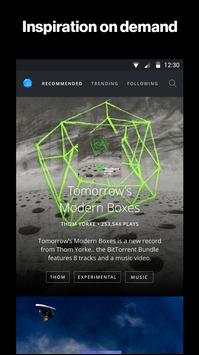
BitTorrent Now is the best place to experience music and video from the underground artists you don’t know about yet. We’re a rabbit hole of on-demand songs, stories, and more for fans looking for that next, best thing.
We built BitTorrent Now to bring awesome experiences to life. We’re dedicated to sharing the world’s original, experimental, and straight-up brave stories in a way that gives these creators a sustainable future for their art. When you see advertising, we share that revenue in a fair and transparent way with our creative community. Directly support the artists who you want to succeed.
With Now, you can:
- Experience it now or save it for later: browse and stream curated music and video recommendations from independent artists
- Check out what tracks, artists, and videos are trending within the Now community
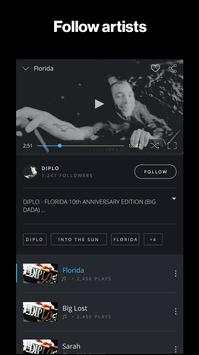
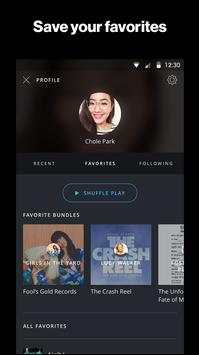
- Personalize your experience by signing in with Facebook, Google , or email to follow your favorite artists to get the scoop on their latest releases
- Explore categories by tag, genre, and more
- Share the awesome stories you’ve discovered with friends
- Uninterrupted listening with background play -- listen the way you want to

...

👉 For More Detail of BitTorrent Now

#4 BitTorrent Sync

BitTorrent Sync
Rating: star 3.0 | Version: 2.3.9 | Size: 10.6MB
BitTorrent Sync screenshot 1 BitTorrent Sync screenshot 2 BitTorrent Sync screenshot 3

BitTorrent의 BitTorrent Sync는 무제한의 파일과 폴더를 신뢰할 수 있는 모든 기기에 걸쳐 동기화하고 공유합니다. 무슨 파일이든 동기화하고 공유하세요! 사진, 동영상, 워드 문서, PDF 등 - 큰 파일이든 작은 파일이든 상관 없습니다. Sync는 파일 크기와 관계 없으며 제한이 없습니다. 기가 바이트를 원하는대로 동기화하세요. 안드로이드용 BitTorrent Sync는 이동 중, 모든 동기화된 폴더에 액세스할 수 있습니다!
기능:
• 모든 Sync 폴더 및 파일을 안드로이드 기기에서 액세스 가능.
• 안드로이드 기기에서 사진, 동영상, PDF, 문서를 추가.
• 파일(사진, 동영상, PDF, 문서)을 컴퓨터의 폴더에 자동으로 백업.
• 파일 전송은 암호화되고 보안키에 의해 보호.
• 사용자 정보는 절대 클라우드 서버에 저장되지 않음.
최고의 성능과 모바일 기기를 동기화하는 동안 데이터 비용 소모를 피하려면, "모바일 데이터 사용" 설정을 끈 채로 놔둘 것을 권장합니다.
BitTorrent Sync는 개인용 파일 동기화 프로그램임을 양지하시기 바랍니다. 토렌트 파일 공유 프로그램과는 호환되지 않으며 Box나 Dropbox와 같은 프로그램입니다.
안드로이드용 BitTorrent Sync는 아톰 기반의 기기와는 호환되지 않으며 데스크톱용 BitTorrent Sync 1.1.27 이상의 버전과 호환됩니다. 해당 버전을 가지고 있지 않으면, http://www.bittorrent.com/sync에서 다운로드할 수 있습니다.
권한:
BitTorrent Sync 설치 시, 기기 상의 계정을 찾는 권한을 요구하게 됩니다. 이는 해당 애플리케이션에서 개발팀에 피드백이나 기타 정보를 보낼 수 있도록 합니다. 이 애플리케이션은 QR 코드 스캔을 위해 카메라에 액세스하고, 또한 전화기와 SD 카드에 있는 파일을 다운로드하고 저장하기 위해 네트워크 연결 및 보관에 액세스합니다. 다음 웹사이트에서 필요 권한에 대해 알아볼 수 있습니다: http://sync-help.bittorrent.com/customer/portal/articles/1695052-permissions-sync-requires-on-android-and-amazon-kindle
자주 묻는 질문(FAQ) 찾기나 시작을 위한 가이드는 어디서 찾나요? 아래 주소로 방문해 주세요: http://www.bittorrent.com/help/faq/sync
지원이나 피드백은 어떻게 하나요? syncapp@bittorrent.com에 이메일을 보내주시거나 BitTorrent Sync 포럼 http://forum.bittorrent.com/forum/56-bittorrent-sync/에 방문하세요
Facebook으로 좋아요하기: http://www.facebook.com/bittorrent
Twitter로 팔로우하기: http://twitter.com/bittorrentsync
이 앱을 다운로드하거나 사용하면, 사용 약관(http://www.bittorrent.com/legal/terms-of-use) 및 개인정보보호 정책(http://www.bittorrent.com/legal/privacy)에 동의하게 됩니다.

...

👉 For More Detail of BitTorrent Sync

#5 Remote Link (PC Remote)

Remote Link (PC Remote)
Rating: star 4.1 | Version: 1.2m.4.150730_AD | Size: 8.6MB
Remote Link (PC Remote) screenshot 1 Remote Link (PC Remote) screenshot 2 Remote Link (PC Remote) screenshot 3

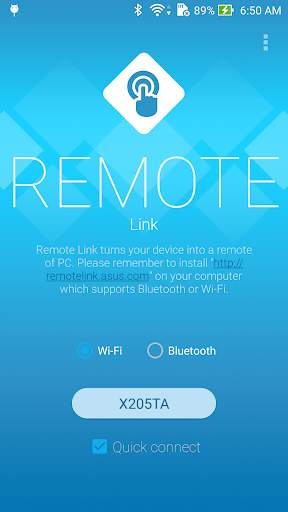
【Remote control for your PC】
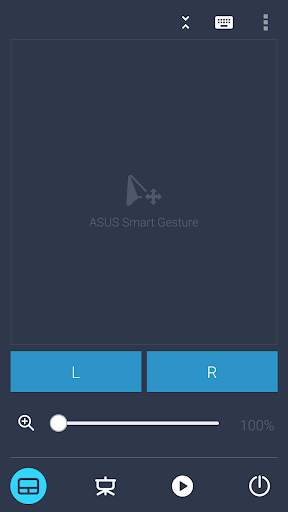
ASUS Remote Link turns your Android mobile phone or tablet into a WiFi or Bluetooth remote control for your PC. Including a touchpad remote, a keyboard remote, a presentation remote, a media remote and more.
【Touchpad with multi-touch gestures】
Touchpad remote turns your Android device into a wireless touchpad of PC which supports proper touch pad functions as well as ASUS Smart Gesture.
【Effortlessly control your slides】
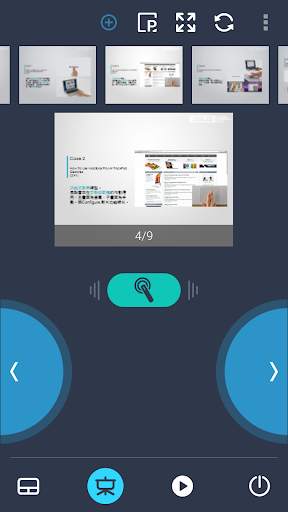
In Presentation remote, it allows you to give a slick presentation. So easy! So professional!
【Sit back and enjoy music】
In Media remote, control your Windows Media Player of your PC among your finger tips.
【Android Wear】
When you connect your smartphone to your PC via WiFi or Bluetooth using ASUS Remote Link, and then connect ASUS ZenWatch to your smartphone, you can now remotely control your presentation using simple gestures on your ASUS ZenWatch.
With the ASUS Remote Link app, you can:
- Use voice commands to launch ASUS Remote Link on ZenWatch
- Swipe up or swipe down on ZenWatch to move forwards and backwards through your presentation slides.
【Notes】
- ASUS Remote Link requires a WiFi or Bluetooth connection between your PC and smartphone.
- Before using ASUS Remote Link, you must install ASUS Remote Link server on your PC. Go to http://remotelink.asus.com to download and install it on your computer.
【FAQ】
http://www.asus.com/zentalk/forum.php?mod=forumdisplay&fid=51&filter=typeid&typeid=96
【YouTube videos】
https://www.youtube.com/results?search_query=asus+%22remote+link%22

...

👉 For More Detail of Remote Link (PC Remote)

Search Results

1/20

You may like

DOWNLOAD IS NOT SUPPORTED IN WEB STORE!
Use the latest version of 9Apps to download APK&OBB file of games in one click!
DOWNLOAD 9APPS