shake to lock on 9Apps

Free download latest shake to lock for Android here and enjoy it with your phone. Below you can download a list of top and latest apps related to shake to lock . 9APPS is a fast, safe app store. With 9APPS, you can save a lot of time on searching and downloading apps.
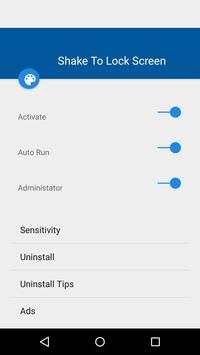
#1 Shake To Lock

Shake To Lock
Rating: star 3.0 | Version: 7.2 | Size: 2.8MB
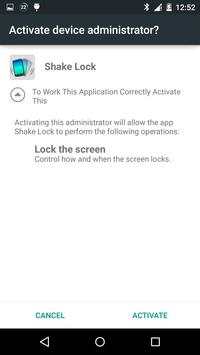
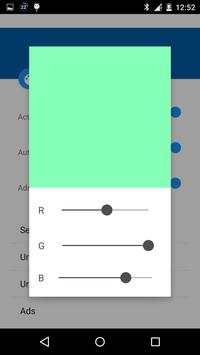
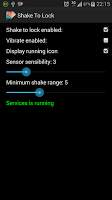
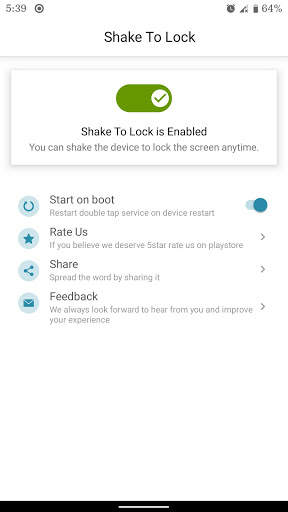
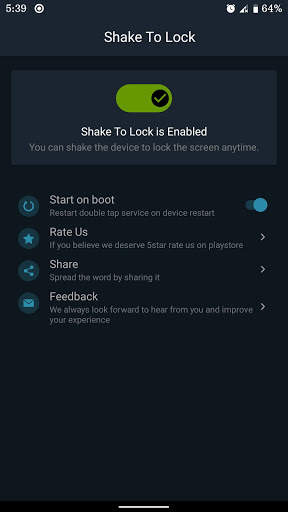
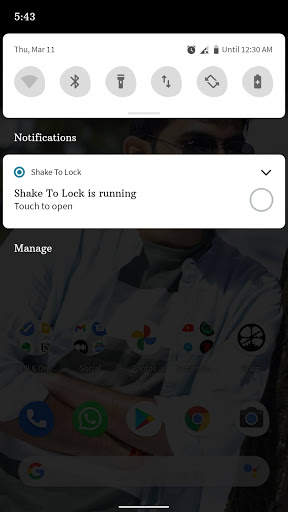
Shake To Lock screenshot 1 Shake To Lock screenshot 2 Shake To Lock screenshot 3

The Complete User Interface is changed for Material Design.
Why
Still using the lock button to lock the screen..
Install And have a fun In locking the scree...
The people are asking change so install this app ...
Features:-
* Super App for professions and students.
* Lock button not working then istall this app.
* Shake the mobile to predetermined length to lock the screen.
* Sensitivity can be controlled by You.
* A super UI.
* A 4.2 Jelly Bean Switch is Implemented.
Rate it..
If u Have any bugs please mail me before giving comment .. i'll fix it for You.
## Cannot uninstall this app?
1. Open “Settings“ in Home;
2. Select “Location & Security -> Select device administrators“;
3. Unchecked permission of Shake to lock ;
4. REMOVE Shake to lock normally;

...

👉 For More Detail of Shake To Lock

#2 Shake To Lock

Shake To Lock
Rating: star 3.0 | Version: 1.0 | Size: 596.5KB
Shake To Lock screenshot 1 Shake To Lock screenshot 2

Lock screen more easily. You can lock the screen by shaking the phone. This application is very simple and lightweight. With this application, you do not need to press the power button to lock the screen. Just install the application and activate it. Device admin (this only allows the lock screen, nothing else) then select the suitable sensitivity and applications are ready for use. Now you can shake the device to lock the screen.
Guide
- Adjust sensitivity suitable for your device
- Shake the phone to the left or right to turn off the screen.
Keywords: lock off, screen off

...

👉 For More Detail of Shake To Lock

#3 Shake to Lock/Unlock

Shake to Lock/Unlock
Rating: star 3.4 | Version: 1.2 | Size: 1.3MB
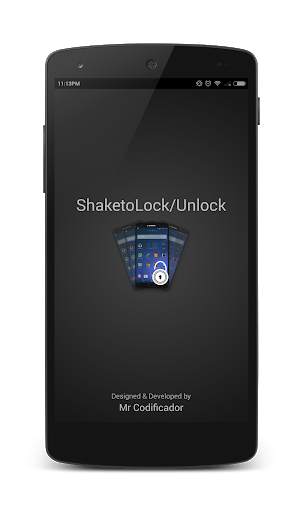
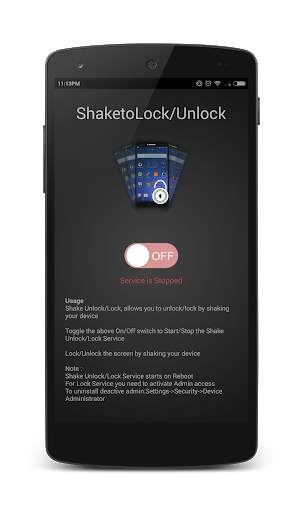
Shake to Lock/Unlock screenshot 1 Shake to Lock/Unlock screenshot 2 Shake to Lock/Unlock screenshot 3

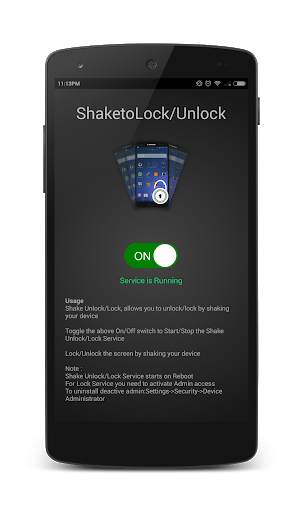
Shake Unlock/Lock, allows you to unlock/lock by shaking your device.
-
Toggle the above On/Off switch to Start/Stop the Shake Unlock/Lock Service.
-
Lock/Unlock the screen by shaking your device
Note :
Shake Unlock/Lock Service starts on Reboot
For Lock Service you need to activate Admin access
To uninstall deactive admin:Settings->Security->Device Administrator
----------------------------------------------------------
Any suggestions/bugs/features please post in comments or drop a mail : mailcodificador@gmail.com

...

👉 For More Detail of Shake to Lock/Unlock

#4 shake Unlock - Shake To Unlock & Shake To Lock
shake Unlock - Shake To Unlock & Shake To Lock
Rating: star 4.4 | Version: 1.0 | Size: 6.1MB
shake Unlock - Shake To Unlock & Shake To Lock screenshot 1 shake Unlock - Shake To Unlock & Shake To Lock screenshot 2 shake Unlock - Shake To Unlock & Shake To Lock screenshot 3

💯The best SHAKE TO UNLOCK application for android
Shake Unlock is one useful app, help you
easy to unlock and lock screen with shake style
.We call it
“Magic Unlock”
! Shake to unlock is allow you shake device to unlock screen . You can
shake to lock screen
. Shake to unlock use your phone's Accelerometer to capture the movement of your phone.
📣Unlock screen
: You can enable/disable function shake to unlock screen .
📣Pocket mode
: Use proximity sensor to prevent wake while your phone inside pocket,bag.
📣Lock screen
: You can enable/disable this function to lock screen by shake.
📣 Shake to Unlock Features 📣
★ Shake to Unlock , You can shake your phone to unlock device


★ Shake to lock screen , You can shake your phone to lock the device. 

★ Pocket mode : Use proximity sensor to prevent wake while your phone inside pocket,bag

★ Option landscape : disable lock screen when your device is in landscape mode.
★ Option vibrate Notifies device lock screen or unlock screen.

★ Option excluded apps prevent locking if one of these apps in foreground.
📣 To Uninstall
 
Please click on icon on the top actionbar to uninstall.
📣 How to use

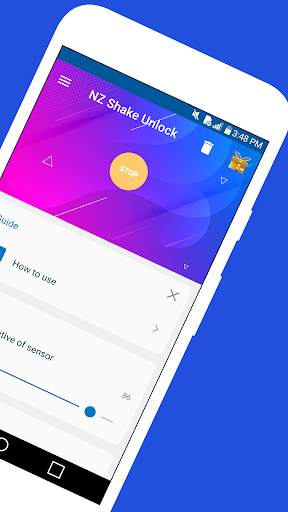
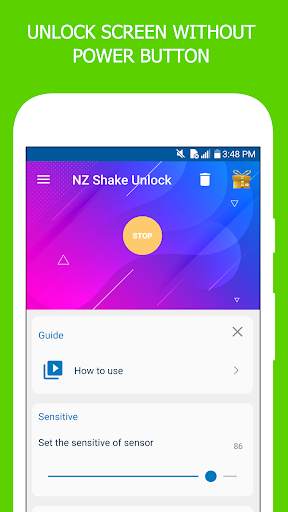
★ To enable the app, press the “START” button.  The button will turn off Yellow button after enabling it.

★ You’re now ready to unlock your device’s screen by shake your device.

★ Turn your device’s screen off simply by shake your device when screen off .  This feature is not enabled by default.
Click on Lockscreen row You will then be asked to add the app as the device administrator in order to enable the feature.  Simply enable it and you’re ready to use it.


📣 Required Permissions
:

★ WAKE_LOCK to turn on the screen

★ USES_POLICY_FORCE_LOCK to lock the device

★ RECEIVE_BOOT_COMPLETED to automatically startup on boot if selected

★ READ_PHONE_STATE to suspend NZ Wave Unlock while on a call


★That’s pretty much it!  Now, be aware using your proximity sensor to turn your phone’s screen on/off★

...

👉 For More Detail of shake Unlock - Shake To Unlock & Shake To Lock

#5 Shake To Lock and Unlock

Shake To Lock and Unlock
Rating: star 3.0 | Version: 1.0 | Size: 1.6MB
Shake To Lock and Unlock screenshot 1 Shake To Lock and Unlock screenshot 2 Shake To Lock and Unlock screenshot 3

Zum Sperren, um die App zu sperren und die ENTLING-App bietet Ihnen die Flexibilität, um Ihr Gerät zu sperren, wenn Sie das Mobiltelefon schütteln. Shake, um zu sperren und Entsperren der Verwendung des Netzknopfes zu reduzieren. Mit dem Shake zum Sperren und Entsperren von App können Sie den Bildschirm sperren, ohne alle Hardwaretasten zu drücken.
Shake to Sperren und Entsperren ist sehr einfach zu bedienen. Verwenden Sie den Shake, um die Funktion zu verriegeln, um Ihr Gerät für die beste Leistung zu sperren. Geben Sie es einen Versuch, wenn Sie neue Funktionen benötigen, klicken wir auf Award, um Ihre Lieblingsfunktionalität hinzuzufügen. Wir sind mehr als glücklich, von Ihnen zu hören.
Shake, um Funktionen zu sperren und zu sperren:
★ Shake to Sperren-Bildschirm, Sie können Ihr Telefon schütteln, um das Gerät zu sperren.
★ Die Option zum Neustart doppelter Tap-Sperrdienst auf dem System neu starten.
★ Dark-Modus Unterstützung.
mehr In Kürze kommen Sie in Kürze, bitte schreiben Sie uns, wenn Sie etwas, das Sie benötigen, im Shake fehlt, um die Anwendung zu sperren und zu entsperren.
So verwenden Sie den Shake, um das Schütteln zu schließen und zu entsperren Sperren und Entsperren von Service Drücken Sie die Switch-Taste oben auf dem Startbildschirm. Zulassen Sie dann alle obligatorischen Berechtigungen wie die Zugänglichkeits- / Geräteverwaltung basierend auf der Android-Version.
Nachdem Sie die Berechtigungen erlaubt haben und den Shake aktivieren können, um den Service zu sperren und freizuschalten, schütteln Sie einfach das Gerät und den Bildschirm wird gesperrt.
1. Schütteln, um den Zugriffsdienst zu sperren und freizuschalten, um Ihr Gerät zu sperren. Wenn die Android-Version größer als Android P.
2. Schütteln, um die Genehmigung der Geräteverwaltung zu sperren, um das Gerät über Android Kitkat zu sperren.
3. Wir bitten auch nach Berechtigungen wie dem automatischen Start basierend auf dem Gerätetyp Sicher shake, um zu sperren und freischalten Service ist für die Benutzer immer verfügbar.
Wir verwenden keine der oben genannten Erlaubnis, auf Ihre personenbezogenen Daten zuzugreifen, aber diese Berechtigungen sind erforderlich, um die App zu arbeiten.

...

👉 For More Detail of Shake To Lock and Unlock

Search Results

1/20

You may like

DOWNLOAD IS NOT SUPPORTED IN WEB STORE!
Use the latest version of 9Apps to download APK&OBB file of games in one click!
DOWNLOAD 9APPS