

DOWNLOAD IS NOT SUPPORTED IN WEB STORE!
Use the latest version of 9Apps to download APK&OBB file of games in one click!
DOWNLOAD 9APPS
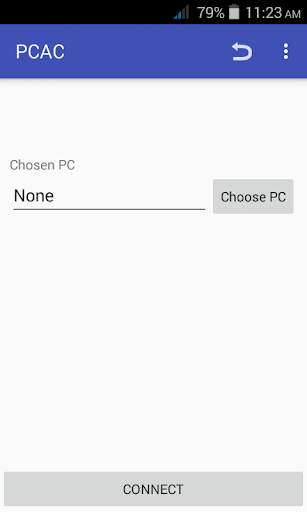
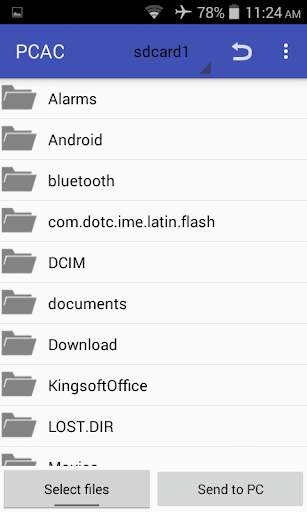
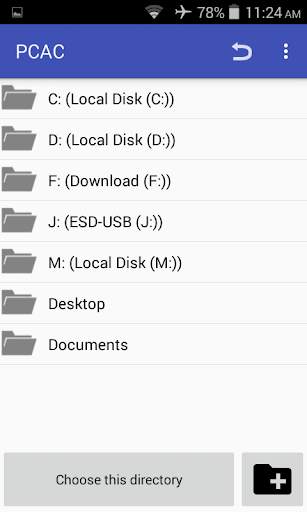
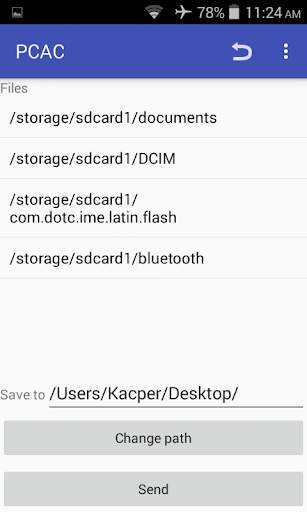
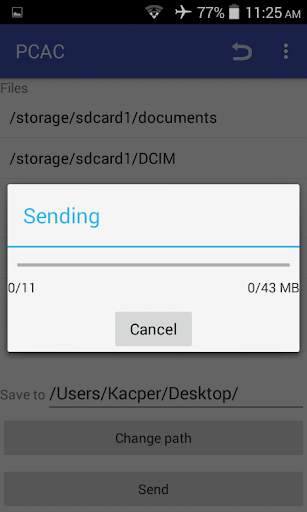
PC-Android Connection (PCAC) allows you to transfer files from PC to Device and from Android to PC in a simple way.
**Remember, if you want to use this app, you have to run small application on your Windows (link below or could be found in app)**
Transfer your files simply, safely and fast without limit.
==========================================================
Using PCAC you do not need USB cable, all files will be sent through Wi-Fi in the local area. Also, you do not need to know your IP address, because the program automatically discovers PC with running PCAC.
To work properly...
==================
1. You have to download and run PCAC on your PC -
https://kacperb.page.link/nM9x
2. Run PCAC on your Android
3. Transfer files
Mirror: http://www.mediafire.com/file/w489x9fvoznd7pw/PCAC.7z
http://www.mediafire.com/file/h128x5f8f1mfhtv/PCAC.rar



imo beta -video calls and chat
4.394.0MB

ShopClues
3.816.4MB

Talking Tom Cat
3.963.0MB

Mushroom Takeover
4.569.0MB

Facebook Lite
4.02.5MB

Temple Run 2
4.4122.1MB

Offline Music Mp3 Player- Muso
4.535.9MB

Candy Crush Saga
4.491.1MB

Quikr: Homes, Jobs, Cars Etc
4.120.8MB

Dearmet: Video Chat, Live Talk
4.043.4MB